Minecraft version
Back to mods 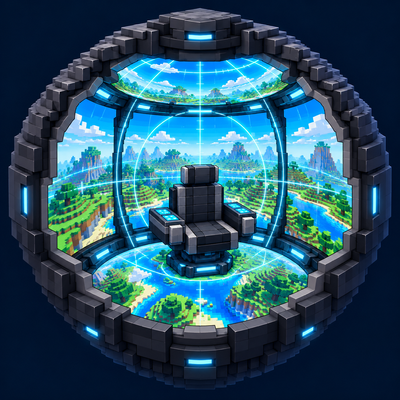
CurseForge · Minecraft mod
Omni Display
Build panoramic cockpits for Create and Sable vehicles with wraparound screens, surface-mounted panels, and a customizable spherical HUD.
Choose a version Pick your version below, then grab the matching file.
Quick answer
Which Omni Display release should I use?
Latest stable file Omni Display 1.2
Game version 1.21.1
Loader NeoForge
Omni Display 1.2 targets 1.21.1 with NeoForge. The project page does not say whether this file belongs on the client, dedicated server, or both. No extra mods listed for this file.
Where it goes
Is Omni Display required on the client, server, or both?
The project page does not say whether this file belongs on the client, dedicated server, or both.
Client Source doesn’t say
Dedicated server Source doesn’t say
Loader for this release NeoForge
Required install it here Optional supported, not mandatory Not supported do not install here Source doesn’t say do not assume
The source does not explicitly classify this release as client-only or server-only.
What else does Omni Display 1.2 need?
Omni Display 1.2. Change the file and its required mods may change too.
This file does not list any required mods. Do not add a library just because a different file uses it.
This file does not list any required or optional mods.
Before you install it
Add Omni Display without breaking your instance.
Built for Omni Display 1.2. Pick another file and the loader, install side or required mods may change.
- 01
Stick to this file
Use Omni Display 1.2. It targets 1.21.1 with NeoForge; another release may have different loader, side or dependency requirements.
- 02
Bring the mods it needs
This file does not list any required mods. Do not add a library just because a different file uses it.
- 03
Put it on the correct side
The project page does not say whether this file belongs on the client, dedicated server, or both.
- 04
Pick the file you checked
Use the “Get this file” button beside Omni Display 1.2. It opens that exact file at the source.
About this project
What does Omni Display add?
Omni Display — 全周天驾驶舱
Build the cockpit you imagined.
Omni Display adds panoramic cockpit displays for Create and Sable vehicles. Turn an enclosed cabin into a wraparound view of the outside world, complete with a customizable spherical HUD. Designed for mechs, aircraft, spacecraft, and other custom vehicles.
Features
Panoramic cockpit displays: Automatically identifies the interior and exterior of an enclosed cockpit. Interior display surfaces reveal the surrounding world when powered on.
Surface-mounted screen panels: Apply screens to any of the six faces of an existing block without occupying another block space. The host block keeps its original functions.
Thin displays: Independent, solid panels placed against the edge of a block space rather than in its center.
Cockpit doors and trapdoors: Serve as both entrances and display surfaces. Doors must be closed before powering on and remain locked while the cockpit is active.
Spherical flight HUD: Displays heading, attitude, speed, and altitude, with adjustable appearance, brightness, and scale.
Create wireless control: Configure redstone-link frequencies to toggle cockpit power and mouse locking with pulses.
Optional radar integration: Connect to Create Radar for target indicators and locking. Radar indicators remain visible through blocks.
Persistent flight displays: The spherical HUD and radar indicators remain visible when the normal interface is hidden with F1.
Getting Started
Build an enclosed cockpit using display blocks, thin displays, surface-mounted panels, and cockpit doors or trapdoors.
Close all cockpit entrances.
Right-click a display or a coated panel face with an empty hand to toggle cockpit power.
Sneak-right-click a display surface, cockpit door, or trapdoor to open the shared configuration panel.
Right-click a coated face with a Create wrench to remove its screen panel while keeping the underlying block.
Crafting
Display: Iron ingots, glass, redstone, and a Create Precision Mechanism.
Screen panel: One display + one glass pane.
Cockpit door: Two displays arranged vertically.
Thin displays: Three displays arranged horizontally → six thin displays.
Cockpit trapdoor: Three thin displays arranged horizontally → one trapdoor.
Requirements
Current build: 1.0fix
Minecraft 1.21.1
Java 21
NeoForge 21.1.228 or later within the compatible 1.21.1 series
Create 6.0.10
Sable 2.0.5
Flywheel 1.0.6, included with the corresponding Create distribution
Optional integration: Create Radar 0.4.9.4-1.21.1.
Install Omni Display and its required dependencies on both the client and server. Compatibility with other dependency versions has not been verified.
Development Status
Omni Display is under active development. Compilation and automated checks have passed; broader in-game, multiplayer, and rendering compatibility testing is ongoing.
Please report issues with your mod versions, reproduction steps, and relevant logs or screenshots.
全周天驾驶舱
把想象中的驾驶舱,搭进你的载具。
Omni Display 为 Create 与 Sable 载具提供全周天座舱显示系统。开启后,封闭驾驶舱的内侧显示面呈现周围世界,配合可自定义的球形 HUD,让机甲、飞机、飞船等载具拥有更开阔的驾驶视野。
主要功能
全周天显示: 自动识别封闭座舱的内外侧,开机后从内侧显示面观察外界。
贴片式屏幕: 可贴在现有方块的六个面上,不额外占用方块格,保留被覆盖方块的原有功能。
轻薄显示器: 可独立放置并具有碰撞,紧贴方块格的一侧,适合制作薄壁座舱。
座舱门与活板门: 同时承担出入口和显示屏功能;开机前需要关好,开机期间自动锁定。
球形飞行 HUD: 显示航向、姿态、速度和高度,可调整显示内容、亮度、颜色与尺寸。
机械动力无线控制: 设置红石链路频率,通过脉冲切换座舱电源和鼠标锁定。
可选雷达联动: 接入 Create Radar,显示目标标记并进行锁定,雷达标记不会被方块遮挡。
F1 保留驾驶显示: 隐藏普通界面后,球形 HUD 和雷达标记仍然可见。
基本使用
使用显示器、轻薄显示器、贴片屏幕和座舱门等部件,搭建封闭驾驶舱。
关闭所有座舱门和活板门。
空手右键显示器或贴片覆盖的面,切换座舱电源。
潜行右键显示面、座舱门或活板门,打开共享配置面板。
使用机械动力扳手右键贴片覆盖的面,可以拆除贴片,保留下方方块。
合成配方
全周天显示器: 铁锭、玻璃、红石和机械动力精密构件。
贴片屏幕: 一个显示器+一个玻璃板。
座舱门: 两个显示器竖排。
轻薄显示器: 三个显示器横排,获得六个轻薄显示器。
座舱活板门: 三个轻薄显示器横排,获得一个活板门。
运行环境与前置
当前版本:1.0fix
Minecraft 1.21.1
Java 21
NeoForge 21.1.228 或兼容的更新版 1.21.1 分支
Create/机械动力 6.0.10
Sable 2.0.5
Flywheel 1.0.6,由对应的 Create 发行包携带
可选联动:Create Radar 0.4.9.4-1.21.1。
**客户端和服务端均需安装本模组及必需前置。**其他前置版本的兼容性尚未验证。
开发状态
本模组仍在持续开发。已通过编译和自动化检查,更多游戏内、多人及渲染兼容性测试仍在进行。
反馈问题时,请附上模组版本、复现步骤,以及相关日志或截图。
Project description from CurseForge.
Pick your setup
Omni Display by Minecraft version and loader
Choose the version and loader you play, then open the matching release.
Check the dependencies, then try the file in a copied instance before changing a world you care about.
Recent files
Omni Display versions and loaders
Omni Display 1.2
omni-display-1.2.jar
1 Oct 2026
Client Source doesn’t say Server Source doesn’t say Dependencies No extras listed Listed on Release listing
Check the 1.21.1 · NeoForge setup 1.21.1NeoForge release
Omni Display 1.1beta
omni-display-1.1beta.jar
1 Oct 2026
Client Source doesn’t say Server Source doesn’t say Dependencies No extras listed Listed on Release listing
Check the 1.21.1 · NeoForge setup 1.21.1NeoForge release
omni-display-1.0fix2.jar
30 Sept 2026
Client Source doesn’t say Server Source doesn’t say Dependencies No extras listed Listed on Release listing
Check the 1.21.1 · NeoForge setup 1.21.1NeoForge release
Omni Display 1.0fix — NeoForge 1.21.1
omni-display-1.0fix.jar
30 Sept 2026
Client Source doesn’t say Server Source doesn’t say Dependencies No extras listed Listed on Release listing
Check the 1.21.1 · NeoForge setup 1.21.1NeoForge release
Looking for an older file? The official CurseForge project page is in Resources.