Minecraft version
Back to mods 
CurseForge · Minecraft mod
Keybind Priority
Manage conflicting Minecraft keybinds by choosing which action gets priority. Simple, lightweight, and client-side only.
Choose a version Pick your version below, then grab the matching file.
Quick answer
Which Keybind Priority release matches 1.21.7 NeoForge?
Best match for your filters keybind-priority-neoforge-0.4.0.jar
Game version 1.21, 1.21.8, 1.21.5
Loader NeoForge
Keybind Priority keybind-priority-neoforge-0.4.0.jar targets 1.21, 1.21.8, 1.21.5 with NeoForge. The project page does not say whether this file belongs on the client, dedicated server, or both. No extra mods listed for this file.
Where it goes
Is Keybind Priority required on the client, server, or both?
The project page does not say whether this file belongs on the client, dedicated server, or both.
Client Source doesn’t say
Dedicated server Source doesn’t say
Loader for this release NeoForge
Required install it here Optional supported, not mandatory Not supported do not install here Source doesn’t say do not assume
The source does not explicitly classify this release as client-only or server-only.
What else does Keybind Priority keybind-priority-neoforge-0.4.0.jar need?
keybind-priority-neoforge-0.4.0.jar on 1.21.7 NeoForge. Every mod below is checked against that same setup.
This file does not list any required mods. Do not add a library just because a different file uses it.
This file does not list any required or optional mods.
Before you install it
Add Keybind Priority without breaking your instance.
Built for Keybind Priority keybind-priority-neoforge-0.4.0.jar on 1.21.7 NeoForge. Pick another file and the loader, install side or required mods may change.
- 01
Stick to this file
Use keybind-priority-neoforge-0.4.0.jar. It targets 1.21, 1.21.8, 1.21.5 with NeoForge; another release may have different loader, side or dependency requirements.
- 02
Bring the mods it needs
This file does not list any required mods. Do not add a library just because a different file uses it.
- 03
Put it on the correct side
The project page does not say whether this file belongs on the client, dedicated server, or both.
- 04
Pick the file you checked
Use the “Get this file” button beside keybind-priority-neoforge-0.4.0.jar. It opens that exact file at the source.
About this project
What does Keybind Priority add?
Keybind Priority
A lightweight client-side mod designed for large modpacks with lots of conflicting keybinds.
Instead of rebinding keys, simply choose which action gets priority when multiple keybinds use the same key.
Features
- Set priorities for conflicting keybinds
- Keep multiple actions on the same key
- Quickly switch priorities when needed
- Client-side only
- Lightweight and simple
- Made for large modpacks
Hold Ctrl + Alt + the desired key in-game to open the priority menu.
Compatibility
- Minecraft 1.21.x
- NeoForge
- Client-side only
Modpack Usage
Modpack creators are free to include Keybind Priority in their modpacks without asking for permission.
No need to contact me first. Just add it and use it.
Found a bug or have a suggestion? Feel free to open an issue on GitHub.
Code assisted by AI.
Project description from CurseForge.
Pick your setup
Keybind Priority by Minecraft version and loader
Choose the version and loader you play, then open the matching release.
Minecraft version
1.21.10
1 loader buildMinecraft version
1.21.9
1 loader buildMinecraft version
1.21.8
1 loader buildMinecraft version
1.21.7
1 loader buildMinecraft version
1.21.6
1 loader buildMinecraft version
1.21.5
1 loader buildMinecraft version
1.21.4
1 loader buildMinecraft version
1.21.3
1 loader buildMinecraft version
1.21.2
1 loader buildMinecraft version
1.21.1
1 loader buildMinecraft version
1.21
1 loader buildCheck the dependencies, then try the file in a copied instance before changing a world you care about.
Recent files
Keybind Priority versions and loaders
keybind-priority-neoforge-0.4.0.jar
2 Oct 2026
Client Source doesn’t say Server Source doesn’t say Dependencies No extras listed Listed on Release listing
Check the 1.21.7 · NeoForge setup 1.211.21.81.21.51.21.4 release
keybind-priority-neoforge-0.3.0.jar
30 Sept 2026
Client Source doesn’t say Server Source doesn’t say Dependencies No extras listed Listed on Release listing
Check the 1.21.7 · NeoForge setup 1.211.21.81.21.51.21.4 release
Looking for an older file? The official CurseForge project page is in Resources.
 mod
CurseForge · Minecraft
Dot Coin Mod (Forge/NeoForge)
Adds coin loot to Minecraft
 mod
Modrinth · Minecraft
Dot Coin Mod
Adds coin loot to Minecraft
 mod
CurseForge · Minecraft
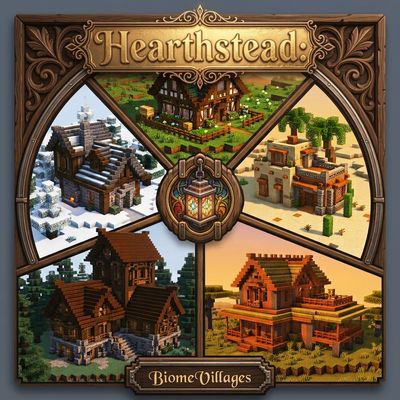
Hearthstead: Biome Villages
Every vanilla village rebuilt as a real little town: plazas, gardens, walled towns and 8 biome styles from desert to cherry grove. Pure vanilla blocks, works with vanilla villagers and raids.