Minecraft version
Back to mods 
CurseForge · Minecraft mod
Another Config Manager
Another Config Manager is a config browser and editor for configs. Browse every mod that has configs, dig into sections, edit values with proper widgets, and save only when you are ready.
Choose a version Pick your version below, then grab the matching file.
Quick answer
Which Another Config Manager release should I use?
Latest stable file another_config_manager-1.0.0.0.0-neoforge-26.1.2.jar
Game version 26.1.2
Loader NeoForge
Another Config Manager another_config_manager-1.0.0.0.0-neoforge-26.1.2.jar targets 26.1.2 with NeoForge. The project page does not say whether this file belongs on the client, dedicated server, or both. No extra mods listed for this file.
Where it goes
Is Another Config Manager required on the client, server, or both?
The project page does not say whether this file belongs on the client, dedicated server, or both.
Client Source doesn’t say
Dedicated server Source doesn’t say
Loader for this release NeoForge
Required install it here Optional supported, not mandatory Not supported do not install here Source doesn’t say do not assume
The source does not explicitly classify this release as client-only or server-only.
What else does Another Config Manager another_config_manager-1.0.0.0.0-neoforge-26.1.2.jar need?
another_config_manager-1.0.0.0.0-neoforge-26.1.2.jar. Change the file and its required mods may change too.
This file does not list any required mods. Do not add a library just because a different file uses it.
This file does not list any required or optional mods.
Before you install it
Add Another Config Manager without breaking your instance.
Built for Another Config Manager another_config_manager-1.0.0.0.0-neoforge-26.1.2.jar. Pick another file and the loader, install side or required mods may change.
- 01
Stick to this file
Use another_config_manager-1.0.0.0.0-neoforge-26.1.2.jar. It targets 26.1.2 with NeoForge; another release may have different loader, side or dependency requirements.
- 02
Bring the mods it needs
This file does not list any required mods. Do not add a library just because a different file uses it.
- 03
Put it on the correct side
The project page does not say whether this file belongs on the client, dedicated server, or both.
- 04
Pick the file you checked
Use the “Get this file” button beside another_config_manager-1.0.0.0.0-neoforge-26.1.2.jar. It opens that exact file at the source.
About this project
What does Another Config Manager add?
Another Config Manager
Another Config Manager is a config browser and editor for configs. Browse every mod that has configs, dig into sections, edit values with proper widgets, and save only when you are ready.
It also adds CSV tables for string lists and an HSV color picker for color values, and other mods can register their own table layouts and color formats.
What does it do?
- Adds a searchable Mod Configs browser that lists every loaded mod with registered NeoForge configs, with mod logos.
- Opens each mod's configs grouped by type (Client, Common, Server, Startup), then lets you navigate the section tree.
- Holds all edits in a buffer. Nothing is written to disk until you press Save.
- Asks you to Save / Discard / Cancel if you try to leave with unsaved changes.
- Gives a config screen to mods that don't have one: when Configured is not installed, ACM registers its screen for any mod with NeoForge configs and no existing config screen, so the Config button in the mod list works for them.
Config editor
- Section navigation with a breadcrumb path, plus Back and Return to list buttons.
- Search box: matches in the current section come first, followed by matching values and sections from nested submenus.
- Comments as tooltips: hover a value to read the config comment.
- Readable names: raw keys like
maxItemsPerTickshow up as "Max Items Per Tick" (mods can provide translated names, see For developers). - Per-type widgets:
- Booleans: On/Off toggle
- Enums: click to cycle through the values
- Numbers and strings: a value editor with validation
- Lists: a list editor (or a CSV table, see below)
- Modified values are marked with
*and highlighted. Values that differ from the default show adefault: …hint. - Revert a value to what it was when you opened the config, or Reset it to its default. Reset all resets the whole config.
- Access rules: Client, Common and Startup configs are always open. Server configs can be edited only when you host the world (singleplayer / integrated server) and have permission level 2.
CSV tables for string lists
Many mods store rows like minecraft:iron_ore;FFAA00 in a string list. ACM can edit these as a table:
- Spreadsheet-style editor with named or numbered column headers, a cell edit box and Set cell.
- Header icons to insert, move and delete columns. Row icons to add or remove rows.
- Search inside the table and use a horizontal scrollbar for wide tables.
- List view / CSV view switch: edit the raw strings at any time and keep the CSV rule.
- Declare CSV on any plain string list: pick a separator (1–8 characters) and ACM creates a numbered-columns rule and saves it in its own config.
- Color columns open the color picker directly from the selected cell.
Color editor
- HSV color picker: saturation/value square, hue bar, optional alpha bar, preview swatch and a palette of vanilla colors.
- Hex field plus numeric R / G / B / (A) fields for exact values.
- Declare Color on a single value: string values are stored as hex, and integer values with a 0–255 range are stored as packed ARGB.
- Color channel mode (
Color ch. [3|4]): select 3 or 4 sibling numeric values with a 0–255 range, assign each one to R/G/B/(A), then edit them together in one picker.
Commands and mod list integration
| Feature | Description |
|---|---|
/another_config_manager config |
Opens the Mod Configs browser (client command, requires permission level 2). |
/another_config_manager config <modId> |
Opens the config screen for that mod, with tab completion. Uses the mod's own config screen if it has one, otherwise the ACM editor. |
| Replace Mods button | Optional (replace_mods_button, off by default). When enabled, the Mods button on the title screen and pause menu opens the ACM browser instead of the NeoForge mod list. The NeoForge mod list stays reachable from the ACM screens. |
The browser also has buttons to open the mods folder and the NeoForge mod list.
ModPack makers
ACM's own config (another_config_manager-common.toml) contains:
| Option | Description |
|---|---|
csv_manager |
CSV rule overrides. These win over the defaults registered by mods. Declare CSV writes here. This list is itself edited as a CSV table in-game. |
color_manager |
Color binding overrides. These win over the defaults registered by mods. Declare Color and color channel mode write here. |
replace_mods_button |
Replace the Mods button with the ACM browser (default false). |
So you can add CSV or color editing to any mod's config from inside the game and ship the result with your pack.
For developers
ACM doesn't need any code to work: every ModConfigSpec config is picked up automatically. Integration is optional and lets you control how your config looks and edits.
Dependency
Declare ACM in your neoforge.mods.toml:
[[dependencies.yourmodid]]
    modId="another_config_manager"
    type="required"
    versionRange="[1.0.0.0.0,)"
    ordering="NONE"
    side="BOTH"
Then add the ACM jar to your compile classpath.
Always use the ACM editor
Mark your mod so ACM always registers its screen for it (even with Configured installed):
[modproperties.yourmodid]
another_config_manager=true
At runtime you can also call ConfigOpener.claim("yourmodid").
Register CSV rules
Register a default table layout for a string list (package net.unfamily.anotherconfigmanager.config):
CsvRuleRegistry.register("yourmodid", "scanner.ore_entries",
        ";yourmodid:scanner/ore_entries;0=yourmodid.config.csv.key;type:color_hex:order=rgb:prefix=none;1=yourmodid.config.csv.color");
- Rule format:
{sep}[rulePath]{sep}{colDef}{sep}{colDef}...(the first character is the separator). - Column definitions:
0,0=lang.key,0-3,0-3=lang.key,2+,2+=lang.key, and0-3$to show only the declared columns. - Optional typed cells: prefix a column with
type:color_hex:order=rgb:prefix=none;(orcolor_int_packed) to get a color picker for that column. - Overloads accept a
ModConfig.Type(the default isCOMMON) or aList<String>path. - Without Java code, you can add a line
iska_csv:<rule>to the value's comment.
Register color rules
ColorRuleRegistry.register("yourmodid", ModConfig.Type.COMMON, "scanner.default_color", "hex;rgb;prefix=none");
- Format:
storage;order[;prefix=…][;case=upper|lower][;scale=…] storage:hex(string) orint(packed integer).order: anyrgb/argbpermutation.
Rules registered in code are defaults. Entries in ACM's csv_manager / color_manager override them.
Open screens from code
ConfigOpener.open("yourmodid"): opens your config screen on the client.ConfigOpener.open("yourmodid", ModConfig.Type.CLIENT): opens a specific config type.ConfigOpener.openModBrowser(): opens the Mod Configs browser.
Project description from CurseForge.
Pick your setup
Another Config Manager by Minecraft version and loader
Choose the version and loader you play, then open the matching release.
Minecraft version
1.21.1
1 loader buildCheck the dependencies, then try the file in a copied instance before changing a world you care about.
Recent files
Another Config Manager versions and loaders
another_config_manager-1.0.0.0.0-neoforge-26.1.2.jar
30 Sept 2026
Client Source doesn’t say Server Source doesn’t say Dependencies No extras listed Listed on Release listing
Check the 26.1.2 · NeoForge setup NeoForge26.1.2 release
another_config_manager-1.0.0.0.0-neoforge-1.21.1.jar
30 Sept 2026
Client Source doesn’t say Server Source doesn’t say Dependencies No extras listed Listed on Release listing
Check the 1.21.1 · NeoForge setup 1.21.1NeoForge release
Looking for an older file? The official CurseForge project page is in Resources.
 mod
mod CurseForge · Minecraft
AnvilLib
AnvilLib is a NeoForge mod library developed by Anvil-Dev, providing Minecraft mod developers with a series of practical tools and frameworks.
 mod
mod CurseForge + Modrinth · Minecraft
TaczCurios
TaczCurios adds custom curios (accessories) to the game Tacz.
 mod
mod CurseForge + Modrinth · Minecraft
Wool Pressure Plates
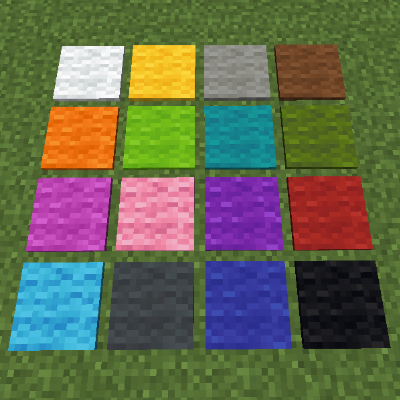
Adds silent pressure plates made of wool.