Minecraft version
Back to mods 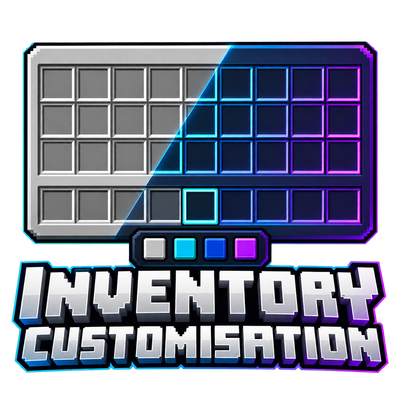
CurseForge · Minecraft mod
Inventory Customisation
Give your inventory a new look with custom colors, adjustable transparency, themed creative tabs, and a live-preview settings screen customisation
Choose a version Pick your version below, then grab the matching file.
Quick answer
Which Inventory Customisation release matches 1.12.2 Forge?
Best match for your filters ChromaGUI 1.12.2 Forge
Game version 1.12.2
Loader Forge
Inventory Customisation ChromaGUI 1.12.2 Forge targets 1.12.2 with Forge. The project page does not say whether this file belongs on the client, dedicated server, or both. No extra mods listed for this file.
Where it goes
Is Inventory Customisation required on the client, server, or both?
The project page does not say whether this file belongs on the client, dedicated server, or both.
Client Source doesn’t say
Dedicated server Source doesn’t say
Loader for this release Forge
Required install it here Optional supported, not mandatory Not supported do not install here Source doesn’t say do not assume
The source does not explicitly classify this release as client-only or server-only.
What else does Inventory Customisation ChromaGUI 1.12.2 Forge need?
ChromaGUI 1.12.2 Forge on 1.12.2 Forge. Every mod below is checked against that same setup.
This file does not list any required mods. Do not add a library just because a different file uses it.
This file does not list any required or optional mods.
Before you install it
Add Inventory Customisation without breaking your instance.
Built for Inventory Customisation ChromaGUI 1.12.2 Forge on 1.12.2 Forge. Pick another file and the loader, install side or required mods may change.
- 01
Stick to this file
Use ChromaGUI 1.12.2 Forge. It targets 1.12.2 with Forge; another release may have different loader, side or dependency requirements.
- 02
Bring the mods it needs
This file does not list any required mods. Do not add a library just because a different file uses it.
- 03
Put it on the correct side
The project page does not say whether this file belongs on the client, dedicated server, or both.
- 04
Pick the file you checked
Use the “Get this file” button beside ChromaGUI 1.12.2 Forge. It opens that exact file at the source.
About this project
What does Inventory Customisation add?



Make your inventory match your style. Customize the appearance of your inventory and hotbar with your own colors, transparency settings, and preset themes—all from an in-game settings screen.
Features
Inventory styling: Change background, slot, border, and inventory-label colors.
Hotbar customization: Set its color, transparency, and selected-slot highlight.
Creative inventory support: Matching tab backgrounds and scrollbar styling, including mod-added tabs that use Minecraft’s standard creative inventory.
Live preview: See your changes while adjusting your settings.
Built-in themes: Choose Midnight, Ocean, Rose, Amethyst, or Glass.
Save your style: Settings persist between sessions, with a separate custom preset you can save and reload.
Restore vanilla: Switch back to Minecraft’s original appearance whenever you like.
How to use
Press K while playing, or click the settings button in Options or your inventory. Choose a component, adjust its color and opacity, then select Done to save.
Client-side only
No server installation or resource pack is required. The mod changes how your inventory looks while preserving normal item handling.
Supported versions
Minecraft 1.21.1: NeoForge and Forge
Minecraft 1.20.1: Forge
Minecraft 1.12.2: Forge
Minecraft 1.7.10: Forge
Install only the JAR matching your Minecraft version and loader.
Compatibility
Styles the standard survival and creative inventories. Chests, machines, and other custom container screens keep their existing appearance. Mods that replace the entire inventory screen or tab renderer may need separate compatibility support.

Play this pack with friends
Choose your server: Visit Apex Hosting, select Minecraft hosting, and choose a plan suitable for this modpack.
Complete checkout: Create your account and follow the payment steps.
Install the modpack: Open your server panel and select this pack if it’s available in the installer. If it isn’t listed, follow Apex’s custom modpack instructions or contact support.
Start playing: Start the server, copy its address, and share it with your friends. Everyone needs the same modpack version installed.
Unsure which plan to choose? Ask Apex support before buying and tell them the pack name and how many people will play.
Project description from CurseForge.
Pick your setup
Inventory Customisation by Minecraft version and loader
Choose the version and loader you play, then open the matching release.
Minecraft version
1.20.1
1 loader buildMinecraft version
1.12.2
1 loader buildMinecraft version
1.7.10
1 loader buildCheck the dependencies, then try the file in a copied instance before changing a world you care about.
Recent files
Inventory Customisation versions and loaders
ChromaGUI 1.12.2 Forge
ChromaGUI-1.12.2-Forge-1.0.0.jar
1 Oct 2026
Client Source doesn’t say Server Source doesn’t say Dependencies No extras listed Listed on Release listing
Check the 1.12.2 · Forge setup Forge1.12.2 release
Looking for an older file? The official CurseForge project page is in Resources.
 mod
CurseForge · Minecraft
CheatUtils
This mod includes XRay or block finder, entity highlighting, kill aura, etc
 mod
CurseForge · Minecraft
Seasonality
Adds 4 seasons (spring, summer, fall, and winter) to Minecraft, similar to Serene Seasons but rewritten, optimized, and compatible with some mods
 mod
CurseForge · Minecraft
Better UX
Better User Experience, health bar, hunger bar, no more fire all over the screen, customize the HUD how ever you like and more.