EpheroLib Needed by Datapack Editor DatapackEditor-neoforge-26.3-1.0.1.jar
requiredMatching file found Matched file: epherolib-neoforge-26.3-1.3.0.jar
CurseForge · Minecraft mod
Have you ever wanted to edit or create datapacks but found it tedious? Use Datapack Editor! Open a local editor and get auto completions for vanilla AND modded items!
Quick answer
Datapack Editor DatapackEditor-neoforge-26.3-1.0.1.jar targets 26.3 with NeoForge. The project page does not say whether this file belongs on the client, dedicated server, or both. All 1 required mods have matching files.
Where it goes
The project page does not say whether this file belongs on the client, dedicated server, or both.
The source does not explicitly classify this release as client-only or server-only.
DatapackEditor-neoforge-26.3-1.0.1.jar on 26.3 NeoForge. Every mod below is checked against that same setup.
Install EpheroLib first. We found matching files for this game-version and loader setup.
We only count dependency files that match this setup. A file for another loader does not fill the gap.
Before you install it
Built for Datapack Editor DatapackEditor-neoforge-26.3-1.0.1.jar on 26.3 NeoForge. Pick another file and the loader, install side or required mods may change.
Use DatapackEditor-neoforge-26.3-1.0.1.jar. It targets 26.3 with NeoForge; another release may have different loader, side or dependency requirements.
Install EpheroLib first. We found matching files for this game-version and loader setup.
The project page does not say whether this file belongs on the client, dedicated server, or both.
Use the “Get this file” button beside DatapackEditor-neoforge-26.3-1.0.1.jar. It opens that exact file at the source.
About this project
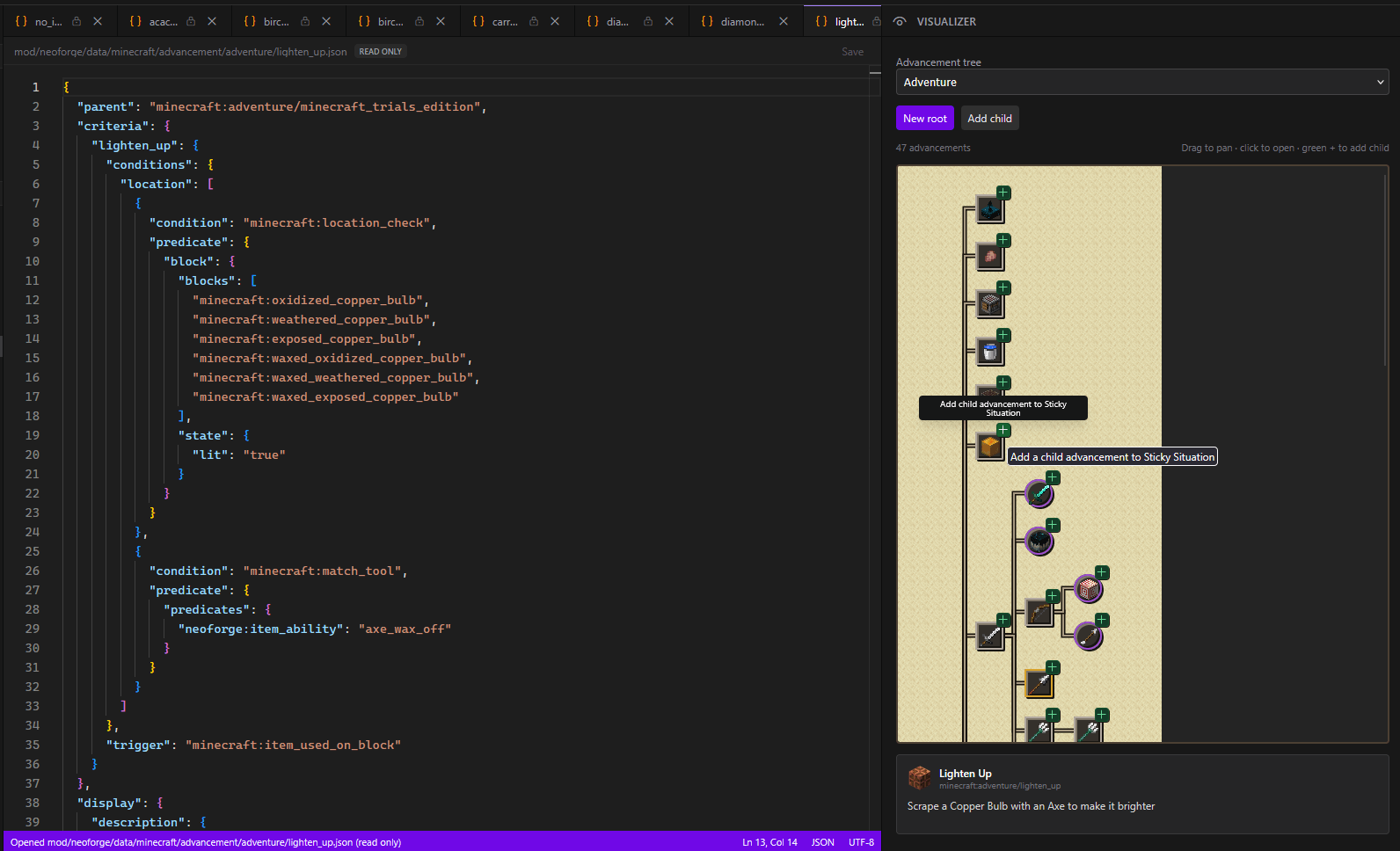
Datapack Editor is a mod that allows you to edit datapacks in a browser in the game. You can edit the vanilla and modded datapacks. When you're in game you run the /dpackEditor start command and it will load the vanilla datapack as well as all the modded datapacks for mods that you have in your pack.
I've immediately tried to take into consideration modded content, but there are a TON of different ways datapacks can be loaded, so it's not a guarantee that everything will work perfectly. If you've come across any mods where the data isn't loaded into the editor, let me know! For the most part, the data will be loaded, but there might not be an adequate schema to generate auto completions of (more information about that later).
It doesn't support scoreboards or mcfuntions, this is mainly made for modded content so people can more easily see what data is already loaded and give them a way to edit that data faster. it supports advancements, chest loot, recipes, world gen, world gen feature previews, tags, and it has auto completion for alot of this!
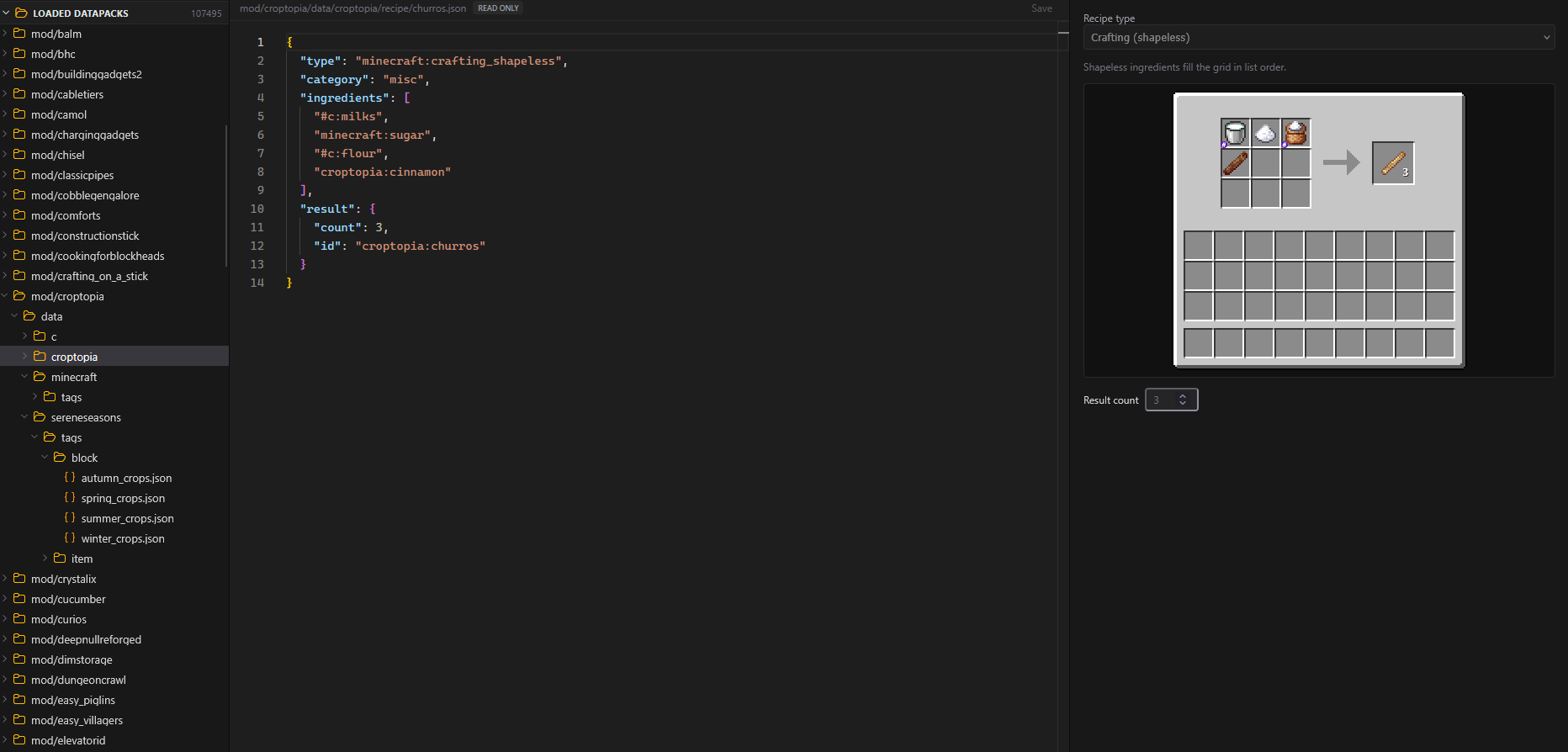
I loaded the mod into a large modpack, and you can see all the different mods loaded and a whopping 107,000 datapack files you can look through! Good thing there's a search function!
you probably don't care about this, that's ok.
The project uses a number of libraries to achieve the editing
Working on removing javalin
2. Javalin this is the embedded web server that will start up when you run the /dpackEditor start command, it's entirely local, and the editor will call endpoints from the local server to populate the auto completions.
Project description from CurseForge.
Pick your setup
Choose the version and loader you play, then open the matching release.
Check the dependencies, then try the file in a copied instance before changing a world you care about.
Recent files
26 Oct 2026
Looking for an older file? The official CurseForge project page is in Resources.