Minecraft version
Back to mods 
CurseForge · Minecraft mod
GuideMe Recipe Compat
Adds recipe display support for several mods
Choose a version Pick your version below, then grab the matching file.
Quick answer
Which GuideMe Recipe Compat release should I use?
Latest stable file GuideMe Recipes 26.1.2-1.0.0
Game version 26.1.2
Loader NeoForge
GuideMe Recipe Compat GuideMe Recipes 26.1.2-1.0.0 targets 26.1.2 with NeoForge. The project page does not say whether this file belongs on the client, dedicated server, or both. No extra mods listed for this file.
Where it goes
Is GuideMe Recipe Compat required on the client, server, or both?
The project page does not say whether this file belongs on the client, dedicated server, or both.
Client Source doesn’t say
Dedicated server Source doesn’t say
Loader for this release NeoForge
Required install it here Optional supported, not mandatory Not supported do not install here Source doesn’t say do not assume
The source does not explicitly classify this release as client-only or server-only.
What else does GuideMe Recipe Compat GuideMe Recipes 26.1.2-1.0.0 need?
GuideMe Recipes 26.1.2-1.0.0. Change the file and its required mods may change too.
This file does not list any required mods. Do not add a library just because a different file uses it.
This file does not list any required or optional mods.
Before you install it
Add GuideMe Recipe Compat without breaking your instance.
Built for GuideMe Recipe Compat GuideMe Recipes 26.1.2-1.0.0. Pick another file and the loader, install side or required mods may change.
- 01
Stick to this file
Use GuideMe Recipes 26.1.2-1.0.0. It targets 26.1.2 with NeoForge; another release may have different loader, side or dependency requirements.
- 02
Bring the mods it needs
This file does not list any required mods. Do not add a library just because a different file uses it.
- 03
Put it on the correct side
The project page does not say whether this file belongs on the client, dedicated server, or both.
- 04
Pick the file you checked
Use the “Get this file” button beside GuideMe Recipes 26.1.2-1.0.0. It opens that exact file at the source.
About this project
What does GuideMe Recipe Compat add?
GuideMe Recipes
GuideMe Recipes is a library mod that teaches GuideMe how to draw recipes that come from other mods.
GuideMe builds wiki-style guide books inside the game, and a guide page can place a recipe directly into the text. On its own it only understands vanilla Minecraft recipes, so a page that expects a modded recipe gets a "couldn't find a handler" notice where the recipe display should be. This mod supplies those missing recipe handlers without every author writing a renderer of their own.
Install it alongside GuideMe and the recipes start drawing. On 26.1.2 it is also needed server-side, since the server only sends recipes to a client that asks for them.
Supported Mods
| Mod | 1.21.1 | 26.1.2 |
|---|---|---|
| Actually Additions | ✅ | ❌ |
| Advanced AE | ✅ | ✅ |
| Apotheosis | ✅ | ✅ |
| Apothic Enchanting | ✅ | ✅ |
| Ars Nouveau | ✅ | ❌ |
| Astral Sorcery | ✅ | ❌ |
| Cognition | ✅ | ❌ |
| Create | ✅ | ❌ |
| Create Big Cannons | ✅ | ❌ |
| Create Crafts & Additions | ✅ | ❌ |
| Draconic Evolution | ✅ | ❌ |
| Ender IO | ✅ | ✅ |
| Eternal Starlight | ✅ | ❌ |
| Extended Industrialization | ✅ | ❌ |
| ExtendedAE | ✅ | ✅ |
| Farmer's Delight | ✅ | ❌ |
| Forbidden Arcanus | ✅ | ❌ |
| Genetics: Resequenced | ✅ | ❌ |
| Hexerei | ✅ | ❌ |
| Immersive Engineering | ✅ | ❌ |
| Industrial Foregoing | ✅ | ❌ |
| Integrated Dynamics | ✅ | ✅ |
| Iron's Spells 'n Spellbooks | ✅ | ❌ |
| Just Dire Things | ✅ | ✅ |
| Malum | ✅ | ❌ |
| Mekanism | ✅ | ❌ |
| Mob Grinding Utils | ✅ | ❌ |
| Modern Industrialization | ✅ | ❌ |
| More Red | ✅ | ✅ |
| Mystical Agriculture | ✅ | ✅ |
| Mystical Automation | ✅ | ✅ |
| NauTec | ✅ | ❌ |
| Neo Vitae | ✅ | ✅ |
| Occultism | ✅ | ✅ |
| Oritech | ✅ | ✅ |
| Pagan's Blessing | ✅ | ❌ |
| PneumaticCraft: Repressurized | ✅ | ❌ |
| Powah | ✅ | ✅ |
| Productive Bees | ✅ | ✅ |
| Productive Trees | ✅ | ❌ |
| Pylons | ✅ | ✅ |
| Reliquary Reincarnations | ✅ | ✅ |
| RFTools Utility | ✅ | ❌ |
| Roots Classic | ✅ | ✅ |
| Super Factory Manager | ✅ | ✅ |
| Tree Tap | ✅ | ❌ |
| XyCraft Machines | ✅ | ✅ |
Recipe types are looked up by name while the game loads, so a mod that is not installed is simply skipped. This mod never requires any of the mods it supports.
For Guide Authors
Recipes are placed the same way GuideMe already does it, with no extra tags to learn. <Recipe id="..." /> draws one named recipe, and <RecipeFor id="..." /> finds a recipe that makes a given item. Any recipe type this mod handles becomes available to both.
To see what a mod's recipes actually look like before writing a page against them, run /guideme open @p gmrecipes:examples gmrecipes:<mod_id>.md in game: it opens a hidden book that draws one loaded example of every recipe type that mod registers, so an uncovered type shows up as a handler error with its name on it.
Project description from CurseForge.
Pick your setup
GuideMe Recipe Compat by Minecraft version and loader
Choose the version and loader you play, then open the matching release.
Minecraft version
1.21.1
1 loader buildCheck the dependencies, then try the file in a copied instance before changing a world you care about.
Recent files
GuideMe Recipe Compat versions and loaders
GuideMe Recipes 26.1.2-1.0.0
gmrecipes-26.1.2-1.0.0.jar
4 Oct 2026
Client Source doesn’t say Server Source doesn’t say Dependencies No extras listed Listed on Release listing
Check the 26.1.2 · NeoForge setup NeoForge26.1.2 release
GuideMe Recipes 1.21.1-1.0.0
gmrecipes-1.21.1-1.0.0.jar
4 Oct 2026
Client Source doesn’t say Server Source doesn’t say Dependencies No extras listed Listed on Release listing
Check the 1.21.1 · NeoForge setup 1.21.1NeoForge release
Looking for an older file? The official CurseForge project page is in Resources.
 mod
mod CurseForge · Minecraft
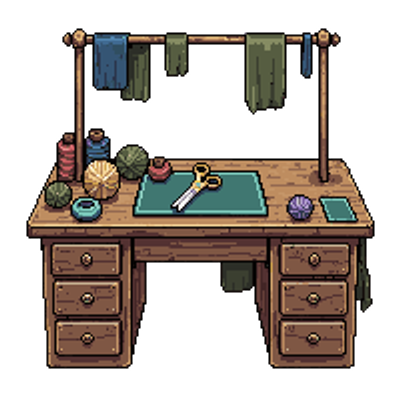
Seams & Stitches
This mod adds sewing to Minecraft! In an interactive way.
 mod
mod CurseForge · Minecraft
Maps and Quills - Maps with Shared Faction Maps & Waypoints
One map for your whole faction: shared waypoints, drawings, pings and borders, saved on the server and shareable with allied factions.
 mod
mod CurseForge · Minecraft
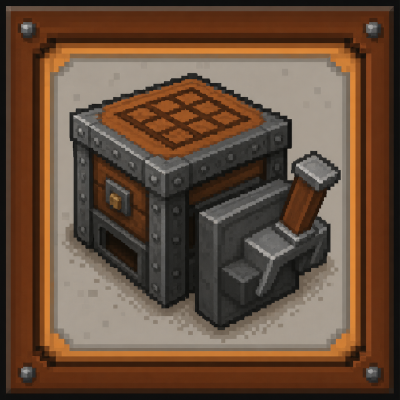
Immersive Engineer Decor&Controls&Tool Reforged
⚙️ Industrial decor, workshop machines, storage fittings, and redstone control blocks for NeoForge factory builds.