JourneyMap Optional for Sappy's Compass sappyscompass-1.0.0.jar
optionalMatching file found Matched file: journeymap-1.21.1-6.0.9+neoforge
CurseForge · Minecraft mod
A Sleek and feature rich Hud compass with loads of customizability.
Quick answer
Sappy's Compass sappyscompass-1.0.0.jar targets 1.21.1 with NeoForge. The project page does not say whether this file belongs on the client, dedicated server, or both. No extra mods listed for this file.
Where it goes
The project page does not say whether this file belongs on the client, dedicated server, or both.
The source does not explicitly classify this release as client-only or server-only.
sappyscompass-1.0.0.jar. Change the file and its required mods may change too.
This file does not list any required mods. Do not add a library just because a different file uses it.
2 extra mods were pulled in by other dependencies. Indented rows show who needs each one. We only count dependency files that match this setup. A file for another loader does not fill the gap.
Before you install it
Built for Sappy's Compass sappyscompass-1.0.0.jar. Pick another file and the loader, install side or required mods may change.
Use sappyscompass-1.0.0.jar. It targets 1.21.1 with NeoForge; another release may have different loader, side or dependency requirements.
This file does not list any required mods. Do not add a library just because a different file uses it.
The project page does not say whether this file belongs on the client, dedicated server, or both.
Use the “Get this file” button beside sappyscompass-1.0.0.jar. It opens that exact file at the source.
About this project
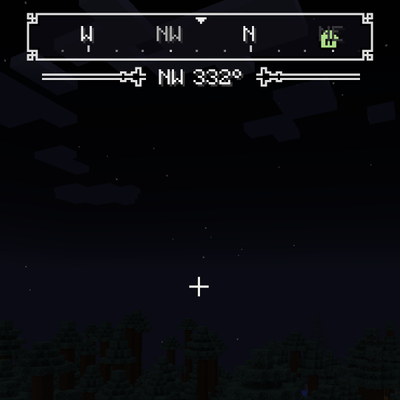
A compass bar for the Minecraft HUD It scrolls smoothly with the direction you are facing and displays nearby points of interest framed with customizable UI borders.
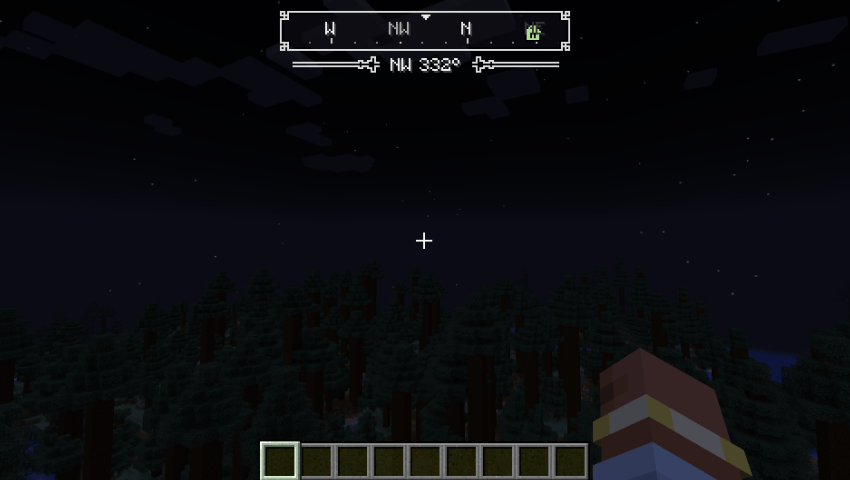
Each source can be toggled in the configuration. If an integration mod is not installed, its source simply remains inactive.
| Source | Information Displayed | Detection Method |
|---|---|---|
| Vanilla | World spawn (Overworld), last death location | Built-in game data |
| Xaero's Minimap | Waypoints (also shown on Xaero's World Map) | Xaero's in-world renderer collector |
| JourneyMap | Waypoints (including those added by other mods) | JourneyMap public client API |
| Waystones | Activated waystones | Waystones client events (via Balm) |
| Wastelander's Map | Waypoints and discovered structures (? until found) |
Direct class integration with custom map colors |
Creatures display as small colored dots along the lower edge of the compass bar:
Note: A dot representing an attacking creature grows larger with a bright core. Dots naturally fade with distance.
Cycle through target display modes via a keybind (Cycle Creatures Shown, unbound by default under Controls):
| Mode | Target Mobs Displayed |
|---|---|
| Off | Disables all creature indicators |
| Attacking Mobs | Mobs currently in attack mode |
| Hostile Mobs (Default) | All hostile mobs and bosses |
| All Mobs | Every mob regardless of hostility |
| Mobs & Players | All mobs plus other players |
| Players Only | Only other players |
Choose from various frame and flourish styles:
| Style Option | Available Choices |
|---|---|
| Bar Frame | Ornate (Default), Studded, Plain, Double, Rail, Step, Octagon, Crest, Scroll, Bevel |
| Label Flourish | Pip (Default), Bracket, Post, Thin, Cross, Gem, None |
minecraft:compass and minecraft:recovery_compass by default).Distance From Top or Horizontal Offset in config to prevent overlaps with minimaps or HUD overlays.Access settings via Mods > Sappy's Compass > Config or edit config/sappyscompass-client.toml. All changes apply immediately in-game.
Toggle CompassCycle Creatures ShownOpen Compass SettingsProject description from CurseForge.
Pick your setup
Choose the version and loader you play, then open the matching release.
Check the dependencies, then try the file in a copied instance before changing a world you care about.
Recent files
2 Oct 2026
Looking for an older file? The official CurseForge project page is in Resources.
 mod
mod🐺 [Client] Shows a list in the GUI/HUD of all tamed non-sitting followers around.
 mod
modA modern port of iChun's iconic Morph mod
 mod
modCentralized Factory Gauge management with a virtual dashboard and advanced logistics control.