Fabric API Needed by Timber Workstations timberworkstations-fabric-1.0.0.jar
requiredMatching file found Matched file: [26.3] Fabric API 0.166.0+26.3
CurseForge · Minecraft mod
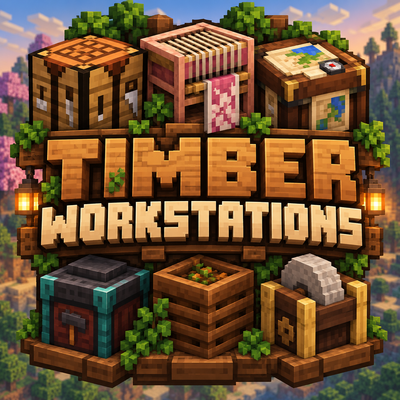
Wood variants for Minecraft's workstations, with full vanilla functionality and optional wood-themed interfaces
Quick answer
Timber Workstations timberworkstations-fabric-1.0.0.jar targets 26.3 with Fabric. The project page does not say whether this file belongs on the client, dedicated server, or both. All 1 required mods have matching files.
Where it goes
The project page does not say whether this file belongs on the client, dedicated server, or both.
The source does not explicitly classify this release as client-only or server-only.
timberworkstations-fabric-1.0.0.jar. Change the file and its required mods may change too.
Install Fabric API first. We found matching files for this game-version and loader setup.
We only count dependency files that match this setup. A file for another loader does not fill the gap.
Before you install it
Built for Timber Workstations timberworkstations-fabric-1.0.0.jar. Pick another file and the loader, install side or required mods may change.
Use timberworkstations-fabric-1.0.0.jar. It targets 26.3 with Fabric; another release may have different loader, side or dependency requirements.
Install Fabric API first. We found matching files for this game-version and loader setup.
The project page does not say whether this file belongs on the client, dedicated server, or both.
Use the “Get this file” button beside timberworkstations-fabric-1.0.0.jar. It opens that exact file at the source.
About this project
Minecraft has a lot of different wood types, but many of its workstations still only come in one style.
Timber Workstations adds matching wood variants for several vanilla work blocks, so they can actually fit the builds they're placed in.
Build with Spruce? Use a Spruce Crafting Table.
Making a Cherry workshop? The Loom, Smithing Table and the rest can match it too.
The goal is to keep everything simple and vanilla-friendly rather than turn the workstations into completely new machines.
Timber Workstations currently adds variants for:
Every vanilla wood family in Minecraft 26.3 is supported:
Some vanilla workstations already fit a particular wood family well, so those are reused instead of adding unnecessary duplicate blocks.
For example, the normal Crafting Table fills the Oak slot, while the vanilla Cartography Table and Grindstone are used for Dark Oak.
These aren't decorative copies.
Each variant keeps the behavior of the vanilla block it is based on.
Crafting Tables still open the normal 3×3 crafting menu. Looms still work with banners. Cartography Tables still handle maps. Smithing Tables still use normal smithing recipes. Composters still support composting, Redstone and automation, and Grindstones still repair and disenchant items.
Villagers also recognise the new blocks as their normal job sites.
That means a Spruce Loom can be used by a Shepherd, a Cherry Composter by a Farmer, a Warped Grindstone by a Weaponsmith, and so on.
By default, Timber Workstations keeps Minecraft's normal workstation interfaces.
If you want the inside of the workstation to match the wood type too, you can enable the optional Themed interface style.
Themed interfaces are available for:
To change the interface style, use:
/timberworkstations settings
On NeoForge, the same settings screen can also be opened from the mod's Config button.
Available options:
The setting is completely client-side and does not affect gameplay.
Timber Workstations doesn't add new materials, progression systems or custom crafting mechanics.
The idea is simply to fill a gap in the vanilla wood sets while keeping the blocks familiar to use.
Recipes follow the wood family where appropriate, mixed-wood recipes keep sensible vanilla fallback behavior, and Crimson and Warped variants retain their non-flammable properties.
Minecraft: 26.3
Loaders: Fabric and NeoForge
Version: 1.0.0
Fabric and NeoForge contain the same player-facing content.
Project description from CurseForge.
Pick your setup
Choose the version and loader you play, then open the matching release.
Check the dependencies, then try the file in a copied instance before changing a world you care about.
Recent files
2 Oct 2026
2 Oct 2026
Looking for an older file? The official CurseForge project page is in Resources.
 mod
A mod that adds a variety of decorative and colorful blocks to the game
 mod
Limitless Vehicle is a universal vehicle mod that supports custom vehicle data packs
 mod
Well-rounded client-side optimization mod. Extremely compatible Vulkan backend for 1.21.11-26.1.2. By Polyfrost, best with OneClient.