Manhole Travel Optional for Signal Radar signalradar-1.0.0-1.20.1.jar
optionalMatching file found Matched file: manholes-1.7.3-1.20.1.jar
CurseForge · Minecraft mod
An upgradable, FE-powered handheld radar whose display lives on the device itself
Quick answer
Signal Radar signalradar-1.0.0-1.20.1.jar targets 1.20.1 with Forge. The project page does not say whether this file belongs on the client, dedicated server, or both. No extra mods listed for this file.
Where it goes
The project page does not say whether this file belongs on the client, dedicated server, or both.
The source does not explicitly classify this release as client-only or server-only.
signalradar-1.0.0-1.20.1.jar. Change the file and its required mods may change too.
This file does not list any required mods. Do not add a library just because a different file uses it.
10 extra mods were pulled in by other dependencies. Indented rows show who needs each one. We only count dependency files that match this setup. A file for another loader does not fill the gap.
Before you install it
Built for Signal Radar signalradar-1.0.0-1.20.1.jar. Pick another file and the loader, install side or required mods may change.
Use signalradar-1.0.0-1.20.1.jar. It targets 1.20.1 with Forge; another release may have different loader, side or dependency requirements.
This file does not list any required mods. Do not add a library just because a different file uses it.
The project page does not say whether this file belongs on the client, dedicated server, or both.
Use the “Get this file” button beside signalradar-1.0.0-1.20.1.jar. It opens that exact file at the source.
About this project
A handheld radar with the screen on the device itself. NeoForge 1.21.1. Only NeoForge is required; KubeJS, Manhole Travel, Lootr, FTB Teams and JEI are optional.
Hold the radar and read its little CRT: a sweep turns around you, blips light up as it passes, far targets sit on the rim with an arrow. Hold right-click to raise it to your face and read the name, distance and compass direction of the blip you are looking at. It runs on Forge Energy, so keep it charged, or it shows NO SIGNAL.
??? until you get close.data/<namespace>/signalradar/target/<name>.json, reloaded with /reload. Four locators: pos, structure (id or tag), entity (type and/or scoreboard tag) and block (id or tag). Each target has a minimum tier, colour, reveal distance, optional stage or unlock requirement, found radius and a "hide when found" switch.signalradar_found_<target name>, fires an event and shows "Signal acquired". Wire it to quests.scan, targetFound, upgraded, addonChanged; a SignalRadar binding (tier, energy, addons, unlock, lock, found, target position); and a startup event to register your own addons bound to a block tag, entity tag, structure tag or container detector, with tier, radius, refresh, colour, FE cost and category. Bad input never crashes a script, it is logged and ignored./signalradar settier, charge, addon, unlock, lock, resetfound, targets, clearcache.signalradar:ore_targets (default #c:ores), container_targets, biosign, trackable and the worldgen tag scannable_structures (the structures the Structure addon looks for; empty by default = all structures of the dimension).RadarScanEvent, RadarTargetFoundEvent, RadarUpgradedEvent, RadarAddonChangedEvent) and a small API class.assets/signalradar/radar_screen.json, so resource packs can restyle the model.Full documentation (config keys, JSON schema, KubeJS API): see the source repository
Free to use in any modpack.
Code: MIT.
Project description from CurseForge.
Pick your setup
Choose the version and loader you play, then open the matching release.
Check the dependencies, then try the file in a copied instance before changing a world you care about.
Recent files
3 Oct 2026
signalradar-1.0.0.jar
2 Oct 2026
Looking for an older file? The official CurseForge project page is in Resources.
 mod
All-in-one mod that improves performance, reduces memory usage, and fixes many bugs. Compatible with all your favorite performance mods!
 mod
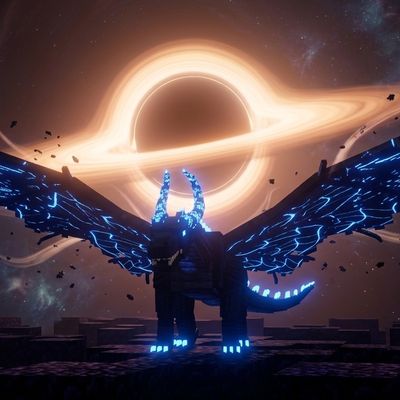
A huge rideable black dragon with 6 skills, plus dragon-blood players who transform into a human-dragon hybrid with time-stop and black hole powers.
 mod
Build your SCP facility with ten anomalies, containment rooms, security cameras and playable SCP-079. [ANG] ; Construisez votre site SCP avec dix anomalies, des confinements, des caméras et SCP-079 jouable. [FR]