Fabric API Needed by CustomDisc 1.0.1 - Minecraft 26.1.2
requiredMatching file found Matched file: [26.1.2] Fabric API 0.155.3+26.1.2
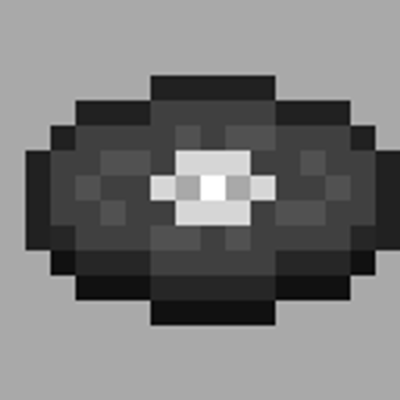
CurseForge · Minecraft mod
You can import your own music into craftable music_discs or disc_minecarts and play it in sync for online players.
Quick answer
CustomDisc 1.0.1 - Minecraft 26.1.2 targets 26.1.2 with Fabric. The project page does not say whether this file belongs on the client, dedicated server, or both. All 1 required mods have matching files.
Where it goes
The project page does not say whether this file belongs on the client, dedicated server, or both.
The source does not explicitly classify this release as client-only or server-only.
CustomDisc 1.0.1 - Minecraft 26.1.2 on 26.1.2. Every mod below is checked against that same setup.
Install Fabric API first. We found matching files for this game-version and loader setup.
We only count dependency files that match this setup. A file for another loader does not fill the gap.
Before you install it
Built for CustomDisc 1.0.1 - Minecraft 26.1.2 on 26.1.2. Pick another file and the loader, install side or required mods may change.
Use CustomDisc 1.0.1 - Minecraft 26.1.2. It targets 26.1.2 with Fabric; another release may have different loader, side or dependency requirements.
Install Fabric API first. We found matching files for this game-version and loader setup.
The project page does not say whether this file belongs on the client, dedicated server, or both.
Use the “Get this file” button beside CustomDisc 1.0.1 - Minecraft 26.1.2. It opens that exact file at the source.
About this project
if you really like this mod ,and encounter any questions ,email to w1ndhang@163.com .i need more porblem-details to do better.
Custom Disc turns your own audio files into real in-game music discs. Import an MP3, WAV or OGG through a file picker inside the game, then play it in a vanilla Jukebox or in the new Jukebox Minecart.
The audio you import is stored by the world itself, not by a resource pack, so discs you create keep working after a restart and other players on the same server hear them too.
Craft a Blank Disc — 4 Blackstone in a cross shape, with 1 Redstone Dust in the centre.

Import audio — hold the Blank Disc and sneak + right-click to open the import window. Choose your file, name the disc, and set the range, falloff, looping and loop delay. Press Confirm.

Play it — right-click a vanilla Jukebox while holding the disc. Right-click again to stop and eject.

Or use the Jukebox Minecart — craft it from a Jukebox and a Minecart, place it on rails, then right-click it with a disc to insert it. Right-click with an empty hand to eject. It cannot be ridden.


The disc's tooltip shows its internal id and its redstone signal value.

Project description from CurseForge.
Pick your setup
Choose the version and loader you play, then open the matching release.
Showing the newest 12 of 16 game versions. Older files are in the list below.
Check the dependencies, then try the file in a copied instance before changing a world you care about.
Recent files
custom_disc-1.0.1-mc26.1.2.jar
4 Nov 2026
custom_disc-26.1.2.jar
7 Oct 2026
Looking for an older file? The official CurseForge project page is in Resources.
 mod
Client-side mod that links custom Totem of Undying names to sounds from Resource Packs. If a matching sound exists, it plays when the totem activates.
 mod
Unofficial port of Extra Botany to NeoForge