GeckoLib Needed by UAV Horizon UAV_Horizon_Mod_Forge_1.20.1_1.0.3.jar
requiredMatching file found Matched file: geckolib-forge-1.20.1-4.8.4.jar
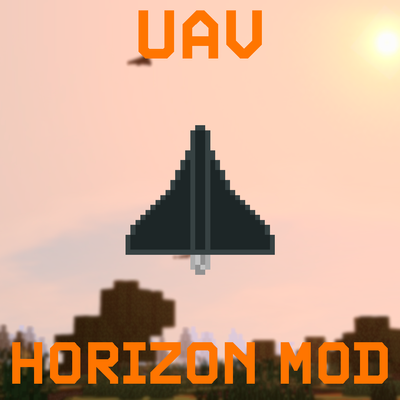
CurseForge · Minecraft mod
focused on unmanned aerial vehicles, autonomous flight, mission planning, and combat systems.
Quick answer
UAV Horizon UAV_Horizon_Mod_Forge_1.20.1_1.0.3.jar targets 1.20.1 with Forge. The project page does not say whether this file belongs on the client, dedicated server, or both. All 1 required mods have matching files.
Where it goes
The project page does not say whether this file belongs on the client, dedicated server, or both.
The source does not explicitly classify this release as client-only or server-only.
UAV_Horizon_Mod_Forge_1.20.1_1.0.3.jar. Change the file and its required mods may change too.
Install GeckoLib first. We found matching files for this game-version and loader setup.
We only count dependency files that match this setup. A file for another loader does not fill the gap.
Before you install it
Built for UAV Horizon UAV_Horizon_Mod_Forge_1.20.1_1.0.3.jar. Pick another file and the loader, install side or required mods may change.
Use UAV_Horizon_Mod_Forge_1.20.1_1.0.3.jar. It targets 1.20.1 with Forge; another release may have different loader, side or dependency requirements.
Install GeckoLib first. We found matching files for this game-version and loader setup.
The project page does not say whether this file belongs on the client, dedicated server, or both.
Use the “Get this file” button beside UAV_Horizon_Mod_Forge_1.20.1_1.0.3.jar. It opens that exact file at the source.
About this project
UAV Horizon is a Minecraft mod focused on unmanned aerial vehicles, autonomous flight, mission planning, and strike operations.
UAV Horizon brings a complete unmanned aerial vehicle system to Minecraft — from mission preparation and launch to route planning, autonomous flight, and combat use.
The mod currently features the following UAVs:
These UAVs are not designed as conventional aircraft that require constant manual control. The core gameplay revolves around remote mission preparation: the player deploys and launches the aircraft, creates a route through the control terminal, and then lets the onboard autopilot handle the flight.
The mod combines UAV deployment, navigation, route management, fuel consumption, combat, damage, explosions, and physical destruction into a single gameplay system.
Gerbera-1 is one of the unmanned aerial vehicles available in UAV Horizon.
It is integrated with the mission-control system and can perform autonomous flight after receiving a route. The player does not need to manually pilot the UAV throughout the entire mission — the autopilot handles most of the flight.
Gerbera does not have an electric starter, so its engine must be started manually and may require several attempts.
Geran-2 is designed for autonomous mission execution and works with UAV Horizon's core systems, including launching, navigation, autopilot, and combat mechanics.
Unlike Gerbera, Geran-2 is equipped with an electric starter. One startup input is enough, after which the rest of the startup sequence is handled automatically.
Geran-4 is the jet-powered UAV variant.
Its main distinguishing feature is its jet propulsion system. Geran-4 also has higher fuel consumption, making fuel management especially important when preparing and carrying out a mission with this aircraft.
Like Geran-2, Geran-4 is equipped with an electric starter.
Geran-2 Seeker is a seeker-equipped variant based on the fuel-injected Geran-2 configuration.
It has its own model, icon, item, debris, and an onboard camera that can be accessed through the control terminal. The camera can rotate independently of the aircraft's nose and supports target-area selection, surface lock, and tracking of a single visible entity.
Geran-4 Seeker is a seeker-equipped variant based on Geran-4.
It combines Geran-4 flight characteristics with a terminal-accessible guidance camera, target locking, entity tracking, and thermal imaging. Its camera is partially roll-stabilized and has a limited upward viewing angle.
FP-1 is a separately modeled UAV with its own sounds, items, debris, and a unique digital aircraft number.
Unlike the seeker variants, FP-1 can be manually guided through its onboard camera. A/D turn the aircraft, W/S control the nose angle, and Shift/Ctrl decrease or increase throttle. Closing the camera returns the aircraft to loitering behavior.
FP-1 uses a minimal camera HUD with a heart-shaped reticle, FIRE/POINT indicators, and a dashed artificial horizon that reacts to pitch and roll.
UAV Horizon uses a dedicated catapult to launch UAVs.
Launching is a full part of mission preparation: you first need to place the catapult, mount the UAV on it, prepare the route, and start the engine. Only then is the aircraft ready to be launched.
The UAV does not simply appear already flying — deployment and launch are separate gameplay stages.
Missions are managed through a dedicated control terminal with a map interface.
The terminal allows you to connect to UAVs, select a specific aircraft, create and configure waypoints, and modify the route even after the UAV is already airborne.
Once launched, the UAV follows its assigned route using its onboard autopilot system.
The map prioritizes nearby chunks, stores detailed reconnaissance data on disk, and uses a lightweight atlas for distant previously explored terrain. Aircraft numbers and X/Y/Z coordinates can be displayed directly on the map, and their labels keep a constant on-screen size regardless of zoom.
Client-side options are available through Mods → Config. They include separate NEAR/FAR audio volume, Doppler strength, map grid, map update speed, map cache size, aircraft numbers and coordinates, Camera Simulation, and video-feed effects.
UAV Horizon features an autonomous flight system that allows UAVs to follow an assigned route on their own.
The autopilot controls the aircraft during the mission and guides it between assigned waypoints without requiring constant manual piloting.
The route can be changed in real time even after the UAV has been launched.
Geran-2 Seeker and Geran-4 Seeker can be connected to through the terminal and guided using their onboard cameras. The camera position is taken from the aircraft model and can move independently from the nose within its allowed viewing limits.
The seeker HUD includes a reticle, UAV direction indicator, pitch information, and a green target-selection box. LMB assigns a diving attack, while RMB assigns an orbit around the selected point. Target lock takes approximately 0.8–2 seconds.
A seeker can track one visible entity inside the selected area, including players, mobs, and supported vehicles. The attack point updates as the target moves; tracking is interrupted when the target becomes obstructed.
Both seeker cameras and FP-1 support a thermal imaging mode with monochrome rendering and highlighting of visible entities. It is toggled with N by default and can be rebound in Minecraft controls.
Camera range follows Minecraft's render-distance setting from 2 to 32 chunks. Separate simulation tickets keep nearby mobs and supported vehicles updating around the remote camera.
Optional Camera Simulation and digital video-feed effects add reduced clarity, compression artifacts, and brief signal freezes. These effects can be disabled in the client settings.
All UAVs use fuel.
Fuel supply is part of aircraft preparation and operation, so it needs to be considered when planning a mission.
Base fuel endurance is approximately 20 minutes for Gerbera, 30 minutes for both Geran-2 variants, and about 30 minutes for Geran-4 at cruising conditions. Speed and climbing affect fuel consumption.
This is especially important for Geran-4, as the jet-powered variant has increased fuel consumption.
UAVs are not invulnerable objects and can interact with combat systems.
An aircraft can take damage and be destroyed. When critically damaged, a UAV may lose normal flight behavior and fall from the sky.
Strike UAVs use an explosive payload.
Explosions are actual gameplay mechanics that deal damage rather than being purely visual effects.
A destroyed UAV does not simply disappear from the world.
The destruction system includes physical debris behavior, making crashes and destroyed aircraft feel like actual events inside the Minecraft world.
Unlaunched UAVs can also detonate when hit by explosive or projectile damage, allowing chain detonations between nearby aircraft. Weak ordinary hits do not cause an immediate explosion.
Explosion effects include temporary lighting that respects walls and does not replace blocks. When Explosion Overhaul is used, UAV Horizon integrates its larger explosion effects while avoiding duplicate window-breaking effects and sounds.
UAV Horizon integrates with SuperB Warfare [SBW] through its native vehicle damage and armor systems. Explosion damage against supported vehicles takes armor, distance, and cover into account.
Flying UAVs are registered with SBW radar systems while active and are removed from radar registration when the aircraft is removed from the world.
Geran aircraft use separate NEAR and FAR sound layers with distance- and altitude-dependent behavior. Geran-4 has its own long-range FAR layer and a white engine trail that appears during sufficiently fast normal flight and disappears during dives or after engine loss/shutdown.
Dive acceleration affects engine pitch for the fuel-injected Geran-2 and FP-1. Doppler strength and NEAR/FAR volume can be adjusted in the client configuration.
| Input | Action |
|---|---|
| RMB on a UAV while holding the Terminal | Connect to the UAV; a special connection message will appear |
| G while holding the Terminal | Open the UAV control interface |
| UAV selector in the upper-left corner / click the UAV | Select a UAV |
| Shift + LMB on the map | Place a waypoint |
| LMB on a waypoint | Select an existing waypoint |
| RMB on a waypoint | Open the waypoint settings |
| Shift while selecting UAVs | Select multiple UAVs |
| Shift + LMB with a group selected | Place a global waypoint for the selected group |
| Seeker camera: WASD / arrows | Move the camera |
| Seeker camera: Q / E | Adjust assigned altitude |
| Seeker camera: Shift / Ctrl | Adjust assigned speed |
| Seeker camera: LMB | Assign a diving attack |
| Seeker camera: RMB | Assign an orbit around the selected point |
| Camera: mouse wheel | Change zoom |
| Camera: N | Toggle thermal imaging |
| FP-1 camera: A / D | Turn the aircraft |
| FP-1 camera: W / S | Lower / raise the nose |
| FP-1 camera: Shift / Ctrl | Decrease / increase throttle |
Important: waypoints can be changed while the UAV is already in flight. This allows you to redirect the aircraft in real time.
[!WARNING] Experimental feature. Group control is functional, but it is still in an early testing state. Bugs and imperfect formation behavior are expected.
UAV Horizon allows multiple UAVs to be launched and controlled as a group.
Hold Shift while using the selector to select multiple aircraft. Then use Shift + LMB to create global waypoints for the entire selected group.
During group flight, the UAVs automatically try to maintain distance from one another instead of occupying the exact same position. As a result, the aircraft form a spaced-out formation that can resemble a staggered or snake-like pattern.
| Mod / Configuration | Status |
|---|---|
| GeckoLib | Required dependency |
| SuperB Warfare [SBW] | Full support |
| Timeless and Classic Zero [TaCZ] | Full support |
| Explosion Overhaul | Full support |
| Embeddium + Oculus | Works, but stability and performance may depend on your configuration. Keep your available RAM and overall modpack load in mind |
| OptiFine | Fully supported by UAV Horizon itself. However, SuperB Warfare does not support OptiFine, which should be taken into account when using both mods together |
UAV Horizon is under active development.
Future versions may introduce new features, improvements to existing systems, balance changes, visual updates, and further development of current mechanics.
Parts of the interface, controls, compatibility, and individual gameplay systems may change between versions as development continues.
Telegram Chat: @UAV_Horizon
UAV Horizon — мод для Minecraft, посвящённый беспилотным летательным аппаратам, автономному полёту, планированию миссий и ударным операциям.
UAV Horizon добавляет в Minecraft полноценную систему беспилотных летательных аппаратов: от подготовки и запуска до назначения маршрута, автономного полёта и боевого применения.
На текущем этапе в моде представлены следующие БПЛА:
Беспилотники не являются обычными самолётами с постоянным ручным управлением. Основой геймплея является удалённая подготовка миссии: игрок устанавливает и запускает аппарат, задаёт маршрут через терминал управления, после чего дальнейший полёт выполняет автопилот.
Мод объединяет запуск БПЛА, навигацию, управление маршрутами, расход топлива, боевое применение, повреждения, взрывы и физическое разрушение аппаратов.
«Гербера-1» — один из беспилотных летательных аппаратов UAV Horizon.
Аппарат интегрирован с системой управления миссиями и после получения маршрута способен выполнять автономный полёт. Игроку не требуется вручную вести БПЛА на протяжении всего пути — основную работу выполняет автопилот.
У «Герберы» нет электростартера, поэтому запуск двигателя выполняется вручную и иногда может потребовать нескольких попыток.
«Герань-2» рассчитана на автономное выполнение миссии и работает с основными системами UAV Horizon: запуском, навигацией, автопилотом и боевым применением.
В отличие от «Герберы», «Герань-2» оснащена электростартером: достаточно один раз запустить двигатель, после чего дальнейшая последовательность запуска выполняется автоматически.
«Герань-4» — реактивная версия БПЛА.
Её главное отличие — реактивная силовая установка. При этом «Герань-4» имеет повышенный расход топлива, поэтому запас топлива становится особенно важным фактором при подготовке и выполнении миссии.
Как и «Герань-2», «Герань-4» оснащена электростартером.
«Герань-2 Сикер» — версия на базе инжекторной «Герани-2», оснащённая системой наведения с камерой.
Аппарат имеет собственную модель, иконку, предмет, обломки и бортовую камеру, к которой можно подключиться через терминал управления. Камера поворачивается независимо от носа БПЛА и поддерживает выбор области цели, захват поверхности и сопровождение одной видимой сущности.
«Герань-4 Сикер» — версия на базе «Герани-4» с системой наведения.
Она сочетает лётные характеристики «Герани-4» с камерой наведения, доступной через терминал, захватом целей, сопровождением сущностей и тепловизором. Камера частично стабилизирована по крену и имеет ограничение обзора вверх.
FP-1 — отдельный БПЛА с собственной моделью, звуками, предметом, обломками и уникальным цифровым номером борта.
В отличие от сикеров, FP-1 можно вручную направлять через его бортовую камеру. A/D поворачивают аппарат, W/S управляют наклоном носа, а Shift/Ctrl уменьшают или увеличивают тягу. После закрытия камеры аппарат возвращается к баражированию.
FP-1 использует минималистичный интерфейс камеры с прицелом в форме сердца, индикаторами FIRE/POINT и пунктирным искусственным горизонтом, учитывающим тангаж и крен.
Для запуска БПЛА в UAV Horizon используется отдельная катапульта.
Запуск является полноценной частью подготовки миссии: сначала необходимо установить катапульту, разместить на ней БПЛА, подготовить маршрут и запустить двигатель. Только после этого аппарат можно отправить в полёт.
БПЛА не появляется уже летящим — развёртывание и запуск являются отдельными игровыми этапами.
Для управления миссиями используется специальный терминал с картой.
Через него можно подключаться к БПЛА, выбирать нужный аппарат, создавать и настраивать маршрутные точки, а также изменять маршрут уже во время полёта.
После запуска БПЛА следует по заданному маршруту с помощью собственной системы автопилота.
Карта в первую очередь обрабатывает ближайшие чанки, сохраняет подробные разведданные на диск и использует облегчённый атлас для удалённой ранее исследованной местности. На карте можно отображать номера бортов и координаты X/Y/Z, при этом размер подписей на экране не меняется при масштабировании.
Клиентские параметры доступны через Mods → Config. Среди них отдельная громкость NEAR/FAR, сила эффекта Доплера, сетка карты, скорость её обновления, размер кэша, номера и координаты бортов, Camera Simulation и эффекты видеоканала.
В UAV Horizon реализована система автономного полёта, позволяющая БПЛА самостоятельно двигаться по назначенному маршруту.
Автопилот управляет аппаратом во время миссии и ведёт его к заданным точкам без необходимости постоянного ручного пилотирования.
Маршрут можно изменять в реальном времени даже после запуска БПЛА.
К «Герани-2 Сикер» и «Герани-4 Сикер» можно подключаться через терминал и использовать их бортовые камеры для наведения. Положение камеры задаётся моделью аппарата, а сама камера может двигаться независимо от носа БПЛА в пределах разрешённых углов обзора.
Интерфейс сикера включает прицел, указатель направления БПЛА, данные по тангажу и зелёную рамку выбора цели. ЛКМ назначает атаку с заходом в пикирование, а ПКМ — облёт выбранной точки. Захват цели занимает примерно 0,8–2 секунды.
Сикер способен сопровождать одну видимую сущность внутри выбранной области, включая игроков, мобов и поддерживаемую технику. При движении цели точка атаки обновляется, а при появлении препятствия сопровождение прекращается.
Камеры сикеров и FP-1 поддерживают тепловизионный режим с монохромным изображением и выделением видимых сущностей. По умолчанию он переключается клавишей N, которую можно переназначить в настройках управления Minecraft.
Дальность камеры соответствует настройке прорисовки Minecraft — от 2 до 32 чанков. Отдельные билеты симуляции позволяют мобам и поддерживаемой технике продолжать обновляться рядом с удалённой камерой.
Необязательные Camera Simulation и цифровые эффекты видеоканала добавляют снижение чёткости, артефакты сжатия и краткие зависания сигнала. Эти эффекты можно отключить в клиентских настройках.
Все БПЛА используют топливо.
Запас топлива является частью подготовки и эксплуатации аппарата, поэтому его необходимо учитывать при планировании миссии.
Базовый запас топлива составляет примерно 20 минут у «Герберы», 30 минут у обеих версий «Герани-2» и около 30 минут у «Герани-4» в крейсерском режиме. Скорость и набор высоты влияют на расход топлива.
Особенно это важно для «Герани-4», поскольку реактивная версия имеет повышенный расход топлива.
БПЛА не являются неуязвимыми объектами и взаимодействуют с боевой системой.
Аппарат может получать повреждения и быть уничтожен. При серьёзном повреждении БПЛА способен потерять нормальный режим полёта и упасть.
Ударные БПЛА используют взрывную боевую нагрузку.
Взрыв является полноценной игровой механикой с нанесением урона, а не исключительно визуальным эффектом.
Уничтоженный БПЛА не просто исчезает из мира.
Система разрушения включает физическое поведение обломков, благодаря чему падение или уничтожение аппарата ощущается как полноценное событие внутри игрового мира.
Незапущенные БПЛА также могут детонировать от взрывного или снарядного урона, что позволяет создавать цепную детонацию соседних аппаратов. Слабый обычный удар не вызывает мгновенного взрыва.
Эффекты взрыва включают временное освещение, которое учитывает стены и не заменяет блоки. При использовании Explosion Overhaul UAV Horizon задействует увеличенные эффекты взрывов и не дублирует собственные эффекты и звуки выбивания окон.
UAV Horizon интегрируется с SuperB Warfare [SBW] через штатную систему урона техники и брони. Урон от взрывов по поддерживаемой технике учитывает броню, расстояние и укрытия.
Летящие БПЛА регистрируются в радарной системе SBW, а после удаления аппарата из мира его регистрация снимается.
Для аппаратов «Герань» используются отдельные звуковые слои NEAR и FAR, поведение которых зависит от расстояния и высоты. У «Герани-4» есть собственный дальний FAR-слой и белый шлейф двигателя, появляющийся при достаточно высокой скорости в обычном полёте и исчезающий при пикировании, выключении или потере двигателя.
Разгон в пикировании влияет на высоту тона двигателя инжекторной «Герани-2» и FP-1. Силу Доплера и громкость NEAR/FAR можно настроить в клиентской конфигурации.
| Управление | Действие |
|---|---|
| ПКМ по БПЛА с терминалом в руке | Подключиться к БПЛА; появится специальное сообщение |
| G с терминалом в руке | Открыть интерфейс управления |
| Селектор слева сверху / клик по БПЛА | Выбрать нужный БПЛА |
| Shift + ЛКМ по карте | Поставить маршрутную точку |
| ЛКМ по точке | Выбрать существующую точку |
| ПКМ по точке | Открыть настройки точки |
| Shift при выборе БПЛА | Выбрать несколько аппаратов |
| Shift + ЛКМ при выбранной группе | Поставить глобальную маршрутную точку для группы |
| Камера сикера: WASD / стрелки | Перемещать камеру |
| Камера сикера: Q / E | Изменять заданную высоту |
| Камера сикера: Shift / Ctrl | Изменять заданную скорость |
| Камера сикера: ЛКМ | Назначить атаку с пикированием |
| Камера сикера: ПКМ | Назначить облёт выбранной точки |
| Камера: колесо мыши | Изменять приближение |
| Камера: N | Переключить тепловизор |
| Камера FP-1: A / D | Поворачивать аппарат |
| Камера FP-1: W / S | Опускать / поднимать нос |
| Камера FP-1: Shift / Ctrl | Уменьшать / увеличивать тягу |
Важно: маршрутные точки можно изменять прямо во время полёта. Это позволяет перенаправлять БПЛА в реальном времени.
[!WARNING] Экспериментальная функция. Групповое управление уже работает, но пока находится в сыром тестовом состоянии. Возможны баги и несовершенное поведение строя.
UAV Horizon позволяет запустить несколько БПЛА и управлять ими как одной группой.
Через селектор с зажатым Shift выберите несколько нужных аппаратов. После этого используйте Shift + ЛКМ, чтобы создавать глобальные маршрутные точки для всей выбранной группы.
Во время группового полёта БПЛА автоматически стараются выдерживать расстояние друг от друга и не занимать одну и ту же позицию. В результате аппараты формируют разнесённый строй, который может напоминать своеобразную «змейку».
| Мод / конфигурация | Состояние |
|---|---|
| GeckoLib | Обязательная зависимость |
| SuperB Warfare [SBW] | Полная поддержка |
| Timeless and Classic Zero [TaCZ] | Полная поддержка |
| Explosion Overhaul | Полная поддержка |
| Embeddium + Oculus | Работает, но стабильность и производительность могут зависеть от конфигурации. Учитывайте объём доступной ОЗУ и общую нагрузку сборки |
| OptiFine | Со стороны UAV Horizon — полная поддержка. Однако SuperB Warfare сам по себе не поддерживает OptiFine, что следует учитывать при совместном использовании |
UAV Horizon находится в активной разработке.
В следующих версиях могут появляться новые возможности, улучшения существующих систем, изменения баланса, визуальные обновления и доработка механик.
По мере разработки некоторые элементы интерфейса, управление, совместимость и отдельные игровые механики могут изменяться от версии к версии.
Telegram-чат: @UAV_Horizon
Project description from CurseForge.
Pick your setup
Choose the version and loader you play, then open the matching release.
Check the dependencies, then try the file in a copied instance before changing a world you care about.
Recent files
13 Oct 2026
12 Oct 2026
10 Oct 2026
9 Oct 2026
9 Oct 2026
4 Oct 2026
3 Oct 2026
UAV_Horizon_Mod_Forge_1.20.1_0.1.0_ALPHA.jar
3 Oct 2026
Looking for an older file? The official CurseForge project page is in Resources.