Curios API Optional for Simple Toolbelt 1.21.1-neoforge-v1.1.0
optionalMatching file found Matched file: curios-neoforge-9.6.0+1.21.1.jar
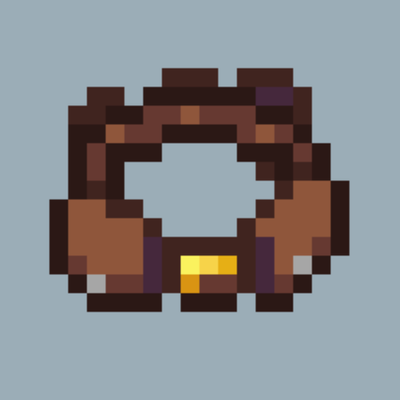
CurseForge · Minecraft mod
A slightly over-engineered Toolbelt.
Quick answer
Simple Toolbelt 1.21.1-neoforge-v1.1.0 targets 1.21.1 with NeoForge. The project page does not say whether this file belongs on the client, dedicated server, or both. No extra mods listed for this file.
Where it goes
The project page does not say whether this file belongs on the client, dedicated server, or both.
The source does not explicitly classify this release as client-only or server-only.
Simple Toolbelt 1.21.1-neoforge-v1.1.0. Change the file and its required mods may change too.
This file does not list any required mods. Do not add a library just because a different file uses it.
We only count dependency files that match this setup. A file for another loader does not fill the gap.
Before you install it
Built for Simple Toolbelt 1.21.1-neoforge-v1.1.0. Pick another file and the loader, install side or required mods may change.
Use Simple Toolbelt 1.21.1-neoforge-v1.1.0. It targets 1.21.1 with NeoForge; another release may have different loader, side or dependency requirements.
This file does not list any required mods. Do not add a library just because a different file uses it.
The project page does not say whether this file belongs on the client, dedicated server, or both.
Use the “Get this file” button beside Simple Toolbelt 1.21.1-neoforge-v1.1.0. It opens that exact file at the source.
About this project


I wasn’t happy with the existing tool belt mods, so I decided to make my own.
No matter how you play, some of your hotbar slots are probably filled with tools. Ever find that annoying? Pickaxes, weapons, wrenches and more can take up over half your hotbar, squeezing out the food, torches and other things you'd rather keep there.
That's where a toolbelt comes in. By stashing your tools in a dedicated place, you free up your hotbar to use however you like.
Simple Toolbelt was built around a few small annoyances that add up when you use a toolbelt all day.
A typical belt swaps your held item with a belt slot. To keep every tool in its place, you must put the current tool back first, then pick the next one: two steps for every change.
Simple Toolbelt remembers where each item belongs. Pick a tool in the wheel and whatever is in your hand goes straight back to its original slot. One selection, no shuffling. Send everything home at once, or one item at a time.

Other belts are limited to a single ring. Simple Toolbelt uses a paged wheel instead. Scroll to flip pages, and middle-click to jump back to page 1. Slot positions are fixed, so adding items never shifts the ones you already know by muscle memory.

| Slots per page | Starting pages | Recipe | |
|---|---|---|---|
| Belt | 4 | 1 |  |
| Netherite Belt | 8 | 1 |  |
Add up to 7 extra pages in a smithing table. The Netherite Belt is also immune to fire and lava.

Bind a key or mouse button to any slot of any belt from the key-binding screen in the belt's inventory. Bindings are per belt, conflicts are detected, and keys are shown right on the wheel.

An toggleable HUD beside your hotbar shows your most-used hotkey tools with their keys.

The Menu Opener stores a block like a bundle and opens its menu on right-click. Put one on your belt and it shows up in the wheel as the block itself. Select it, and the menu opens. Works with any non-block-entity block that has a menu, including some modded ones.

Right-click a belt to open its inventory without taking it off your waist. Hold Shift and hover over a belt for an instant preview of its contents.

Belt contents are protected against loss and duplication by design.
Contents are stored on the server and linked to the belt's UUID, so a belt is really just a key to what's inside. That gives you two things:

Lost every copy? Operators can use /simpletoolbelt list and /simpletoolbelt restore <uuid> <is_netherite> to get it back.
Enchant your belt with Handy, and the right tool is automatically pulled from it as you start mining. Tools are checked in belt order, so you can set your own priorities by arranging them. Press Alt to toggle.
The wheel and auto-switching each have their own client config: only with an empty hand, and/or only when your held item matches a whitelist of tags or item IDs.

You can customise the config to make selected tools appear in a hotbar slot of your choice. You never have to put tools away just to keep your hotbar free.
Wheel size, pausing the game while the wheel is open, remembering the last opened page, background blur, hiding empty slots, key hints and more are all in the client config.


Optional Curios support: wear the belt in the belt slot.
Inspired by the Toolbox from Create.
Project description from CurseForge.
Pick your setup
Choose the version and loader you play, then open the matching release.
Check the dependencies, then try the file in a copied instance before changing a world you care about.
Recent files
simpletoolbelt-1.21.1-neoforge-v1.1.0.jar
22 Nov 2026
simpletoolbelt-1.21.1-neoforge-v1.0.1.jar
8 Nov 2026
simpletoolbelt-1.21.1-neoforge-v1.0.0.jar
7 Nov 2026
simpletoolbelt-1.21.1-neoforge-v0.3.0.jar
17 Oct 2026
simpletoolbelt-1.21.1-neoforge-v0.2.0.jar
11 Oct 2026
simpletoolbelt-1.21.1-neoforge-v0.1.1.jar
3 Oct 2026
Looking for an older file? The official CurseForge project page is in Resources.
 mod
Cloned with permission. Continuation of the Blib Library. Dependency of AVP mods.
 mod
ProjectE Addon (TTO Tweaks) is a addon for ProjectE and Transmutation Table Overhaul that adds missing quality-of-life features to the both mods.
 mod
Its slap battles in minecraft.. lol
