





Minecraft version
Back to mods 
CurseForge · Minecraft mod
Codex: Title Scrolls
A Quality of Life mod that adds titles to players names in chat.
Choose a version Pick your version below, then grab the matching file.
Quick answer
Which Codex: Title Scrolls release matches 1.21.8 NeoForge?
Best match for your filters codex_title_scrolls-1.0.3-1.21.3-10.jar
Game version 1.21.8, 1.21.5, 1.21.4
Loader NeoForge
Codex: Title Scrolls codex_title_scrolls-1.0.3-1.21.3-10.jar targets 1.21.8, 1.21.5, 1.21.4 with NeoForge. The project page does not say whether this file belongs on the client, dedicated server, or both. No extra mods listed for this file.
Where it goes
Is Codex: Title Scrolls required on the client, server, or both?
The project page does not say whether this file belongs on the client, dedicated server, or both.
Client Source doesn’t say
Dedicated server Source doesn’t say
Loader for this release NeoForge
Required install it here Optional supported, not mandatory Not supported do not install here Source doesn’t say do not assume
The source does not explicitly classify this release as client-only or server-only.
What else does Codex: Title Scrolls codex_title_scrolls-1.0.3-1.21.3-10.jar need?
codex_title_scrolls-1.0.3-1.21.3-10.jar on 1.21.8 NeoForge. Every mod below is checked against that same setup.
This file does not list any required mods. Do not add a library just because a different file uses it.
This file does not list any required or optional mods.
Before you install it
Add Codex: Title Scrolls without breaking your instance.
Built for Codex: Title Scrolls codex_title_scrolls-1.0.3-1.21.3-10.jar on 1.21.8 NeoForge. Pick another file and the loader, install side or required mods may change.
- 01
Stick to this file
Use codex_title_scrolls-1.0.3-1.21.3-10.jar. It targets 1.21.8, 1.21.5, 1.21.4 with NeoForge; another release may have different loader, side or dependency requirements.
- 02
Bring the mods it needs
This file does not list any required mods. Do not add a library just because a different file uses it.
- 03
Put it on the correct side
The project page does not say whether this file belongs on the client, dedicated server, or both.
- 04
Pick the file you checked
Use the “Get this file” button beside codex_title_scrolls-1.0.3-1.21.3-10.jar. It opens that exact file at the source.
About this project
What does Codex: Title Scrolls add?
Codex: Title Scrolls
Players find a Title Scroll in loot, right-click it to unlock a title, then open /title to see their collection and pick the title they want to wear. Titles they haven't found yet show as "?" with no name, rarity or flavor text.
Please report all bugs and issues to the GitHub.
No titles are built in. Every title is a small JSON file in config/titlescrolls/titles/, so each server writes its own.
Versions
Every jar has the same features, configs and commands. Pick the one for your Minecraft version. The server and players use the same jar.
| Minecraft | Jar |
|---|---|
| 1.21.1 | codex_title_scrolls-1.0.3.jar |
| 1.21.3 - 1.21.10 | codex_title_scrolls-1.0.3-1.21.3-10.jar |
| 1.21.11 | codex_title_scrolls-1.0.3-1.21.11.jar |
| 26.1.x | codex_title_scrolls-1.0.3-26.1.jar |
| 26.2.x | codex_title_scrolls-1.0.3-26.2.jar |
| 26.3.x | codex_title_scrolls-1.0.3-26.3.jar |
Features
- One item for every title. Which title a scroll gives is stored on the stack, set by loot, a loot table entry or a command.
- Unlocked titles and the active title are saved per player and survive relogs and deaths.
/titleopens a grid menu, 54 titles per page. Click a title to wear it, click it again to take it off./title wear <title>and/title offdo the same from chat.- Rarity shows as the slot border, and titles are sorted by rarity.
- Locked titles are never sent to the client, so nothing can be read ahead of time.
- A scroll for a title you already own is not used up, so it can be traded.
- Hovering a scroll shows its title and rarity.
Titles on players
A player's active title shows on them in multiplayer: on its own line above the name tag, or beside the name. It hides whenever the name tag does (sneaking, invisible, spectator, too far away). The name tag itself isn't changed, so rank prefixes from other mods still show.
Set in settings.toml: position (above or beside), the text around the title (& colors work, e.g. &7✦ {title} &7✦) and its size. Each player can hide other players' titles in their own titlescrolls-client.toml.
Adding titles
One file per title, e.g. config/titlescrolls/titles/kitsune.json, then /titlescroll reload:
{
  "display": "&6Kitsune",
  "rarity": "unique",
  "flavor_text": "Outfoxed the impossible.",
  "chat_color": "&6"
}
display(required): the title text.&color codes work.rarity(optional, defaultcommon): any rarity fromsettings.toml.flavor_text(optional): a line shown in the menu once unlocked.chat_color(optional): the color of the player's chat messages while they wear the title. Needs a chat mod that reads it.
The title's id is its file name (kitsune).
Rarities
Built in: common (green), rare (blue), epic (purple), legendary (gold) and unique (red). Add your own rarity with its own border color in settings.toml, e.g. "mythic=#00FFFF", then use it in a title's rarity. Built-in colors can be changed too, and the order of the list is the order titles are sorted in the menu.
Scrolls in loot
Off by default. Turn on scroll_loot in features.toml, then set it up in settings.toml:
- Which loot tables can hold a scroll (
*matches anything, e.g.minecraft:chests/*), and which never do - The chance a matching table gets one scroll
- How often each rarity drops (
common=50,rare=25, …) - Titles that never drop
Your own loot tables with scroll entries work either way.
Moving from another title mod
/titlescroll migrate scan reads the other mod's title files and saved player titles and writes what it found to config/titlescrolls/migration/migrate.json. Check it (or fill it in by hand), then run /titlescroll migrate apply. Titles are written to the titles folder, online players get their titles right away, everyone else at their next login.
Updating from 1.0.2
Titles used to live in datapacks. The first time the server starts with 1.0.3, every datapack title is copied into config/titlescrolls/titles/ with the same id, so unlocked titles and scrolls already handed out keep working. After that the datapack can be removed.
Commands
| Command | Permission | Default |
|---|---|---|
/title |
titlescrolls.menu |
everyone |
/title wear <title> / /title off |
titlescrolls.menu |
everyone |
/titlescroll give <player> <title> [amount] |
titlescrolls.give |
OP 2 |
/titlescroll reload |
titlescrolls.reload |
OP 3 |
/titlescroll import datapacks |
titlescrolls.import |
OP 3 |
/titlescroll migrate scan / apply |
titlescrolls.import |
OP 3 |
Permissions go through the NeoForge permission API, so they work with any permission mod or plain OP levels.
Config
Files are in config/titlescrolls/.
features.toml: one switch per feature, plus the overlap guard (titles on players turn off by themselves when another installed mod already shows them). Needs a restart.settings.toml: titles on players, rarities, scrolls in loot, removed titles. Reloads with/titlescroll reload.titles/: one file per title. Reloads with/titlescroll reload.migration/:migrate.jsonfor moving from another title mod.titlescrolls-client.toml(each player's own): show or hide other players' titles.
Full details are on GitHub.
License
Free to use in any modpack. Credit Telmarine. No resale.
Project description from CurseForge.
Pick your setup
Codex: Title Scrolls by Minecraft version and loader
Choose the version and loader you play, then open the matching release.
Minecraft version
26.2
1 loader buildMinecraft version
26.1.2
1 loader buildMinecraft version
26.1.1
1 loader buildMinecraft version
26.1
1 loader buildMinecraft version
1.21.11
1 loader buildMinecraft version
1.21.10
1 loader buildMinecraft version
1.21.9
1 loader buildMinecraft version
1.21.8
1 loader buildMinecraft version
1.21.7
1 loader buildMinecraft version
1.21.6
1 loader buildMinecraft version
1.21.5
1 loader buildShowing the newest 12 of 15 game versions. Older files are in the list below.
Check the dependencies, then try the file in a copied instance before changing a world you care about.
Recent files
Codex: Title Scrolls versions and loaders
codex_title_scrolls-1.0.3-1.21.3-10.jar
29 Nov 2026
Client Source doesn’t say Server Source doesn’t say Dependencies No extras listed Listed on Release listing
Check the 1.21.8 · NeoForge setup 1.21.81.21.51.21.41.21.6 release
Looking for an older file? The official CurseForge project page is in Resources.
 mod
CurseForge · Minecraft
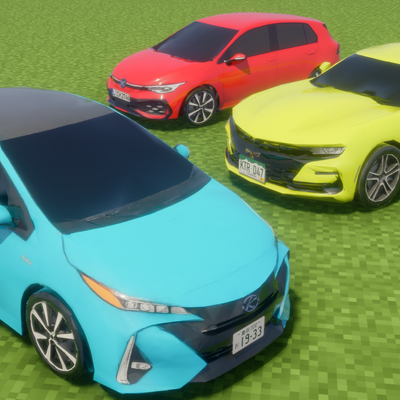
MineTurismo AI Objects : The Official Traffic Car Pack
Everyday cars that actually drive around your town. A car pack for MineTurismo's town traffic, made for builders who want realistic streets, plus a few sports cars for car fans.
 mod
CurseForge · Minecraft
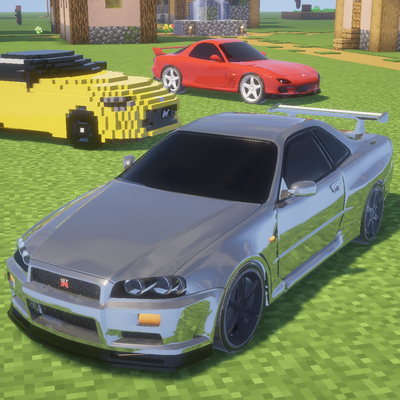
MineTurismo : Car & Vehicle Mod
A car mod that runs almost everywhere: Fabric, NeoForge and Forge, Minecraft 1.7.10 to 26.3. Drive cars, bikes, trucks, helicopters and trains with AI traffic and deep customization
 mod
CurseForge · Minecraft
[EMF] Entity Model Features [Fabric & Forge]
EMF is an, OptiFine format, Custom Entity Model replacement mod available for Fabric and Forge.