Minecraft version
Back to mods 
CurseForge · Minecraft mod
Borderful
Minimal player locator, waypoint manager, and compass!
Choose a version Pick your version below, then grab the matching file.
Quick answer
Which Borderful release matches 26.2 NeoForge?
Best match for your filters borderful-1.0.0+26.2-neoforge.jar
Game version 26.2
Loader NeoForge
borderful-1.0.0+26.2-neoforge.jar targets 26.2 with NeoForge. The project page does not say whether this file belongs on the client, dedicated server, or both. No extra mods listed for this file.
Where it goes
Is Borderful required on the client, server, or both?
The project page does not say whether this file belongs on the client, dedicated server, or both.
Client Source doesn’t say
Dedicated server Source doesn’t say
Loader for this release NeoForge
Required install it here Optional supported, not mandatory Not supported do not install here Source doesn’t say do not assume
The source does not explicitly classify this release as client-only or server-only.
What else does borderful-1.0.0+26.2-neoforge.jar need?
borderful-1.0.0+26.2-neoforge.jar on 26.2 NeoForge. Every mod below is checked against that same setup.
This file does not list any required mods. Do not add a library just because a different file uses it.
This file does not list any required or optional mods.
Before you install it
Add Borderful without breaking your instance.
Built for borderful-1.0.0+26.2-neoforge.jar on 26.2 NeoForge. Pick another file and the loader, install side or required mods may change.
- 01
Stick to this file
Use borderful-1.0.0+26.2-neoforge.jar. It targets 26.2 with NeoForge; another release may have different loader, side or dependency requirements.
- 02
Bring the mods it needs
This file does not list any required mods. Do not add a library just because a different file uses it.
- 03
Put it on the correct side
The project page does not say whether this file belongs on the client, dedicated server, or both.
- 04
Pick the file you checked
Use the “Get this file” button beside borderful-1.0.0+26.2-neoforge.jar. It opens that exact file at the source.
About this project
What does Borderful add?
Borderful moves Minecraft player waypoints to the edges of your screen, so you can see which direction players are in without giving up your XP bar.


Find your way at a glance
Minecraft's locator bar can take the place of your experience bar. Borderful moves waypoint indicators to the edges of your screen instead. The vanilla locator bar is hidden while Borderful is enabled, but your XP bar and the rest of your HUD stay available.
Indicators point toward tracked players and your custom waypoints—even when they are behind you or outside your view. Focus a marker to bring it farther onto the screen, and show its name or distance with optional labels.
What you can do
- Track players off-screen with edge-of-screen direction markers.
- Create named waypoints with your own coordinates and color.
- Keep waypoints separate for each multiplayer server and singleplayer world.
- Customize indicators with player faces, team colors, arrows, focus behavior, and labels.
- Add a compass with cardinal and intercardinal directions.
- Configure player-specific overrides to change a player's color, keep them focused, or hide their marker.
Borderful is client-side: it changes your HUD, not the server. It uses the waypoint information Minecraft makes available; it cannot reveal players the server does not track or players outside the game's tracking range.
Add a custom waypoint
- Join a server or load a singleplayer world.
- Press B to open the Add Waypoint form.
- Enter a name. Coordinates are filled in from your current position, but you can edit them.
- Choose a color from the selector, enter a hex color, or select Randomize.
- Press Done to save it for the current server or world.
Change the Create Waypoint key in Options → Controls → Key Binds → Miscellaneous. A separate Quick add waypoint at current position keybind is available if you want one-press waypoint creation; it has no key assigned by default.
You can also manage waypoint names, coordinates, colors, and enabled states in the Custom Waypoints config category.
Make it yours
Open Borderful's configuration from the Mods menu. On Fabric, install Mod Menu to access the config screen there. Configuration includes:
- Waypoint: marker size and inset, color, arrows, player faces, focus, and labels.
- Custom Waypoints: edit your named markers.
- Overrides: customize individual players' markers.
- Miscellaneous: compass directions, animations, and Force Waypoints.
Force Waypoints can display nearby players when a server disables the locator bar, but it cannot bypass Minecraft's tracking or distance limits.
Versions and loaders
Choose the jar that matches both your Minecraft version and loader. Fabric and NeoForge use separate jars—there is no universal jar.
| Minecraft | Fabric | NeoForge |
|---|---|---|
| 1.21.6 | ✓ | ✓ |
| 1.21.9 | ✓ | ✓ |
| 1.21.11 | ✓ | ✓ |
| 26.1 | ✓ | ✓ |
| 26.2 | ✓ | ✓ |
Install the matching jar in your mods folder. Check the version's listing for required dependencies.
Currently, Cloth Config is REQUIRED for the mod to work.
Updating from Locator Border
Borderful was previously named Locator Border. If config/borderful.json does not already exist, the mod copies your old config/locator-border.json settings on first launch. Existing custom waypoints without a server or world association are assigned to the first one you join after updating.
<sub>Borderful is a feature-expanded fork of Locator Border. It builds on the original off-screen waypoint idea with custom per-server/world waypoints, an in-game waypoint form, additional color options, and support for more Minecraft versions and loaders.</sub>
Project description from CurseForge.
Pick your setup
Borderful by Minecraft version and loader
Choose the version and loader you play, then open the matching release.
Minecraft version
26.1.2
2 loader buildsMinecraft version
26.1.1
2 loader buildsMinecraft version
26.1
2 loader buildsMinecraft version
1.21.11
2 loader buildsMinecraft version
1.21.10
1 loader buildMinecraft version
1.21.9
1 loader buildMinecraft version
1.21.8
2 loader buildsMinecraft version
1.21.7
2 loader buildsMinecraft version
1.21.6
2 loader buildsCheck the dependencies, then try the file in a copied instance before changing a world you care about.
Recent files
Borderful versions and loaders
borderful-1.0.0+26.2-neoforge.jar
4 Oct 2026
Client Source doesn’t say Server Source doesn’t say Dependencies No extras listed Listed on Release listing
Check the 26.2 · NeoForge setup NeoForge26.2 release
Looking for an older file? The official CurseForge project page is in Resources.
 mod
CurseForge + Modrinth · Minecraft
Little Joys
Small rewarding events such as Dig Spots, Fishing Spots, Fallen Stars and more.
 mod
CurseForge · Minecraft
craft cocoa beans
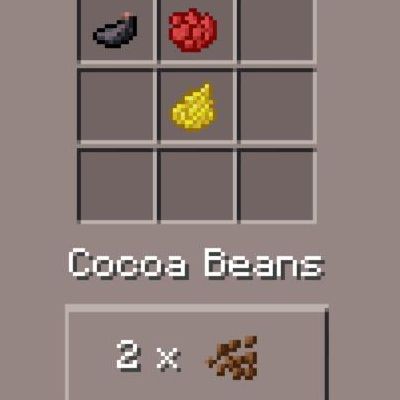
this mod lets you craft cocoa beans like you could back in Minecraft PE
 mod
CurseForge · Minecraft
CoolCatLib
Write it once, run it everywhere. Events, networking, registries and configs, with screen effects, custom skies, cutscenes and GUI widgets on top: the purr-fect foundation for your mods.