Minecraft version
Back to mods 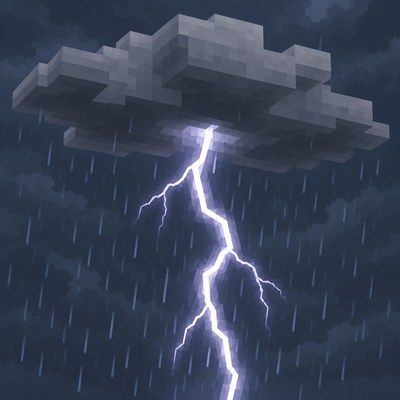
CurseForge · Minecraft mod
Stormcell
Regional, moving weather: storms form, drift with the wind and fade away, so it can pour in one place while it stays clear somewhere else. Server-side only.
Choose a version Pick your version below, then grab the matching file.
Quick answer
Which Stormcell release should I use?
Latest stable file stormcell-forge-1.0.0+1.20.1.jar
Game version 1.20.1
Loader Forge
stormcell-forge-1.0.0+1.20.1.jar targets 1.20.1 with Forge. The project page does not say whether this file belongs on the client, dedicated server, or both. No extra mods listed for this file.
Where it goes
Is Stormcell required on the client, server, or both?
The project page does not say whether this file belongs on the client, dedicated server, or both.
Client Source doesn’t say
Dedicated server Source doesn’t say
Loader for this release Forge
Required install it here Optional supported, not mandatory Not supported do not install here Source doesn’t say do not assume
The source does not explicitly classify this release as client-only or server-only.
What else does stormcell-forge-1.0.0+1.20.1.jar need?
stormcell-forge-1.0.0+1.20.1.jar. Change the file and its required mods may change too.
This file does not list any required mods. Do not add a library just because a different file uses it.
This file does not list any required or optional mods.
Before you install it
Add Stormcell without breaking your instance.
Built for stormcell-forge-1.0.0+1.20.1.jar. Pick another file and the loader, install side or required mods may change.
- 01
Stick to this file
Use stormcell-forge-1.0.0+1.20.1.jar. It targets 1.20.1 with Forge; another release may have different loader, side or dependency requirements.
- 02
Bring the mods it needs
This file does not list any required mods. Do not add a library just because a different file uses it.
- 03
Put it on the correct side
The project page does not say whether this file belongs on the client, dedicated server, or both.
- 04
Pick the file you checked
Use the “Get this file” button beside stormcell-forge-1.0.0+1.20.1.jar. It opens that exact file at the source.
About this project
What does Stormcell add?
Weather that moves
Vanilla weather is one switch for the whole world: everyone gets rain at the same moment. Stormcell replaces it with storm systems that form, drift with the wind, build up, peak and fade away. It can pour on one player while another, a few thousand blocks away, never sees a cloud. You can watch a storm come in: the sky goes grey, light rain starts, it builds to a downpour or a thunderstorm, then eases off and clears as the storm moves on.
Server-side only. Players join with a completely unmodified client: no mod, no loader, no resource pack. Each player is sent the weather of the spot they are standing in, through the same packets vanilla uses for its own weather.
Fabric and NeoForge, Minecraft 26.2 and 26.3.
Features
- Regional weather. The world is split into large cells, each with its own temperature, humidity, pressure and wind, blended smoothly so storms have soft, irregular edges.
- Moving storm systems. Showers, wide bands of steady rain (weather fronts) and thunderstorms travel with the wind, merge when they run into each other, and can split.
- A storm lifecycle. Storms form, strengthen, hold, weaken and dissipate. Humid air feeds them, dry air starves them, and rain dries out the air behind them for a while.
- Feels like vanilla. Over plains it rains about 15% of the time, as in vanilla, in spells of around ten minutes. Forests and oceans are wetter, jungles and swamps wettest and stormiest, and deserts stay all but dry. A player's weather does not depend on how many others are online.
- Gradual intensity. From cloudy to drizzle, light rain, heavy rain, thunderstorm and severe. Clients are eased between rain strengths rather than switched, and jump straight to the new weather after a teleport.
- Wind steers the storms and slowly changes direction and speed. It never pushes players, mobs or boats.
- Local thunder and lightning. Lightning only strikes under thunderstorms, more often the stronger the storm. Lightning rods and skeleton horse traps work as in vanilla.
- Biome-aware. Biome temperature and rainfall decide how often and how hard it rains. Modded biomes work from their own climate values, and per-biome or per-tag overrides are in the config.
- Dry weather. Clients never draw rain in deserts, savannas or badlands, so those biomes get weather that suits them: dry thunderstorms (a dark sky and lightning, but no rain, and by default no fires) and dust storms sweeping across deserts and badlands, with a gloomy sky and an unbroken rush of wind.
- Elevation. High ground is colder, so mountain storms bring snow and fewer thunderstorms.
- The world reacts locally. Mobs get wet, fires go out, farmland gets watered, cauldrons fill, snow piles up, bees head home, foxes and pandas react to thunder, monsters spawn in storm gloom and beds work under a thunderstorm, all based on the weather where they are.
- Vanilla rules still apply. With the
advance_weathergame rule off, or with/tick freeze, the weather holds still. Sleeping through the night ends the storms over the sleepers; weather elsewhere carries on. - /weather still works.
clearremoves every storm and keeps new ones away for the duration;rainandthunderstart a storm over whoever ran the command. - Persistent. Storms, wind and recently rained-out regions survive restarts.
- Light on the server. Weather is only simulated around players, updates run every few seconds rather than every tick, and a heavy test with 50 spread-out players and 265 storms took about 1.6 ms per simulation step.
Configuration
config/stormcell.toml is created on first start, with a comment on every option: how often it rains and thunders, storm sizes, strength and speed, wind, biome overrides, height cooling, lightning, dry weather, what clients are shown, local mob behaviour and performance limits. Reload it with /stormcell reload.
Commands (operators)
/stormcell info- the simulated conditions where you stand/stormcell spawn <shower|rain|thunderstorm|dust> [intensity]- start a storm on top of you/stormcell clear [radius]- remove storms/stormcell client <player>- what that player's client is showing, next to the weather simulated where they stand/stormcell stats- simulation timing/stormcell reload- reload the config
There is deliberately no forecast.
Seasons
Stormcell works on its own. With Seasonfall installed, the seasons shape the climate (temperature, humidity, how much it rains, how often storms form) and Stormcell still makes all the weather. Neither mod depends on the other. Other mods can do the same through Stormcell's API.
Limits
Stormcell only uses what an unmodified client already understands:
- A client has one rain strength for its whole view, so players see the weather where they are standing; a storm on the horizon cannot be drawn while it is dry overhead.
- Clients decide rain or snow, and where rain is drawn at all, from the biome (deserts and savannas never show rain). Stormcell follows the same rules on the server, so what happens matches what is seen.
- Vanilla's world-wide "is it raining" flags read as clear in dimensions Stormcell runs. Every use of them in vanilla is redirected to the local weather, but another mod reading them directly will see clear weather.
Project description from CurseForge.
Pick your setup
Stormcell by Minecraft version and loader
Choose the version and loader you play, then open the matching release.
Minecraft version
26.2
3 loader buildsMinecraft version
1.21.1
3 loader buildsMinecraft version
1.20.1
3 loader buildsCheck the dependencies, then try the file in a copied instance before changing a world you care about.
Recent files
Stormcell versions and loaders
stormcell-forge-1.0.0+1.20.1.jar
8 Oct 2026
Client Source doesn’t say Server Source doesn’t say Dependencies No extras listed Listed on Release listing
Check the 1.20.1 · Forge setup 1.20.1Forge release
stormcell-forge-1.0.0+1.21.1.jar
8 Oct 2026
Client Source doesn’t say Server Source doesn’t say Dependencies No extras listed Listed on Release listing
Check the 1.21.1 · Forge setup Forge1.21.1 release
stormcell-neoforge-1.0.0+1.20.1.jar
8 Oct 2026
Client Source doesn’t say Server Source doesn’t say Dependencies No extras listed Listed on Release listing
Check the 1.20.1 · NeoForge setup 1.20.1NeoForge release
stormcell-neoforge-1.0.0+1.21.1.jar
8 Oct 2026
Client Source doesn’t say Server Source doesn’t say Dependencies No extras listed Listed on Release listing
Check the 1.21.1 · NeoForge setup 1.21.1NeoForge release
stormcell-fabric-1.0.0+1.20.1.jar
8 Oct 2026
Client Source doesn’t say Server Source doesn’t say Dependencies 1 required · 1 unchecked Listed on Release listing
Check the 1.20.1 · Fabric setup Fabric1.20.1 release
stormcell-fabric-1.0.0+1.21.1.jar
8 Oct 2026
Client Source doesn’t say Server Source doesn’t say Dependencies 1 required · 1 unchecked Listed on Release listing
Check the 1.21.1 · Fabric setup Fabric1.21.1 release
stormcell-forge-1.0.0+26.2.jar
6 Oct 2026
Client Source doesn’t say Server Source doesn’t say Dependencies No extras listed Listed on Release listing
Check the 26.2 · Forge setup Forge26.2 release
stormcell-forge-1.0.0+26.3.jar
6 Oct 2026
Client Source doesn’t say Server Source doesn’t say Dependencies No extras listed Listed on Release listing
Check the 26.3 · Forge setup Forge26.3 release
stormcell-neoforge-1.0.0+26.2.jar
4 Oct 2026
Client Source doesn’t say Server Source doesn’t say Dependencies No extras listed Listed on Release listing
Check the 26.2 · NeoForge setup NeoForge26.2 release
stormcell-neoforge-1.0.0+26.3.jar
4 Oct 2026
Client Source doesn’t say Server Source doesn’t say Dependencies No extras listed Listed on Release listing
Check the 26.3 · NeoForge setup NeoForge26.3 release
stormcell-fabric-1.0.0+26.2.jar
4 Oct 2026
Client Source doesn’t say Server Source doesn’t say Dependencies 1 required · 1 unchecked Listed on Release listing
Check the 26.2 · Fabric setup Fabric26.2 release
stormcell-fabric-1.0.0+26.3.jar
4 Oct 2026
Client Source doesn’t say Server Source doesn’t say Dependencies 1 required · 1 unchecked Listed on Release listing
Check the 26.3 · Fabric setup Fabric26.3 release
Looking for an older file? The official CurseForge project page is in Resources.