Fabric API Needed by WaysideFinds.jar
requiredMatching file found Matched file: [26.3] Fabric API 0.166.2+26.3
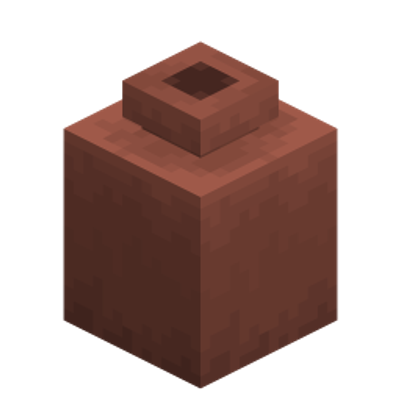
CurseForge · Minecraft mod
The farther you wander, the more you find.
Quick answer
WaysideFinds.jar targets 26.3 with Fabric, Forge, NeoForge. The project page does not say whether this file belongs on the client, dedicated server, or both. All 1 required mods have matching files.
Where it goes
The project page does not say whether this file belongs on the client, dedicated server, or both.
The source does not explicitly classify this release as client-only or server-only.
WaysideFinds.jar. Change the file and its required mods may change too.
Install Fabric API first. We found matching files for this game-version and loader setup.
We only count dependency files that match this setup. A file for another loader does not fill the gap.
Before you install it
Built for WaysideFinds.jar. Pick another file and the loader, install side or required mods may change.
Use WaysideFinds.jar. It targets 26.3 with Fabric, Forge, NeoForge; another release may have different loader, side or dependency requirements.
Install Fabric API first. We found matching files for this game-version and loader setup.
The project page does not say whether this file belongs on the client, dedicated server, or both.
Use the “Get this file” button beside WaysideFinds.jar. It opens that exact file at the source.
About this project
WaysideFinds is a data pack for Minecraft Java Edition 26.3, also available as a mod for Fabric, Forge and NeoForge. It rewards you for going somewhere new. Every step on ground you haven't covered lately counts, whether you walk, ride, sail, swim or fly, and as you go, things start turning up along the way: a pot by the roadside, a vein of ore in a cave wall, a barrel washed up by the river, a horse tied to a fence post at the edge of a pasture.
Vanilla stays vanilla. WaysideFinds changes no recipes, loot tables, mobs or vanilla structures, and it doesn't make anything harder. It only adds things to find.


| Where | What you might find |
|---|---|
| On the road (anywhere) | Decorated pots, some painted with pottery sherds or holding maps, suspicious sand or gravel with something buried in it, chests, copper chests and barrels, shelves, a brewing stand or a chiseled bookshelf, an armor stand in a fallen traveller's gear, now and then a wandering trader. |
| Underground | Decorated pots set in the wall, veins of ore in the rock, chest minecarts on rails, amethyst geodes, a blast furnace beside a smithing table, an armor stand in a fallen miner's gear, diamond, emerald, lapis and redstone ore, ancient debris, a chest surrounded by ore. |
| In the woods | Decorated pots among the roots, shelves on living trunks, bee nests with a decorated pot under them, a brewing stand in a ring of mushrooms, a jukebox under a block of leaves, a barrel in a ring of logs, a chiseled bookshelf with candles, a chest in a tree stump. |
| By the water | Decorated pots on the shore, barrels lying on their side, chests with lanterns beside them, chests under water, decorated pots ringed with sea pickles, coral or glow lichen. |
| In a pasture | Decorated pots in leaf litter, sheep of unusual colours, horses and donkeys tied to fence posts, chests beside a fence post with a lantern, a saddled horse in horse armor or a saddled donkey carrying a chest, a brown mooshroom, a pink sheep, a rabbit named Toast. |
| In a village | Decorated pots on hay bales or moss carpet, melons and pumpkins growing on their stems, barrels under an open trapdoor, composters, barrels next to a lantern on a hay bale, chests with a cake, candles and jack o'lanterns, chests with hay bales and pumpkins. |
| The Nether and the End | Decorated pots, chests and barrels. The Nether also has nether gold ore, nether quartz ore, gilded blackstone, ancient debris and blast furnaces, and the End has purple shulker boxes at the highest titles. |
Tools and weapons in finds get better with your title. A Homebody finds wooden ones, and later titles find stone, copper, iron and, rarely, diamond. Bows, crossbows and tridents come later still.

Every player gets a Wayside book. It's your journal, written in your own words: your title and how close the next one is, the lands and places you've found, and what you've been up to lately. It updates as you play. Lost it? /trigger wayside gets you a new one, or keep travelling: your next find in a chest or barrel will have a new copy inside. When you die, it drops with the rest of your things.
Anyone can use /trigger wayside. The other commands need operator rights.
/trigger wayside/function wayside_finds:help/function wayside_finds:show_place/function wayside_finds:set_title {title:5}/function wayside_finds:add_progress {amount:1000}/function wayside_finds:place_find {find:"stash"}/function wayside_finds:reset/function wayside_finds:set_pace {percent:150}/function wayside_finds:set_find_rate {percent:50}/function wayside_finds:uninstallTo run a command for another player, put /execute as <player> at @s run in front of it.
WaysideFinds.zip into the window and move it to the Selected side.WaysideFinds.zip in your world's datapacks folder (.minecraft/saves/<world>/datapacks), then run /reload in game or reopen the world.WaysideFinds.zip in world/datapacks and run /reload or restart.WaysideFinds.jar in your mods folder instead. It works on Fabric (with Fabric API), Forge and NeoForge, and is then on in every world. On a server, only the server needs it.Otherwise Wayside needs nothing else and works alongside most other data packs and mods.
Removing it: run /function wayside_finds:uninstall, then /datapack disable the pack, or take WaysideFinds.jar out of the mods folder. Finds already placed stay in the world as ordinary blocks.
Project description from CurseForge.
Pick your setup
Choose the version and loader you play, then open the matching release.
Check the dependencies, then try the file in a copied instance before changing a world you care about.
Recent files
4 Oct 2026
Looking for an older file? The official CurseForge project page is in Resources.
 mod
An open-source magic mod built around classical alchemy to replicate and transmute matter, and create magical artifacts.
 mod
Client-side visual body-profile mod offering Vanilla and Chibi profiles without altering player hitboxes.
 mod
A magic mod inspired by the world of Jonathan Stroud's Bartimaeus. With the help of occult rituals players can summon entities from the "Other Side" to perform magic.