Minecraft version
Back to mods 
CurseForge · Minecraft mod
Dual-Vector Foil
Add Dual-Vector Foil from *The Three-Body Problem* to the mod
Choose a version Pick your version below, then grab the matching file.
Quick answer
Which Dual-Vector Foil release should I use?
Latest stable file Dual-Vector-Foil-0.1.0.jar
Game version 1.20.1
Loader Forge
Dual-Vector Foil Dual-Vector-Foil-0.1.0.jar targets 1.20.1 with Forge. The project page does not say whether this file belongs on the client, dedicated server, or both. No extra mods listed for this file.
Where it goes
Is Dual-Vector Foil required on the client, server, or both?
The project page does not say whether this file belongs on the client, dedicated server, or both.
Client Source doesn’t say
Dedicated server Source doesn’t say
Loader for this release Forge
Required install it here Optional supported, not mandatory Not supported do not install here Source doesn’t say do not assume
The source does not explicitly classify this release as client-only or server-only.
What else does Dual-Vector Foil Dual-Vector-Foil-0.1.0.jar need?
Dual-Vector-Foil-0.1.0.jar. Change the file and its required mods may change too.
This file does not list any required mods. Do not add a library just because a different file uses it.
This file does not list any required or optional mods.
Before you install it
Add Dual-Vector Foil without breaking your instance.
Built for Dual-Vector Foil Dual-Vector-Foil-0.1.0.jar. Pick another file and the loader, install side or required mods may change.
- 01
Stick to this file
Use Dual-Vector-Foil-0.1.0.jar. It targets 1.20.1 with Forge; another release may have different loader, side or dependency requirements.
- 02
Bring the mods it needs
This file does not list any required mods. Do not add a library just because a different file uses it.
- 03
Put it on the correct side
The project page does not say whether this file belongs on the client, dedicated server, or both.
- 04
Pick the file you checked
Use the “Get this file” button beside Dual-Vector-Foil-0.1.0.jar. It opens that exact file at the source.
About this project
What does Dual-Vector Foil add?
Add Dual-Vector Foil from The Three-Body Problem to the mod
You can obtain it in Creative Mode.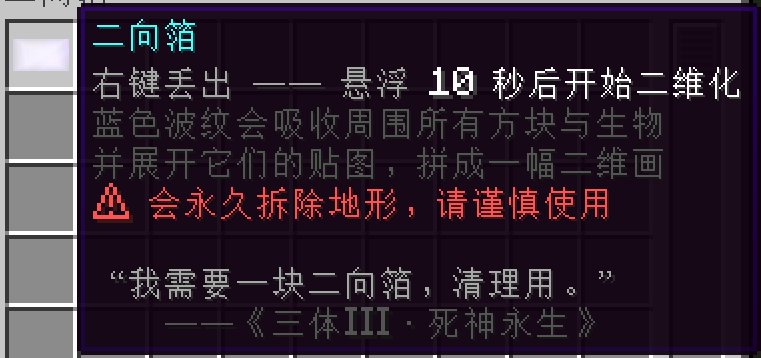
It has two operating modes: Diffusion Mode and Non-Diffusion Mode,You can configure detailed settings in the mod config.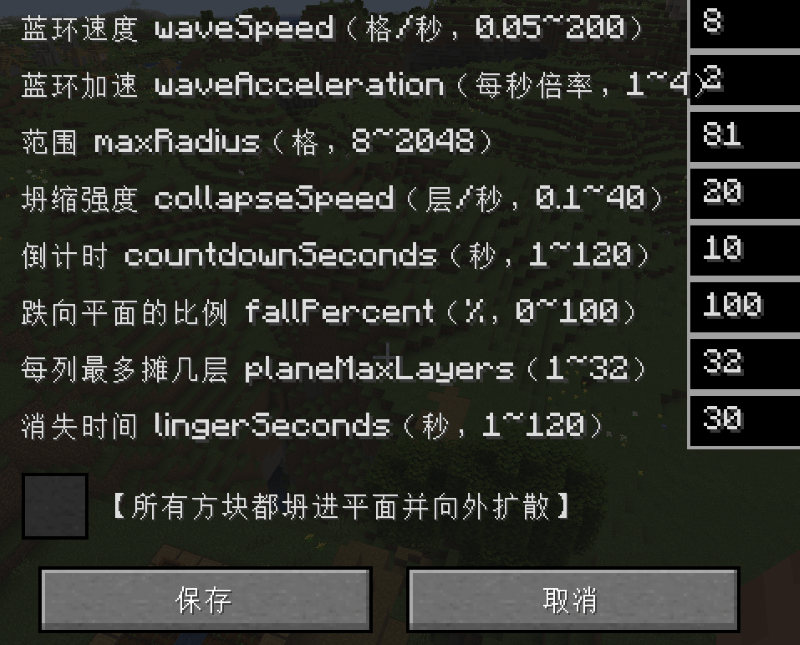
Activation triggers a countdown, followed by dimensional collapse. 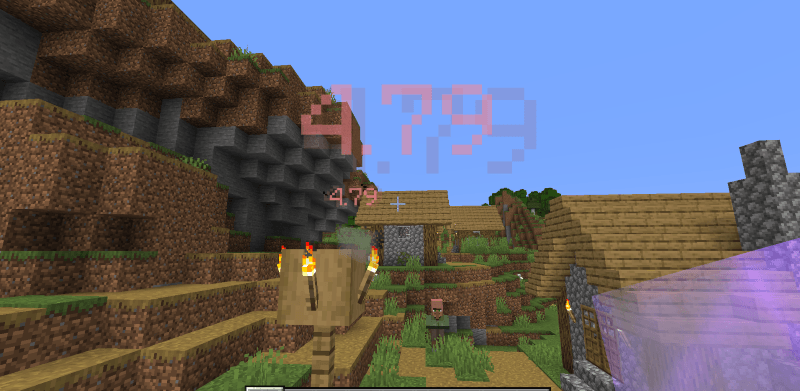 All creatures within range will be flattened into two dimensions.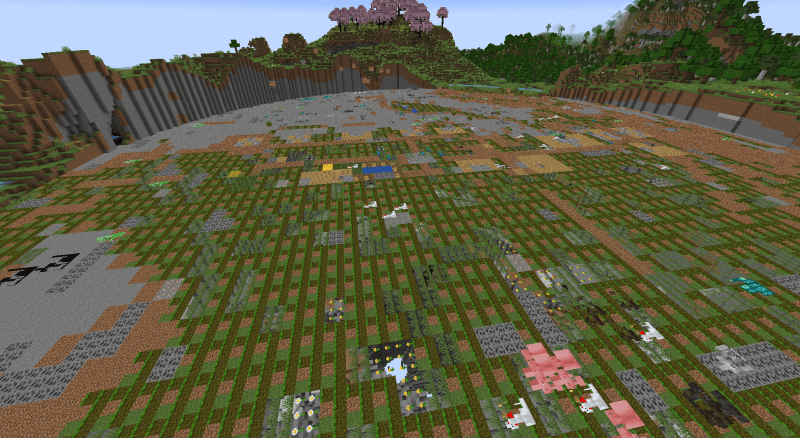
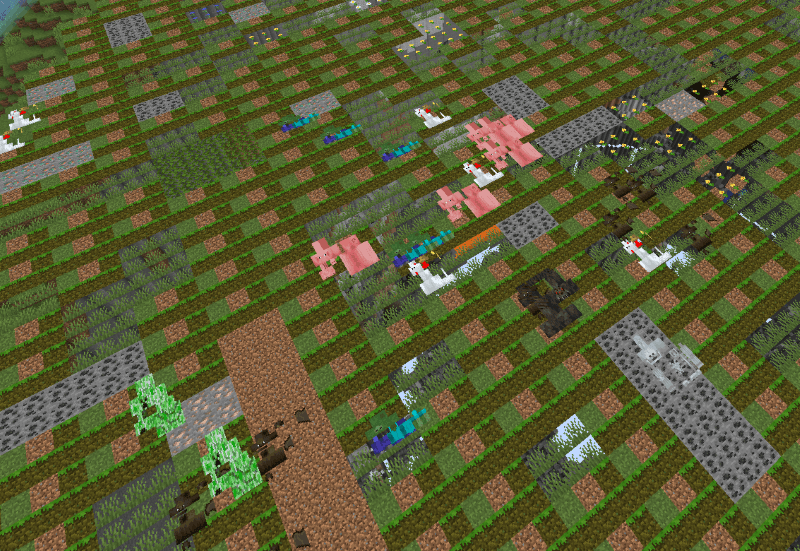 However, this mode expands slowly and is confined to a predefined area. But, if this toggle is enabled.
  Blocks will expand outward!!! WARNING! This will severely impact PC performance, so it is not recommended to set an excessively large radius. This is extremely important!!!
 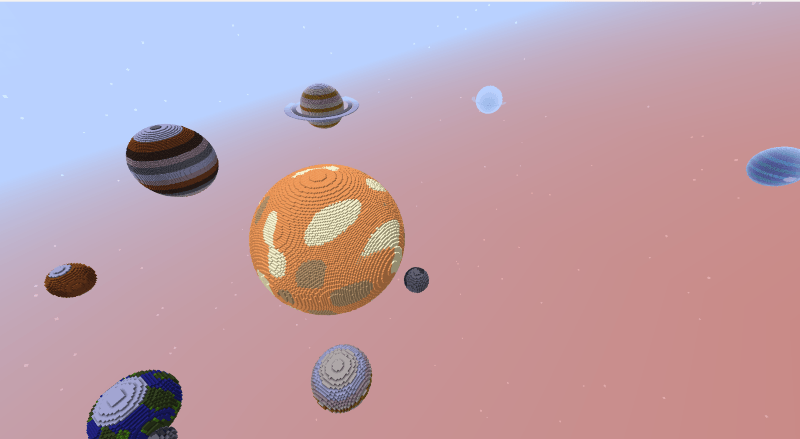 I will demonstrate using this map.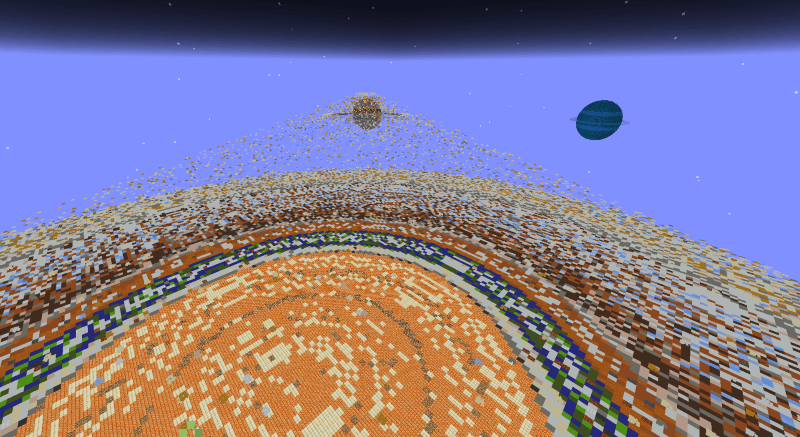
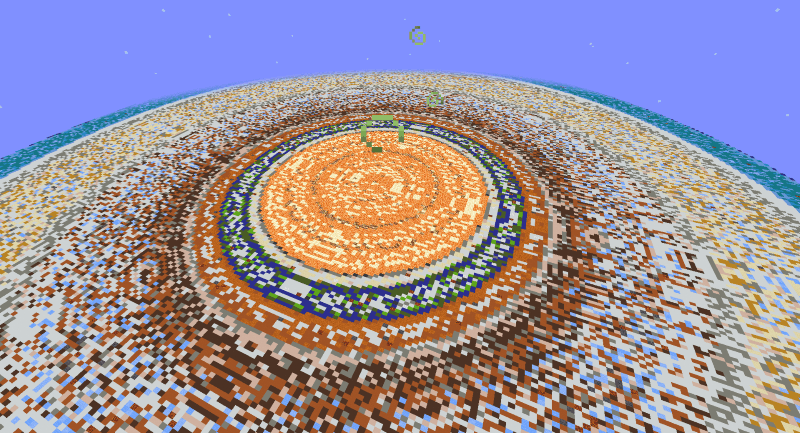 Blocks will continuously collapse and spread infinitely under the pull of the two-dimensional force, eventually appearing as shown in the image. That covers all the introduction to this mod. WARNING: Do not use Diffusion Mode in the Overworld—it will be extremely chaotic!
Project description from CurseForge.
Pick your setup
Dual-Vector Foil by Minecraft version and loader
Choose the version and loader you play, then open the matching release.
Check the dependencies, then try the file in a copied instance before changing a world you care about.
Recent files
Dual-Vector Foil versions and loaders
Dual-Vector-Foil-0.1.0.jar
8 Oct 2026
Client Source doesn’t say Server Source doesn’t say Dependencies No extras listed Listed on Release listing
Check the 1.20.1 · Forge setup 1.20.1Forge release
Dual-Vector-Foil-0.1.0.jar
4 Oct 2026
Client Source doesn’t say Server Source doesn’t say Dependencies No extras listed Listed on Release listing
Check the 1.20.1 · Forge setup 1.20.1Forge release
Looking for an older file? The official CurseForge project page is in Resources.
 mod
mod CurseForge · Minecraft
DirectX Engine
Use DirectX12 to Play !
 mod
mod CurseForge · Minecraft
Prismium
Prismium — your little performance helper. Vanilla+ performance optimizations with configurable entity, particle, and item culling
 mod
mod CurseForge · Minecraft
Viltrumite
Become Omni-Man or any other Viltrumite from Invincible and never go into aura debt. This mod is updated as a part of my video series on Youtube where I code it into reality (in Turkish).