Necronomicon API Needed by Dynamic Resource Bars Formatting drb_formatting-1.0.0+1.20.1.jar
requiredMatching file found Matched file: Necronomicon 1.6.0
CurseForge · Minecraft mod
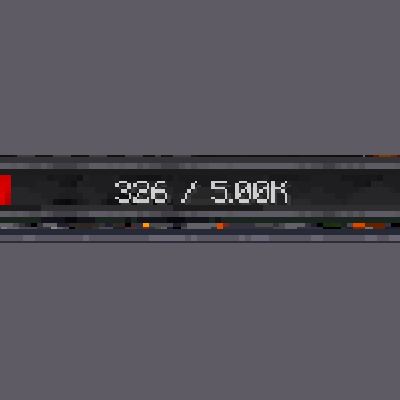
Shortens the large numbers on bars, so 7000 shows as 7.00k
Quick answer
Dynamic Resource Bars Formatting drb_formatting-1.0.0+1.20.1.jar targets 1.20.1, 1.20 with Fabric. The project page does not say whether this file belongs on the client, dedicated server, or both. All 5 required mods have matching files.
Where it goes
The project page does not say whether this file belongs on the client, dedicated server, or both.
The source does not explicitly classify this release as client-only or server-only.
drb_formatting-1.0.0+1.20.1.jar on 1.20. Every mod below is checked against that same setup.
Install Necronomicon API, Dynamic RPG Resource Bars, Fabric API, Puzzles Lib and 1 more first. We found matching files for this game-version and loader setup. 4 come through another mod in the chain.
4 extra mods were pulled in by other dependencies. Indented rows show who needs each one. We only count dependency files that match this setup. A file for another loader does not fill the gap.
Before you install it
Built for Dynamic Resource Bars Formatting drb_formatting-1.0.0+1.20.1.jar on 1.20. Pick another file and the loader, install side or required mods may change.
Use drb_formatting-1.0.0+1.20.1.jar. It targets 1.20.1, 1.20 with Fabric; another release may have different loader, side or dependency requirements.
Install Necronomicon API, Dynamic RPG Resource Bars, Fabric API, Puzzles Lib and 1 more first. We found matching files for this game-version and loader setup. 4 come through another mod in the chain.
The project page does not say whether this file belongs on the client, dedicated server, or both.
Use the “Get this file” button beside drb_formatting-1.0.0+1.20.1.jar. It opens that exact file at the source.
About this project

This Mod shortens any high numbers you may see in Modded minecraft to e.g. 7.00k instead of 7000.
This matters when the numbers get too big and just seem like bloat
Client only
This mod Requires
Project description from CurseForge.
Pick your setup
Choose the version and loader you play, then open the matching release.
Check the dependencies, then try the file in a copied instance before changing a world you care about.
Recent files
4 Oct 2026
Looking for an older file? The official CurseForge project page is in Resources.
 mod
A modern skin changer that is fast and intuitive to use. Allowing you to change skins in-game, even for people who are “offline”/“non-premium.”
 mod
A simple zoom mod that fixes common issues with others.
 mod
See any build as see-through ghost blocks in your world, with a materials list, layers and build copying.