Fabric API Needed by AutoLoot Selector autoloot_selector_1.1.0.jar
requiredMatching file found Matched file: [1.21.11] Fabric API 0.141.6+1.21.11
CurseForge · Minecraft mod
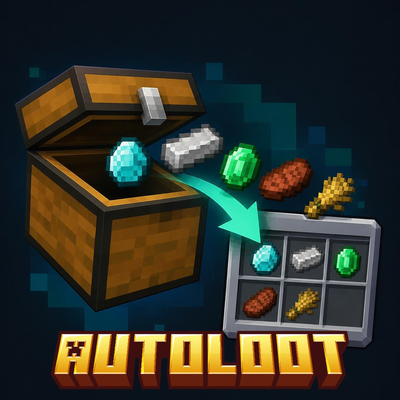
Pick items in a menu and they move from chests to your inventory automatically. Client-side Fabric mod.
Quick answer
AutoLoot Selector autoloot_selector_1.1.0.jar targets 1.21.11 with Fabric. The project page does not say whether this file belongs on the client, dedicated server, or both. All 1 required mods have matching files.
Where it goes
The project page does not say whether this file belongs on the client, dedicated server, or both.
The source does not explicitly classify this release as client-only or server-only.
autoloot_selector_1.1.0.jar. Change the file and its required mods may change too.
Install Fabric API first. We found matching files for this game-version and loader setup.
We only count dependency files that match this setup. A file for another loader does not fill the gap.
Before you install it
Built for AutoLoot Selector autoloot_selector_1.1.0.jar. Pick another file and the loader, install side or required mods may change.
Use autoloot_selector_1.1.0.jar. It targets 1.21.11 with Fabric; another release may have different loader, side or dependency requirements.
Install Fabric API first. We found matching files for this game-version and loader setup.
The project page does not say whether this file belongs on the client, dedicated server, or both.
Use the “Get this file” button beside autoloot_selector_1.1.0.jar. It opens that exact file at the source.
About this project
AutoLoot Selector is a client-side Fabric mod that moves the items you choose from chests straight into your inventory.
HOW IT WORKS
1. Press K to open the menu.
2. Type in the search box to find an item, then click it to select it. Selected items get a green border. Click again to unselect.
3. Turn the mod on with the "Mod" button in the menu.
4. Open a chest, barrel, shulker box or ender chest. The selected items move to your inventory automatically.
KEYS (can be changed in Options > Controls)
K - open the menu, toggle ON/OFF the mod
THE MENU
SAFETY AND DETAILS
LANGUAGES
English (US, UK, Australia) and Portuguese (Portugal, Brazil).
REQUIREMENTS
NOTE
Some servers do not allow mods that automate actions. Check the server rules before using it. The author is not responsible for bans.
Project description from CurseForge.
Pick your setup
Choose the version and loader you play, then open the matching release.
Check the dependencies, then try the file in a copied instance before changing a world you care about.
Recent files
autoloot-1.1.0.jar
6 Oct 2026
autoloot-1.0.0.jar
4 Oct 2026
Looking for an older file? The official CurseForge project page is in Resources.