Minecraft version
Back to mods 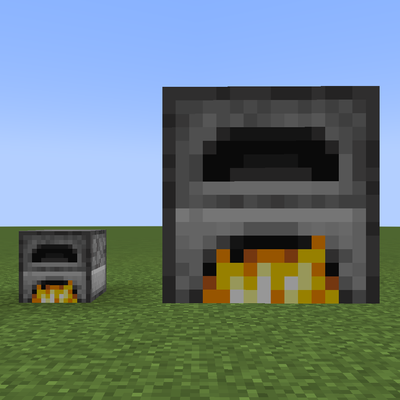
CurseForge · Minecraft mod
Colossal Furnaces
Giant furnaces with built-in automation
Choose a version Pick your version below, then grab the matching file.
Quick answer
Which Colossal Furnaces release should I use?
Latest stable file Colossal Furnaces 1.0.0 [NeoForge 26.1.x]
Game version 26.1, 26.1.1, 26.1.2
Loader NeoForge
Colossal Furnaces 1.0.0 [NeoForge 26.1.x] targets 26.1, 26.1.1, 26.1.2 with NeoForge. The project page does not say whether this file belongs on the client, dedicated server, or both. No extra mods listed for this file.
Where it goes
Is Colossal Furnaces required on the client, server, or both?
The project page does not say whether this file belongs on the client, dedicated server, or both.
Client Source doesn’t say
Dedicated server Source doesn’t say
Loader for this release NeoForge
Required install it here Optional supported, not mandatory Not supported do not install here Source doesn’t say do not assume
The source does not explicitly classify this release as client-only or server-only.
What else does Colossal Furnaces 1.0.0 [NeoForge 26.1.x] need?
Colossal Furnaces 1.0.0 [NeoForge 26.1.x]. Change the file and its required mods may change too.
This file does not list any required mods. Do not add a library just because a different file uses it.
This file does not list any required or optional mods.
Before you install it
Add Colossal Furnaces without breaking your instance.
Built for Colossal Furnaces 1.0.0 [NeoForge 26.1.x]. Pick another file and the loader, install side or required mods may change.
- 01
Stick to this file
Use Colossal Furnaces 1.0.0 [NeoForge 26.1.x]. It targets 26.1, 26.1.1, 26.1.2 with NeoForge; another release may have different loader, side or dependency requirements.
- 02
Bring the mods it needs
This file does not list any required mods. Do not add a library just because a different file uses it.
- 03
Put it on the correct side
The project page does not say whether this file belongs on the client, dedicated server, or both.
- 04
Pick the file you checked
Use the “Get this file” button beside Colossal Furnaces 1.0.0 [NeoForge 26.1.x]. It opens that exact file at the source.
About this project
What does Colossal Furnaces add?
Colossal Furnaces
Need stacks of glass, plenty of iron, or enough food to feed a village? Our machines got you covered.
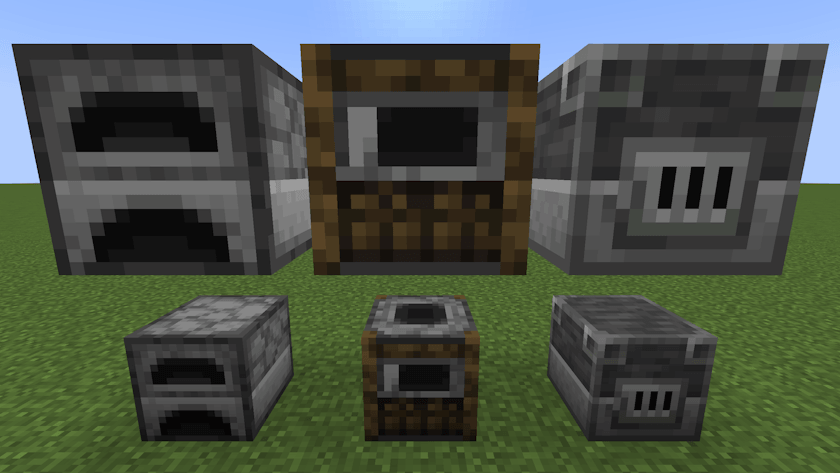
Colossal Furnaces adds multiblock versions of the Furnace, Smoker, and Blast Furnace. They keep the familiar vanilla look, but bring faster processing, more inventory space, and configurable automation to your builds.
How to build
Craft a Wall with four cobblestone around one smooth stone. Combine a Wall shapelessly with a furnace, smoker, or blast furnace for its Core, or with a hopper for an Interface.
Build a hollow cube from Walls and one Core, optionally you can replace walls with Interfaces for automatic input/output. The Core determines whether your structure becomes a furnace, smoker, or blast furnace; Walls and Interfaces are shared between all three.
If it will not form, right-click the Core to find out what is wrong.
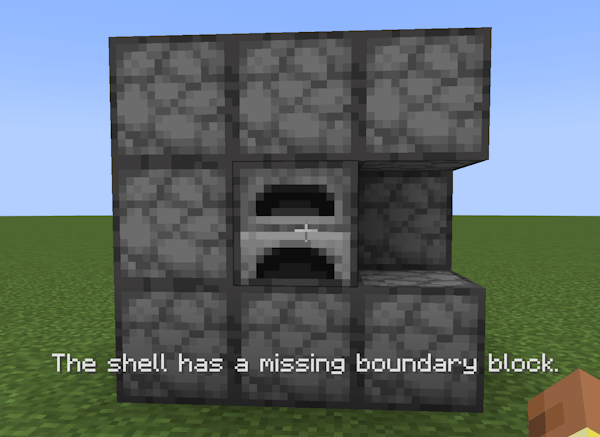
- Sizes from 2x2x2 to 5x5x5 by default.
- Forms automatically when the structure is complete.
- Right-click any assembled block to open the inventory.
Familiar Inventory, More Room
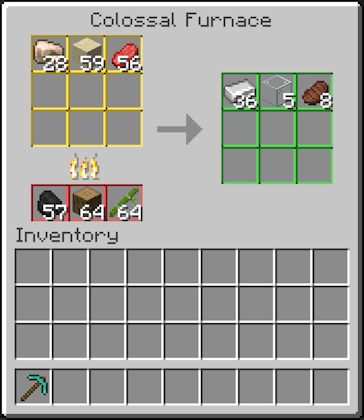
Every machine has vanilla-like GUI with 9 input slots, 3 fuel slots, and 9 output slots.
Colored slot borders match the automation markers.
Built-In Automation
Place Interfaces in the shell and connect adjacent inventories. Choose how each connection works:
| Mode | Marker | Behavior |
|---|---|---|
| Input | Yellow | Automatically pulls items the machine can cook. |
| Fuel | Red | Automatically pulls valid fuel. |
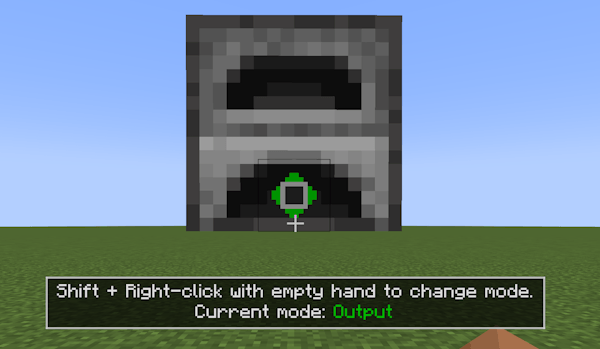
| Output | Green | Automatically pushes finished items. |
| Universal | Neutral | Passive access for hoppers and compatible item pipes; no automatic pulling or pushing. |
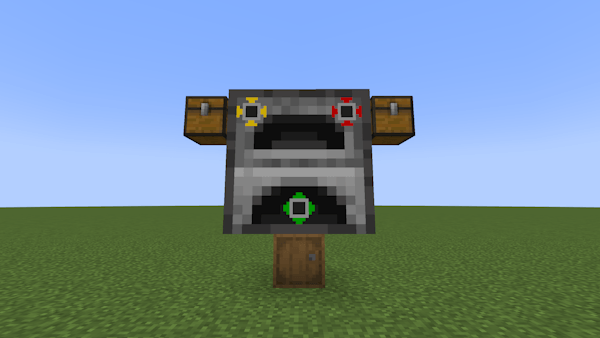
Shift + right-click an assembled Interface with an empty hand to cycle its mode. Looking at an Interface shows a small hint with its current mode.
Configuration lets you lower the maximum structure size, toggle automatic structure validation, and toggle construction error messages.
Community
Questions, ideas or a build to show off? Join the GoldskinMC's Mods Discord!

Links
- Community and support: Discord
- Report bugs/suggest features: GitHub Issues Page
- Source code: GitHub Page
Inspired by Colossal Chests, built for cooking and smelting.

Project description from CurseForge.
Pick your setup
Colossal Furnaces by Minecraft version and loader
Choose the version and loader you play, then open the matching release.
Minecraft version
26.1.1
1 loader buildMinecraft version
26.1
1 loader buildMinecraft version
1.21.1
1 loader buildMinecraft version
1.20.1
1 loader buildCheck the dependencies, then try the file in a copied instance before changing a world you care about.
Recent files
Colossal Furnaces versions and loaders
Colossal Furnaces 1.0.0 [NeoForge 26.1.x]
colossalfurnaces-neoforge-26.1-1.0.0.jar
6 Oct 2026
Client Source doesn’t say Server Source doesn’t say Dependencies No extras listed Listed on Release listing
Check the 26.1.2 · NeoForge setup NeoForge26.126.1.126.1.2 release
Colossal Furnaces 1.0.0 [NeoForge 1.21.1]
colossalfurnaces-neoforge-1.21.1-1.0.0.jar
5 Oct 2026
Client Source doesn’t say Server Source doesn’t say Dependencies No extras listed Listed on Release listing
Check the 1.21.1 · NeoForge setup 1.21.1NeoForge release
Colossal Furnaces 1.0.0 [Forge 1.20.1]
colossalfurnaces-forge-1.20.1-1.0.0.jar
5 Oct 2026
Client Source doesn’t say Server Source doesn’t say Dependencies No extras listed Listed on Release listing
Check the 1.20.1 · Forge setup 1.20.1Forge release
Looking for an older file? The official CurseForge project page is in Resources.
 mod
CurseForge + Modrinth · Minecraft
LDLib
LDLib is a libarary mod for custom rendering, modular gui.
 mod
CurseForge · Minecraft
Last One Core
Makes Confluence prefixes configurable: editable prefix pools, compatible attributes, item eligibility, prefix selection, and rarity/crit behavior.
 mod
CurseForge · Minecraft
Create: Kinetics Creative (Balanced)
Adds (Really) challenging End-Game recipes for Create’s Creative Machines and Aeronautics items.