
Minecraft version
Back to mods 
CurseForge · Minecraft mod
EdenCraft AIO Tools
A comprehensive all-in-one suite featuring custom UI panels, an interactive chunk claim map, in-game quest editor with rewards, RPG jobs progression with perks, team management, teleports, and full server administration controls.
Choose a version Pick your version below, then grab the matching file.
Quick answer
Which EdenCraft AIO Tools release should I use?
Latest stable file EdenCraft-Tools-Fabric-1.21-1.21.1-1.0.1
Game version 1.21, 1.21.1
Loader Fabric
EdenCraft AIO Tools EdenCraft-Tools-Fabric-1.21-1.21.1-1.0.1 targets 1.21, 1.21.1 with Fabric. The project page does not say whether this file belongs on the client, dedicated server, or both. No extra mods listed for this file.
Where it goes
Is EdenCraft AIO Tools required on the client, server, or both?
The project page does not say whether this file belongs on the client, dedicated server, or both.
Client Source doesn’t say
Dedicated server Source doesn’t say
Loader for this release Fabric
Required install it here Optional supported, not mandatory Not supported do not install here Source doesn’t say do not assume
The source does not explicitly classify this release as client-only or server-only.
What else does EdenCraft AIO Tools EdenCraft-Tools-Fabric-1.21-1.21.1-1.0.1 need?
EdenCraft-Tools-Fabric-1.21-1.21.1-1.0.1. Change the file and its required mods may change too.
This file does not list any required mods. Do not add a library just because a different file uses it.
This file does not list any required or optional mods.
Before you install it
Add EdenCraft AIO Tools without breaking your instance.
Built for EdenCraft AIO Tools EdenCraft-Tools-Fabric-1.21-1.21.1-1.0.1. Pick another file and the loader, install side or required mods may change.
- 01
Stick to this file
Use EdenCraft-Tools-Fabric-1.21-1.21.1-1.0.1. It targets 1.21, 1.21.1 with Fabric; another release may have different loader, side or dependency requirements.
- 02
Bring the mods it needs
This file does not list any required mods. Do not add a library just because a different file uses it.
- 03
Put it on the correct side
The project page does not say whether this file belongs on the client, dedicated server, or both.
- 04
Pick the file you checked
Use the “Get this file” button beside EdenCraft-Tools-Fabric-1.21-1.21.1-1.0.1. It opens that exact file at the source.
About this project
What does EdenCraft AIO Tools add?
A comprehensive RPG, survival, and server interface suite for Fabric. Unifies interactive chunk claims, visual quest editing, RPG progression, proximity voice chat, and administration into a seamless GUI.
Fabric 1.21+ RPG & Jewelry Proximity Voice Chat Claims & Economy
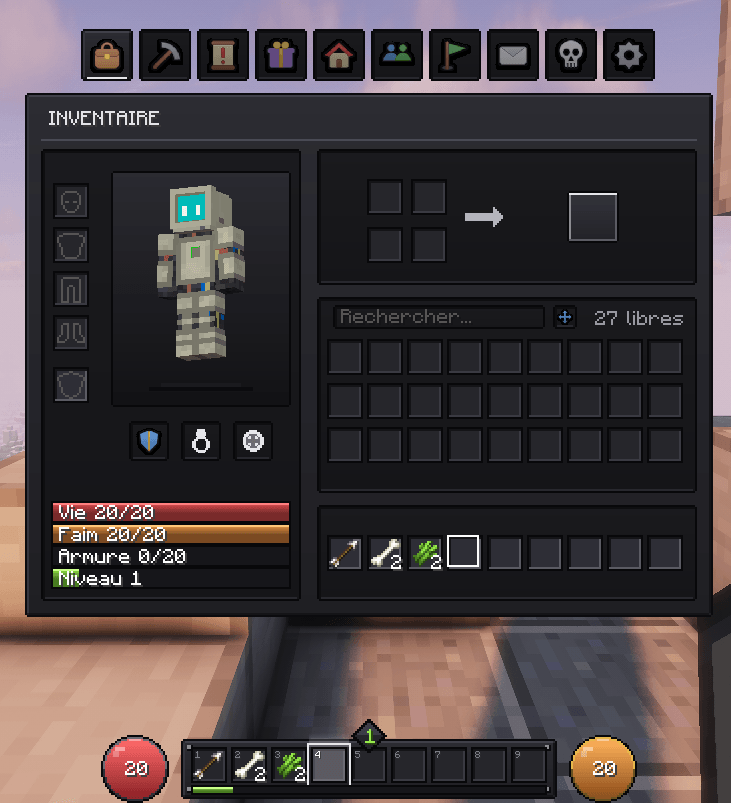
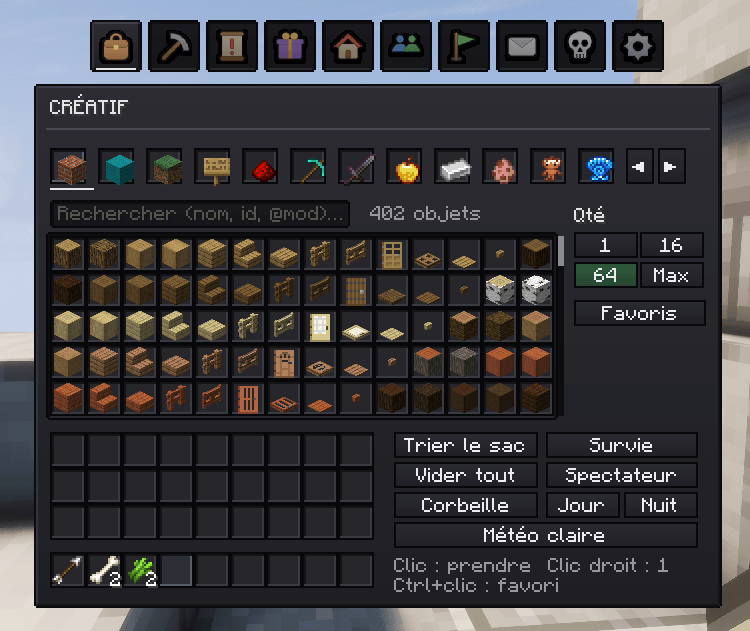
🎒 Interface & Smart Storage
Overhauls the player inventory and container screens with intuitive tools for everyday survival:
- Live Character Stats: Health, armor rating, toughness, saturation, playtime, and distance walked.
- Smart Chest Sorting: One-click buttons to deposit all, store matching items, sort inventory, or sort chests.
- Slot Locking: Hold
Alt + Clickon any inventory slot to lock it and prevent accidental drops or sorting. - Crafting Helpers: Refill last recipe, craft maximum available, and clean the grid with a single click.
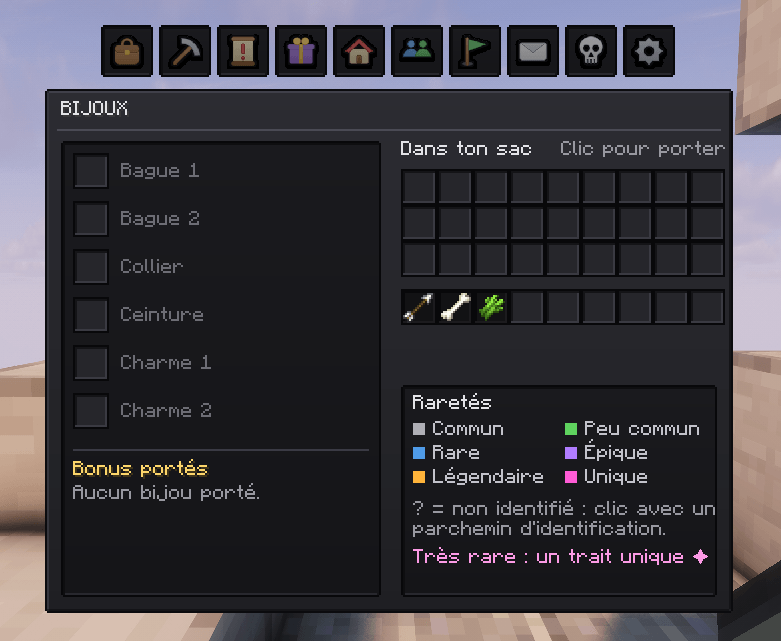
💍 RPG Jewelry
Expand your character build with dedicated equipment slots and passive artifacts:
- Jewelry: Equip Rings (Copper to Netherite), Amulets (Life, Flame, Sea, Night), Belts, and Charms (Strength, Haste, Regen, Luck).
- Identification Scrolls: Unveil hidden magical properties on discovered jewelry.
- Identity: Granting active race, class, and profession powers.
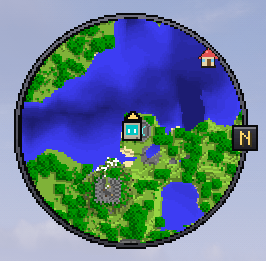
🗺️ Interactive Map & Chunk Claims
Secure your territory through a visual map interface without typing commands:
- One-Click Claims: Click any free chunk on the tactical grid to claim it, protecting blocks, containers, and farm animals against griefing.
- Team Sharing: Claimed land is automatically accessible by team members, with configurable build rights for leaders.
- Waypoints & Minimap: Custom waypoints, player radar.
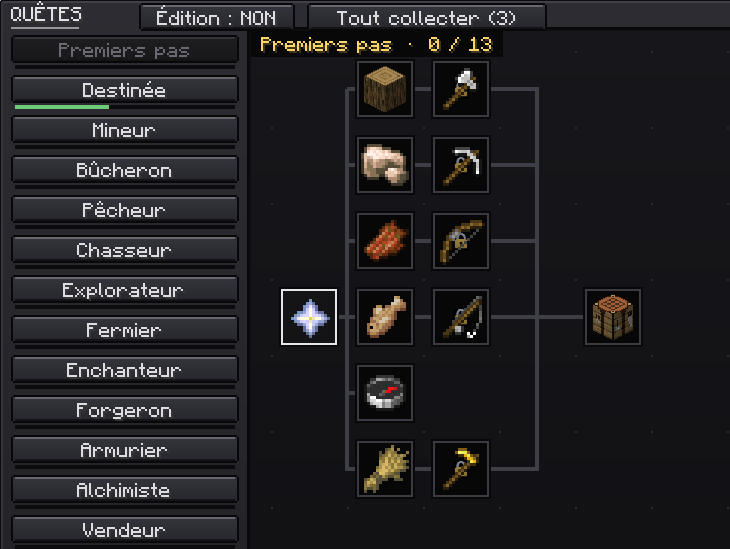
📜 Quest System & In-Game Node Editor
A complete visual quest maker allowing admins and creators to build questlines directly in-game:
- Visual Quest Nodes: Chapter progression tree with dependency locks and repositionable icons.
- Integrated GUI Editor: Create, move, and edit tasks and rewards without touching JSON files.
- Varied Objectives: Mob hunting, item delivery (with hand shortcut).
- HUD Tracking: Pin active quests directly onto your screen for easy objective monitoring.
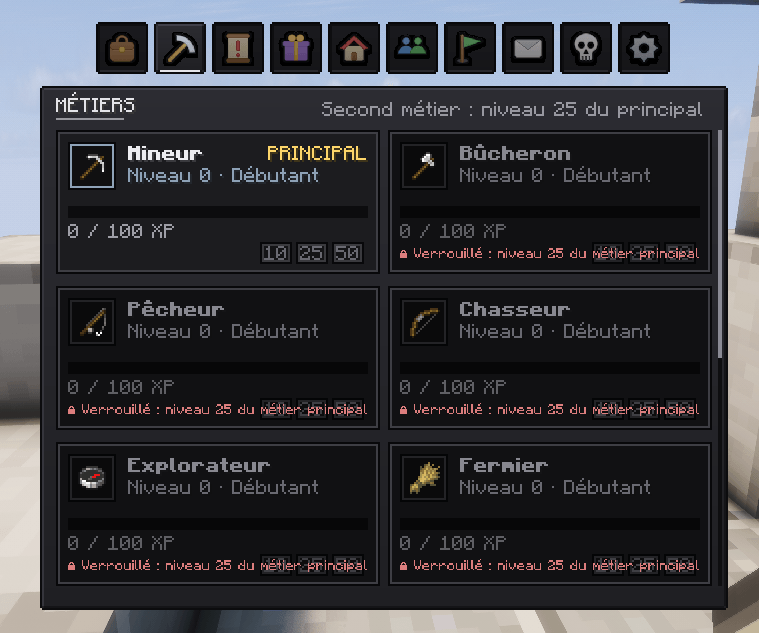
⚒️ Jobs & Tier Progression (Key: J)
Level up through 6 core gathering and survival professions (Miner, Lumberjack, Fisherman, Hunter, Explorer, Farmer):
- 9 Mastery Tiers: Progress from Apprentice to Master and Legend, unlocking scaling passive perks.
- Secondary Job: Unlock a second specialized job slot after reaching high tier in your primary profession.
- Identity Synergy: Earn an exclusive +50% Job XP bonus.
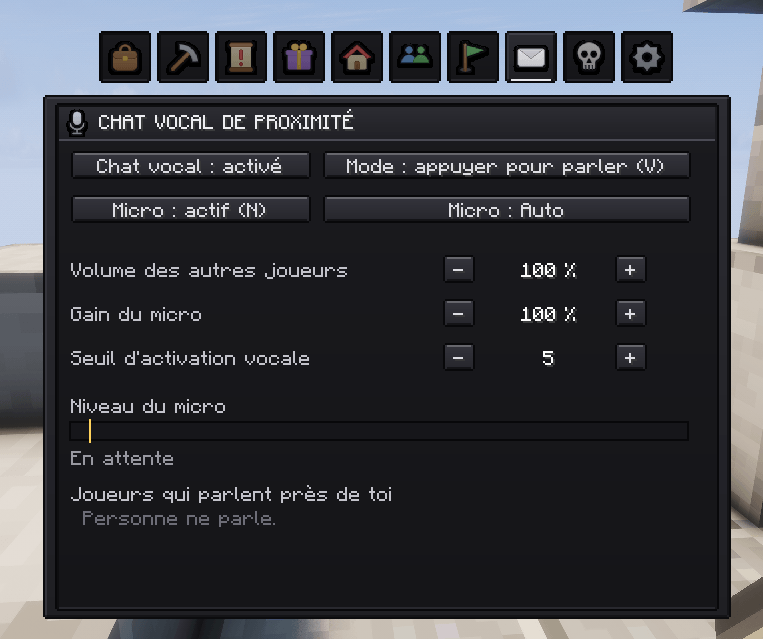
🎙️ Proximity Voice Chat & Multiplayer
Built-in communication and multiplayer utilities designed for community servers:
- Integrated Voice Chat: Push-to-talk (
V), voice activation (VOX), mic gain settings, and a live speaking indicator for nearby players. - Graves & Recovery: Items are kept safe in personal graves upon death, with coordinates displayed in your Graves tab.
- Teleports & TPA: Full GUI for Homes, Warps, Spawn, and visual TPA request popups.
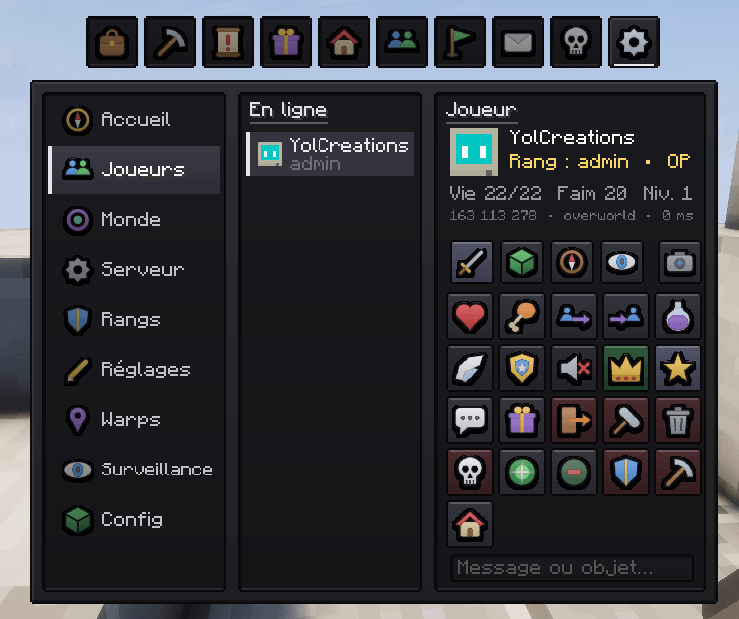
👑 Live Server Administration
Powerful in-game dashboard for operators (OP level 3+) to manage settings without restarting:
- Ranks & Permissions: Graphical matrix to toggle feature access per rank.
- Claim & Home Limits: Set max claims and homes individually or per rank group.
- Real-Time Configuration: Adjust teleport delays, TPA timeouts, team member caps, animal protection, and global job XP multipliers on the fly.
⌨️ Default Keybinds
J |
Open Jobs & Perks menu |
|---|---|
M |
Open Map & Chunk Claims |
V |
Proximity Voice Chat (Push to talk) |
N |
Toggle Microphone mute |
📦 Modpack Permissions: You are welcome to include EdenCraft AIO Tools in any public or private modpack.
Project description from CurseForge.
Pick your setup
EdenCraft AIO Tools by Minecraft version and loader
Choose the version and loader you play, then open the matching release.
Minecraft version
1.21
1 loader buildCheck the dependencies, then try the file in a copied instance before changing a world you care about.
Recent files
EdenCraft AIO Tools versions and loaders
EdenCraft-Tools-Fabric-1.21-1.21.1-1.0.1
EdenCraft-Tools-Fabric-1.21-1.21.1-1.0.1.jar
5 Oct 2026
Client Source doesn’t say Server Source doesn’t say Dependencies No extras listed Listed on Release listing
Check the 1.21.1 · Fabric setup 1.21Fabric1.21.1 release
Looking for an older file? The official CurseForge project page is in Resources.