Minecraft version
Back to mods 
CurseForge · Minecraft mod
Nebula Storage
Build searchable storage networks with machine-driven autocrafting, wireless access, and workshop monitoring
Choose a version Pick your version below, then grab the matching file.
Quick answer
Which Nebula Storage release should I use?
Latest stable file Nebula Storage 0.1.0
Game version 1.21.1
Loader NeoForge
Nebula Storage 0.1.0 targets 1.21.1 with NeoForge. The project page does not say whether this file belongs on the client, dedicated server, or both. No extra mods listed for this file.
Where it goes
Is Nebula Storage required on the client, server, or both?
The project page does not say whether this file belongs on the client, dedicated server, or both.
Client Source doesn’t say
Dedicated server Source doesn’t say
Loader for this release NeoForge
Required install it here Optional supported, not mandatory Not supported do not install here Source doesn’t say do not assume
The source does not explicitly classify this release as client-only or server-only.
What else does Nebula Storage 0.1.0 need?
Nebula Storage 0.1.0. Change the file and its required mods may change too.
This file does not list any required mods. Do not add a library just because a different file uses it.
This file does not list any required or optional mods.
Before you install it
Add Nebula Storage without breaking your instance.
Built for Nebula Storage 0.1.0. Pick another file and the loader, install side or required mods may change.
- 01
Stick to this file
Use Nebula Storage 0.1.0. It targets 1.21.1 with NeoForge; another release may have different loader, side or dependency requirements.
- 02
Bring the mods it needs
This file does not list any required mods. Do not add a library just because a different file uses it.
- 03
Put it on the correct side
The project page does not say whether this file belongs on the client, dedicated server, or both.
- 04
Pick the file you checked
Use the “Get this file” button beside Nebula Storage 0.1.0. It opens that exact file at the source.
About this project
What does Nebula Storage add?
Nebula Storage
Turn your storage network into a connected workshop.
Nebula Storage combines searchable storage, machine-driven autocrafting and workshop monitoring for Minecraft 1.21.1 on NeoForge. Start with a small network, connect your equipment and expand your server hardware as your base grows.
Your resources, one terminal
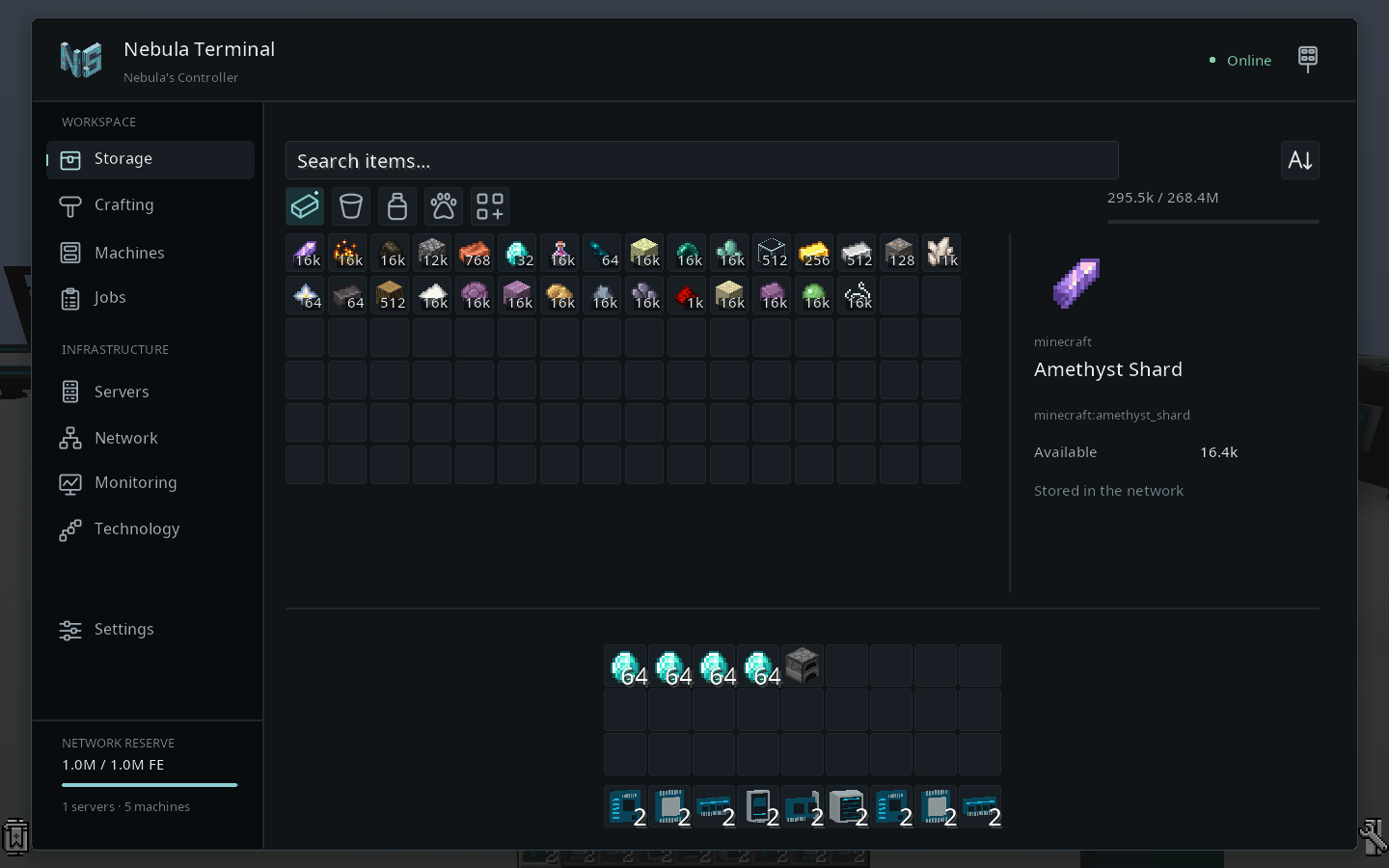
Browse and search your network's resources from the Nebula Terminal. Connect inventories with Importers, Exporters and External Storage, then manage your storage and production from the same interface.
Autocrafting with the machines you build
Nebula discovers supported recipes from installed or connected machines and coordinates the production chain using your available equipment and ingredients.
- No recipe patterns to encode and no channels to allocate.
- A clear crafting preview: review planned outputs and intermediate items in a five-column grid, with icons, names and quantities.
- Machine-based production: your equipment, energy and ingredients determine what the network can craft.
- Crafting-table recipes: install a real crafting table in a Server or connect one through an External Interface.
Build and upgrade your servers
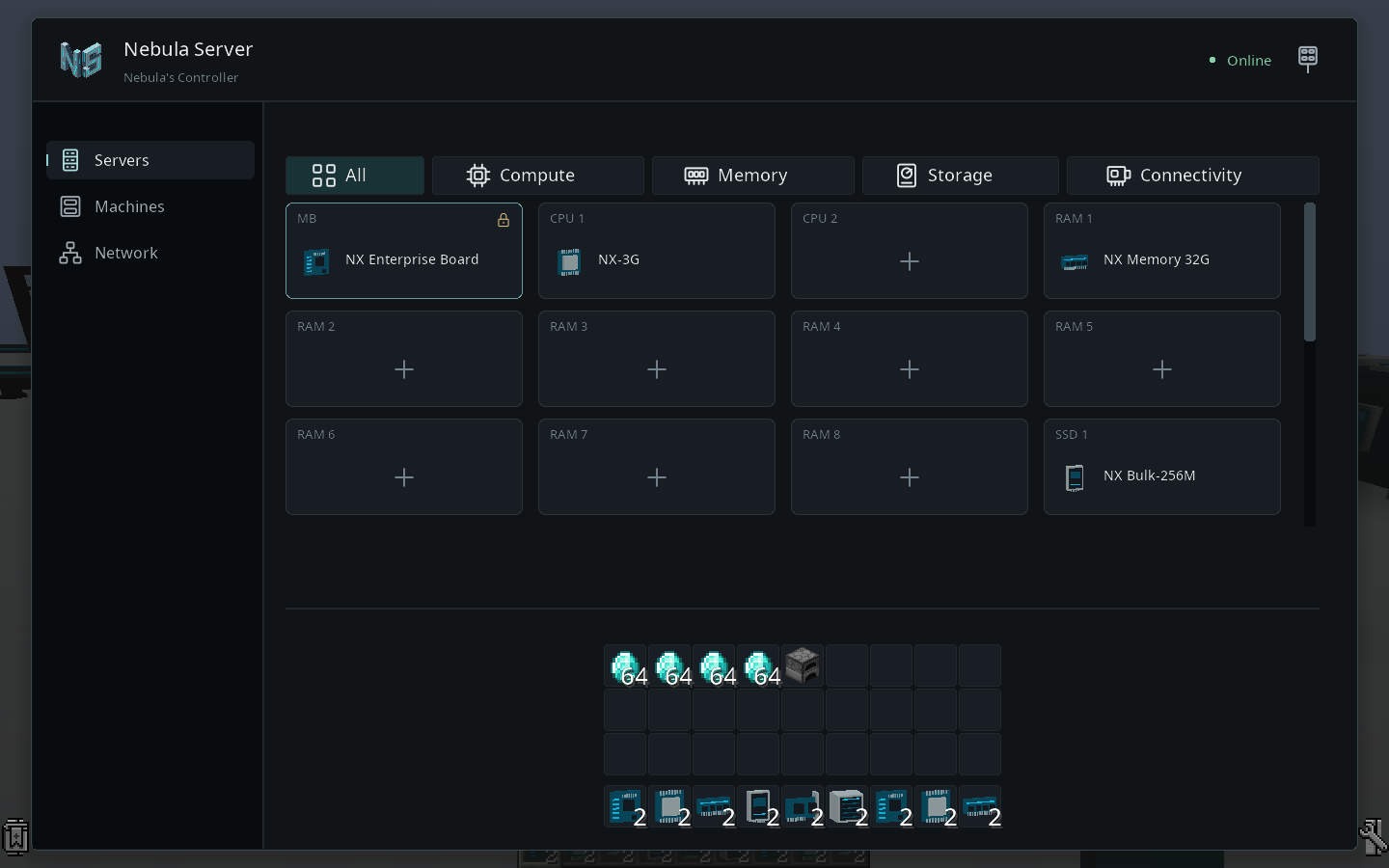
Configure your servers with motherboards, CPUs, RAM, storage drives, network cards and power supplies. Upgrade your components or add servers as your network grows. Hardware capacity and available power affect what your network can run.
Industrial machines for your production chains
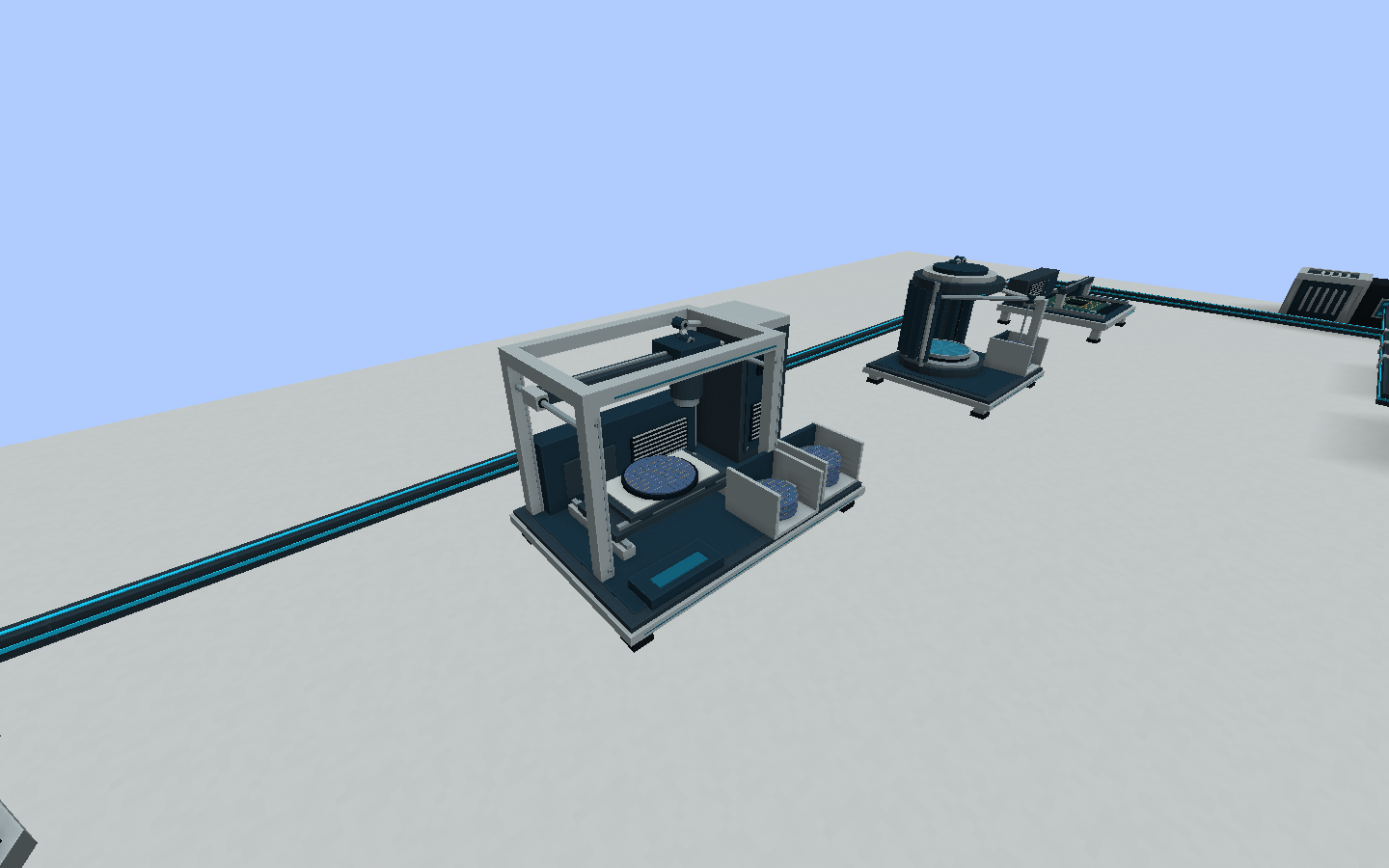
Build a connected workshop with Nebula's industrial machines. The Lithography Unit is part of the semiconductor manufacturing chain, alongside the Wafer Processor, Assembler and Fabricator.
Power your network with solar arrays
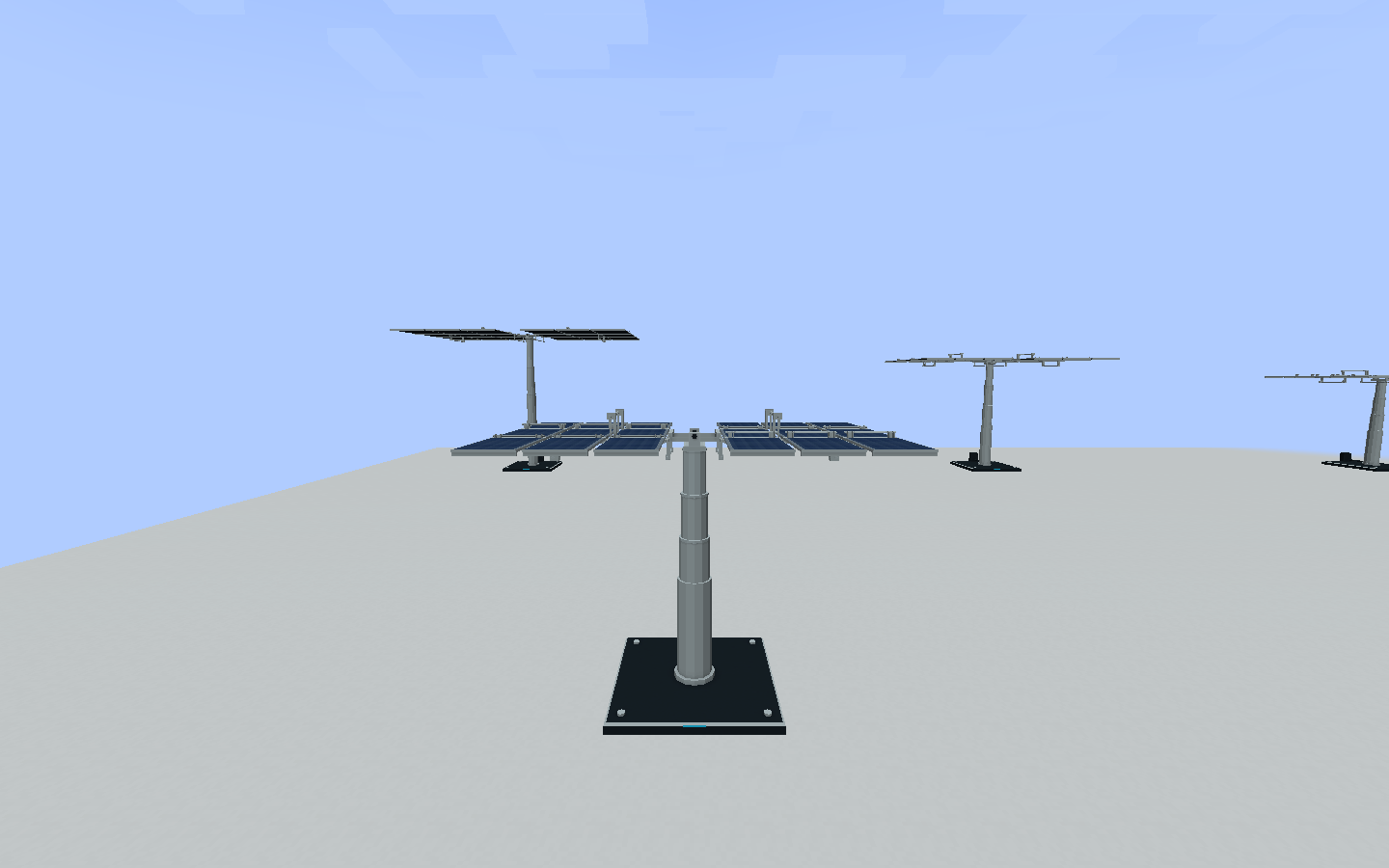
Progress from compact solar generation to large deployable solar arrays. Seven generations provide an upgrade path, with astral collection on later tiers.
More for your workshop
- Wireless access: use portable terminals and paired WiFi cards within their supported range.
- Custom monitoring: arrange resource counts, gauges, graphs and crafting-job information on monitoring panels.
- Industrial production: build four Nebula machines with configurable manufacturing recipes.
- Solar power: progress through seven solar generations, including later tiers with astral collection.
- Creature storage: capture and manage supported creatures while preserving their individual data.
- Shared networks: assign player access roles for multiplayer workshops.
- In-game guides: learn the basics with Ponder guides.
Installation
Requires Minecraft 1.21.1, NeoForge 21.1.194 or a later 21.1 version, and Java 21.
- Back up your world before installing or updating.
- Place the Nebula Storage JAR in your
modsfolder. Remove any older Nexus Storage or Nebula Storage JAR when updating. - For multiplayer, install the same Nebula Storage version on the server and every client.
- Build a Controller, Server and Terminal, install your server hardware and supply FE through the Controller's power socket.
No separate KotlinForForge installation is required. The Kotlin standard library is bundled. Nebula uses an existing compatible Ponder installation when available and supplies its bundled fallback otherwise. Keep KotlinForForge if other mods in your pack need it.
Compatibility and alpha status
JEI and EMI integrations are optional. Supported mod integrations still require their machines, energy and native prerequisites; not every recipe from every mod is supported.
Startup testing has covered specific versions of ATM10, Craftoria, FTB Direwolf20 and FTB Evolution. This does not guarantee every modpack configuration or production chain.
Nebula Storage is currently a public alpha. Features, recipes and balancing may change. Keep world backups and report issues with your mod version, Minecraft and NeoForge versions, modpack version, reproduction steps and relevant logs.
Documentation and project information
Official website · Getting started · Player documentation · Integration details
Licensed under MIT. Bundled third-party libraries retain their own licenses and notices.
Project description from CurseForge.
Pick your setup
Nebula Storage by Minecraft version and loader
Choose the version and loader you play, then open the matching release.
Check the dependencies, then try the file in a copied instance before changing a world you care about.
Recent files
Nebula Storage versions and loaders
Nebula Storage 0.1.0
nebula_storage-0.1.0-alpha.7.jar
5 Oct 2026
Client Source doesn’t say Server Source doesn’t say Dependencies No extras listed Listed on Release listing
Check the 1.21.1 · NeoForge setup 1.21.1NeoForge release
Looking for an older file? The official CurseForge project page is in Resources.
 mod
CurseForge + Modrinth · Minecraft
VO: Better Dogs
Enhances vanilla wolves with unique personalities (Aggressive, Pacifist, Normal), smarter AI, safety behaviors, and combat improvements.
 mod
CurseForge + Modrinth · Minecraft
Quark
A Quark is a very small thing. This mod is a collection of small things that improve the vanilla minecraft experience.
 mod
CurseForge + Modrinth · Minecraft
Zeta
Comprehensive Load-Bearing Library for Modular Mods