Fabric API Needed by Texture It 1.0.0
requiredMatching file found Matched file: [26.2] Fabric API 0.161.0+26.2
CurseForge · Minecraft mod
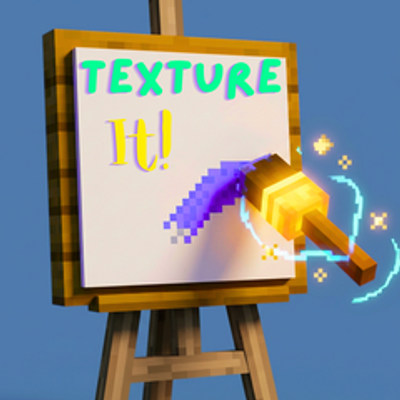
Make your own and edit texture packs right inside of minecraft!
Quick answer
Texture It 1.0.0 targets 26.2 with Fabric. The project page does not say whether this file belongs on the client, dedicated server, or both. All 1 required mods have matching files.
Where it goes
The project page does not say whether this file belongs on the client, dedicated server, or both.
The source does not explicitly classify this release as client-only or server-only.
Texture It 1.0.0 on 26.2 Fabric. Every mod below is checked against that same setup.
Install Fabric API first. We found matching files for this game-version and loader setup.
We only count dependency files that match this setup. A file for another loader does not fill the gap.
Before you install it
Built for Texture It 1.0.0 on 26.2 Fabric. Pick another file and the loader, install side or required mods may change.
Use Texture It 1.0.0. It targets 26.2 with Fabric; another release may have different loader, side or dependency requirements.
Install Fabric API first. We found matching files for this game-version and loader setup.
The project page does not say whether this file belongs on the client, dedicated server, or both.
Use the “Get this file” button beside Texture It 1.0.0. It opens that exact file at the source.
About this project
Texture It! is a client-side Fabric mod that lets you create and edit resource packs directly inside Minecraft, using a retro Paint-style editor with a white canvas, painting tools, and 3D previews.
Pick a block, item, or entity, paint your own design or import a PNG, then save and apply your textures without leaving the game.
Made by Qyutos: https://www.youtube.com/@qyutos
Open Options → Texture It! to start editing, including from a world’s pause menu.
Retexture blocks and items while previewing their appearance in 3D. Choose the target and texture from searchable dropdowns, including resources from installed mods.
Edit entity textures, including heads, limbs, wings, tails, and equipment. Select a model part to limit your painting to that part’s texture area, or choose All parts to edit the entire texture.
Use pixel, soft, dither, noise, spray, lighten, darken, and blend brushes to create anything from clean pixel art to textured surfaces.
Adjust brush size and strength, or use the eraser, fill tool, and eyedropper.
Import an image through the file picker or drag and drop it into the editor.
Enable Only existing pixels to apply the image inside the current texture’s visible shape, preserving transparent areas and translucent edges.
Set a transparency percentage to paint opaque, translucent, or invisible pixels. Transparency is saved into the actual texture, with a checkerboard preview to help you see your changes.
Scroll to zoom into the canvas and middle-drag to pan. Rotate and zoom the 3D preview while you work.
Choose texture resolutions from 16 to 512 pixels wide, with rectangular texture proportions preserved.
Create a new named pack or select an installed pack from the top dropdown.
Original packs become complete editable copies. Packs created by Texture It! reopen directly, and Pack contents mode shows their own textures and models.
Switch to All game resources whenever you want to add another texture.
Edit resource textures from installed mods and supported custom server items using model data and item metadata.
Server item edits are local: they change what you see on your own client.
Available files:
Client-side only. Install the mod on your client; the server does not need it.
Standard resource-pack models, entity PNGs, and registered baked entity model parts are supported. Procedural models without a baked layer use a flat texture preview.
CIT/Firmament-specific rules, animated frame editing, and downloaded player account skins are not supported. Live Hypixel and Wynncraft sessions have not yet been verified.
Project description from CurseForge.
Pick your setup
Choose the version and loader you play, then open the matching release.
Check the dependencies, then try the file in a copied instance before changing a world you care about.
Recent files
textureit-1.0.0-mc26.2.jar
5 Oct 2026
Looking for an older file? The official CurseForge project page is in Resources.
 mod
Music expansion pack for Aki's Radio - Electronic & Party
 mod
Music expansion pack for Aki's Radio - Classics
 mod
Music expansion pack for Aki's Radio - Adventure