Minecraft version
Back to mods 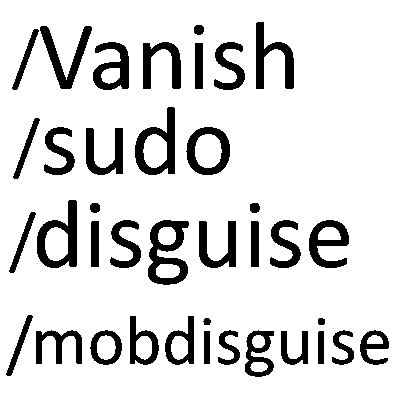
CurseForge · Minecraft mod
Iq Vanish
This mod adds various moderation and troll comomands like: /vanish, /sudo, /disguise, /mobdisguise, /skin
Choose a version Pick your version below, then grab the matching file.
Quick answer
Which Iq Vanish release should I use?
Latest stable file Vanish-1.1.1.jar
Game version 1.12.2
Loader Forge
Iq Vanish Vanish-1.1.1.jar targets 1.12.2 with Forge. The project page does not say whether this file belongs on the client, dedicated server, or both. No extra mods listed for this file.
Where it goes
Is Iq Vanish required on the client, server, or both?
The project page does not say whether this file belongs on the client, dedicated server, or both.
Client Source doesn’t say
Dedicated server Source doesn’t say
Loader for this release Forge
Required install it here Optional supported, not mandatory Not supported do not install here Source doesn’t say do not assume
The source does not explicitly classify this release as client-only or server-only.
What else does Iq Vanish Vanish-1.1.1.jar need?
Vanish-1.1.1.jar. Change the file and its required mods may change too.
This file does not list any required mods. Do not add a library just because a different file uses it.
This file does not list any required or optional mods.
Before you install it
Add Iq Vanish without breaking your instance.
Built for Iq Vanish Vanish-1.1.1.jar. Pick another file and the loader, install side or required mods may change.
- 01
Stick to this file
Use Vanish-1.1.1.jar. It targets 1.12.2 with Forge; another release may have different loader, side or dependency requirements.
- 02
Bring the mods it needs
This file does not list any required mods. Do not add a library just because a different file uses it.
- 03
Put it on the correct side
The project page does not say whether this file belongs on the client, dedicated server, or both.
- 04
Pick the file you checked
Use the “Get this file” button beside Vanish-1.1.1.jar. It opens that exact file at the source.
About this project
What does Iq Vanish add?
Vanish
A server-side admin and moderation mod for Forge 1.12.2. Players do not need to install it.
Features
- Vanish – disappear completely: hidden from the world, tab list,
/list, server list, tab completion and join/leave messages. You have no hitbox, mobs ignore you, containers open silently, and your sounds are muted for other players. - Player disguise – take another player's name and skin, online or offline.
- Skin – change only a player's skin and keep their name.
- Mob disguise – appear to others as any vanilla or modded mob, which keeps its own AI and attacks.
- Inventory tools – view and edit any player's inventory, armour, baubles and ender chest, even while they are offline.
- Warnings – warn players, with automatic kicks and bans at set warning counts and warnings that expire.
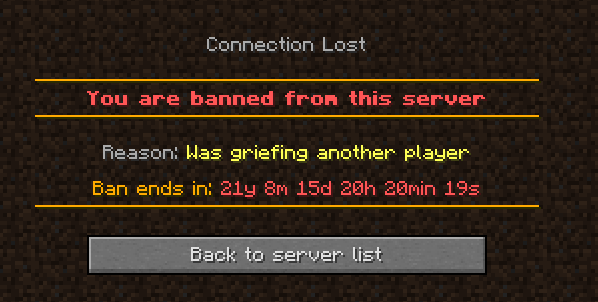
- Kick and ban – coloured kick and ban screens, and timed bans that show how long is left.
- Public chat – speak in normal chat while vanished.
- Sudo – make a player say something or run a command, with every use logged.
Commands
/vanish [player], /v | Vanish yourself or a player (online or offline)
/unvanish [player], /uv | Become visible again
/disguise <name>, /dis | Disguise yourself as a player
/disguise <player> <name> | Disguise another player
/disguise clear [player] | Remove a player disguise
/skin <account name> | Give yourself the skin of any Minecraft account
/skin <player> <account name> | Give another online player the skin of any Minecraft account
/skin clear | Get your own skin back
/skin clear <player> | Give another player their own skin back
/mobdisguise <mob> [{nbt}], /mobdis | Disguise yourself as a mob
/mobdisguise <player> <mob> [{nbt}] | Disguise another player as a mob
/mobdisguise clear [player] | Remove a mob disguise
/invsee <player> | View and edit a player's inventory, armour and baubles (online or offline)
/endersee <player> | View and edit a player's ender chest (online or offline)
/backsee <player> [page]
/warn <player> "<reason>" "<message>" | Warn a player
Example: /warn Player1 "Was griefing another player" "Griefing"
/warnlist <player> | See a player's warnings
/unwarn <player> <number> | Remove a warning
/mywarnings | See your own warnings (everyone)
/kick <player> ["reason"] | Kick a player
/ban <player> ["reason"] [time] | Ban a player, optionally for a time like 1d or 2h30min
Example: /ban Player1 "Was griefing another player" 20y 20m 20d 20h 20min 20s
/unban <player> | Lift a ban
/banip <player|ip> ["reason"] [time], /ban-ip
/unbanip <player|ip>, /pardon-ip
/banlist [players|ips] [page]
/publicchat <message>, /pc | Speak in public chat while vanished
/sudo <player> <message or /command> | Speak or run a command as a player
Example: /sudo Player2 /msg Player1 stop griefing
Permissions
- Level 2 ops: /warn, /warnlist, /unwarn
- Level 3 ops: /kick, /ban, /unban, /invsee, /endersee
- Level 4 ops: vanish, disguise, skin, mob disguise, public chat and sudo
- Everyone: /mywarnings
Configuration
config/iqvanish.cfg
- Automatic punishments at set warning counts, for example
3 kick,5 tempban 1d,6 tempban 90d. - Warning expiry – warnings stop counting after a set time (90 days by default) but stay in
/warnlist. - Kick and ban messages for automatic punishments.
Notes
- Ops can still see vanished players, and get a notice when someone vanishes, disguises, is warned, kicked or banned.
- Optional support for Baubles / Bountiful Baubles and Morpheus; none are required.
- Replaces vanilla
/kickand/ban. Vanilla/pardonstill works.
Project description from CurseForge.
Pick your setup
Iq Vanish by Minecraft version and loader
Choose the version and loader you play, then open the matching release.
Check the dependencies, then try the file in a copied instance before changing a world you care about.
Recent files
Iq Vanish versions and loaders
Vanish-1.1.1.jar
18 Oct 2026
Client Source doesn’t say Server Source doesn’t say Dependencies No extras listed Listed on Release listing
Check the 1.12.2 · Forge setup Forge1.12.2 release
Vanish-1.1.0.jar
18 Oct 2026
Client Source doesn’t say Server Source doesn’t say Dependencies No extras listed Listed on Release listing
Check the 1.12.2 · Forge setup Forge1.12.2 release
Vanish-1.0.1.jar
18 Oct 2026
Client Source doesn’t say Server Source doesn’t say Dependencies No extras listed Listed on Release listing
Check the 1.12.2 · Forge setup Forge1.12.2 release
Vanish-1.0.0.jar
6 Oct 2026
Client Source doesn’t say Server Source doesn’t say Dependencies No extras listed Listed on Release listing
Check the 1.12.2 · Forge setup Forge1.12.2 release
Looking for an older file? The official CurseForge project page is in Resources.