Minecraft version
Back to mods 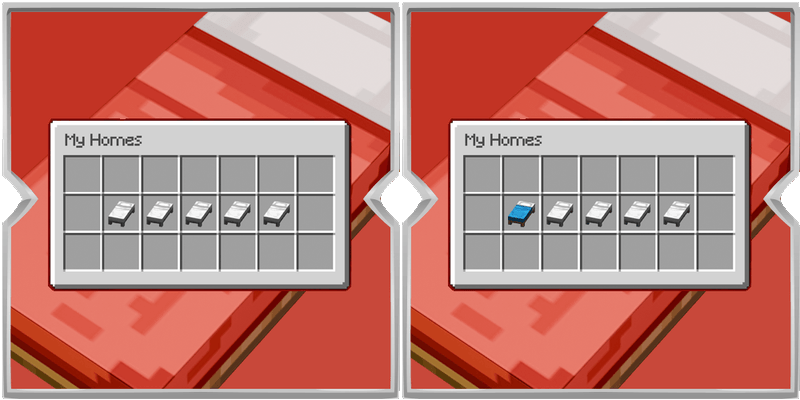
CurseForge · Minecraft mod
Easy Set Home
A simple homes mod with a chest style menu. Save your favorite spots, open the menu with a key, then click a bed to set a home, teleport, or remove it.
Choose a version Pick your version below, then grab the matching file.
Quick answer
Which Easy Set Home release should I use?
Latest stable file Set Homes 1.0.0
Game version 1.20.1
Loader Fabric, Forge
Easy Set Home Set Homes 1.0.0 targets 1.20.1 with Fabric, Forge. The project page does not say whether this file belongs on the client, dedicated server, or both. No extra mods listed for this file.
Where it goes
Is Easy Set Home required on the client, server, or both?
The project page does not say whether this file belongs on the client, dedicated server, or both.
Client Source doesn’t say
Dedicated server Source doesn’t say
Loader for this release Fabric, Forge
Required install it here Optional supported, not mandatory Not supported do not install here Source doesn’t say do not assume
The source does not explicitly classify this release as client-only or server-only.
What else does Easy Set Home Set Homes 1.0.0 need?
Set Homes 1.0.0. Change the file and its required mods may change too.
This file does not list any required mods. Do not add a library just because a different file uses it.
This file does not list any required or optional mods.
Before you install it
Add Easy Set Home without breaking your instance.
Built for Easy Set Home Set Homes 1.0.0. Pick another file and the loader, install side or required mods may change.
- 01
Stick to this file
Use Set Homes 1.0.0. It targets 1.20.1 with Fabric, Forge; another release may have different loader, side or dependency requirements.
- 02
Bring the mods it needs
This file does not list any required mods. Do not add a library just because a different file uses it.
- 03
Put it on the correct side
The project page does not say whether this file belongs on the client, dedicated server, or both.
- 04
Pick the file you checked
Use the “Get this file” button beside Set Homes 1.0.0. It opens that exact file at the source.
About this project
What does Easy Set Home add?
Set Homes gives you an easy way to save places you visit often and return to them whenever you want. Instead of typing long commands, you open a clean chest style menu and use the bed slots inside it.
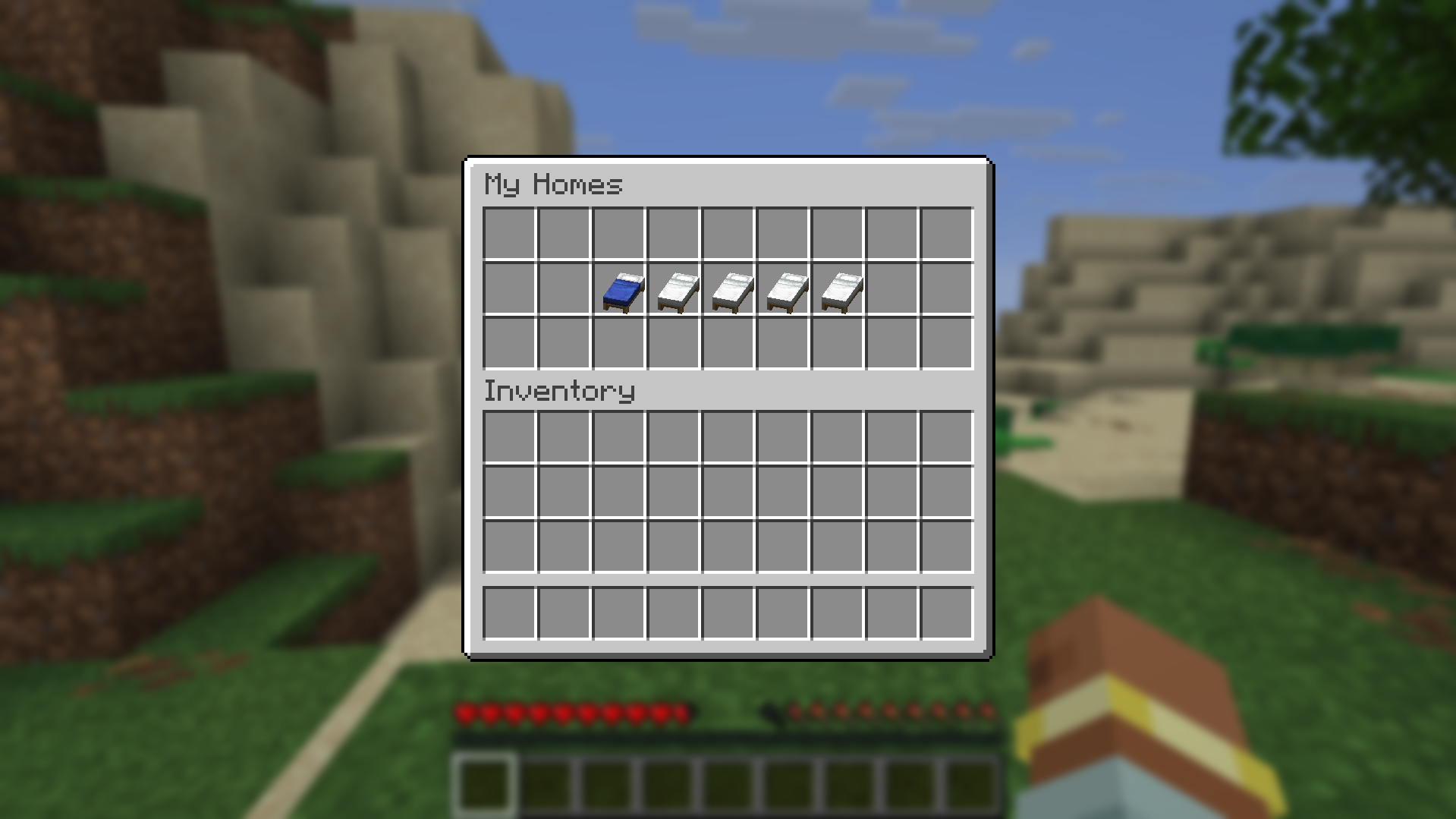
Press the Set Homes key to open the menu. By default this is H, and you can change it in the Controls menu under Set Homes.
Empty bed slots are ready to save a new home. Left click an empty bed to save your current location to that slot. Once a slot has a home, left click it to teleport there. Right click an occupied bed if you want to remove that home, and you will get a short confirmation before it is deleted.
When you hover over a bed slot, a small tip shows what left click and right click will do. Occupied homes can also show their saved coordinates so you always know where each one leads.
Teleporting is meant to feel fair in survival. After you choose a home, there is a short warm up before you arrive. If you take damage during that time, the teleport is cancelled. Removing the home you are trying to reach will also cancel it.
Set Homes is built for players who want fast travel between bases, farms, shops, and other favorite spots without cluttering the screen or learning a long command list. Open the menu, click a bed, and go.
Project description from CurseForge.
Pick your setup
Easy Set Home by Minecraft version and loader
Choose the version and loader you play, then open the matching release.
Minecraft version
26.2
3 loader buildsMinecraft version
1.21.1
2 loader buildsMinecraft version
1.20.1
2 loader buildsCheck the dependencies, then try the file in a copied instance before changing a world you care about.
Recent files
Easy Set Home versions and loaders
Set Homes 1.0.0
SetHomes-1.20.1.jar
6 Oct 2026
Client Source doesn’t say Server Source doesn’t say Dependencies No extras listed Listed on Release listing
Check the 1.20.1 · Fabric setup Fabric1.20.1Forge release
Set Homes 1.0.0
SetHomes-1.21.1.jar
6 Oct 2026
Client Source doesn’t say Server Source doesn’t say Dependencies No extras listed Listed on Release listing
Check the 1.21.1 · Fabric setup Fabric1.21.1NeoForge release
Set Homes 1.0.0
SetHomes-26.3.jar
6 Oct 2026
Client Source doesn’t say Server Source doesn’t say Dependencies No extras listed Listed on Release listing
Check the 26.3 · Fabric setup FabricForgeNeoForge26.3 release
Set Homes 1.0.0
SetHomes-26.2.jar
6 Oct 2026
Client Source doesn’t say Server Source doesn’t say Dependencies No extras listed Listed on Release listing
Check the 26.2 · Fabric setup FabricForgeNeoForge26.2 release
Looking for an older file? The official CurseForge project page is in Resources.