Minecraft version
Back to mods 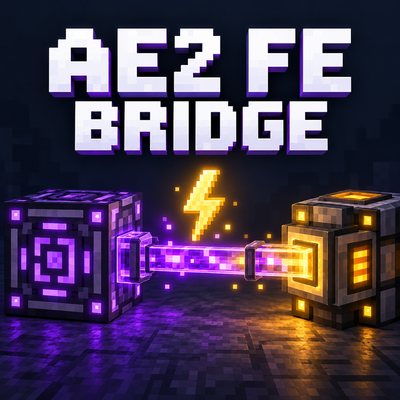
CurseForge · Minecraft mod
AE2 FE Bridge
Power FE machines through your AE2 cables, buses, interfaces and pattern providers, with configurable limits and optional ExtendedAE support.
Choose a version Pick your version below, then grab the matching file.
Quick answer
Which AE2 FE Bridge release should I use?
Latest stable file AE2 FE Bridge
Game version 26.1.2
Loader NeoForge
AE2 FE Bridge targets 26.1.2 with NeoForge. The project page does not say whether this file belongs on the client, dedicated server, or both. No extra mods listed for this file.
Where it goes
Is AE2 FE Bridge required on the client, server, or both?
The project page does not say whether this file belongs on the client, dedicated server, or both.
Client Source doesn’t say
Dedicated server Source doesn’t say
Loader for this release NeoForge
Required install it here Optional supported, not mandatory Not supported do not install here Source doesn’t say do not assume
The source does not explicitly classify this release as client-only or server-only.
What else does AE2 FE Bridge need?
AE2 FE Bridge. Change the file and its required mods may change too.
This file does not list any required mods. Do not add a library just because a different file uses it.
This file does not list any required or optional mods.
Before you install it
Add AE2 FE Bridge without breaking your instance.
Built for AE2 FE Bridge. Pick another file and the loader, install side or required mods may change.
- 01
Stick to this file
Use AE2 FE Bridge. It targets 26.1.2 with NeoForge; another release may have different loader, side or dependency requirements.
- 02
Bring the mods it needs
This file does not list any required mods. Do not add a library just because a different file uses it.
- 03
Put it on the correct side
The project page does not say whether this file belongs on the client, dedicated server, or both.
- 04
Pick the file you checked
Use the “Get this file” button beside AE2 FE Bridge. It opens that exact file at the source.
About this project
What does AE2 FE Bridge add?
AE2 FE Bridge
AE2 FE Bridge lets your existing Applied Energistics 2 network supply Forge Energy (FE) to nearby machines. Deliver power through ME cables and the same buses, interfaces, and pattern providers you already use for inventory management—without adding new blocks, recipes, or upgrades.
Features
- Power through ME cables: glass, covered, smart, and dense cables supply adjacent FE receivers through unobstructed faces.
- Power through inventory connections: import, export, and storage buses supply the machine on their working face.
- Interfaces and pattern providers: cable-mounted and block forms deliver power to their supported machine faces.
- Optional ExtendedAE support: compatible extended buses, interfaces, oversize interfaces, and pattern providers follow the same power rules.
- Configurable delivery: set per-machine and per-network transfer limits, choose which connection types supply power, and reserve energy for normal ME operation.
- Existing AE2 behavior: inventory and crafting functions retain their normal operation. Power delivery uses loaded destinations and does not load chunks.
How to use it
- Power your ME network through its normal energy acceptor or controller.
- Place an FE machine beside an ME cable, or connect it using a supported bus, interface, or pattern provider.
- Configure the machine to accept power on the touching face.
- Keep the ME connection active and provide any channels the device normally requires.
The bridge draws actual energy from your ME network and converts it to FE using AE2's configured conversion ratio. Powering external machines increases your network's energy demand, so make sure your power supply can keep up.
Bare cables provide power only; use a bus, interface, or pattern provider for inventory access. Cable facades, anchors, and mounted parts block bare-cable delivery through their occupied face. FE-only machines do not gain a new visual cable connection arm.
ExtendedAE compatibility
Version 1.0.0 supports ExtendedAE's extended import/export buses; mod, tag, precise, and threshold export buses; mod, tag, and precise storage buses; extended and oversize interfaces; and extended pattern providers. Cable-mounted and block forms are supported where applicable.
ExtendedAE is optional. AE2 FE Bridge also works with AE2 alone. Compatibility checks pass for the listed ExtendedAE version; the new ExtendedAE connections still need in-game validation.
Requirements
- Minecraft: 26.1.2
- NeoForge 26.1.2.99 or later within the 26.1.2 series
- Required mod: Applied Energistics 2 26.1.10-beta
- Optional mod: ExtendedAE 26.1-1.0.4-neoforge
Install the bridge JAR alongside AE2 in your instance's mods folder. Remove older bridge versions before updating. For multiplayer, install it on both the server and clients.
Configuration
Settings are stored in ae2_fe_bridge-server.toml, generated by NeoForge when a world or server first starts.
Default limits are **65,536 FE per machine per tick** and **1,048,576 FE per ME network per tick**. The bridge reserves the larger of **100 AE** or **20 ticks of normal idle/channel power consumption** for ME operation. Available network energy can reduce actual output below those limits.
You can enable or disable cable, bus, interface, and pattern-provider delivery separately. Small networks may need additional AE energy storage or a lower reserve setting.
Notes
- Machine input-side settings, active ME nodes, and normal channel requirements still apply.
- Bus redstone settings control inventory work; FE delivery continues while the connection remains active.
- AE2 controllers and energy acceptors are excluded as power destinations to avoid conversion loops.
- This addon supplies power from stored ME network energy; it does not require Applied Flux FE storage cells.
Project description from CurseForge.
Pick your setup
AE2 FE Bridge by Minecraft version and loader
Choose the version and loader you play, then open the matching release.
Check the dependencies, then try the file in a copied instance before changing a world you care about.
Recent files
AE2 FE Bridge versions and loaders
AE2 FE Bridge
ae2-fe-bridge-1.0.0.jar
6 Oct 2026
Client Source doesn’t say Server Source doesn’t say Dependencies No extras listed Listed on Release listing
Check the 26.1.2 · NeoForge setup NeoForge26.1.2 release
Looking for an older file? The official CurseForge project page is in Resources.
 mod
mod CurseForge · Minecraft
Oritech Addons One
An Oritech addon that provides three tiers of extension addons, helping you save the space taken up by addons.
 mod
mod CurseForge · Minecraft
Stand-Bound (A Palladium Addon)
A Jojo's Bizarre Adventure Palladium addon made by me (Norf)
 mod
mod CurseForge · Minecraft
[MyGo]Mine Fargo New
I have transformed Fargo's magic stone jewelry into Soul Stone accessories that feature my game's unique style!