Xaero's World Map Needed by EarthView XaeroEarth 0.1.2 - Forge 1.19.2
requiredMatching file found Matched file: xaeroworldmap-forge-1.19.2-1.47.0.jar

CurseForge · Minecraft mod
3D terrain, three camera views and an Ore-style interface for Xaero's World Map.
Quick answer
EarthView XaeroEarth 0.1.2 - Forge 1.19.2 targets 1.19.2 with Forge. The project page does not say whether this file belongs on the client, dedicated server, or both. All 1 required mods have matching files.
Where it goes
The project page does not say whether this file belongs on the client, dedicated server, or both.
The source does not explicitly classify this release as client-only or server-only.
XaeroEarth 0.1.2 - Forge 1.19.2 on 1.19.2 Forge. Every mod below is checked against that same setup.
Install Xaero's World Map first. We found matching files for this game-version and loader setup. 1 comes through another mod in the chain.
1 extra mod was pulled in by another dependency. Indented rows show who needs each one. We only count dependency files that match this setup. A file for another loader does not fill the gap.
Before you install it
Built for EarthView XaeroEarth 0.1.2 - Forge 1.19.2 on 1.19.2 Forge. Pick another file and the loader, install side or required mods may change.
Use XaeroEarth 0.1.2 - Forge 1.19.2. It targets 1.19.2 with Forge; another release may have different loader, side or dependency requirements.
Install Xaero's World Map first. We found matching files for this game-version and loader setup. 1 comes through another mod in the chain.
The project page does not say whether this file belongs on the client, dedicated server, or both.
Use the “Get this file” button beside XaeroEarth 0.1.2 - Forge 1.19.2. It opens that exact file at the source.
About this project
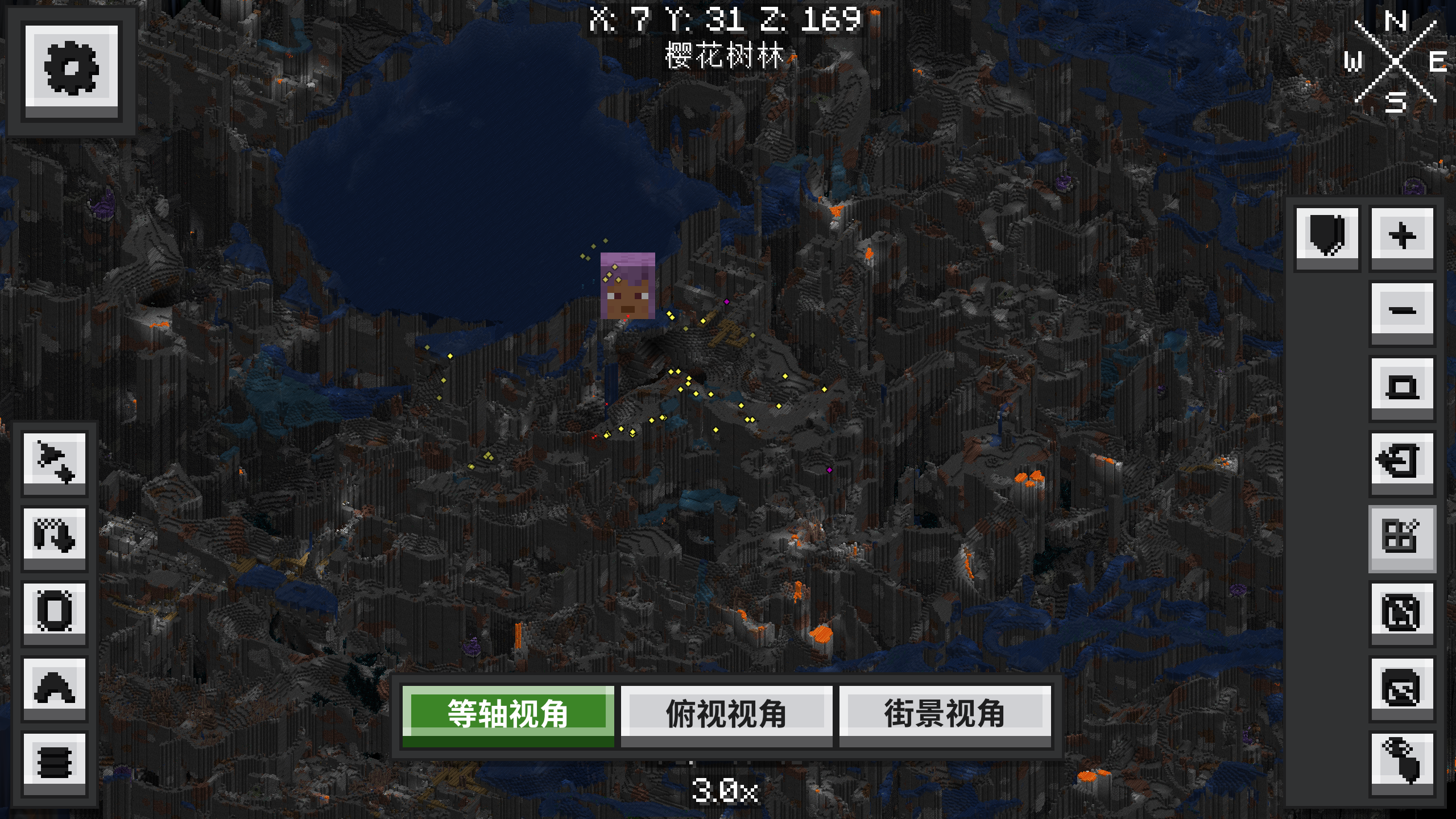
EarthView (Xaero's World Map: Earth) is a client-side addon for Xaero's World Map, inspired by Google Earth.
It turns your flat map into 3D terrain using Minecraft's block models and your current resource pack. Rotate, zoom and tilt the map, apply your shader pack, display a 3D minimap, draw and measure on the terrain, or click a destination and let the game guide or walk you there. Map controls and settings use an Ore-McUI theme. Your Xaero maps and waypoints stay available, and you can switch back to the original interface in settings.
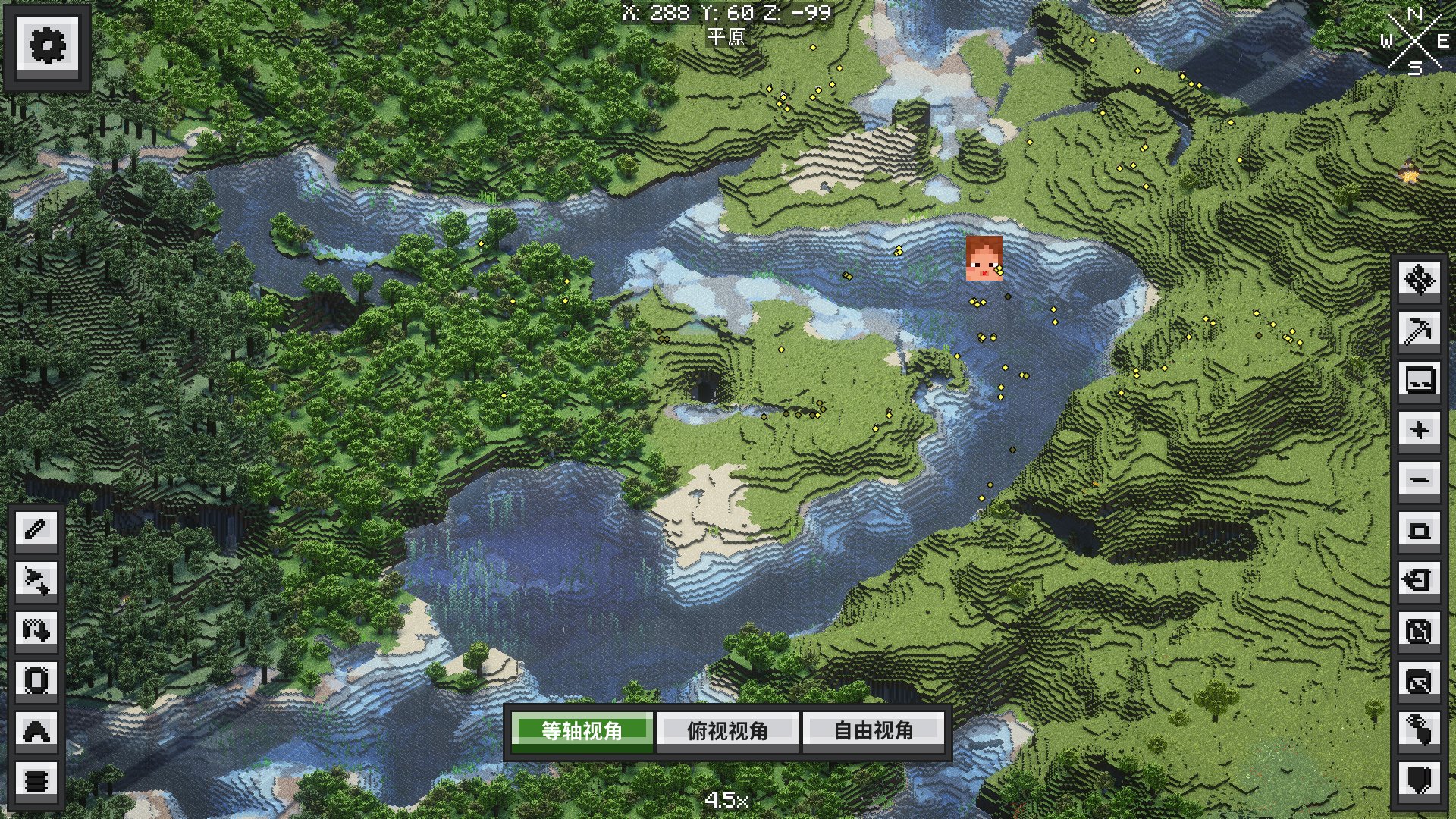
Explore valleys, tree canopies, cave openings, builds and translucent water. Unexplored areas fade into fog. Switch between Detail and Fast terrain modes. Earth saves terrain to disk for faster revisits, and in singleplayer you can enable background loading of nearby terrain that has already been generated.
Switch between Isometric, Top-down and Street view. Middle-drag in isometric view to rotate or tilt the map. In street view, use the keyboard to move the camera near the ground and inspect your builds and terrain.
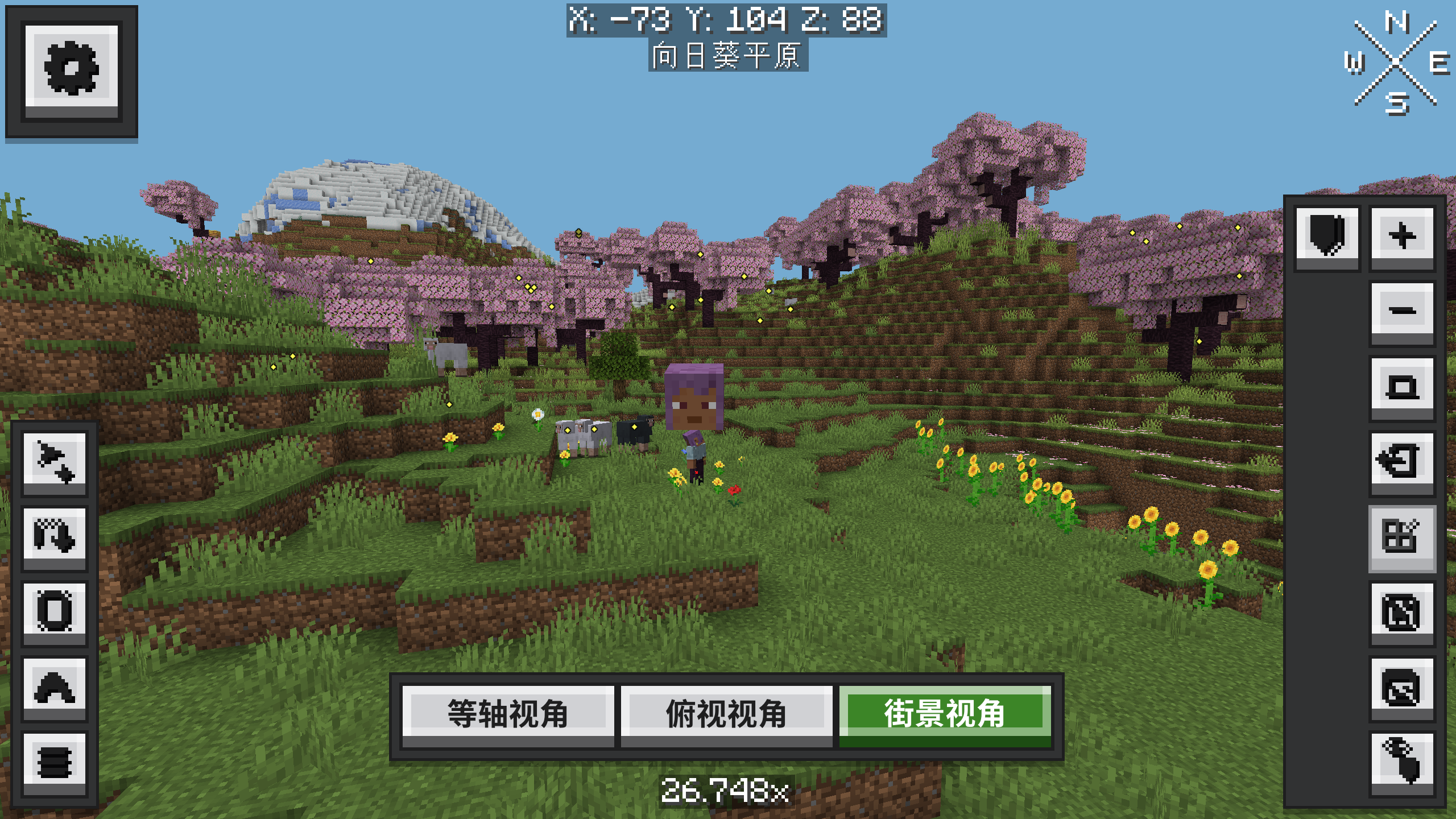
With Iris or Oculus installed, the shader selection screen adds an Earth Shaders toggle. Use the active shader pack's lighting, shadows and water effects on the 3D world map and minimap. The toggle lets you keep world shaders enabled while using standard map rendering.
With Xaero's Minimap, the HUD can show the same 3D terrain. Its zoom is independent, and its pitch follows the world map. With north lock enabled, its yaw also follows the world map. With north lock disabled, it follows the player's heading.
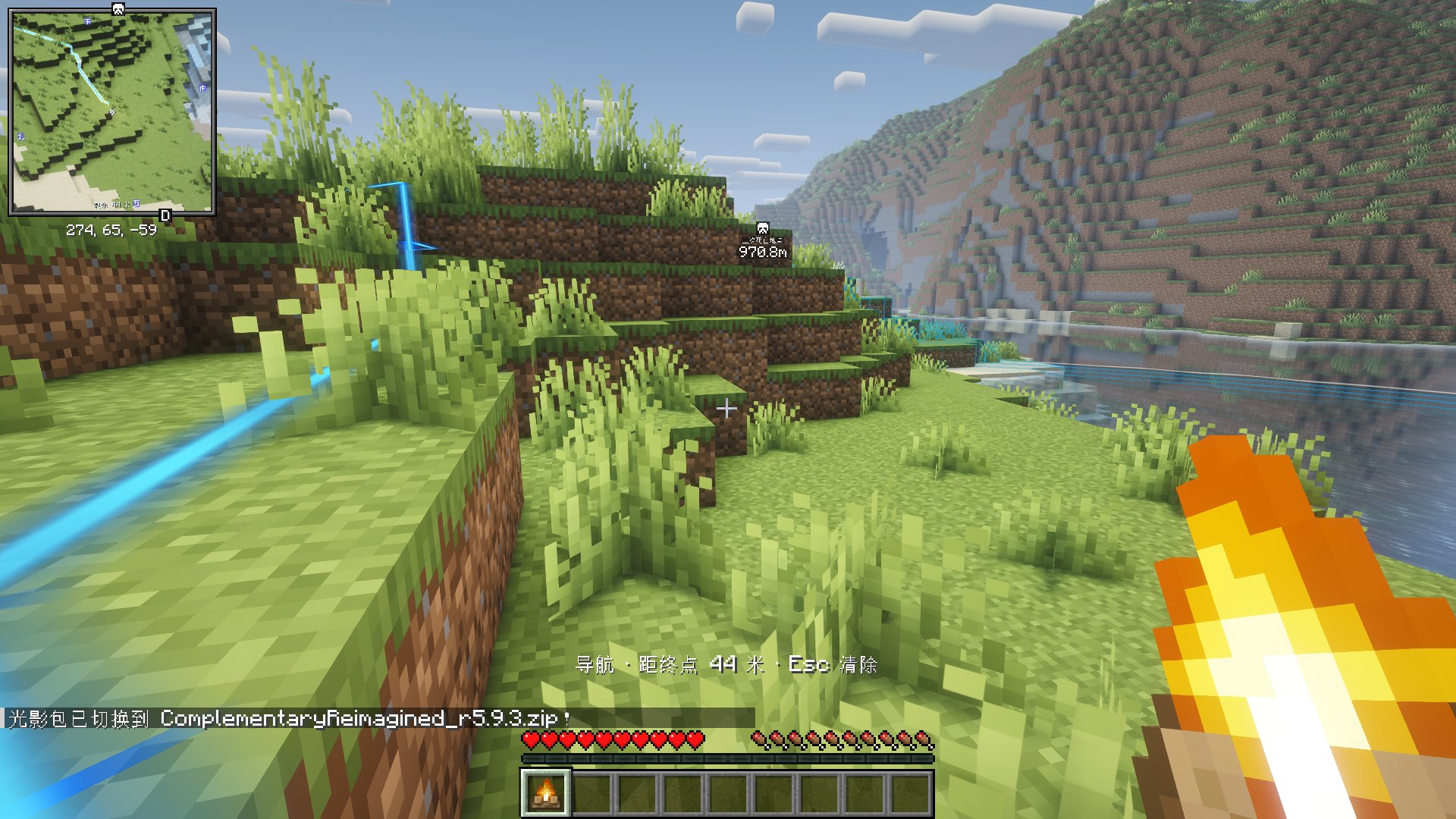
Right-click a destination on the world map and choose one of two options.
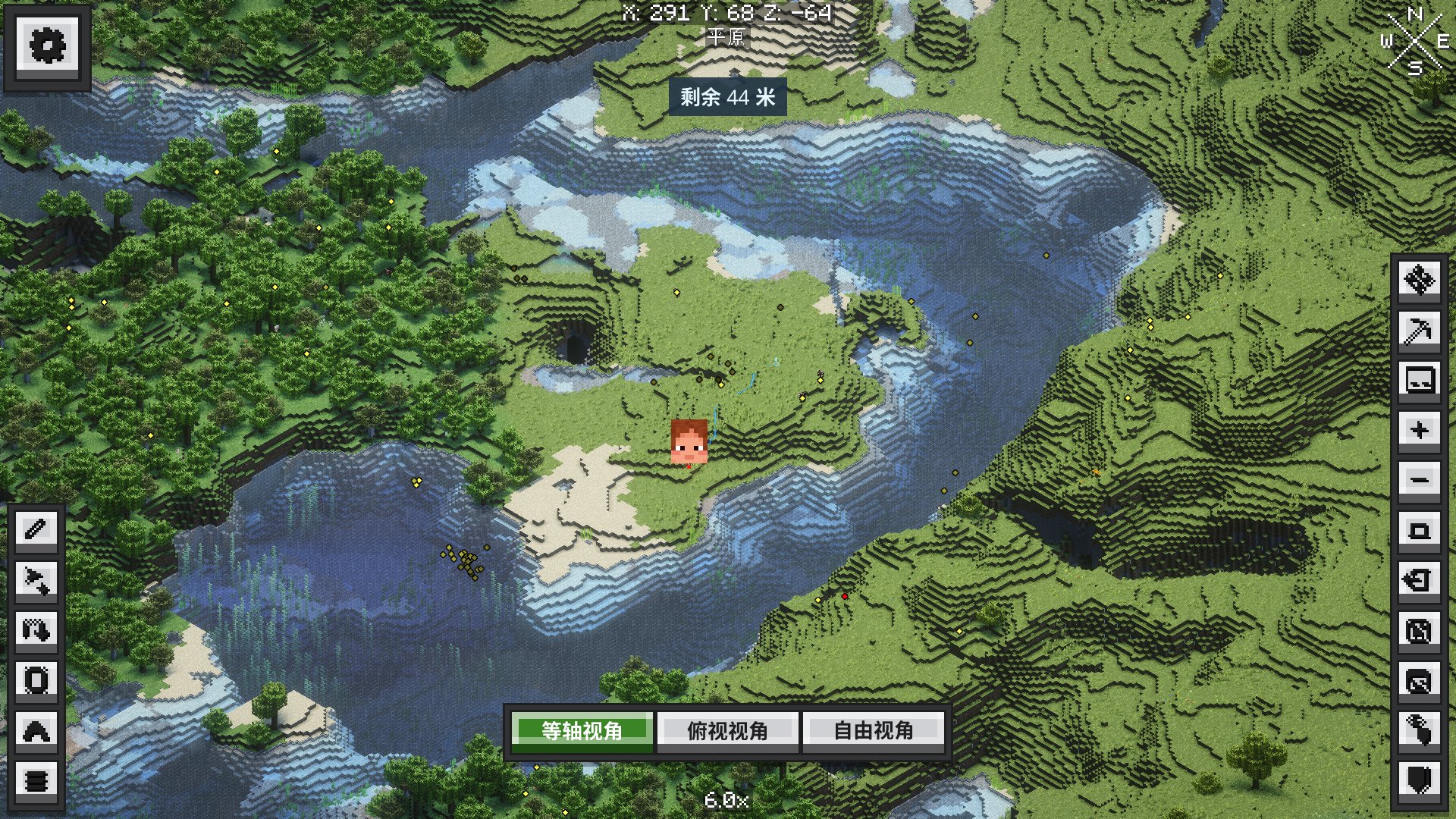
Use the map toolbar or context menu to draw freehand lines or polylines, outline regions, write annotations, and add Earth landmarks that you can rename or remove. The two-point ruler reports horizontal distance and straight-line 3D distance.
Earth uses Xaero's existing waypoints, world and dimension selection, and cave layers. Your player marker uses the head from your current skin and stays visible in dark caves.
| Action | Input |
|---|---|
| Open the world map | Xaero's World Map key, M by default |
| Pan the map | Left-drag in isometric or top-down view |
| Rotate or tilt | Middle-drag in isometric view |
| Zoom | Mouse wheel |
| Change view | Use the Isometric, Top-down or Street view buttons below the map |
| Move or turn in street view | Left- or middle-drag to turn. Use WASD to move, Space to rise and Shift to descend. |
| Navigate or annotate | Right-click a map position and select a tool. Press Esc to clear navigation or cancel the current drawing. |
| Waypoints and map settings | Use Xaero's context menu, waypoint screen and the settings button in the upper-left corner. |
Install the file for your Minecraft version and loader on the client. Install Xaero's World Map and XaeroLib, plus Fabric API for Fabric. Version 0.1.4 bundles KltytonUI 1.3.2 and its NeonJS runtime.
| Minecraft | Loaders | Java |
|---|---|---|
| 1.18.2 | Forge | 17 |
| 1.19.2 | Forge | 17 |
| 1.20.1 | Forge, Fabric | 17 |
| 1.21.1 | NeoForge, Fabric | 21 |
| 26.1.2 | NeoForge, Fabric | 25 |
| 26.2 | NeoForge, Fabric | 25 |
I only learned about these projects from friends who helped test Earth. I developed Earth independently, without copying or using those projects as references.
Developed by kltyton. Earth uses the MIT license. See the third-party notices for bundled libraries and their licenses.
Project description from CurseForge.
Pick your setup
Choose the version and loader you play, then open the matching release.
Check the dependencies, then try the file in a copied instance before changing a world you care about.
Recent files
xaero-world-map-earth-forge-1.19.2-0.1.2.jar
20 Oct 2026
xaero-world-map-earth-forge-1.19.2-0.1.1.jar
10 Oct 2026
xaero-world-map-earth-forge-1.19.2-0.1.0.jar
6 Oct 2026
Looking for an older file? The official CurseForge project page is in Resources.
 mod
An addon for Botania, implementing features needed for the Compression modpack.
 mod
Villagers farm, gather wood, garden, mine, build, and repair village houses using shared storage.
 mod
Control Flex is a controller mod designed for mid-to-large modpacks.