Minecraft version
Back to mods 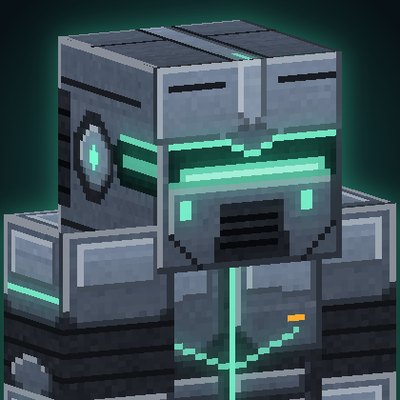
CurseForge · Minecraft mod
IronMan Suit
Superhero-style flying power armor with a first-person helmet HUD, hover and jet flight, pulse blasters and homing micro-missiles.
Choose a version Pick your version below, then grab the matching file.
Quick answer
Which IronMan Suit release should I use?
Latest stable file Stratos Exosuit 1.0.0 - Forge 26.3
Game version 26.3
Loader Forge
IronMan Suit Stratos Exosuit 1.0.0 - Forge 26.3 targets 26.3 with Forge. The project page does not say whether this file belongs on the client, dedicated server, or both. No extra mods listed for this file.
Where it goes
Is IronMan Suit required on the client, server, or both?
The project page does not say whether this file belongs on the client, dedicated server, or both.
Client Source doesn’t say
Dedicated server Source doesn’t say
Loader for this release Forge
Required install it here Optional supported, not mandatory Not supported do not install here Source doesn’t say do not assume
The source does not explicitly classify this release as client-only or server-only.
What else does IronMan Suit Stratos Exosuit 1.0.0 - Forge 26.3 need?
Stratos Exosuit 1.0.0 - Forge 26.3. Change the file and its required mods may change too.
This file does not list any required mods. Do not add a library just because a different file uses it.
This file does not list any required or optional mods.
Before you install it
Add IronMan Suit without breaking your instance.
Built for IronMan Suit Stratos Exosuit 1.0.0 - Forge 26.3. Pick another file and the loader, install side or required mods may change.
- 01
Stick to this file
Use Stratos Exosuit 1.0.0 - Forge 26.3. It targets 26.3 with Forge; another release may have different loader, side or dependency requirements.
- 02
Bring the mods it needs
This file does not list any required mods. Do not add a library just because a different file uses it.
- 03
Put it on the correct side
The project page does not say whether this file belongs on the client, dedicated server, or both.
- 04
Pick the file you checked
Use the “Get this file” button beside Stratos Exosuit 1.0.0 - Forge 26.3. It opens that exact file at the source.
About this project
What does IronMan Suit add?
Stratos Exosuit: Flying Power Armor
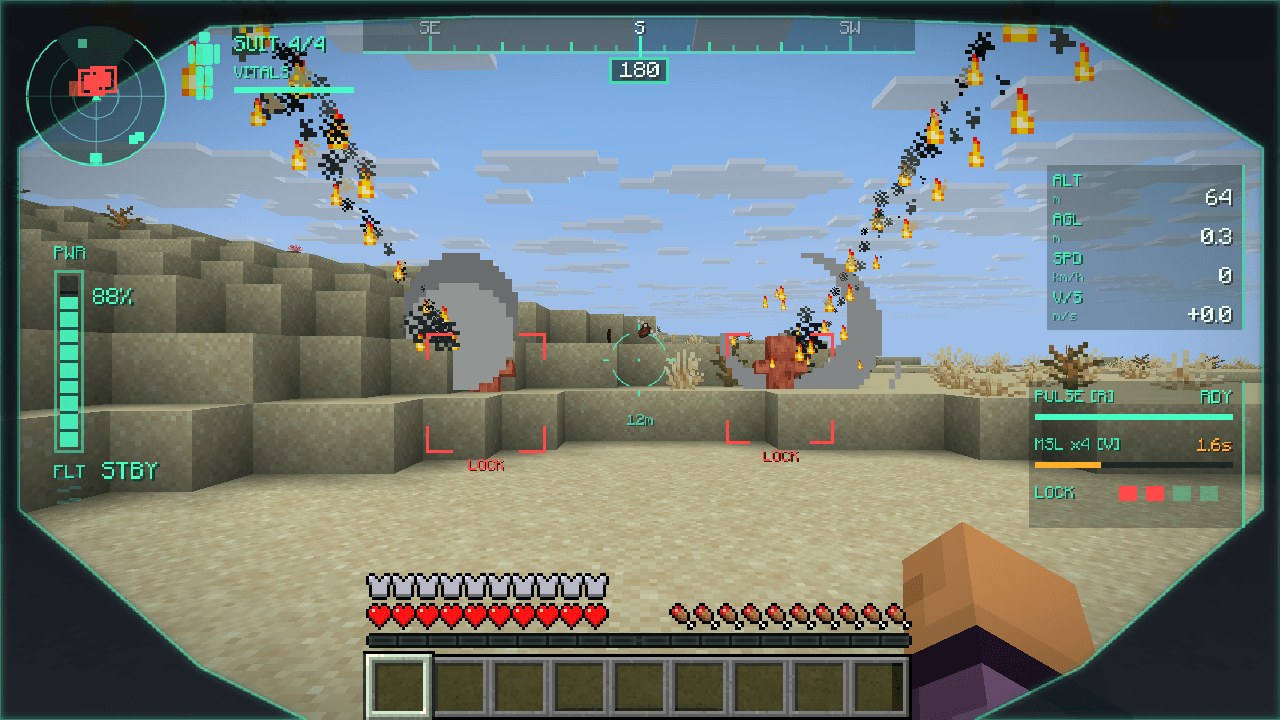
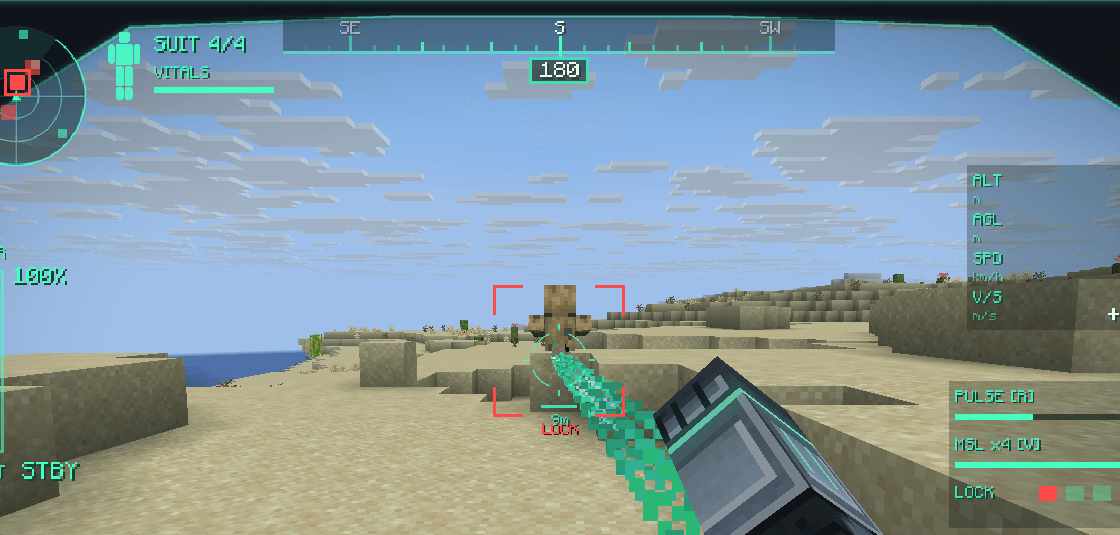
Suit up and take to the skies. Stratos Exosuit adds a four-piece, high-tech flying power armor to Minecraft. Put on all four pieces and the suit boots up: your first-person view turns into a full helmet HUD, you can hover or fly like a jet, and you fight with a pulse blaster and homing micro-missiles.
Features
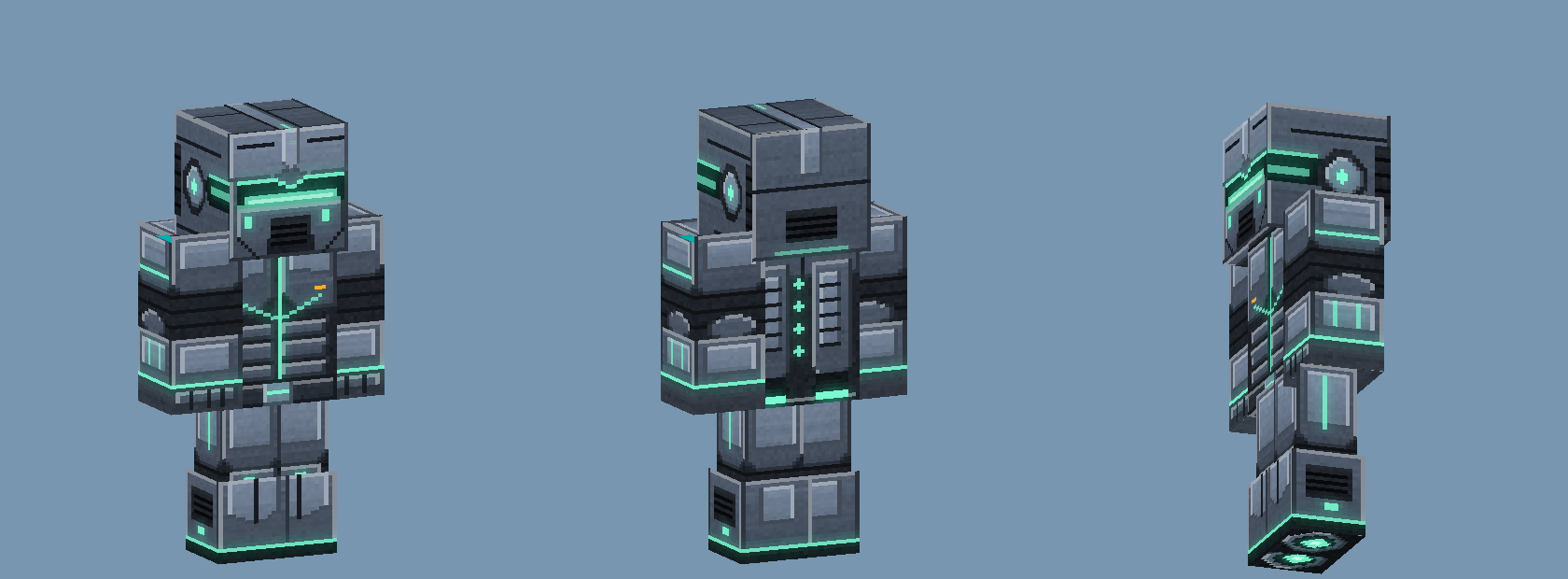
Four-piece power armor
- Stratos Helmet, Stratos Chest Rig, Stratos Leg Frames and Stratos Thruster Boots, with a detailed custom model and glowing energy lines.
- Tougher than netherite: 24 armor points, 3.5 toughness per piece, extra knockback resistance and higher durability. Repair it with Alloy Plates on an anvil.
- In first person your arm is shown in the armored sleeve, so you always feel like you are wearing the suit.
- The suit only powers up when all four pieces are worn. With fewer pieces the HUD tells you how many are missing.
First-person helmet HUD
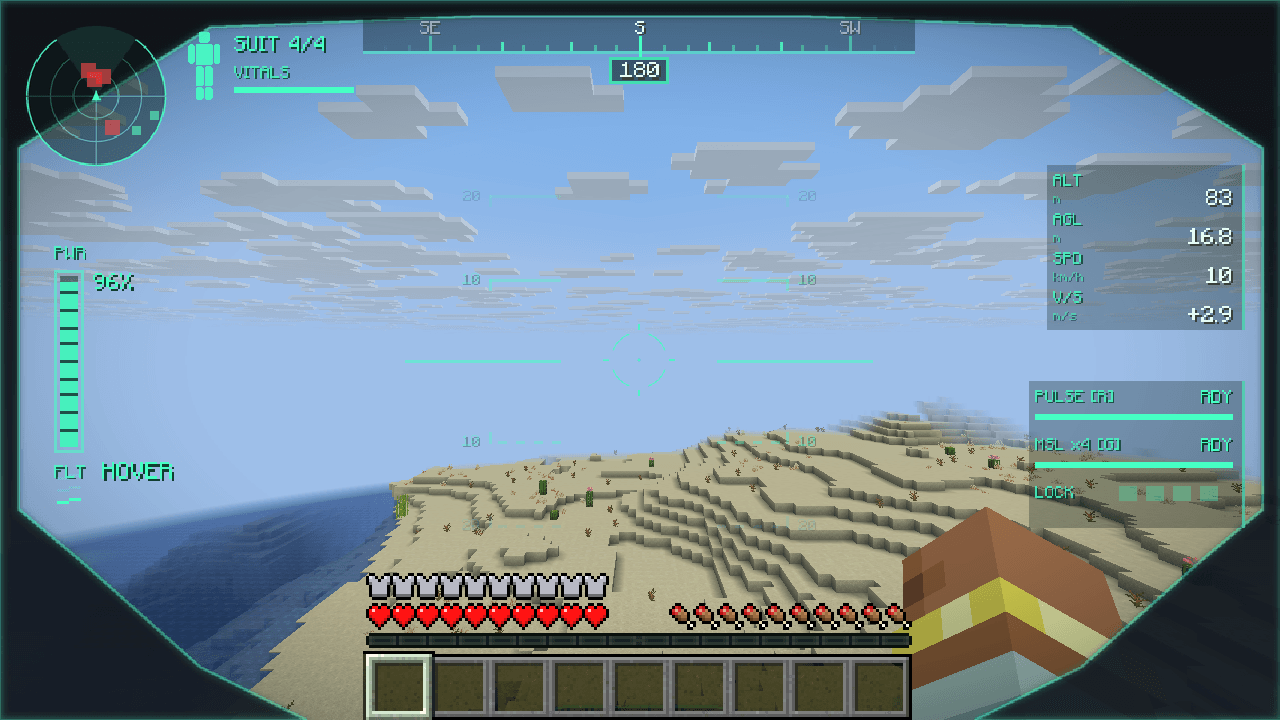
Look through the helmet in first person and you see what the pilot sees:
- Visor frame with a compass tape and heading at the top.
- Radar in the corner: hostile mobs show up red, players white, other creatures teal (40 block range).
- Flight data: altitude (ALT), height above ground (AGL), speed in km/h and vertical speed (V/S).
- Suit status: power bar, flight mode (STBY, HOVER, JET, BOOST, GLIDE) and vitals.
- Weapon panel: pulse blaster and missile readiness, cooldown timers and lock indicators.
- Warnings: "PULL UP" when you dive towards the ground too fast, plus low-power alerts.
- Toggle the HUD with H whenever you want a clean screen. In third person you see the suit from outside as normal.
Flight
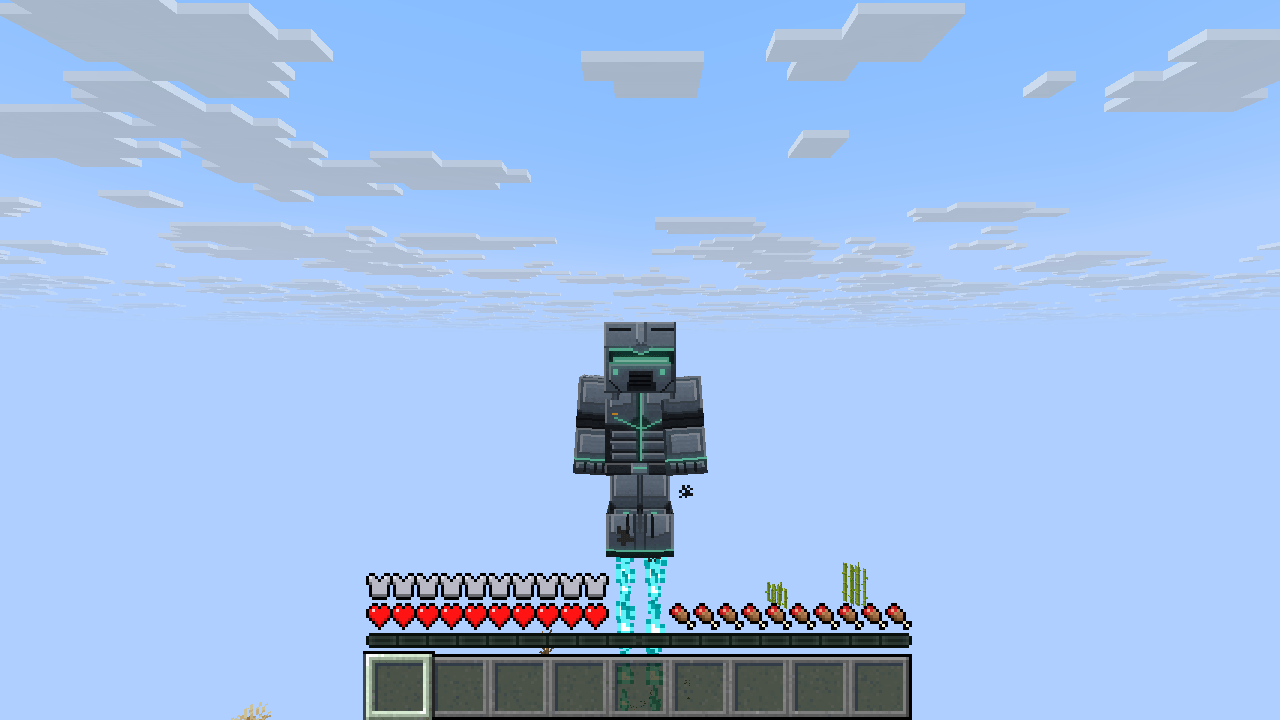
- Hover: double-tap Space (or press J). Space rises, Shift descends, WASD moves you around. The suit holds altitude with a gentle hover bob.
- Jet flight: in the air, hold Sprint + W to fire up the thrusters and fly like a jet. Keep sprinting for boost. Let go of W (or press Shift) to drop back into a hover.
- Thruster flames and sound come from the boots, and change with the flight mode.
Weapons
- Pulse blaster: press R, or right-click with an empty hand. A fast-firing energy beam with a 64 block range.
- Homing micro-missiles: press V. The HUD locks on to up to 4 targets in front of you (48 blocks), then fires a salvo of 4 missiles that chase their targets and explode on impact.
Suit power
- The suit has 100 power. Flight, pulse shots and missile salvos use it up.
- Power recharges over time, faster when you stand on the ground. When it runs out, flight shuts down, so land and let it recharge.
Crafting
All items are in the Stratos Exosuit creative tab and craftable in survival.
- Alloy Plate ×4: copper ingots in the corners, iron ingots on the sides, a diamond in the middle.
- Energy Cell: iron ingots in the corners, glowstone dust top and bottom, redstone blocks left and right, a diamond in the middle.
- Stratos Helmet: 4 Alloy Plates, 1 Energy Cell and Tinted Glass for the visor.
- Stratos Chest Rig: 8 Alloy Plates and 1 Energy Cell.
- Stratos Leg Frames: 7 Alloy Plates and 1 Energy Cell.
- Stratos Thruster Boots: 4 Alloy Plates and 1 Energy Cell.
Use JEI, REI or EMI to see the exact recipe shapes.
Controls
All keys can be changed in Options > Controls > Stratos Exosuit.
| Action | Default key |
|---|---|
| Hover on/off | Double-tap Space or J |
| Jet flight / boost | Sprint + W in the air |
| Pulse blaster | R, or right-click with an empty hand |
| Micro-missiles | V |
| Helmet HUD on/off | H |
Compatibility
- Minecraft 1.21.8 to 26.3
- Fabric (requires Fabric API), Forge and NeoForge. Pick the file that matches your loader and Minecraft version.
- Install it on both the client and the server: flight and weapons are handled by the server. If you join a server without the mod, you can still play there, the suit just stays offline.
- Every build was tested in the real game and on a dedicated server before release.
Project description from CurseForge.
Pick your setup
IronMan Suit by Minecraft version and loader
Choose the version and loader you play, then open the matching release.
Minecraft version
26.2
3 loader buildsMinecraft version
26.1.2
3 loader buildsMinecraft version
26.1.1
3 loader buildsMinecraft version
26.1
3 loader buildsMinecraft version
1.21.11
3 loader buildsMinecraft version
1.21.10
3 loader buildsMinecraft version
1.21.9
3 loader buildsMinecraft version
1.21.8
3 loader buildsCheck the dependencies, then try the file in a copied instance before changing a world you care about.
Recent files
IronMan Suit versions and loaders
Stratos Exosuit 1.0.0 - Forge 26.3
stratos-exosuit-forge-26.3-1.0.0.jar
8 Oct 2026
Client Source doesn’t say Server Source doesn’t say Dependencies No extras listed Listed on Release listing
Check the 26.3 · Forge setup Forge26.3 release
Stratos Exosuit 1.0.0 - Forge 26.2
stratos-exosuit-forge-26.2-1.0.0.jar
8 Oct 2026
Client Source doesn’t say Server Source doesn’t say Dependencies No extras listed Listed on Release listing
Check the 26.2 · Forge setup Forge26.2 release
Stratos Exosuit 1.0.0 - Forge 26.1-26.1.2
stratos-exosuit-forge-26.1-26.1.2-1.0.0.jar
8 Oct 2026
Client Source doesn’t say Server Source doesn’t say Dependencies No extras listed Listed on Release listing
Check the 26.1.2 · Forge setup Forge26.126.1.126.1.2 release
Stratos Exosuit 1.0.0 - Forge 1.21.11
stratos-exosuit-forge-1.21.11-1.0.0.jar
8 Oct 2026
Client Source doesn’t say Server Source doesn’t say Dependencies No extras listed Listed on Release listing
Check the 1.21.11 · Forge setup Forge1.21.11 release
Stratos Exosuit 1.0.0 - Forge 1.21.9-1.21.10
stratos-exosuit-forge-1.21.9-1.21.10-1.0.0.jar
8 Oct 2026
Client Source doesn’t say Server Source doesn’t say Dependencies No extras listed Listed on Release listing
Check the 1.21.10 · Forge setup Forge1.21.91.21.10 release
Stratos Exosuit 1.0.0 - Forge 1.21.8
stratos-exosuit-forge-1.21.8-1.0.0.jar
8 Oct 2026
Client Source doesn’t say Server Source doesn’t say Dependencies No extras listed Listed on Release listing
Check the 1.21.8 · Forge setup 1.21.8Forge release
Stratos Exosuit 1.0.0 - NeoForge 26.3
stratos-exosuit-neoforge-26.3-1.0.0.jar
8 Oct 2026
Client Source doesn’t say Server Source doesn’t say Dependencies No extras listed Listed on Release listing
Check the 26.3 · NeoForge setup NeoForge26.3 release
Stratos Exosuit 1.0.0 - NeoForge 26.2
stratos-exosuit-neoforge-26.2-1.0.0.jar
8 Oct 2026
Client Source doesn’t say Server Source doesn’t say Dependencies No extras listed Listed on Release listing
Check the 26.2 · NeoForge setup NeoForge26.2 release
Stratos Exosuit 1.0.0 - NeoForge 26.1-26.1.2
stratos-exosuit-neoforge-26.1-26.1.2-1.0.0.jar
8 Oct 2026
Client Source doesn’t say Server Source doesn’t say Dependencies No extras listed Listed on Release listing
Check the 26.1.2 · NeoForge setup NeoForge26.126.1.126.1.2 release
Stratos Exosuit 1.0.0 - NeoForge 1.21.11
stratos-exosuit-neoforge-1.21.11-1.0.0.jar
8 Oct 2026
Client Source doesn’t say Server Source doesn’t say Dependencies No extras listed Listed on Release listing
Check the 1.21.11 · NeoForge setup NeoForge1.21.11 release
Stratos Exosuit 1.0.0 - NeoForge 1.21.9-1.21.10
stratos-exosuit-neoforge-1.21.9-1.21.10-1.0.0.jar
8 Oct 2026
Client Source doesn’t say Server Source doesn’t say Dependencies No extras listed Listed on Release listing
Check the 1.21.10 · NeoForge setup NeoForge1.21.91.21.10 release
Stratos Exosuit 1.0.0 - NeoForge 1.21.8
stratos-exosuit-neoforge-1.21.8-1.0.0.jar
8 Oct 2026
Client Source doesn’t say Server Source doesn’t say Dependencies No extras listed Listed on Release listing
Check the 1.21.8 · NeoForge setup 1.21.8NeoForge release
Looking for an older file? The official CurseForge project page is in Resources.
 mod
CurseForge · Minecraft
Cohomi: All In One Utility Menu
An advanced and simple to use Utility And Assistant Menu. For all purposes!
 mod
CurseForge · Minecraft
Ages Progression
Ages adds configurable progression with milestones to advance and gain access to selected equipment, items, and workstations
 mod
CurseForge · Minecraft
The Right Branch of Development (RBoD)
A new life for the mod by Alex Crish, creator of the Minecraft for Noobs series - his pre-Forge build reborn on Forge 1.7.10: alpha lighting, nature ambience, harsher survival, the Green Lands, windmills, sawmills and animated blocks.