Minecraft version
Back to mods 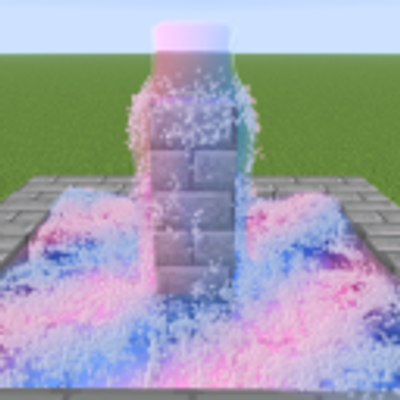
CurseForge · Minecraft mod
Ultra Realistic Water
Ultra realistic stuff from Blender Minecraft renders!
Choose a version Pick your version below, then grab the matching file.
Quick answer
Which Ultra Realistic Water release should I use?
Latest stable file realistic-water-1.4.1.jar
Game version 26.3
Loader Fabric
Ultra Realistic Water realistic-water-1.4.1.jar targets 26.3 with Fabric. The project page does not say whether this file belongs on the client, dedicated server, or both. No extra mods listed for this file.
Where it goes
Is Ultra Realistic Water required on the client, server, or both?
The project page does not say whether this file belongs on the client, dedicated server, or both.
Client Source doesn’t say
Dedicated server Source doesn’t say
Loader for this release Fabric
Required install it here Optional supported, not mandatory Not supported do not install here Source doesn’t say do not assume
The source does not explicitly classify this release as client-only or server-only.
What else does Ultra Realistic Water realistic-water-1.4.1.jar need?
realistic-water-1.4.1.jar. Change the file and its required mods may change too.
This file does not list any required mods. Do not add a library just because a different file uses it.
This file does not list any required or optional mods.
Before you install it
Add Ultra Realistic Water without breaking your instance.
Built for Ultra Realistic Water realistic-water-1.4.1.jar. Pick another file and the loader, install side or required mods may change.
- 01
Stick to this file
Use realistic-water-1.4.1.jar. It targets 26.3 with Fabric; another release may have different loader, side or dependency requirements.
- 02
Bring the mods it needs
This file does not list any required mods. Do not add a library just because a different file uses it.
- 03
Put it on the correct side
The project page does not say whether this file belongs on the client, dedicated server, or both.
- 04
Pick the file you checked
Use the “Get this file” button beside realistic-water-1.4.1.jar. It opens that exact file at the source.
About this project
What does Ultra Realistic Water add?
GO AND DOWNLOAD THE NEWEST VERSION FROM https://github.com/sskaffy/Realistic-Water/releases (it takes a lot of time to the new update be approved by curseforge so if you see this just go and download it from github) (newest version rn is 1.4.1)
Realistic Water
A Minecraft mod that adds a lot of cool, realistic stuff from Minecraft Blender animations.

How to use:
- Download the latest version from: https://github.com/sskaffy/Realistic-Water/releases/
- Install Fabric (Tutorial: https://docs.fabricmc.net/players/installing-fabric/)
- Put the mod to the mods folder
- Open the game and set the Graphics API in the Video Settings to Vulkan and then restart the game
- Search up "Realistic" in the creative inventory to look at all the items from the mod
- Use the "Realistic Convertor" to convert boats, redstone, wobbly blocks, or any full blocks into realistic blocks that have gravity
- Grab a realistic block with right click (or shift-right click if normal right click has an interaction with that block)
- Grab grass, leaves, kelp with right click or shift-right click for grabbing more at once
- Remove realistic things: "/water remove" to remove water and "/water remove <block>" for everything else (op only)
- Use "Water Pump" to move water in ways it couldn't flow by itself (has to be powered by redstone)
- Use "Realistic Water Drain" to drain realistic water
- Use "Special Sponge" to suck up custom liquids
- Customize most things about how things look/move in "/water gui" (or just "/water" if you aren't op)
- Make custom liquids in "/water liquids"
- Turn on Realistic Ocean in "/water" or in sodium settings (this makes oceans look realistic and adds realistic physics to the water)
- Use shaders with Vitrail! Any OF/Iris shaders (even Complementary Shaders) will work, download Vitrail from: https://modrinth.com/mod/vitrail-shaders
What the mod contains:
- Realistic water
- Custom liquids
- Small Bucket of Realistic water (puts down only 1 block of realistic water instead of an infinite source)
- Realistic water boiling, moving with pumps, ultra realistic physics, reacting to entities, swim in it, react to realistic blocks
- Realistic blocks (can be obtained by right clicking a Realistic Convertor and putting any block inside)
- Realistic blocks can be grabbed with right click, to bypass how heavy things you can grab turn on "OP Grabbing"
- Realistic grass
- Realistic grass can be grabbed with right click or shift-right click for grabbing multiple at once
- Realistic tree leaves
- Realistic tree leaves can be grabbed with right click or shift-right click for grabbing multiple at once
- Realistic boat, works the best with realistic water, can be obtained via the Realistic Convertor
- Realistic lava, burns things, converts into cobblestone on realistic water contact, burns flameable realistic blocks, burns leaves
- Realistic sand
- Realistic leaves
- Realistic slime
- Wobbly slime and honey
- Wobbly slime and honey react to realistic blocks, players, entities
- Wobbly slime and honey can be converted into realistic blocks
- Realistic Fire
- Realistic fire for furnace, torch, campfire, candle
- Realistic snow
- Realistic snowball
- Realistic ice toggle for vanilla ice
- Realistic ice for realistic water (can be obtained if the water is freezing)
- Realistic slush for realistic water (can be obtained if the water is almost freezing)
- Realistic things react to TNT (you can grab a realistic TNT and throw it)
- Realistic rain that the realistic water reacts to and the rain feeds the water (makes steam in lava)
- Realistic Water Drain (drins realistic water)
- Sodium menu support
- Clip rendering and packing it into a mp4 with ffmpeg (the mod doesnt contain ffmpeg, you have to download it manually though you only need this if you wanna render clips inside the mod. you can just use obs)
- Water pumps, moves the water from its input to its output when powered by redstone (you can change the speed of it by right clicking on it) (realistic pump works in realistic ocean)
- Water starts disappearing after being boiled for too long on too high temperature
- Water makes steam, boiling sounds, boiling particles on high temperature
- Water heats up by being too close to hot things like Magma Block, Campfire, Lava, Fire
- Too hot water damages you if you are inside
- Water cools down by having cold blocks around it like Ice, Snow Block, Snow or being in cold biomes. Putting more water in hot water will just make warm water which then cools down to the biome's temperature
- Realistic things like water, lava can go through any portals
- Vitrail shader loader support (Vitrail can load in any OF/Iris shader on Vulkan)
- Realistic Ocean, changes how the oceans render plus it reacts to entities/realistic items from this mod
- Realistic kelp, its a toggle you can turn on/off in "/water" it lets you grab a kelp, move it, and it will react to things around it
Showcase: https://www.youtube.com/watch?v=GG2-psEHUI4 (this is the old one, new is coming soon)
Realistic Blocks:

Realistic Fire:

Wobbly Slime and Honey:

Credits: https://github.com/claude, https://github.com/eva-akselrad, https://www.youtube.com/@axocali
Project description from CurseForge.
Pick your setup
Ultra Realistic Water by Minecraft version and loader
Choose the version and loader you play, then open the matching release.
Check the dependencies, then try the file in a copied instance before changing a world you care about.
Recent files
Ultra Realistic Water versions and loaders
realistic-water-1.4.1.jar
16 Nov 2026
Client Source doesn’t say Server Source doesn’t say Dependencies No extras listed Listed on Release listing
Check the 26.3 · Fabric setup Fabric26.3 release
realistic-water-1.4.jar
13 Nov 2026
Client Source doesn’t say Server Source doesn’t say Dependencies No extras listed Listed on Release listing
Check the 26.3 · Fabric setup Fabric26.3 release
realistic-water-1.3.1.jar
4 Nov 2026
Client Source doesn’t say Server Source doesn’t say Dependencies No extras listed Listed on Release listing
Check the 26.3 · Fabric setup Fabric26.3 release
realistic-water-1.3.jar
29 Oct 2026
Client Source doesn’t say Server Source doesn’t say Dependencies No extras listed Listed on Release listing
Check the 26.3 · Fabric setup Fabric26.3 release
realistic-water-1.2.4.jar
25 Oct 2026
Client Source doesn’t say Server Source doesn’t say Dependencies No extras listed Listed on Release listing
Check the 26.3 · Fabric setup Fabric26.3 release
realistic-water-1.2.3.jar
24 Oct 2026
Client Source doesn’t say Server Source doesn’t say Dependencies No extras listed Listed on Release listing
Check the 26.3 · Fabric setup Fabric26.3 release
realistic-water-1.2.2.jar
22 Oct 2026
Client Source doesn’t say Server Source doesn’t say Dependencies No extras listed Listed on Release listing
Check the 26.3 · Fabric setup Fabric26.3 release
realistic-water-1.1.jar
7 Oct 2026
Client Source doesn’t say Server Source doesn’t say Dependencies No extras listed Listed on Release listing
Check the 26.3 · Fabric setup Fabric26.3 release
realistic-water-1.0.jar
6 Oct 2026
Client Source doesn’t say Server Source doesn’t say Dependencies No extras listed Listed on Release listing
Check the 26.3 · Fabric setup Fabric26.3 release
Looking for an older file? The official CurseForge project page is in Resources.
 mod
CurseForge + Modrinth · Minecraft
VO: Creative Fly Speed
Allows players to adjust their flight speed in Creative and Spectator modes with dynamic mouse-scroll tuning, sprint momentum, and anti-rubberbanding.
 mod
CurseForge + Modrinth · Minecraft
VO: Bed Chat Hider
Bed Chat Hider is a client-only Fabric mod that adds a simple "Hide Chat" / "Show Chat" toggle button next to the "Leave Bed" button while sleeping.
 mod
CurseForge + Modrinth · Minecraft
VO: Better Dogs
Enhances vanilla wolves with unique personalities (Aggressive, Pacifist, Normal), smarter AI, safety behaviors, and combat improvements.