Minecraft version
Back to mods 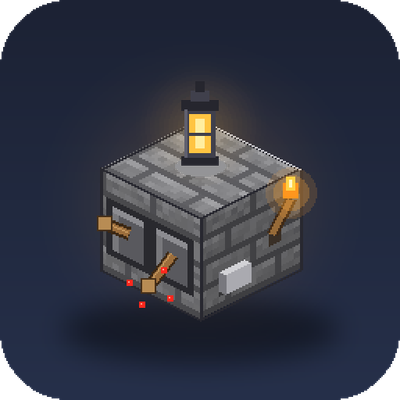
CurseForge · Minecraft mod
Custer Stack
Place several levers, buttons, torches and lanterns on the same block space, leaf-litter style.
Choose a version Pick your version below, then grab the matching file.
Quick answer
Which Custer Stack release matches 26.3?
Best match for your filters clusterattach-1.0.0.jar
Game version 26.3
Loader NeoForge
Custer Stack clusterattach-1.0.0.jar targets 26.3 with NeoForge. The project page does not say whether this file belongs on the client, dedicated server, or both. No extra mods listed for this file.
Where it goes
Is Custer Stack required on the client, server, or both?
The project page does not say whether this file belongs on the client, dedicated server, or both.
Client Source doesn’t say
Dedicated server Source doesn’t say
Loader for this release NeoForge
Required install it here Optional supported, not mandatory Not supported do not install here Source doesn’t say do not assume
The source does not explicitly classify this release as client-only or server-only.
What else does Custer Stack clusterattach-1.0.0.jar need?
clusterattach-1.0.0.jar on 26.3. Every mod below is checked against that same setup.
This file does not list any required mods. Do not add a library just because a different file uses it.
This file does not list any required or optional mods.
Before you install it
Add Custer Stack without breaking your instance.
Built for Custer Stack clusterattach-1.0.0.jar on 26.3. Pick another file and the loader, install side or required mods may change.
- 01
Stick to this file
Use clusterattach-1.0.0.jar. It targets 26.3 with NeoForge; another release may have different loader, side or dependency requirements.
- 02
Bring the mods it needs
This file does not list any required mods. Do not add a library just because a different file uses it.
- 03
Put it on the correct side
The project page does not say whether this file belongs on the client, dedicated server, or both.
- 04
Pick the file you checked
Use the “Get this file” button beside clusterattach-1.0.0.jar. It opens that exact file at the source.
About this project
What does Custer Stack add?
Ever wanted two levers on one wall, or a button right next to a lever, without building a whole panel out of separate blocks? Cluster Attach changes how small attached blocks are placed so they can share a block space, the same way leaf litter lets you stack more into one spot.
How it works Hold a lever, button, torch or lantern and right-click the wall or floor face right next to one you already placed. Instead of failing, the new item is added to that same space and shifts into the corner closest to where you clicked. The original one slides over to make room. Keep clicking to add more.
How many fit? Each space has four units of room, and bigger items take more:
Lever, button, torch: 1 unit each (up to 4) Lantern: 2 units each (up to 2, or one lantern plus two small things) You can mix types and faces, for example a wall lever and a floor button in one space.
Redstone still works Every lever and button in a cluster keeps its own on/off state and signal, and they all work at the same time. Click the one you want and it toggles (levers) or pulses (buttons) independently of its neighbours. Buttons release on their own timers, and stone and wood buttons keep their vanilla press lengths and sounds. Torches in a cluster still glow and give off flames, and a cluster lights up the area just like the torches would on their own.
Details Works with all vanilla lever, button, torch (including soul variants) and lantern types. If the block an item is attached to is removed, that item pops off as a drop. Nothing changes for single placements: a lone lever is still a normal lever until you add a second item to its space.
Project description from CurseForge.
Pick your setup
Custer Stack by Minecraft version and loader
Choose the version and loader you play, then open the matching release.
Check the dependencies, then try the file in a copied instance before changing a world you care about.
Recent files
Custer Stack versions and loaders
clusterattach-1.0.0.jar
6 Oct 2026
Client Source doesn’t say Server Source doesn’t say Dependencies No extras listed Listed on Release listing
Check the 26.3 · NeoForge setup NeoForge26.3 release
Looking for an older file? The official CurseForge project page is in Resources.
 mod
CurseForge + Modrinth · Minecraft
Anemos
Unleash the true gamma and conquer the darkness!
 mod
CurseForge · Minecraft
Orbital Arsenal
Call down cinematic orbital strikes with a remote: erase the world with a sun lance, drop a spike from Saturn, make Orion fall or tear the land into the sky!
 mod
CurseForge · Minecraft
Pro Fullbright
A lightweight Fabric mod that makes dark areas fully visible, perfect for caves, mining, and nighttime exploration.