MyCel Needed by Item Highlighter GG itemhighlighter-neoforge-26.3-1.0.1.jar
requiredMatching file found Matched file: mycel-26.3-1.3.0.jar
CurseForge · Minecraft mod
Highlight any Item with a custom color
Quick answer
Item Highlighter GG itemhighlighter-neoforge-26.3-1.0.1.jar targets 26.3 with NeoForge. The project page does not say whether this file belongs on the client, dedicated server, or both. All 1 required mods have matching files.
Where it goes
The project page does not say whether this file belongs on the client, dedicated server, or both.
The source does not explicitly classify this release as client-only or server-only.
itemhighlighter-neoforge-26.3-1.0.1.jar. Change the file and its required mods may change too.
Install MyCel first. We found matching files for this game-version and loader setup.
We only count dependency files that match this setup. A file for another loader does not fill the gap.
Before you install it
Built for Item Highlighter GG itemhighlighter-neoforge-26.3-1.0.1.jar. Pick another file and the loader, install side or required mods may change.
Use itemhighlighter-neoforge-26.3-1.0.1.jar. It targets 26.3 with NeoForge; another release may have different loader, side or dependency requirements.
Install MyCel first. We found matching files for this game-version and loader setup.
The project page does not say whether this file belongs on the client, dedicated server, or both.
Use the “Get this file” button beside itemhighlighter-neoforge-26.3-1.0.1.jar. It opens that exact file at the source.
About this project
Hold an item, give it a color, spot it instantly. Highlighted items get a glowing outline in the world (dropped items and item frames), a tinted item texture in the hotbar, inventory and containers, plus a colored ★ Highlighted tooltip line - in your inventory, in chests, in your hand, everywhere you look at items. Client side, no keybinds.
/hl #RRGGBB highlights the held item type (legacy &/§ codes work too), /hl clear removes it, /hl list shows allmatchComponents narrows it to the exact held item)enabled, defaultColor, showTooltipLine, hotbarHighlight, matchComponentsReload live with /mycel reload itemhighlighter.
Project description from CurseForge.
Pick your setup
Choose the version and loader you play, then open the matching release.
Check the dependencies, then try the file in a copied instance before changing a world you care about.
Recent files
10 Oct 2026
10 Oct 2026
10 Oct 2026
6 Oct 2026
6 Oct 2026
6 Oct 2026
Looking for an older file? The official CurseForge project page is in Resources.
 mod
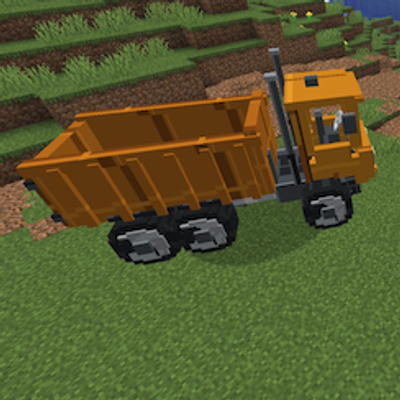
modA heavy-duty dump truck for transporting and unloading bulk construction materials.
 mod
modFly 26 jets, WWII warbirds, helicopters, warships and submarines! F-22, F-35, Spitfire, Apache, a sailing Nimitz carrier, air refuelling, a campaign, dogfights and airbase defence. (Formerly known as Fighter Jets Overhaul)
 mod
modAdds naturally spawning undead horsemen to the overworld surface. Six types in total, each tied to a fitting biome.