Minecraft version
Back to mods 
CurseForge · Minecraft mod
STraders
Make your Custom Trader, with custom Villagers.
Choose a version Pick your version below, then grab the matching file.
Quick answer
Which STraders release should I use?
Latest stable file STraders-26.3-NeoForge-1.0.0.jar
Game version 26.3
Loader NeoForge
STraders-26.3-NeoForge-1.0.0.jar targets 26.3 with NeoForge. The project page does not say whether this file belongs on the client, dedicated server, or both. No extra mods listed for this file.
Where it goes
Is STraders required on the client, server, or both?
The project page does not say whether this file belongs on the client, dedicated server, or both.
Client Source doesn’t say
Dedicated server Source doesn’t say
Loader for this release NeoForge
Required install it here Optional supported, not mandatory Not supported do not install here Source doesn’t say do not assume
The source does not explicitly classify this release as client-only or server-only.
What else does STraders-26.3-NeoForge-1.0.0.jar need?
STraders-26.3-NeoForge-1.0.0.jar. Change the file and its required mods may change too.
This file does not list any required mods. Do not add a library just because a different file uses it.
This file does not list any required or optional mods.
Before you install it
Add STraders without breaking your instance.
Built for STraders-26.3-NeoForge-1.0.0.jar. Pick another file and the loader, install side or required mods may change.
- 01
Stick to this file
Use STraders-26.3-NeoForge-1.0.0.jar. It targets 26.3 with NeoForge; another release may have different loader, side or dependency requirements.
- 02
Bring the mods it needs
This file does not list any required mods. Do not add a library just because a different file uses it.
- 03
Put it on the correct side
The project page does not say whether this file belongs on the client, dedicated server, or both.
- 04
Pick the file you checked
Use the “Get this file” button beside STraders-26.3-NeoForge-1.0.0.jar. It opens that exact file at the source.
About this project
What does STraders add?
STraders
STraders is a Minecraft trader system that allows players and administrators to create customizable villager shops.
It supports player-owned shops, admin shops, custom offers, stock management, sales collection, villager variants, persistent trader IDs, permissions and modded items.
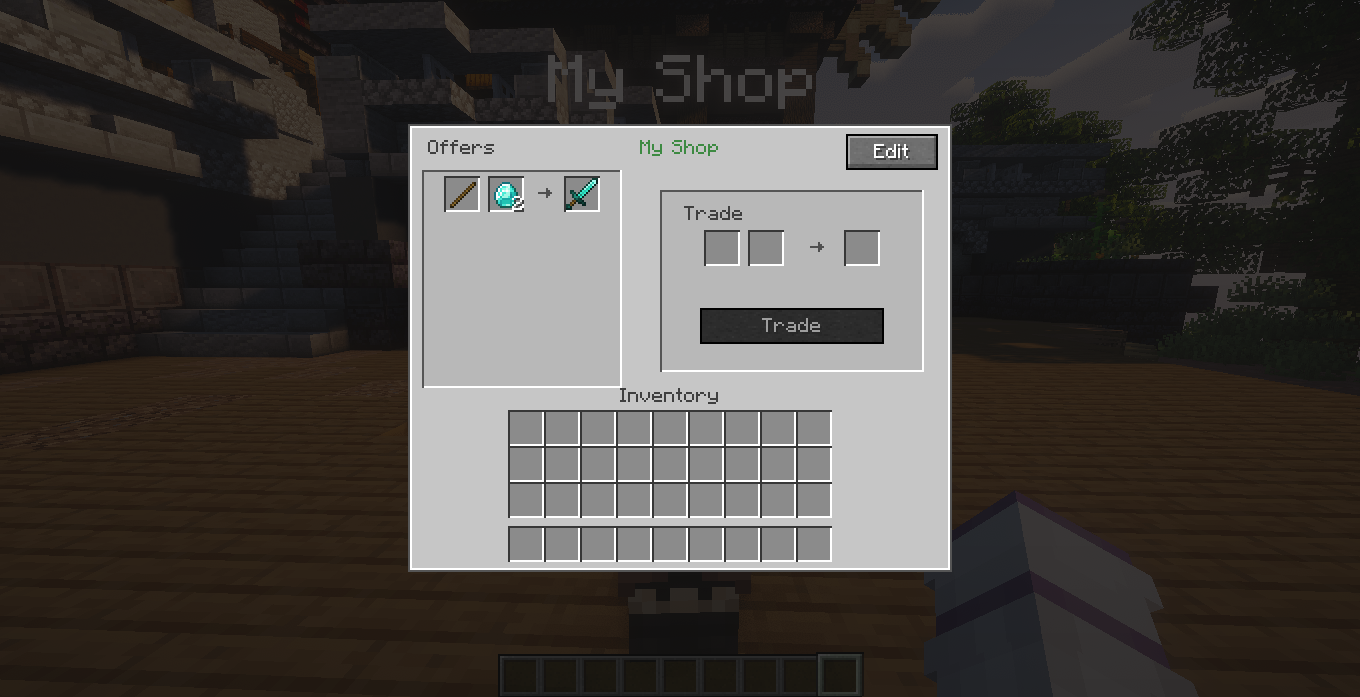
Main Features
- Player-owned traders
- Admin traders
- Custom trader names
- Persistent trader IDs such as
trader_01 - Custom buy and sell offers
- Paginated offer editor
- Paginated stock inventory
- Paginated sales collection inventory
- Villager type customization
- Support for modded items
- Support for custom item IDs, NBT and item components
- Persistent storage
- Owner protection
- Permission support
- Admin inspection and removal tools
- Multi-language support
Player Commands
Create a Player Trader
/traders create player <name>
Creates a normal player-owned trader.
Example:
/traders create player Diamond Shop
Create an Admin Trader
/traders create admin <name>
Creates an admin trader.
Requires admin trader permission or OP access.
List Your Traders
/traders list
Shows all traders owned by you.
Example:
Diamond Shop - trader_01
Food Shop - trader_02
Remove Your Trader
/traders remove <id>
Removes one of your own traders.
Example:
/traders remove trader_01
Players cannot remove traders owned by another player.
Rename Your Trader
/traders rename <id> <new name>
Changes the display name of one of your traders.
Example:
/traders rename trader_01 Premium Diamond Shop
The trader ID does not change.
Admin Commands
Admin management commands require OP access.
Remove Any Trader
/admintraders remove <id>
Removes any trader by its ID.
Example:
/admintraders remove trader_15
List All Traders
/admintraders list
or:
/admintraders list <page>
Shows all registered traders with pagination.
Example:
PlayerName | Diamond Shop - trader_01
AnotherPlayer | Food Shop - trader_02
Selection Removal Tool
/admintraders selremove
Gives the administrator a special removal stick.
Use the stick on a trader to remove it.
The tool:
- Can only be used by OPs
- Cannot be stored in containers
- Disappears when dropped
- Can be moved inside the player's inventory
- Is consumed after successfully removing a trader
Trader Information Tool
/admintraders info
Gives the administrator a special information item.
Use it on a trader to display information such as:
- Trader name
- Trader ID
- Owner
- Owner UUID
- Trader type
- Creation date
- Dimension
- Position
- Number of offers
- Basic stock information
The tool has the same inventory protections as the removal tool.
Permissions
Player Trader Permission
straders.permission.create.normal
Allows a player to create and manage normal player traders.
This permission also gives access to the management systems of traders owned by that player, including:
- Offer editing
- Villager customization
- Stock deposit
- Stock withdrawal
- Sales collection
- Trader management
Players cannot manage traders owned by another player.
Admin Trader Permission
straders.permission.create.admin
Allows a non-OP staff member to create and manage admin traders.
OP players do not require these permissions.
A compatible Fabric permission manager such as LuckPerms can be used to assign permission nodes.
Trader Management
Sneak-interacting with your own trader opens the trader management system.
Normal players cannot use management interactions on traders owned by another player.
Offers
Create, edit and delete trade offers.
Each offer can contain:
- Cost 1
- Optional Cost 2
- Result
Offer lists are automatically paginated.
Entity
Changes the villager appearance used by the trader.
Available vanilla villager variants include:
- Plains
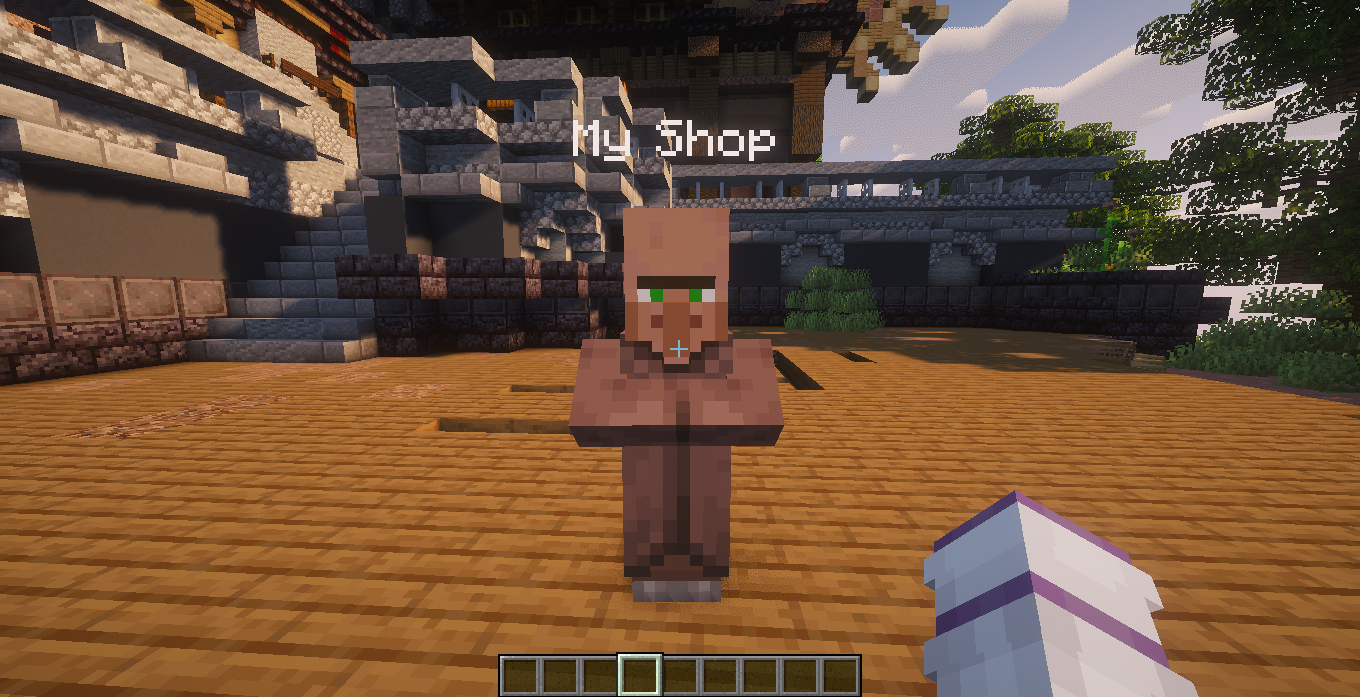
- Desert
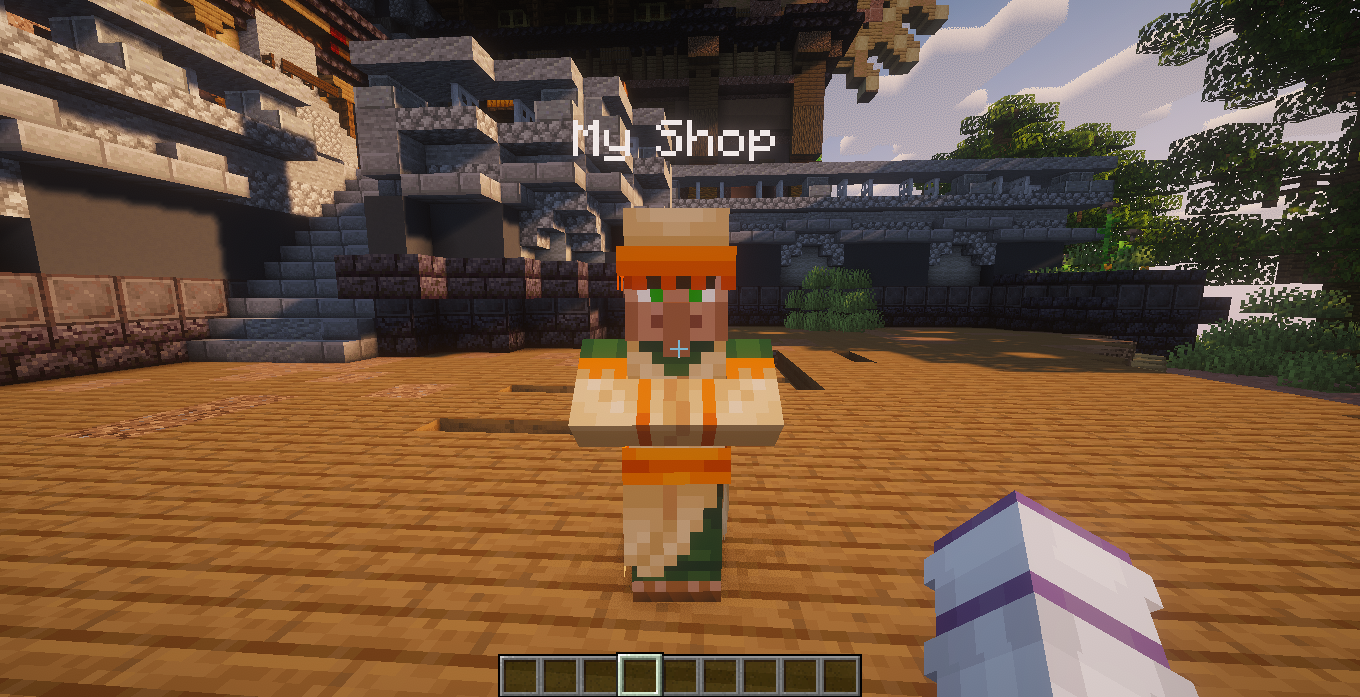
- Jungle
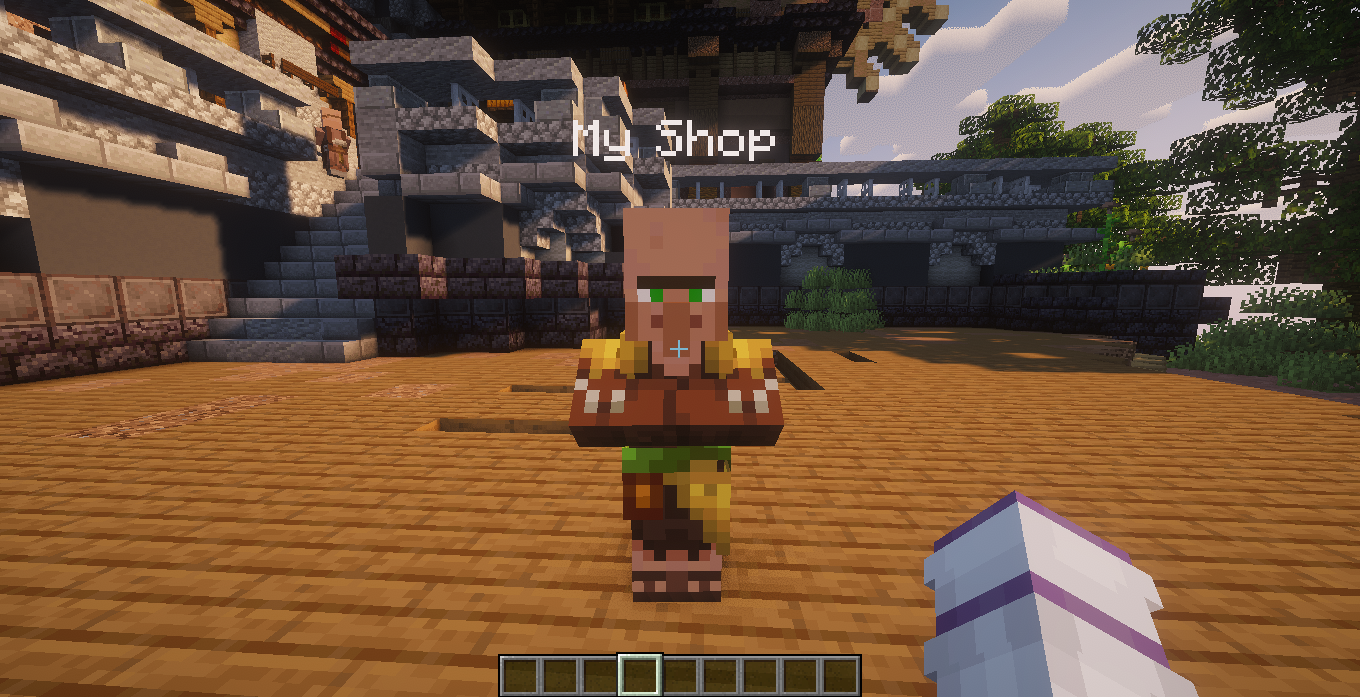
- Savanna
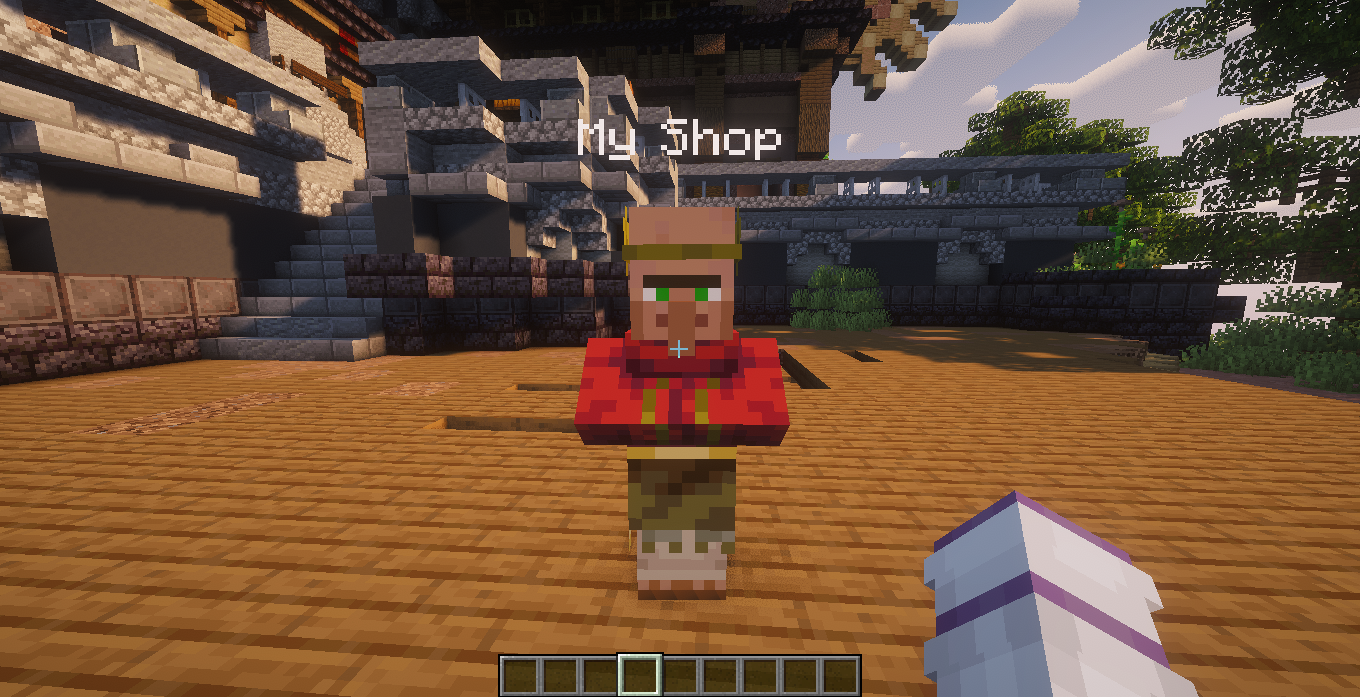
- Snow
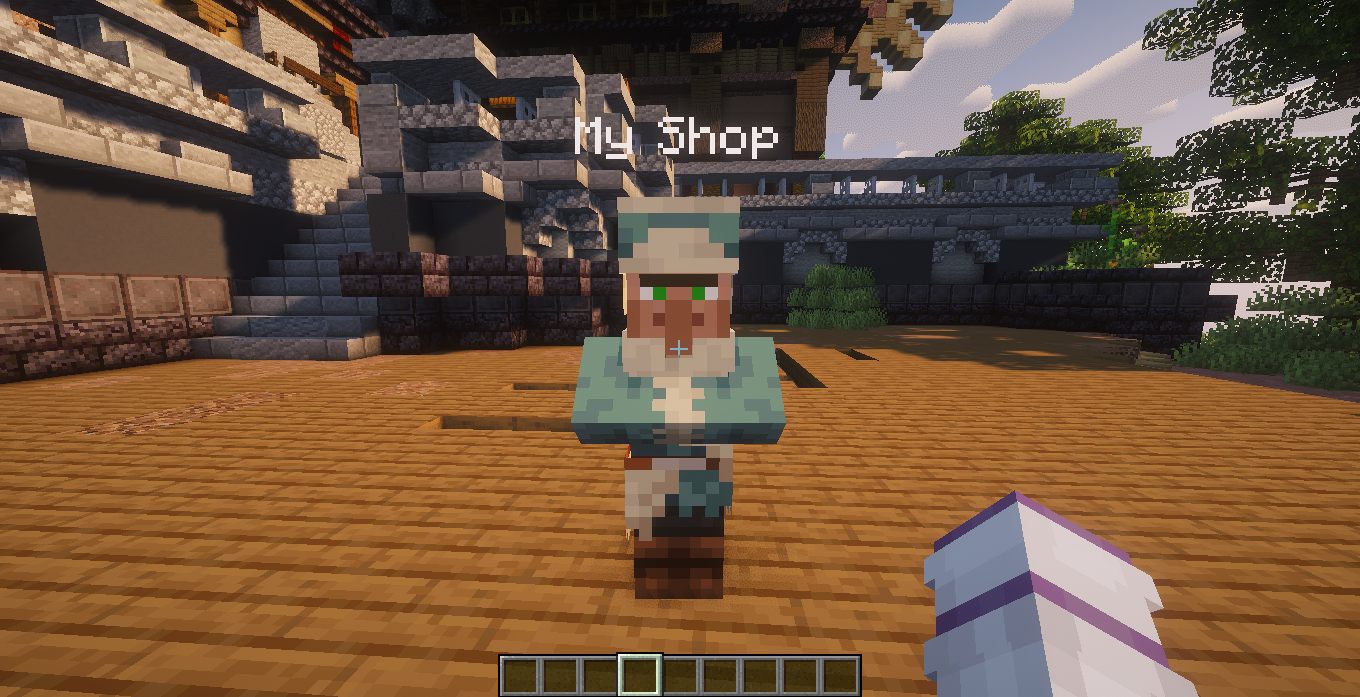
- Swamp
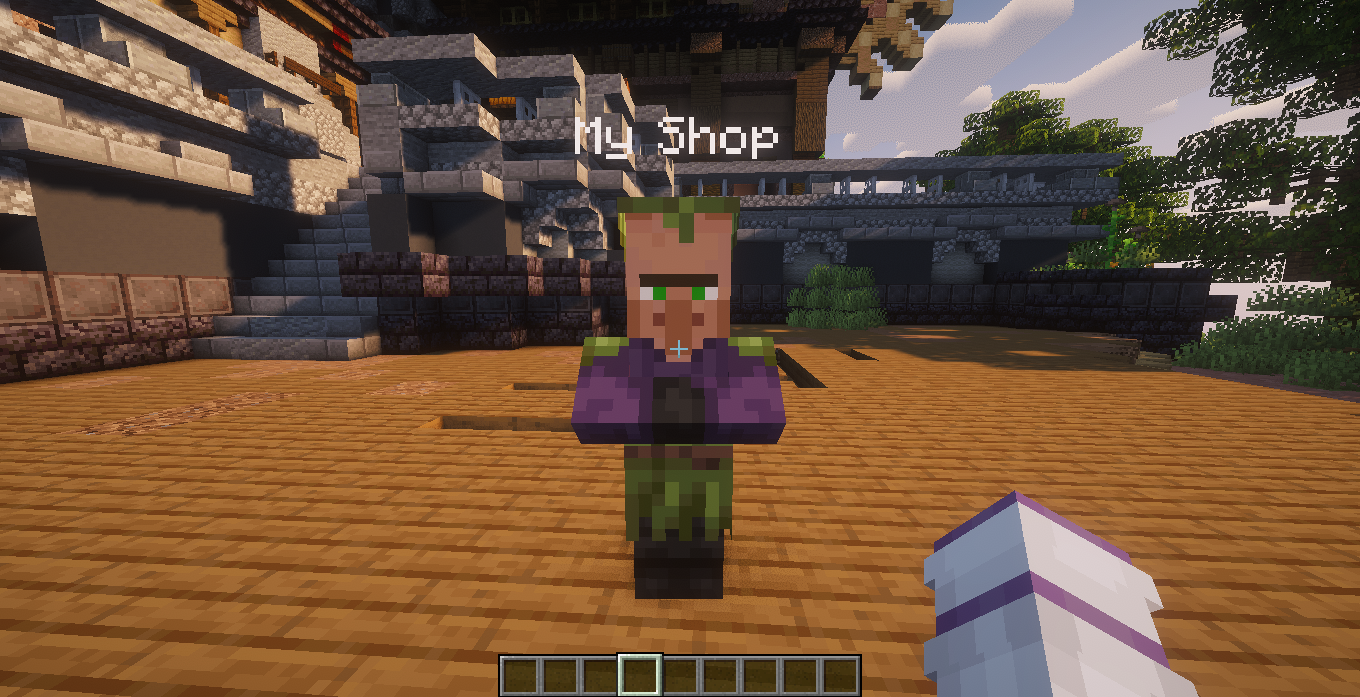
- Taiga
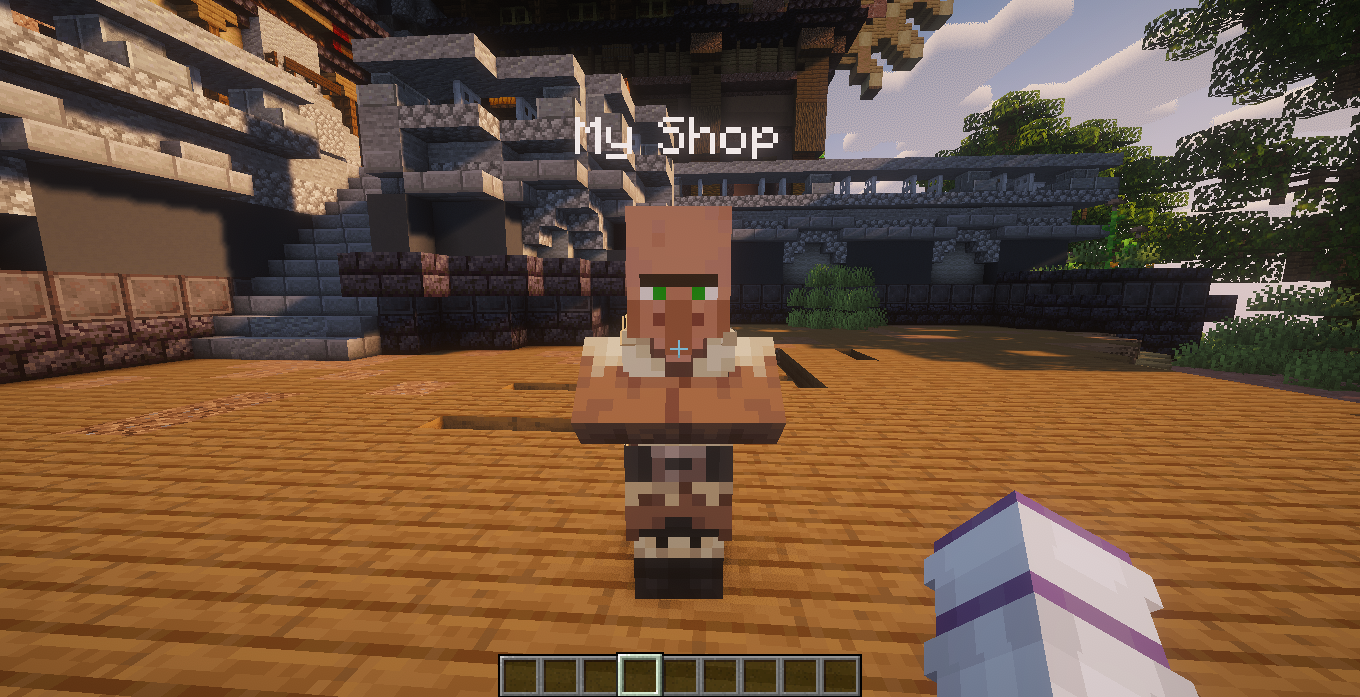
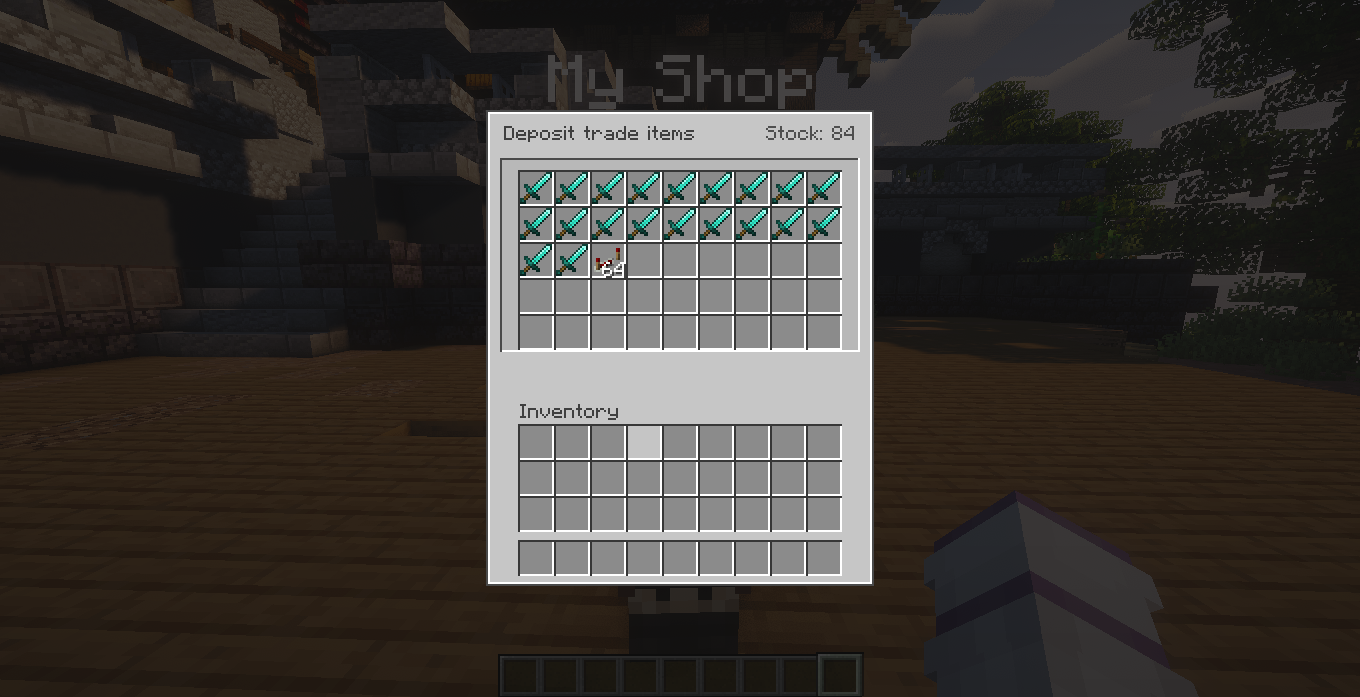
Stock
Player traders can store the items that will be sold.
The stock inventory supports pagination.
Players can:
- Deposit items
- Withdraw accidentally deposited items
- Use shift-click for faster inventory management
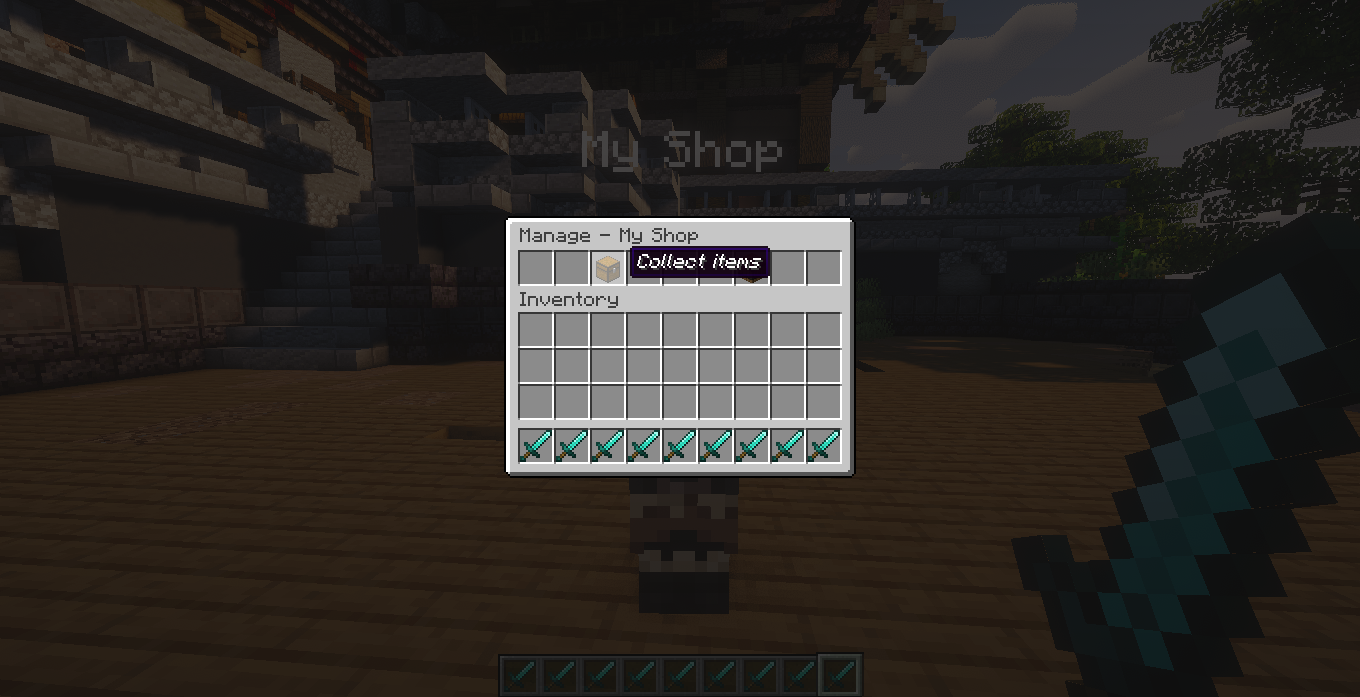
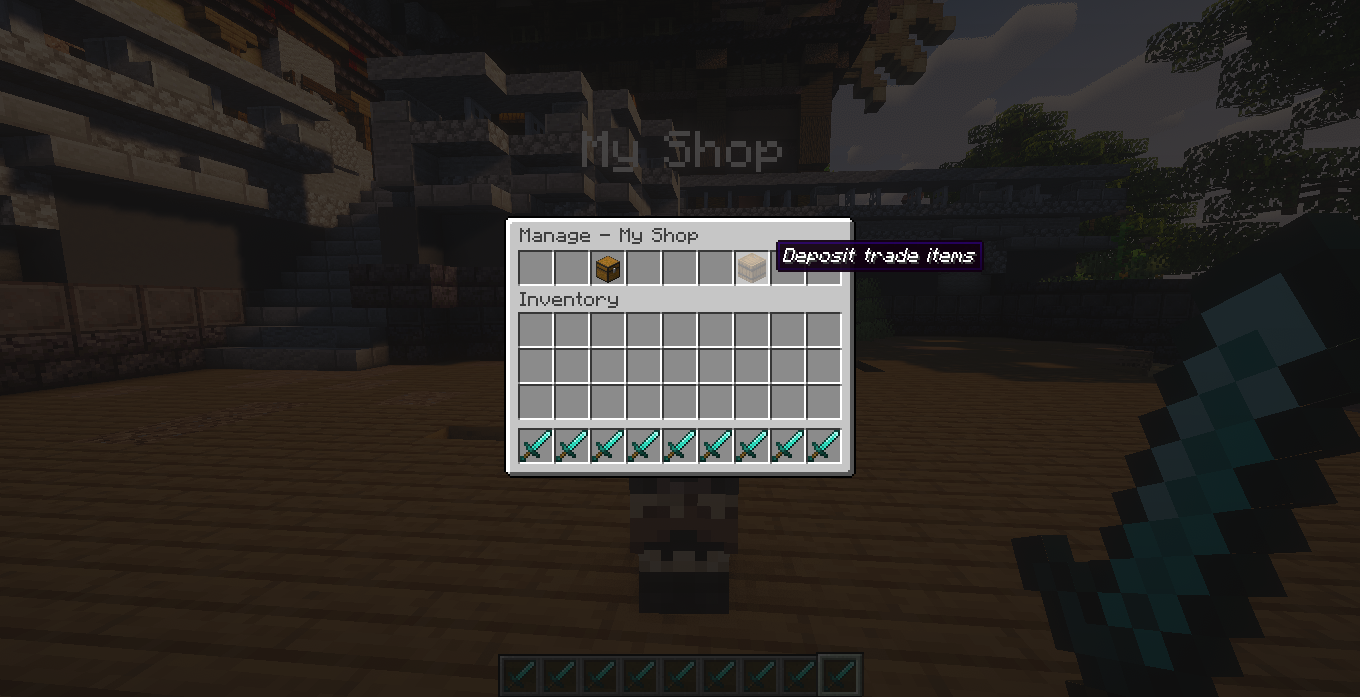
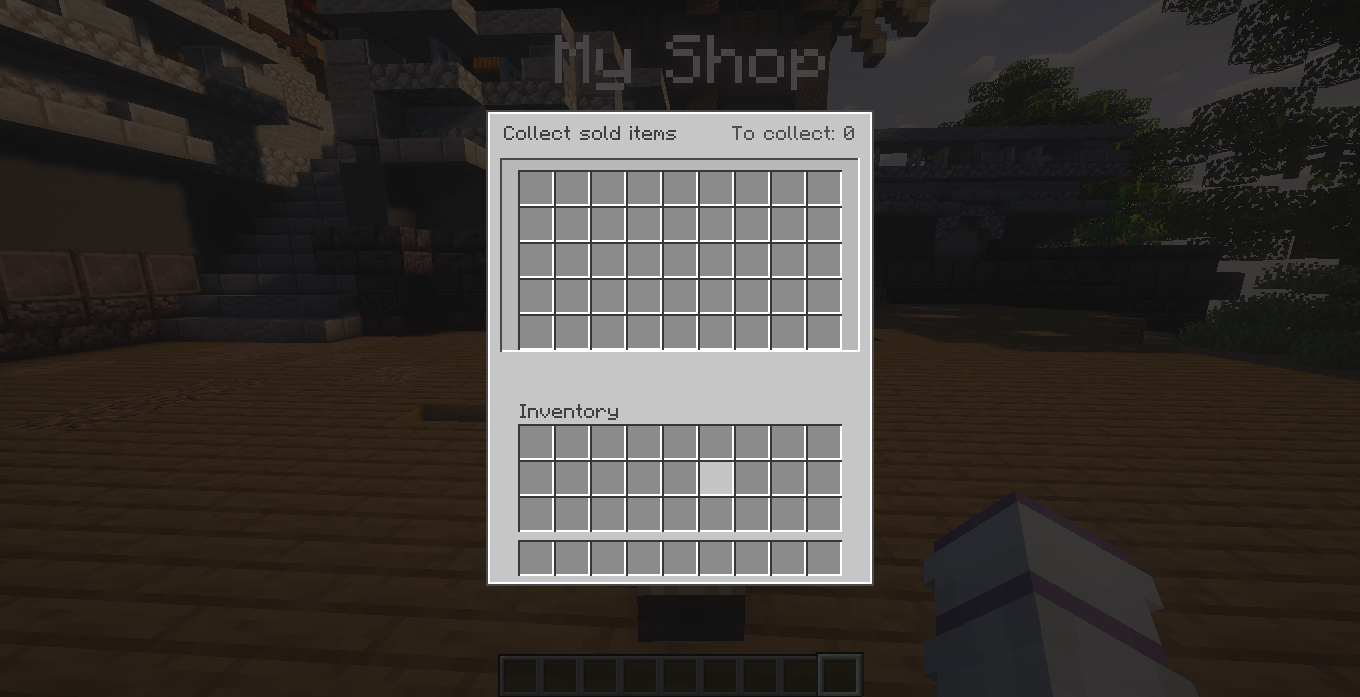
Sales Collection
Payments received from customers are stored separately.
The owner can open the collection inventory and choose which items to collect.
The sales inventory is also paginated.
Modded Item Compatibility
STraders is designed to work with modded items.
Stored items preserve their Minecraft ItemStack data whenever supported by the Minecraft version, including:
- Custom item IDs
- Mod namespaces
- Stack size
- NBT data
- Custom names
- Enchantments
- Durability
- Item components
This allows traders to work with items from other mods without requiring hardcoded item lists.
Security
Important inventory operations are handled server-side.
The system includes protection against common duplication and ownership issues.
Examples include:
- Server-side stock validation
- Persistent trader inventories
- Immediate save operations during important transactions
- Owner validation
- Protected admin tools
- Safe stock withdrawal
- Inventory-full checks
- Protection against managing another player's trader
Languages
STraders currently includes translations for:
- English —
en_us - Portuguese, Brazil —
pt_br - Spanish —
es_es - Japanese —
ja_jp - Simplified Chinese —
zh_cn - Hindi —
hi_in - Arabic —
ar_sa - Russian —
ru_ru
Project description from CurseForge.
Pick your setup
STraders by Minecraft version and loader
Choose the version and loader you play, then open the matching release.
Minecraft version
26.2
2 loader buildsMinecraft version
26.1
2 loader buildsMinecraft version
1.21.11
2 loader buildsMinecraft version
1.21.1
2 loader buildsMinecraft version
1.20.1
2 loader buildsCheck the dependencies, then try the file in a copied instance before changing a world you care about.
Recent files
STraders versions and loaders
STraders-26.3-NeoForge-1.0.0.jar
8 Oct 2026
Client Source doesn’t say Server Source doesn’t say Dependencies No extras listed Listed on Release listing
Check the 26.3 · NeoForge setup NeoForge26.3 release
STraders-26.2-NeoForge-1.0.0.jar
8 Oct 2026
Client Source doesn’t say Server Source doesn’t say Dependencies No extras listed Listed on Release listing
Check the 26.2 · NeoForge setup NeoForge26.2 release
STraders-26.1-NeoForge-1.0.0.jar
8 Oct 2026
Client Source doesn’t say Server Source doesn’t say Dependencies No extras listed Listed on Release listing
Check the 26.1 · NeoForge setup NeoForge26.1 release
STraders-1.21.11-NeoForge-1.0.0.jar
8 Oct 2026
Client Source doesn’t say Server Source doesn’t say Dependencies No extras listed Listed on Release listing
Check the 1.21.11 · NeoForge setup NeoForge1.21.11 release
STraders-26.3-Fabric-1.0.0.jar
8 Oct 2026
Client Source doesn’t say Server Source doesn’t say Dependencies No extras listed Listed on Release listing
Check the 26.3 · Fabric setup Fabric26.3 release
STraders-26.2-Fabric-1.0.0.jar
8 Oct 2026
Client Source doesn’t say Server Source doesn’t say Dependencies No extras listed Listed on Release listing
Check the 26.2 · Fabric setup Fabric26.2 release
STraders-26.1-Fabric-1.0.0.jar
8 Oct 2026
Client Source doesn’t say Server Source doesn’t say Dependencies No extras listed Listed on Release listing
Check the 26.1 · Fabric setup Fabric26.1 release
STraders-1.21.1-NeoForge-1.0.0.jar
8 Oct 2026
Client Source doesn’t say Server Source doesn’t say Dependencies No extras listed Listed on Release listing
Check the 1.21.1 · NeoForge setup 1.21.1NeoForge release
STraders-1.20.1-NeoForge-1.0.0.jar
8 Oct 2026
Client Source doesn’t say Server Source doesn’t say Dependencies No extras listed Listed on Release listing
Check the 1.20.1 · NeoForge setup 1.20.1NeoForge release
STraders-1.21.11-Fabric-1.0.0.jar
8 Oct 2026
Client Source doesn’t say Server Source doesn’t say Dependencies No extras listed Listed on Release listing
Check the 1.21.11 · Fabric setup Fabric1.21.11 release
STraders-1.20.1-Fabric-1.0.0-fix.jar
8 Oct 2026
Client Source doesn’t say Server Source doesn’t say Dependencies No extras listed Listed on Release listing
Check the 1.20.1 · Fabric setup Fabric1.20.1 release
STraders-1.21.1-Fabric-1.0.0-fix.jar
8 Oct 2026
Client Source doesn’t say Server Source doesn’t say Dependencies No extras listed Listed on Release listing
Check the 1.21.1 · Fabric setup Fabric1.21.1 release
Looking for an older file? The official CurseForge project page is in Resources.