Minecraft version
Back to mods 
CurseForge · Minecraft mod
Studious Keybinds
A Keybind Mod That Displays Your Keyboard And Allows You To Make Changes Directly!
Choose a version Pick your version below, then grab the matching file.
Quick answer
Which Studious Keybinds release should I use?
Latest stable file studious-keybinds-neoforge-1.20.1-1.0.10.jar
Game version 1.20.1
Loader NeoForge
Studious Keybinds studious-keybinds-neoforge-1.20.1-1.0.10.jar targets 1.20.1 with NeoForge. The project page does not say whether this file belongs on the client, dedicated server, or both. No extra mods listed for this file.
Where it goes
Is Studious Keybinds required on the client, server, or both?
The project page does not say whether this file belongs on the client, dedicated server, or both.
Client Source doesn’t say
Dedicated server Source doesn’t say
Loader for this release NeoForge
Required install it here Optional supported, not mandatory Not supported do not install here Source doesn’t say do not assume
The source does not explicitly classify this release as client-only or server-only.
What else does Studious Keybinds studious-keybinds-neoforge-1.20.1-1.0.10.jar need?
studious-keybinds-neoforge-1.20.1-1.0.10.jar. Change the file and its required mods may change too.
This file does not list any required mods. Do not add a library just because a different file uses it.
This file does not list any required or optional mods.
Before you install it
Add Studious Keybinds without breaking your instance.
Built for Studious Keybinds studious-keybinds-neoforge-1.20.1-1.0.10.jar. Pick another file and the loader, install side or required mods may change.
- 01
Stick to this file
Use studious-keybinds-neoforge-1.20.1-1.0.10.jar. It targets 1.20.1 with NeoForge; another release may have different loader, side or dependency requirements.
- 02
Bring the mods it needs
This file does not list any required mods. Do not add a library just because a different file uses it.
- 03
Put it on the correct side
The project page does not say whether this file belongs on the client, dedicated server, or both.
- 04
Pick the file you checked
Use the “Get this file” button beside studious-keybinds-neoforge-1.20.1-1.0.10.jar. It opens that exact file at the source.
About this project
What does Studious Keybinds add?
Studious Keybinds adds an interactive keyboard to Minecraft’s Controls menu, making it easy to see your bindings and customize them with a click. Choose a 60%, 75%, or 100% keyboard layout, hover over any key to see its assigned actions, and click to edit them. Your preferred layout is remembered between sessions.
- Color-coded outlines: Green for a single binding, red for shared bindings that may conflict, and gray for unused keys.
- Easy rebinding: Assign actions to a selected key or press a new keyboard key or mouse button.
- Searchable actions: Find bindings by action, category, or assigned key—including other mods’ controls registered with Minecraft.
- Flexible controls: Keep multiple actions on one key, unbind individual actions, or restore their defaults.
- Modern interface: Solid graphite keycaps, rounded buttons, and smooth animations alongside Minecraft’s familiar font and backgrounds. Open Options → Controls → Keyboard to get started.
Project description from CurseForge.
Pick your setup
Studious Keybinds by Minecraft version and loader
Choose the version and loader you play, then open the matching release.
Minecraft version
26.2
3 loader buildsMinecraft version
1.21.1
3 loader buildsMinecraft version
1.20.1
3 loader buildsCheck the dependencies, then try the file in a copied instance before changing a world you care about.
Recent files
Studious Keybinds versions and loaders
studious-keybinds-neoforge-1.20.1-1.0.10.jar
studious-keybinds-neoforge-1.20.1-1.0.10-beta.1.jar
9 Oct 2026
Client Source doesn’t say Server Source doesn’t say Dependencies No extras listed Listed on Release listing
Check the 1.20.1 · NeoForge setup 1.20.1NeoForge release
studious-keybinds-forge-1.20.1-1.0.10.jar
studious-keybinds-forge-1.20.1-1.0.10-beta.1.jar
9 Oct 2026
Client Source doesn’t say Server Source doesn’t say Dependencies No extras listed Listed on Release listing
Check the 1.20.1 · Forge setup 1.20.1Forge release
studious-keybinds-fabric-1.20.1-1.0.10.jar
studious-keybinds-fabric-1.20.1-1.0.10-beta.1.jar
9 Oct 2026
Client Source doesn’t say Server Source doesn’t say Dependencies No extras listed Listed on Release listing
Check the 1.20.1 · Fabric setup Fabric1.20.1 release
studious-keybinds-forge-1.21.1-1.0.9.jar
studious-keybinds-forge-1.21.1-1.0.9-beta.1.jar
9 Oct 2026
Client Source doesn’t say Server Source doesn’t say Dependencies No extras listed Listed on Release listing
Check the 1.21.1 · Forge setup Forge1.21.1 release
studious-keybinds-fabric-1.21.1-1.0.8.jar
studious-keybinds-fabric-1.21.1-1.0.8-beta.1.jar
9 Oct 2026
Client Source doesn’t say Server Source doesn’t say Dependencies No extras listed Listed on Release listing
Check the 1.21.1 · Fabric setup Fabric1.21.1 release
studious-keybinds-neoforge-1.21.1-1.0.8.jar
studious-keybinds-neoforge-1.21.1-1.0.8-beta.1.jar
9 Oct 2026
Client Source doesn’t say Server Source doesn’t say Dependencies No extras listed Listed on Release listing
Check the 1.21.1 · NeoForge setup 1.21.1NeoForge release
studious-keybinds-neoforge-26.2-1.0.7.jar
studious-keybinds-neoforge-26.2-1.0.7-beta.1.jar
9 Oct 2026
Client Source doesn’t say Server Source doesn’t say Dependencies No extras listed Listed on Release listing
Check the 26.2 · NeoForge setup NeoForge26.2 release
studious-keybinds-forge-26.2-1.0.7.jar
studious-keybinds-forge-26.2-1.0.7-beta.1.jar
9 Oct 2026
Client Source doesn’t say Server Source doesn’t say Dependencies No extras listed Listed on Release listing
Check the 26.2 · Forge setup Forge26.2 release
studious-keybinds-fabric-26.2-1.0.7.jar
studious-keybinds-fabric-26.2-1.0.7-beta.1.jar
9 Oct 2026
Client Source doesn’t say Server Source doesn’t say Dependencies No extras listed Listed on Release listing
Check the 26.2 · Fabric setup Fabric26.2 release
studious-keybinds-neoforge-26.3-1.0.4.jar
studious-keybinds-neoforge-26.3-1.0.4-beta.1.jar
9 Oct 2026
Client Source doesn’t say Server Source doesn’t say Dependencies No extras listed Listed on Release listing
Check the 26.3 · NeoForge setup NeoForge26.3 release
studious-keybinds-forge-26.3.jar
studious-keybinds-forge-26.3-1.0.5-beta.1.jar
9 Oct 2026
Client Source doesn’t say Server Source doesn’t say Dependencies No extras listed Listed on Release listing
Check the 26.3 · Forge setup Forge26.3 release
studious-keybinds.jar
7 Oct 2026
Client Source doesn’t say Server Source doesn’t say Dependencies No extras listed Listed on Release listing
Check the 26.3 · Fabric setup Fabric26.3 release
Looking for an older file? The official CurseForge project page is in Resources.
 mod
mod CurseForge + Modrinth · Minecraft
TNTimer
Countdown timer on top of screen to know exactly when that TNT is going to explode without need to see the TNT client-side. Renders a timer over primed TNT (starting from v2.0)
 mod
mod CurseForge + Modrinth · Minecraft
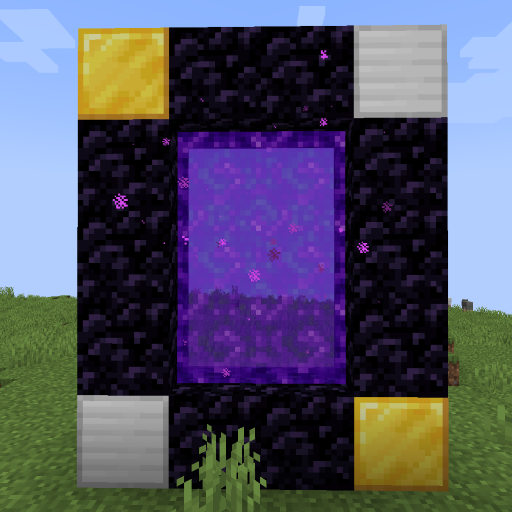
World Portal
Create custom world portal to travel between dimensions.
 mod
mod CurseForge + Modrinth · Minecraft
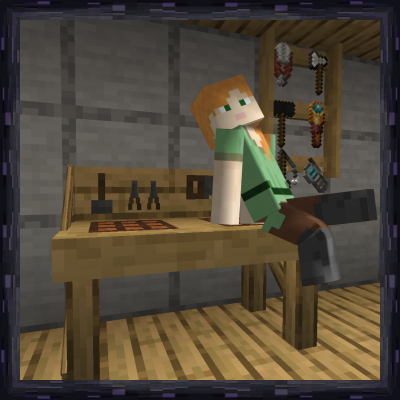
Workshop for handsome adventurer
Toolracks to have your tools and weapons at arm's reach. Crafting tables with easy access to nearby chests and barrels, etc.