Create Needed by Create: Flow Meter - 1.1.0
requiredMatching file found Matched file: Create 6.0.8 for mc1.20.1
CurseForge · Minecraft mod
A passive inline fluid-throughput meter for Create
Quick answer
Create: Flow Meter - 1.1.0 targets 1.20.1 with Forge. The project page does not say whether this file belongs on the client, dedicated server, or both. All 1 required mods have matching files.
Where it goes
The project page does not say whether this file belongs on the client, dedicated server, or both.
The source does not explicitly classify this release as client-only or server-only.
Create: Flow Meter - 1.1.0. Change the file and its required mods may change too.
Install Create first. We found matching files for this game-version and loader setup.
We only count dependency files that match this setup. A file for another loader does not fill the gap.
Before you install it
Built for Create: Flow Meter - 1.1.0. Pick another file and the loader, install side or required mods may change.
Use Create: Flow Meter - 1.1.0. It targets 1.20.1 with Forge; another release may have different loader, side or dependency requirements.
Install Create first. We found matching files for this game-version and loader setup.
The project page does not say whether this file belongs on the client, dedicated server, or both.
Use the “Get this file” button beside Create: Flow Meter - 1.1.0. It opens that exact file at the source.
About this project
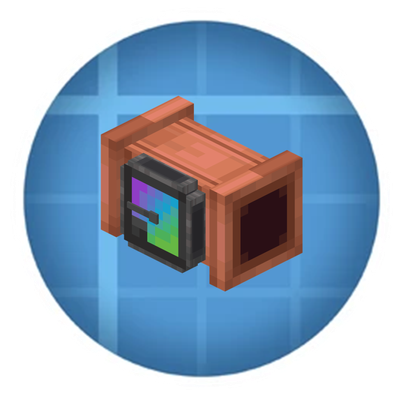
Adds two inline devices for Create fluid networks: a Flow Meter that measures actual fluid throughput and a Flow Restrictor that controls how quickly fluids can pass through pipes.
Both integrate naturally with Create and support Engineer’s Goggles and optional ComputerCraft functionality.
The meter uses Create’s normal fluid transport and measures accepted transfers. An empty source or full destination produces zero throughput. It requires no rotational power or stress capacity.
Flow Meter: Replace a straight pipe segment with a Flow Meter. Place it before a junction to measure combined delivery, or inside a branch to measure that branch separately.
Hold a Create wrench to change display units using the gauge's value control. Sneak-right-click with an empty hand to reset readings and counters.
Flow Restrictor: Place it inline with a pipe and adjust its limit using Create's value controls. Set a lower limit for controlled delivery or raise it to allow greater throughput.
With CC: Tweaked installed, both devices provide optional peripheral integration.
Flow Meter: Read current, average, peak, signed flow, total volume, fluid, direction, and status. Change units and comparator scaling through Lua.
Flow Restrictor: Read and adjust the configured flow limit through Lua.
Connect a computer directly beside a device, or use a wired modem attached to a non-pipe face. Lua flow rates use mB/s and volumes use mB.
The Flow Meter measures actual accepted fluid transfers, not theoretical pipe capacity. Empty sources and full destinations produce zero throughput.
Rates use game seconds (20 ticks). Detected pipe loops and bypass routes report unknown rather than guessed throughput. Accumulated totals include fluids passing through the meter.
Project description from CurseForge.
Pick your setup
Choose the version and loader you play, then open the matching release.
Check the dependencies, then try the file in a copied instance before changing a world you care about.
Recent files
create-flow-meter-forge-1.20.1-1.1.0.jar
10 Oct 2026
create-flow-meter-1.21.1-1.1.0.jar
10 Oct 2026
Looking for an older file? The official CurseForge project page is in Resources.
 mod
modA Block and Item Compression mod for Minecraft. Compress your Blocks and Items to make more free space (up to 3.486.784.101 Blocks / Items in just one single Block!)
 mod
modMadoku Craft: Compat connects supported modules together. It allows their gameplay systems to interconnect with each other.
 mod
modRethought and tweaked Anvil usage to have a more fair reparing and xp cost