Minecraft version
Back to mods 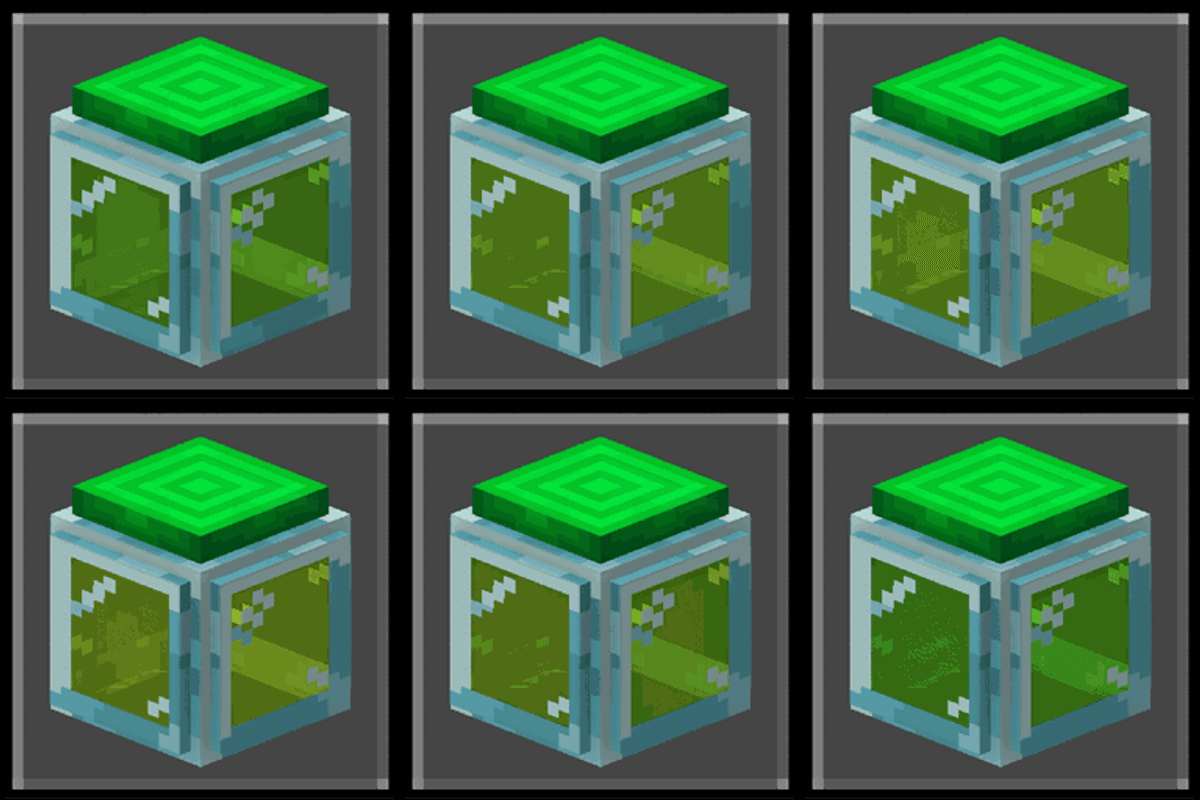
CurseForge · Minecraft mod
Experience Storage (Java Port)
Experience Storage was originally Effect99's Bedrock addon that I ported onto Java Edition . This Mod allows you to store large amounts of XP points and transport them through pipes.
Choose a version Pick your version below, then grab the matching file.
Quick answer
Which Experience Storage (Java Port) release should I use?
Latest stable file experience_storage-1_0_17.jar
Game version 1.20.1
Loader Forge
Experience Storage (Java Port) experience_storage-1_0_17.jar targets 1.20.1 with Forge. The project page does not say whether this file belongs on the client, dedicated server, or both. No extra mods listed for this file.
Where it goes
Is Experience Storage (Java Port) required on the client, server, or both?
The project page does not say whether this file belongs on the client, dedicated server, or both.
Client Source doesn’t say
Dedicated server Source doesn’t say
Loader for this release Forge
Required install it here Optional supported, not mandatory Not supported do not install here Source doesn’t say do not assume
The source does not explicitly classify this release as client-only or server-only.
What else does Experience Storage (Java Port) experience_storage-1_0_17.jar need?
experience_storage-1_0_17.jar. Change the file and its required mods may change too.
This file does not list any required mods. Do not add a library just because a different file uses it.
This file does not list any required or optional mods.
Before you install it
Add Experience Storage (Java Port) without breaking your instance.
Built for Experience Storage (Java Port) experience_storage-1_0_17.jar. Pick another file and the loader, install side or required mods may change.
- 01
Stick to this file
Use experience_storage-1_0_17.jar. It targets 1.20.1 with Forge; another release may have different loader, side or dependency requirements.
- 02
Bring the mods it needs
This file does not list any required mods. Do not add a library just because a different file uses it.
- 03
Put it on the correct side
The project page does not say whether this file belongs on the client, dedicated server, or both.
- 04
Pick the file you checked
Use the “Get this file” button beside experience_storage-1_0_17.jar. It opens that exact file at the source.
About this project
What does Experience Storage (Java Port) add?
The Experience Storage mod that allows you to store large amounts of XP points and transport them through pipes by crouching over the XP tank or over the XP extractor.
Blocks:
Experience tank:
The XP tank stores XP points, not XP levels. And how many points can be stored? Around 2,920 XP points, which are equivalent to 40 levels if the player has 0 XP levels.
To extract experience from the XP tank, you can place a pipe underneath the tank and regulate its output with an XP valve or by connecting redstone to the tank. You can also withdraw XP using a glass bottle with the tank or simply break the tank to retrieve all the stored XP points.
Something else you should know is that the tank will only release XP from the bottom and allow XP to enter from the sides or the top.
Additionally, experience will transfer from one tank to another downward if there is space in the other XP tank.
**Experience pipe:**The xp pipe is a block that allows you to transport xp orbs until you reach an xp tank or an exit.
These blocks will connect to each other and to tanks, extractors and XP valves in different directions.
Experience extractor:
The XP extractor allows you to extract XP from mobs and the player directly into the pipes.
To work with the player, simply stand on it, crouch, and your experience will automatically be extracted in the form of an orb into the pipes.
To extract XP from mobs, they must die on top of the extractor.
It can also collect experience orbs that fall onto it.
This block could be useful for creating new xp farms.
Experience valve:
This small block allows you to block pipes to prevent the passage of xp or the exit of xp from the xp tanks.
Mobs:
- **Orb fairy:**This is a small mob that looks like an experience orb that will appear at night or in caves.
If you attack it, it will drop small amounts of XP orbs until it runs out of XP and disappears.
If you get close to it, it will probably steal experience from you and run away.
If it comes into contact with light, it will disappear.
Project description from CurseForge.
Pick your setup
Experience Storage (Java Port) by Minecraft version and loader
Choose the version and loader you play, then open the matching release.
Check the dependencies, then try the file in a copied instance before changing a world you care about.
Recent files
Experience Storage (Java Port) versions and loaders
experience_storage-1_0_17.jar
22 Oct 2026
Client Source doesn’t say Server Source doesn’t say Dependencies No extras listed Listed on Release listing
Check the 1.20.1 · Forge setup 1.20.1Forge release
Looking for an older file? The official CurseForge project page is in Resources.
 mod
mod CurseForge + Modrinth · Minecraft
Skniro's Furniture
Skniro's furniture mod introduces a wide range of furniture while keeping the original Minecraft aesthetic.
 mod
mod CurseForge + Modrinth · Minecraft
Village Spawn Point
🏙 Sets the spawn point in a new world to the center of a village.
 mod
mod CurseForge + Modrinth · Minecraft
Collective
🎓 Collective is a shared library with common code for all of Serilum's mods.