Minecraft version
Back to mods 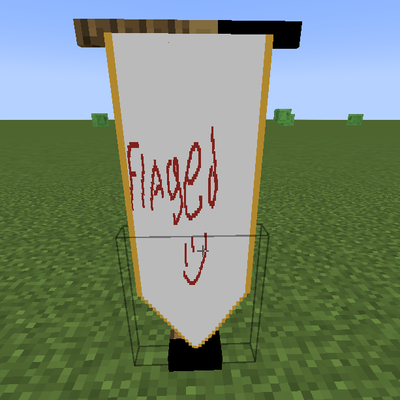
CurseForge · Minecraft mod
Flaged
Design, import, and build fully customizable multi-block flags and banners in-game with a built-in Paint Engine, custom shapes, and dual-sided support.
Choose a version Pick your version below, then grab the matching file.
Quick answer
Which Flaged release should I use?
Latest stable file flaged-1.2.1.jar
Game version 1.21.1
Loader NeoForge
flaged-1.2.1.jar targets 1.21.1 with NeoForge. The project page does not say whether this file belongs on the client, dedicated server, or both. No extra mods listed for this file.
Where it goes
Is Flaged required on the client, server, or both?
The project page does not say whether this file belongs on the client, dedicated server, or both.
Client Source doesn’t say
Dedicated server Source doesn’t say
Loader for this release NeoForge
Required install it here Optional supported, not mandatory Not supported do not install here Source doesn’t say do not assume
The source does not explicitly classify this release as client-only or server-only.
What else does flaged-1.2.1.jar need?
flaged-1.2.1.jar. Change the file and its required mods may change too.
This file does not list any required mods. Do not add a library just because a different file uses it.
This file does not list any required or optional mods.
Before you install it
Add Flaged without breaking your instance.
Built for flaged-1.2.1.jar. Pick another file and the loader, install side or required mods may change.
- 01
Stick to this file
Use flaged-1.2.1.jar. It targets 1.21.1 with NeoForge; another release may have different loader, side or dependency requirements.
- 02
Bring the mods it needs
This file does not list any required mods. Do not add a library just because a different file uses it.
- 03
Put it on the correct side
The project page does not say whether this file belongs on the client, dedicated server, or both.
- 04
Pick the file you checked
Use the “Get this file” button beside flaged-1.2.1.jar. It opens that exact file at the source.
About this project
What does Flaged add?
Flagged
Flagged is a feature-packed Minecraft mod that lets you design, customize, and display fully custom banners and flags right inside your world. Whether you want to paint pixel art in-game or import real images, Flagged gives you complete creative freedom to fly your colors in style.
🌟 Key Features
🎨 In-Game Paint Engine
Interact with the Weaver's Easel to open an intuitive, feature-rich pixel art editor:
Tools Included: Brush, Pencil, Fill Bucket, Eraser, and Eyedropper.
Canvas Controls: Adjustable brush sizes (1px, 2px, 4px), Undo/Redo actions, and clear coordinate tracking ($X, Y$).
Color Palette: Full Hex/HSV picker along with instant access to standard Minecraft dye colors.
Design Presets: Save, load, and overwrite your favorite templates for quick reuse.
🖼️ External Image Import
Drag-and-Drop: Easily import custom images by dragging them into the game window.
Smart Scaling: Choose between Keep Aspect, Crop, or Stretch modes.
Color Reduction: Convert images to match the Minecraft color palette automatically.
📐 Unmatched Customization
Flexible Sizing: Adjust flag width and height dynamically, supporting resolutions up to 128px per side.
Unique Edge Shapes:
Straight Edge
Swallowtail
Pointed
Rounded
Battlement
Concave Arch
Pennant
Decorative Trims: Enhance your borders with Gold or Silver trims using nuggets.
Two-Sided Customization: Set back-face rendering to Mirror, Readable (flip text correctly), or draw Separate Art on each side.
🧵 Crafting & Usage
Craft a Weaver's Easel and place it in your world.
Open the GUI to start painting or import an image.
Gather Materials: Creating or updating a flag requires wool, dyes (1 per block size), and metallic nuggets if adding trims.
Place Your Flag: Hang your new custom banner on wall mounts or ground poles.
💬 Support
Found a bug or have an idea? Join the Discord: **[https://discord.gg/uEyNJYWcGM]\*\*
Project description from CurseForge.
Pick your setup
Flaged by Minecraft version and loader
Choose the version and loader you play, then open the matching release.
Check the dependencies, then try the file in a copied instance before changing a world you care about.
Recent files
Flaged versions and loaders
flaged-1.2.1.jar
17 Nov 2026
Client Source doesn’t say Server Source doesn’t say Dependencies No extras listed Listed on Release listing
Check the 1.21.1 · NeoForge setup 1.21.1NeoForge release
flaged-1.2.jar
15 Oct 2026
Client Source doesn’t say Server Source doesn’t say Dependencies No extras listed Listed on Release listing
Check the 1.21.1 · NeoForge setup 1.21.1NeoForge release
flaged-1.1.jar
9 Oct 2026
Client Source doesn’t say Server Source doesn’t say Dependencies No extras listed Listed on Release listing
Check the 1.21.1 · NeoForge setup 1.21.1NeoForge release
flaged-1.0.jar
8 Oct 2026
Client Source doesn’t say Server Source doesn’t say Dependencies No extras listed Listed on Release listing
Check the 1.21.1 · NeoForge setup 1.21.1NeoForge release
Looking for an older file? The official CurseForge project page is in Resources.
 mod
CurseForge · Minecraft
Varied Commodities Redux
A modern port of Varied Commodities by Noppes.
 mod
CurseForge · Minecraft
Dungeons & Fables (D&F)
RPG overhaul for NeoForge 1.21.1: pick a class, grow living medieval villages, fight custom bosses in dangerous dungeons, and craft animated staffs, swords and modular armor sets in many materials and colors.
 mod
CurseForge · Minecraft
Tokyo Revengers Gang Addon
An immersive Tokyo Revengers addon featuring gang territories, custom uniforms and created gang, combat skills, boss challenges, territory raids, passive skills and interactive NPC allies.