Fabric API Needed by Kiem Addons v1.1
requiredMatching file found Matched file: [26.3] Fabric API 0.166.2+26.3

CurseForge · Minecraft mod
A Quality of Life mod with the stuff i like and custom anime capes ofc
Quick answer
Kiem Addons v1.1 targets 26.3 with Fabric. The project page does not say whether this file belongs on the client, dedicated server, or both. All 1 required mods have matching files.
Where it goes
The project page does not say whether this file belongs on the client, dedicated server, or both.
The source does not explicitly classify this release as client-only or server-only.
Kiem Addons v1.1. Change the file and its required mods may change too.
Install Fabric API first. We found matching files for this game-version and loader setup.
We only count dependency files that match this setup. A file for another loader does not fill the gap.
Before you install it
Built for Kiem Addons v1.1. Pick another file and the loader, install side or required mods may change.
Use Kiem Addons v1.1. It targets 26.3 with Fabric; another release may have different loader, side or dependency requirements.
Install Fabric API first. We found matching files for this game-version and loader setup.
The project page does not say whether this file belongs on the client, dedicated server, or both.
Use the “Get this file” button beside Kiem Addons v1.1. It opens that exact file at the source.
About this project
A clean, modern Quality of Life (QoL) and visual enhancement mod for Minecraft (Fabric 26.1.2, 26.2 & 26.3).
Crafted by gamedese.
F6 menu.C): Cinematic zoom with mouse wheel distance control (up to 15x).Z): Hold Z to quickly glance at and scroll chat without stopping your movement.Ctrl + Left Click on any chat message to copy it to your clipboard.(x2, x3) counter.Ctrl + Scroll to make item tooltips larger or smaller.V): Over-the-shoulder perspective with smooth left/right switching.| Key | Action |
|---|---|
| F6 | Open Settings Menu |
| Z (Hold) | Quick Chat Peek |
| C (Hold) | Smooth Zoom (Scroll to adjust) |
| V | Switch Shoulder View |
| Ctrl + Scroll | Resize Item Tooltip |
26.3, 26.2, or 26.1.2.kiem-addons-1.1.0-26.3.jar (or 26.2 / 26.1.2) from the Releases tab..minecraft/mods folder.F6 to customize!git clone https://github.com/Gamedese/kiem-addons.git
cd kiem-addons
./gradlew buildAll
The compiled jar files will be in build/libs/.
Project description from CurseForge.
Pick your setup
Choose the version and loader you play, then open the matching release.
Check the dependencies, then try the file in a copied instance before changing a world you care about.
Recent files
kiem-addons-1.1.0-26.3.jar
15 Nov 2026
kiem-addons-1.1.0-26.2.jar
15 Nov 2026
kiem-addons-1.1.0-26.1.2.jar
15 Nov 2026
9 Oct 2026
9 Oct 2026
8 Oct 2026
8 Oct 2026
Looking for an older file? The official CurseForge project page is in Resources.
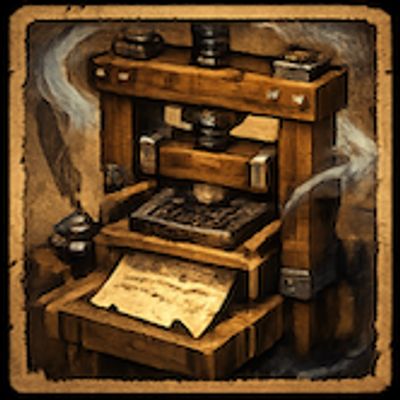 mod
Discover abandoned historical print workshops, restore lost printing technology, reconstruct damaged texts, and experience temporary visual and audio echoes of the people who once worked there.
 mod
Zoom into the horizon with C: springy zoom, scroll up to 64x, steady aim, far mobs that stay visible and a rangefinder. Client-side.
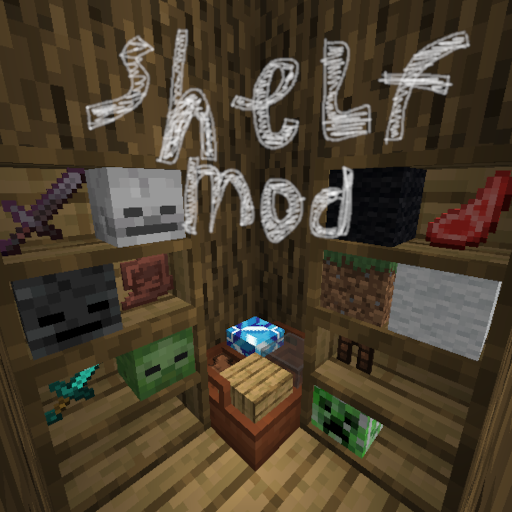 mod
This mod lets you convieniently place items inside 2 types of shelves