Fabric API Needed by Hide Models hidemodels-2.2.1+mc26.1-26.3-fabric.jar
requiredMatching file found Matched file: 0.163.0+26.3
CurseForge · Minecraft mod
Client-side mod hides model pieces from rendering
Quick answer
Hide Models hidemodels-2.2.1+mc26.1-26.3-fabric.jar targets 26.1, 26.1.1, 26.1.2 with Fabric, Quilt. The project page does not say whether this file belongs on the client, dedicated server, or both. All 1 required mods have matching files.
Where it goes
The project page does not say whether this file belongs on the client, dedicated server, or both.
The source does not explicitly classify this release as client-only or server-only.
hidemodels-2.2.1+mc26.1-26.3-fabric.jar. Change the file and its required mods may change too.
Install Fabric API first. We found matching files for this game-version and loader setup.
We only count dependency files that match this setup. A file for another loader does not fill the gap.
Before you install it
Built for Hide Models hidemodels-2.2.1+mc26.1-26.3-fabric.jar. Pick another file and the loader, install side or required mods may change.
Use hidemodels-2.2.1+mc26.1-26.3-fabric.jar. It targets 26.1, 26.1.1, 26.1.2 with Fabric, Quilt; another release may have different loader, side or dependency requirements.
Install Fabric API first. We found matching files for this game-version and loader setup.
The project page does not say whether this file belongs on the client, dedicated server, or both.
Use the “Get this file” button beside hidemodels-2.2.1+mc26.1-26.3-fabric.jar. It opens that exact file at the source.
About this project
💬 GitHub comment section here!
Open the GUI using /hidemodels or bind a key through Minecraft's Options

Click a model to hide it, and click it again to bring it back.
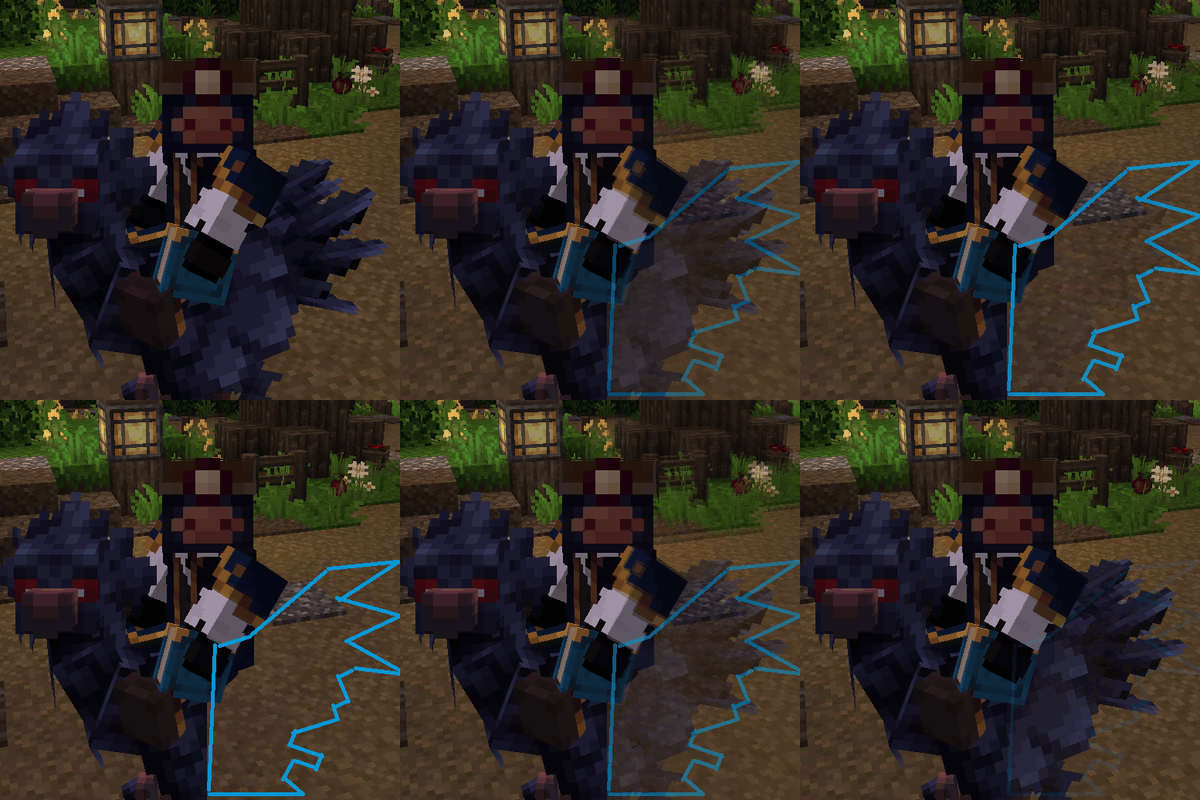
Or hide just one of its bones, such as a mount's head.

Profiles keep sets of hidden models to switch between, share, or tie to a server.

See-through instead of hidden, with each profile's Opacity slider.

Fade with distance: Far fades models out as you back away, Near as you walk up to them.


First person only: hidden while you look through your own eyes, back in third person.

Shift + Keybind switches hiding off and on.
Anything that renders a model as an item_display entity, or an armor stand wearing it on its head, carrying item_model or custom_model_data can be hidden or drawn see-through. You can set a list of different model names that should not be rendered - they will still retain their hitbox and interactivity.
Open the GUI using /hidemodels or bind a key through Minecraft's Options. To quickly toggle hiding on/off: Shift + Keybind.
Project description from CurseForge.
Pick your setup
Choose the version and loader you play, then open the matching release.
Showing the newest 12 of 19 game versions. Older files are in the list below.
Check the dependencies, then try the file in a copied instance before changing a world you care about.
Recent files
16 Oct 2026
16 Oct 2026
16 Oct 2026
16 Oct 2026
hidemodels-2.2.0+mc26.1.2-26.3-neoforge.jar
16 Oct 2026
hidemodels-2.2.0+mc1.20.5-1.21.11-fabric.jar
16 Oct 2026
hidemodels-2.2.0+mc1.20.6-1.21.11-neoforge.jar
16 Oct 2026
hidemodels-2.2.0+mc26.1-26.3-fabric.jar
16 Oct 2026
9 Oct 2026
9 Oct 2026
9 Oct 2026
9 Oct 2026
Looking for an older file? The official CurseForge project page is in Resources.