Minecraft version
Back to mods 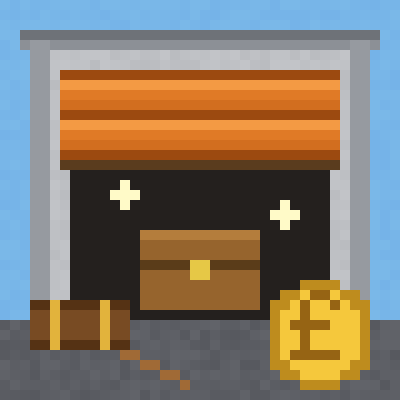
CurseForge · Minecraft mod
PCA Auction
Storage unit auctions for lessons: peek through the door, bid with PCA Currency coins, and see if you got a bargain.
Choose a version Pick your version below, then grab the matching file.
Quick answer
Which PCA Auction release should I use?
Latest stable file pca auction 0.2.0
Game version 1.20.1
Loader Forge
pca auction 0.2.0 targets 1.20.1 with Forge. The project page does not say whether this file belongs on the client, dedicated server, or both. No extra mods listed for this file.
Where it goes
Is PCA Auction required on the client, server, or both?
The project page does not say whether this file belongs on the client, dedicated server, or both.
Client Source doesn’t say
Dedicated server Source doesn’t say
Loader for this release Forge
Required install it here Optional supported, not mandatory Not supported do not install here Source doesn’t say do not assume
The source does not explicitly classify this release as client-only or server-only.
What else does pca auction 0.2.0 need?
pca auction 0.2.0. Change the file and its required mods may change too.
This file does not list any required mods. Do not add a library just because a different file uses it.
This file does not list any required or optional mods.
Before you install it
Add PCA Auction without breaking your instance.
Built for pca auction 0.2.0. Pick another file and the loader, install side or required mods may change.
- 01
Stick to this file
Use pca auction 0.2.0. It targets 1.20.1 with Forge; another release may have different loader, side or dependency requirements.
- 02
Bring the mods it needs
This file does not list any required mods. Do not add a library just because a different file uses it.
- 03
Put it on the correct side
The project page does not say whether this file belongs on the client, dedicated server, or both.
- 04
Pick the file you checked
Use the “Get this file” button beside pca auction 0.2.0. It opens that exact file at the source.
About this project
What does PCA Auction add?
PCA Auction
Storage unit auctions for PCA Currency: peek through the door, bid against the class, and find out if you got a bargain.
PCA Auction turns the coins from PCA Currency into a game of nerve and estimation. Place an Auction Podium and a storage unit appears in front of it, full of random loot (or whatever the teacher puts inside). The roller door goes up for a quick look, nobody's allowed in, and then it's a live auction: "Who'll start at 50p?" When the hammer comes down, the door opens for the winner, and everyone finds out what the unit was really worth.
It was made by Pixel Creators Academy for teaching on Minecraft servers and works on any Forge 1.20.1 server with PCA Currency.
What it's like to use
- The setup: the teacher places a podium. A storage unit with an orange roller door is built in front of it and fills itself with chests, barrels and clutter.
- The viewing: the teacher presses Start. The shutter goes up, but a steel grille stops anyone going in. For 60 seconds students peer in, spot a chest or two, and decide what it's worth.
- The auction: "Bidding is open! Who'll start at 50p?" Students click the green [50p] [£1.00] [£1.50] buttons in chat, use the bid screen, or type
/bid £2. Each bid restarts the countdown: going once... going twice... - SOLD! "Unit 1 goes to Rae for £3.40." The door opens and only Rae can open the chests inside. Then the reveal: "Inside: 23 things worth about £12.40. Best find: Diamond Sword (£10.00). Rae paid £3.40: a £9.00 profit! It was a jackpot."
Features
For students
- Live bidding from chat buttons, a bid screen (right-click the podium) or
/bid. - A boss bar shows the highest bid, who's winning and the time left.
- You can't overspend: your bid is held from your wallet and given straight back if someone bids more.
- Works in adventure mode.
For teachers
- Two ways to fill a unit: random loot (mostly junk, sometimes a jackpot), or fill it yourself for a prize auction.
- Storage unit finds: 18 items that only turn up in units. Real weapons, from a Rusty Cutlass to a Samurai Katana, and collectibles, from a Comic Book worth 50p to a Golden Crown worth £50. They're all in the PCA Auction creative tab.
- Remove a unit with the podium's Remove unit button, or by sneak + right-clicking the podium twice. The podium stays, and Rebuild puts the unit back.
- Two ways to view: a peek through the door first, or a blind auction where nobody sees inside until it's sold.
- Settings screen on the podium: opening bid, step, viewing time, countdown, range and the unit's size, plus Start, Sold!, Stop, Reset, Refill, door, Rebuild and Remove unit buttons.
- The value reveal: a price list (
config/pcaauction/values.json, editable) values everything inside, so every sale ends with a profit or a loss. You can check a unit's value privately before it's auctioned. - Protected units: students can't break them, and only the winner can open what's inside.
- Every bid and sale is logged to the server log.
Fair by design
- The winning bid is removed from the game, so auctions soak up spare money instead of creating more.
- Bids are taken when they're made and refunded when beaten, so the winner can always pay.
- Calling an auction off, breaking the podium or a server restart gives the highest bidder their money back.
Requirements and dependencies
| Mod | ||
|---|---|---|
| PCA Currency 0.1.2 or newer | Required | The wallets bids are paid from |
| PCA Perms 0.1.8 or newer | Optional | Its teacher group can run auctions (pcaauction.manage) without being ops |
| PCA Shop | Optional | A teacher shop can buy back what students win |
- Minecraft 1.20.1, Forge 47 or newer
- Install on the server and in players' games.
Permissions: pcaauction.manage (run auctions, change settings, fill units: ops by default). Everyone can bid.
Standalone
PCA Auction doesn't need the Pixel Creators Academy server or any PCA service. It needs PCA Currency and works on any Forge 1.20.1 server.
Getting started
- Install PCA Currency and PCA Auction on the server and in everyone's game.
- Give students some money (
/currency give @a £5). - Take an Auction Podium from the PCA Auction creative tab and place it facing an open space. The unit is built 3 blocks in front of it.
- Right-click the podium and press Start.
Commands: /auction start | sold | stop | reset | fill | open | close | build | remove | appraise | info | set ... (teachers, nearest podium) and /bid [amount] (everyone).
Version: 0.2.0 · Licence: All Rights Reserved · Made by Pixel Creators Academy
Project description from CurseForge.
Pick your setup
PCA Auction by Minecraft version and loader
Choose the version and loader you play, then open the matching release.
Check the dependencies, then try the file in a copied instance before changing a world you care about.
Recent files
PCA Auction versions and loaders
pca auction 0.2.0
pcaauction-0.2.0.jar
9 Oct 2026
Client Source doesn’t say Server Source doesn’t say Dependencies No extras listed Listed on Release listing
Check the 1.20.1 · Forge setup 1.20.1Forge release
pca auction 0.1.0
pcaauction-0.1.0.jar
9 Oct 2026
Client Source doesn’t say Server Source doesn’t say Dependencies No extras listed Listed on Release listing
Check the 1.20.1 · Forge setup 1.20.1Forge release
Looking for an older file? The official CurseForge project page is in Resources.
 mod
CurseForge + Modrinth · Minecraft
Misc Tweaks
Lightweight mod that adds a few QoL features and patches out gameplay annoyances
 mod
CurseForge · Minecraft
Mortar & Pestle
Adds a mortar and pestle as well as a few other items and a new potion effect
 mod
CurseForge · Minecraft
Teleporter Technology
This mod adds Teleport pads wich you can teleport between when they are connected with end dust.