Minecraft version
Back to mods 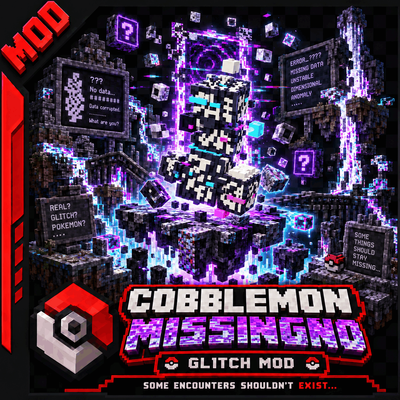
CurseForge · Minecraft mod
Cobblemon MissingNo
Bring MissingNo to your Cobblemon adventure with an original Mega Evolution, two Mega Stones, flying mounts, and an administrator profile controlled through OP commands if needed.
Choose a version Pick your version below, then grab the matching file.
Quick answer
Which Cobblemon MissingNo release matches Fabric?
Best match for your filters missingno-0.2.7.jar
Game version 1.21.1
Loader Fabric
Cobblemon MissingNo missingno-0.2.7.jar targets 1.21.1 with Fabric. The project page does not say whether this file belongs on the client, dedicated server, or both. No extra mods listed for this file.
Where it goes
Is Cobblemon MissingNo required on the client, server, or both?
The project page does not say whether this file belongs on the client, dedicated server, or both.
Client Source doesn’t say
Dedicated server Source doesn’t say
Loader for this release Fabric
Required install it here Optional supported, not mandatory Not supported do not install here Source doesn’t say do not assume
The source does not explicitly classify this release as client-only or server-only.
What else does Cobblemon MissingNo missingno-0.2.7.jar need?
missingno-0.2.7.jar on Fabric. Every mod below is checked against that same setup.
This file does not list any required mods. Do not add a library just because a different file uses it.
This file does not list any required or optional mods.
Before you install it
Add Cobblemon MissingNo without breaking your instance.
Built for Cobblemon MissingNo missingno-0.2.7.jar on Fabric. Pick another file and the loader, install side or required mods may change.
- 01
Stick to this file
Use missingno-0.2.7.jar. It targets 1.21.1 with Fabric; another release may have different loader, side or dependency requirements.
- 02
Bring the mods it needs
This file does not list any required mods. Do not add a library just because a different file uses it.
- 03
Put it on the correct side
The project page does not say whether this file belongs on the client, dedicated server, or both.
- 04
Pick the file you checked
Use the “Get this file” button beside missingno-0.2.7.jar. It opens that exact file at the source.
About this project
What does Cobblemon MissingNo add?
Cobblemon MissingNo — Mega & Admin
Bring MissingNo to your Cobblemon adventure with an original Mega Evolution, two Mega Stones, flying mounts, and an administrator profile controlled through OP commands if needed.
This addon targets Minecraft 1.21.1, Fabric, and Abe’s Hutts Cobblemon 1.0.5, based on Cobblemon 1.7.3. Install it on both the client and the server.
MissingNo for players and server operators
- Regular MissingNo has Mew’s base stats: 100 in all six stats, including its Mega form. Final values still depend on level, IVs, EVs, and nature.
- Admin MissingNo is a separate profile locked to level 100, with 10,000 in all six final stats by default, configurable by server operators.
- Corrupted Comet Mega form features four fractured wings, displaced fragments, a broken diamond-shaped face, a dedicated sprite, and animations for idle, flight, and battle.
- Two MissingNoites serve the regular and admin variants, with original 16 × 16 textures matching the visual style of Abe’s Hutts Mega Stones.
- Flying mounts use Cobblemon’s native flight controller, a dedicated seat, and adjustable top speed from 2 to 32 blocks per second.
- Controlled natural spawning is disabled by default and can be enabled through an OP command. Giving Pokémon and manually spawning them remain available.
Classic Mega Evolution
Have MissingNo hold the MissingNoite matching its variant. To Mega Evolve in battle, equip the required bracelet or unlock the Key Stone, then select the Mega button in the battle menu before choosing a move.
The stones use Abe’s Hutts’ native mechanic and are not consumed. A regular stone cannot transform an admin MissingNo, and an admin stone cannot transform the regular variant.
Outside battle, the matching held stone also activates the Mega form. Removing it restores the regular form. On entering battle, MissingNo returns to its regular form so the player can choose Mega Evolution; after battle, its outside-battle Mega form returns if the stone is still held.
- Abe’s Hutts alone: equip
cobblemon:mega_braceletin Trinkets, or use/missingno keystone PlayerName. - With Mega Showdown: equip
mega_showdown:mega_braceletin Accessories. The command unlock alone does not replace this bracelet.
Operator commands
All /missingno commands require permission level 2. Party slots run from 1 to 6. Replace PlayerName with the relevant player.
| Command | Purpose |
|---|---|
/missingno help |
List available commands. |
/missingno status |
Check readiness, spawning, flight speed, and the admin profile. |
/missingno give PlayerName 50 |
Give a regular level-50 MissingNo to the party or PC. |
/missingno giveadmin PlayerName |
Give a level-100 admin MissingNo. |
/missingno spawn 50 |
Spawn a regular MissingNo at the command position. |
/missingno spawning true |
Enable natural spawning. |
/missingno spawning false |
Disable natural spawning. |
/missingno stats all 10000 |
Set all six final stats of the shared admin profile. |
/missingno stats hp 8000 |
Set the admin profile’s HP target. |
/missingno speed 20 |
Set maximum flight speed to 20 blocks per second. |
/missingno mount PlayerName 1 |
Send out and mount the MissingNo in slot 1. |
/missingno mega PlayerName 1 true |
Equip the matching stone and transform outside battle. |
/missingno mega PlayerName 1 false |
Remove the stone and restore the regular form. |
/missingno keystone PlayerName |
Unlock the native Key Stone. |
/missingno inspect PlayerName 1 |
Inspect form, level, and calculated stats. |
/give PlayerName missingno:missingnoite |
Give the regular Mega Stone. |
/give PlayerName missingno:missingnoite_admin |
Give the admin Mega Stone. |
Admin settings accept hp, attack, defence, special_attack, special_defence, speed, or all. They do not change regular MissingNo’s profile. Held items, abilities, and battle boosts still apply. Dismount and finish active battles before changing stat or speed settings.
Natural spawning
Natural spawning is disabled in a new configuration. Once enabled, regular MissingNo can spawn on the ground in the Overworld, with an unobstructed sky, at levels 40–60, in the ultra-rare bucket. Its spawn table adds no biome, time, or weather restriction.
Admin and Mega variants do not spawn naturally. Settings are saved per world and persist across restarts. Manual OP spawning remains available when natural spawning is disabled.
Installation and requirements
Use Minecraft 1.21.1, Java 21, and Fabric Loader 0.17.2 or newer. Install the following dependencies and the same MissingNo JAR on both the client and the server:
- Abe’s Hutts Cobblemon, 1.0.5 for Cobblemon 1.7.3, reference file 8320067.
- Fabric API for Minecraft 1.21.1.
- Fabric Language Kotlin, 1.13.6+kotlin.2.2.20 or newer.
- Trinkets 3.10.0 for Minecraft 1.21.1.
Abe’s Hutts replaces the official Cobblemon JAR: keep only one Cobblemon provider. This release requires that fork and does not support official Cobblemon alone, Forge, or NeoForge. Mega Showdown and ZAMega are optional and are not needed with the fork alone. A specific combination was tested with Mega Showdown 1.9.3 and ZAMega 1.7.5-hotfix; other versions and complete modpacks are not guaranteed.
Project and support
- Report an issue: use the CurseForge project comments. Include mod versions and relevant log messages.
Version 0.2.6 is proposed as a Beta for the target configuration above. Graphical rendering and interactions with your own modpack still need in-game verification.
Project description from CurseForge.
Pick your setup
Cobblemon MissingNo by Minecraft version and loader
Choose the version and loader you play, then open the matching release.
Check the dependencies, then try the file in a copied instance before changing a world you care about.
Recent files
Cobblemon MissingNo versions and loaders
missingno-0.2.7.jar
16 Nov 2026
Client Source doesn’t say Server Source doesn’t say Dependencies No extras listed Listed on Release listing
Check the 1.21.1 · Fabric setup Fabric1.21.1 release
missingno-0.2.6.jar
10 Oct 2026
Client Source doesn’t say Server Source doesn’t say Dependencies No extras listed Listed on Release listing
Check the 1.21.1 · Fabric setup Fabric1.21.1 beta
Looking for an older file? The official CurseForge project page is in Resources.
 mod
CurseForge · Minecraft
MerlinTools
A testing toolkit for Minecraft: editable test weapons, an item editor, a health editor, command macros and HUD readouts. Every part can be switched off, and the mod works on its own.
 mod
CurseForge · Minecraft
OnlyMouse
OnlyMouse is an accessibility-focused Minecraft Java Edition mod that enables players to play using only a mouse, reducing the need for a physical keyboard.
 mod
CurseForge + Modrinth · Minecraft
FixMCStats
Mod that aims to fix multiple issues with the Minecraft statistics.🤓