Minecraft version
Back to mods 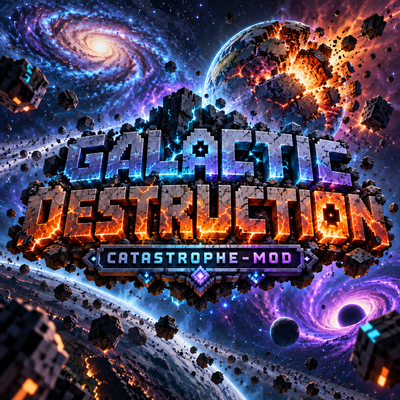
CurseForge · Minecraft mod
Catastrophe: Ultimates
Adds 8 cinematic galaxy-themed ultimate attacks: call down the Sun, open black holes, crash galaxies and throw enemies through the planet.
Choose a version Pick your version below, then grab the matching file.
Quick answer
Which Catastrophe: Ultimates release should I use?
Latest stable file Catastrophe-Mod-1.21.1-NeoForge-2.3.2.jar
Game version 1.21.1
Loader NeoForge
Catastrophe: Ultimates Catastrophe-Mod-1.21.1-NeoForge-2.3.2.jar targets 1.21.1 with NeoForge. The project page does not say whether this file belongs on the client, dedicated server, or both. No extra mods listed for this file.
Where it goes
Is Catastrophe: Ultimates required on the client, server, or both?
The project page does not say whether this file belongs on the client, dedicated server, or both.
Client Source doesn’t say
Dedicated server Source doesn’t say
Loader for this release NeoForge
Required install it here Optional supported, not mandatory Not supported do not install here Source doesn’t say do not assume
The source does not explicitly classify this release as client-only or server-only.
What else does Catastrophe: Ultimates Catastrophe-Mod-1.21.1-NeoForge-2.3.2.jar need?
Catastrophe-Mod-1.21.1-NeoForge-2.3.2.jar. Change the file and its required mods may change too.
This file does not list any required mods. Do not add a library just because a different file uses it.
This file does not list any required or optional mods.
Before you install it
Add Catastrophe: Ultimates without breaking your instance.
Built for Catastrophe: Ultimates Catastrophe-Mod-1.21.1-NeoForge-2.3.2.jar. Pick another file and the loader, install side or required mods may change.
- 01
Stick to this file
Use Catastrophe-Mod-1.21.1-NeoForge-2.3.2.jar. It targets 1.21.1 with NeoForge; another release may have different loader, side or dependency requirements.
- 02
Bring the mods it needs
This file does not list any required mods. Do not add a library just because a different file uses it.
- 03
Put it on the correct side
The project page does not say whether this file belongs on the client, dedicated server, or both.
- 04
Pick the file you checked
Use the “Get this file” button beside Catastrophe-Mod-1.21.1-NeoForge-2.3.2.jar. It opens that exact file at the source.
About this project
What does Catastrophe: Ultimates add?
**Cinematic galaxy-scale ultimates**
Use the galaxy itself as a weapon. Catastrophe adds eight cinematic ultimate attacks. Each one plays a full cutscene: the camera leaves the planet, shows the attack from space and comes back to a world that is really destroyed, with craters, canyons, abysses down to the void and molten ground. The damage stays on the map.
Features
- **8 cinematic ultimates**, each with its own cutscene, space scenes, sounds and title.
- **Anime-style invocation** before every attack: your character strikes a pose calling the ultimate, an energy aura in its color builds up and the attack's name slams onto the screen.
- **Real, permanent destruction** of the world, not just visual effects.
- **Galaxy map menu**: right-click with the Galactic Core and pick your attack from a spinning galaxy where every ultimate is a celestial body.
- **Aimed attacks**: the ultimate lands where you are looking, up to 96 blocks away, with a marker on the ground.
- **The Galactic Core**: an animated black hole in your hand that bends the world behind it.
- **Multiplayer ready**: nearby players see the poses, the effects and the destruction.
- Dozens of custom sounds and custom shaders.
The ultimates
- **Wrath of Helios** (*Ira de Hélios*): the Sun grows into a wall of plasma that covers the whole sky, then erupts everywhere at once. The land below is left scorched and smoking.
- **Final Horizon** (*Horizonte Final*): a black hole takes the Sun's place and pulls the whole area into it, blocks, mobs and players included. Then it turns into a white hole and rains the debris back down.
- **Andromeda Collapse** (*Colapso de Andrômeda*): Andromeda collides with the Milky Way. The gravitational wave reaches Earth and tears it apart with cracks that widen into a bottomless abyss.
- **Eclipse of the End** (*Eclipse do Fim*): an eye opens inside the eclipse and fires a 100-block-wide laser that cuts a 2,048-block canyon down to the void.
- **Big Bang**: the universe collapses and is reborn wrong. A red apocalypse, heaving terrain, giant meteors, broken gravity and ground that stays molten forever.
- **World Devourer** (*Devorador de Mundos*): Ryū, a 2,000-block cosmic dragon, comes out of a portal in space and burrows through the planet, leaving huge craters linked by real tunnels and a shaft into the void.
- **Orbital Throw** (*Arremesso Orbital*): grab an enemy, carry it into space and throw it back so hard it breaks every barrier on the way down and punches a 1,000-block-wide hole through the entire world.
- **Absolute Extinction** (*Extinção Absoluta*): a portal in space fires a white-blue laser that shatters the planet. Every player is sent to the remnants of Earth, an endless field of floating islands where you can still build. It asks for confirmation and makes an automatic world backup first.
Names in italics are how the ultimates appear in the game.
How to use
- Craft the **Galactic Core**: Ender Pearls on the four sides, Amethyst Shards in the corners and a Nether Star in the middle. It is also in the Catastrophe creative tab.
- Hold it and **right-click** to open the galaxy menu.
- Click a celestial body, or press 1 to 8, to cast. The attack lands where you were aiming.
- **Orbital Throw:** after choosing it, aim at a creature or player within 48 blocks and right-click to grab it. Left-click or ESC cancels.
Keybinds are optional and unbound by default (Options > Controls > Key Binds, under Catastrophe).
Configuration
- Server rules are in
galaxia-common.toml: destruction on or off, cooldowns, attack size, invocation length, the Orbital Throw hole size and more. - Client options are in
galaxia-client.toml: cutscenes, menu and HUD. - Operators can use
/galaxia cast,/galaxia cooldown resetand/galaxia stop.
Requirements
- Minecraft 1.20.1 with Forge 47.4.0 or newer.
- No other mods needed.
- In multiplayer, install the same version on the server and on every client.
Important
- **The destruction is real and permanent. Back up your worlds before trying the ultimates.**
- On dedicated servers, Absolute Extinction is off by default. When it is enabled, only operators can use it.
- The in-game text is currently in Brazilian Portuguese.
Credits
Created by **Lopezz**. Instagram: @lopezz.samuell
Project description from CurseForge.
Pick your setup
Catastrophe: Ultimates by Minecraft version and loader
Choose the version and loader you play, then open the matching release.
Minecraft version
1.20.1
1 loader buildCheck the dependencies, then try the file in a copied instance before changing a world you care about.
Recent files
Catastrophe: Ultimates versions and loaders
Catastrophe-Mod-1.21.1-NeoForge-2.3.2.jar
9 Nov 2026
Client Source doesn’t say Server Source doesn’t say Dependencies No extras listed Listed on Release listing
Check the 1.21.1 · NeoForge setup 1.21.1NeoForge release
Catastrophe-Mod-1.20.1-Forge-2.3.2.jar
9 Nov 2026
Client Source doesn’t say Server Source doesn’t say Dependencies No extras listed Listed on Release listing
Check the 1.20.1 · Forge setup 1.20.1Forge release
Catastrophe-Mod-1.20.1-Forge-2.3.1.jar
10 Oct 2026
Client Source doesn’t say Server Source doesn’t say Dependencies No extras listed Listed on Release listing
Check the 1.20.1 · Forge setup 1.20.1Forge release
Looking for an older file? The official CurseForge project page is in Resources.
 mod
CurseForge · Minecraft
phontex backport
backport anything updates and snapshot and more!
 mod
CurseForge · Minecraft
Playing as a Kitten
Playing as a kitty
 mod
CurseForge + Modrinth · Minecraft
Absolute Order: Custom Chest Auto-Sorter
Achieve fast inventory clearing with custom auto-deposit. The game finally knows exactly what you want, where you want it — and keeps it sorted for you.