Minecraft version
Back to mods 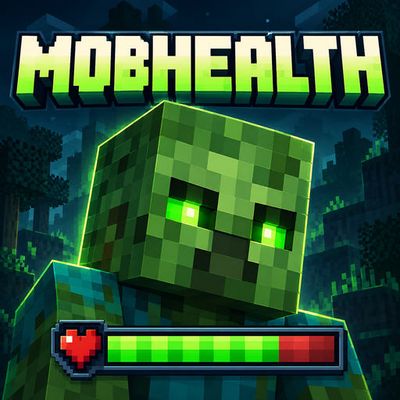
CurseForge · Minecraft mod
MobHealth by Fox Studios
See the health of the mob under your crosshair with a clean, automatic display of its name, current and maximum HP, and a responsive health bar.
Choose a version Pick your version below, then grab the matching file.
Quick answer
Which MobHealth by Fox Studios release should I use?
Latest stable file MobHealth 1.0.1
Game version 26.3
Loader Fabric
MobHealth by Fox Studios MobHealth 1.0.1 targets 26.3 with Fabric. The project page does not say whether this file belongs on the client, dedicated server, or both. No extra mods listed for this file.
Where it goes
Is MobHealth by Fox Studios required on the client, server, or both?
The project page does not say whether this file belongs on the client, dedicated server, or both.
Client Source doesn’t say
Dedicated server Source doesn’t say
Loader for this release Fabric
Required install it here Optional supported, not mandatory Not supported do not install here Source doesn’t say do not assume
The source does not explicitly classify this release as client-only or server-only.
What else does MobHealth by Fox Studios MobHealth 1.0.1 need?
MobHealth 1.0.1. Change the file and its required mods may change too.
This file does not list any required mods. Do not add a library just because a different file uses it.
This file does not list any required or optional mods.
Before you install it
Add MobHealth by Fox Studios without breaking your instance.
Built for MobHealth by Fox Studios MobHealth 1.0.1. Pick another file and the loader, install side or required mods may change.
- 01
Stick to this file
Use MobHealth 1.0.1. It targets 26.3 with Fabric; another release may have different loader, side or dependency requirements.
- 02
Bring the mods it needs
This file does not list any required mods. Do not add a library just because a different file uses it.
- 03
Put it on the correct side
The project page does not say whether this file belongs on the client, dedicated server, or both.
- 04
Pick the file you checked
Use the “Get this file” button beside MobHealth 1.0.1. It opens that exact file at the source.
About this project
What does MobHealth by Fox Studios add?
MobHealth
A quick look tells you how much health a mob has left.
MobHealth adds a compact health panel for the mob under your crosshair. It appears automatically while you aim and fades away when you look elsewhere. No buttons or shortcuts are needed.
Clear information at a glance
- The mob's name, including custom names.
- Current and maximum health shown as readable HP values.
- A health bar that shifts from green to yellow to red as health drops.
- Smooth transitions when health changes, with immediate numeric updates.
- A compact layout that keeps your crosshair clear.
Simple and unobtrusive
The panel stays hidden in menus and when the main HUD is hidden. It follows the mob you are aiming at, including supported boss targets, and clears when that target dies or disappears.
Optional local settings let you adjust the panel's size, names, numbers, bar, animations, and passive, hostile, or boss visibility.
Accurate about what is available
MobHealth displays the health information available to your game. If a multiplayer server withholds or changes that information, the display cannot recover hidden values. It does not change mob health or combat.
Created by Fox Studios by teolm30.
Project description from CurseForge.
Pick your setup
MobHealth by Fox Studios by Minecraft version and loader
Choose the version and loader you play, then open the matching release.
Check the dependencies, then try the file in a copied instance before changing a world you care about.
Recent files
MobHealth by Fox Studios versions and loaders
MobHealth 1.0.1
mobhealth-fabric-26.3.jar
10 Oct 2026
Client Source doesn’t say Server Source doesn’t say Dependencies No extras listed Listed on Release listing
Check the 26.3 · Fabric setup Fabric26.3 release
MobHealth 1.0.0
mobhealth-fabric-26.3.jar
10 Oct 2026
Client Source doesn’t say Server Source doesn’t say Dependencies No extras listed Listed on Release listing
Check the 26.3 · Fabric setup Fabric26.3 release
Looking for an older file? The official CurseForge project page is in Resources.
 mod
CurseForge · Minecraft
EpicWeapons
Adds three epic weapon types using Better Combat, while keeping the vanilla look!
 mod
CurseForge · Minecraft
EssentialHomes(FABRIC/FORGE)
A simple, server-friendly mod that lets you set named homes and teleport to them.
 mod
CurseForge · Minecraft
Livestock
A vanilla-style overhaul that brings deeper, more immersive life to Minecraft's farm animals.