Minecraft version
Back to mods 
CurseForge · Minecraft mod
Body Language
Emotes for Minecraft: wave, clap, cheer, dance and more from an emote wheel, and hug or high-five your friends.
Choose a version Pick your version below, then grab the matching file.
Quick answer
Which Body Language release should I use?
Latest stable file bodylanguage-1.21.1-1.1.0.jar
Game version 1.21.1
Loader NeoForge
Body Language bodylanguage-1.21.1-1.1.0.jar targets 1.21.1 with NeoForge. The project page does not say whether this file belongs on the client, dedicated server, or both. No extra mods listed for this file.
Where it goes
Is Body Language required on the client, server, or both?
The project page does not say whether this file belongs on the client, dedicated server, or both.
Client Source doesn’t say
Dedicated server Source doesn’t say
Loader for this release NeoForge
Required install it here Optional supported, not mandatory Not supported do not install here Source doesn’t say do not assume
The source does not explicitly classify this release as client-only or server-only.
What else does Body Language bodylanguage-1.21.1-1.1.0.jar need?
bodylanguage-1.21.1-1.1.0.jar. Change the file and its required mods may change too.
This file does not list any required mods. Do not add a library just because a different file uses it.
This file does not list any required or optional mods.
Before you install it
Add Body Language without breaking your instance.
Built for Body Language bodylanguage-1.21.1-1.1.0.jar. Pick another file and the loader, install side or required mods may change.
- 01
Stick to this file
Use bodylanguage-1.21.1-1.1.0.jar. It targets 1.21.1 with NeoForge; another release may have different loader, side or dependency requirements.
- 02
Bring the mods it needs
This file does not list any required mods. Do not add a library just because a different file uses it.
- 03
Put it on the correct side
The project page does not say whether this file belongs on the client, dedicated server, or both.
- 04
Pick the file you checked
Use the “Get this file” button beside bodylanguage-1.21.1-1.1.0.jar. It opens that exact file at the source.
About this project
What does Body Language add?
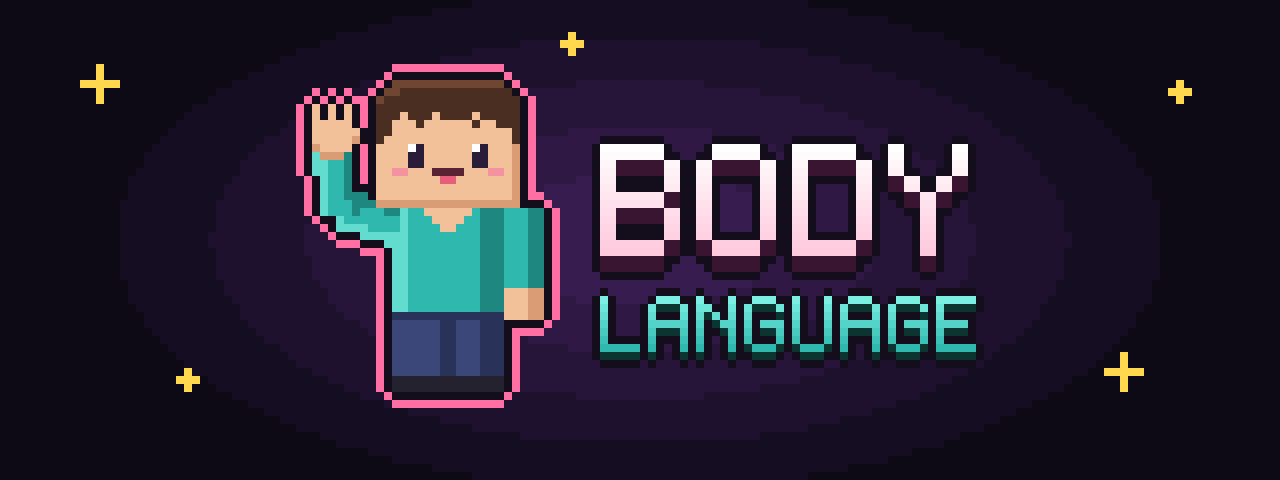
Say it without typing it. Hold B, point at an emote and let go: wave hello, clap, cheer, take a bow, floss with your friends or lie back and watch the sunset. Play on a server with Body Language and everyone around you sees it.
Full guide: hardlineinteractive.com/mods/body-language
What's in it
- 30 emotes: Wave, Clap, Cheer, Bow, Curtsy, Salute, Facepalm, Shrug, Point, Laugh, Cry, Think, Flex, Heart Hands, Jump for Joy, Shy, Crossed Arms, Scared, Stretch, Yes, No, Sit, Lie Down, Dab, T-Pose, Air Guitar, and four dances: Shuffle, Disco, Robot and Floss.
- An emote wheel with your eight favourites, one key away. Point and let go, or press 1-8 while it's open. Press N for every emote, and pick which eight go on your wheel.
- Dance together. Start a dance next to someone already doing it and you fall into step. Or look at a friend who's dancing and press G: Join in starts their dance, in step, no asking.
- Hugs and high-fives. Look at a friend and press G. They get a card and a [Yes] [No] in chat. Say yes and you both step into place for a hug (with hearts) or a high-five (with a clap).
- /emote for keybind mods and macros:
/emote wave,/emote air guitar(Tab completes),/emote stop. - Smooth animation. Emotes ease in and out instead of snapping, and the view swings round behind you while you emote, so you can see yourself do it.
- Moving ends it. Walk, jump, sneak or attack and you're straight back to normal. Dances, sitting, lying down and other poses carry on until you do.
- Join in late. Players who walk up halfway through your dance see it from where you are, not from the start.
- Make your own. Emotes are small text files, so a resource pack can add new ones. The guide walks you through your first.
How to use it
| Key | What it does |
|---|---|
| B (hold) | Emote wheel: point at an emote and let go, or press 1-8 |
| N | Every emote. Click one to do it, or change your wheel |
| G | Hug, high-five or join the dance of the player you're looking at, or say yes when asked |
All three can be changed in Options › Controls, under Body Language.
Multiplayer
| Server has Body Language | Server doesn't | |
|---|---|---|
| You have it | Everyone nearby with the mod sees your emotes. Hugs, high-fives and dancing in step work. | Only you see your emotes. |
| You don't | You can still join; you just don't see emotes. | Nothing changes. |
There's nothing to set up on the server: drop the jar in its mods folder. Players don't need the mod to join. Don't want hug requests? Turn them off in the settings, and anyone who asks is told politely.
Settings
Mods › Body Language › Config: your wheel's emotes, whether the view swings round behind you, hiding other players' emotes, and whether players can ask you for hugs and high-fives.
For resource packs and mod developers
- Resource packs can add or replace emotes with simple keyframe files. See Making your own emotes.
- Mods can react when a player starts or stops an emote (a pet that copies its owner, say) through a small server-side event, used as an optional dependency. See For mod developers.
Made with AI
Body Language is made by Hardline Interactive (Taylor Gibbs) and vibe coded with Claude Code, Anthropic's AI coding assistant. Claude wrote the code, the emote animations, the sounds, the pixel art (drawn by scripts it wrote) and the guide, under Taylor's direction, and Taylor tested and shaped every part of it. We'd rather you knew.
Licence
All Rights Reserved. You're welcome to use Body Language in modpacks, stream it, make videos with it, and share resource packs with your own emotes.
Project description from CurseForge.
Pick your setup
Body Language by Minecraft version and loader
Choose the version and loader you play, then open the matching release.
Check the dependencies, then try the file in a copied instance before changing a world you care about.
Recent files
Body Language versions and loaders
bodylanguage-1.21.1-1.1.0.jar
23 Oct 2026
Client Source doesn’t say Server Source doesn’t say Dependencies No extras listed Listed on Release listing
Check the 1.21.1 · NeoForge setup 1.21.1NeoForge release
bodylanguage-1.21.1-1.0.1.jar
10 Oct 2026
Client Source doesn’t say Server Source doesn’t say Dependencies No extras listed Listed on Release listing
Check the 1.21.1 · NeoForge setup 1.21.1NeoForge release
bodylanguage-1.21.1-1.0.0.jar
10 Oct 2026
Client Source doesn’t say Server Source doesn’t say Dependencies No extras listed Listed on Release listing
Check the 1.21.1 · NeoForge setup 1.21.1NeoForge release
Looking for an older file? The official CurseForge project page is in Resources.
 mod
CurseForge + Modrinth · Minecraft
Plague's Chat Timestamps
A Minecraft mod that adds customizable timestamps to chat!
 mod
CurseForge · Minecraft
JavaLCE
A mod for Minecraft: Java Edition that mimic the look, feel, and functionality of the legacy console editions of Minecraft.
 mod
CurseForge · Minecraft
ColorBricks
Dyeable bricks, with slabs, stairs and walls.