Minecraft version
Back to mods 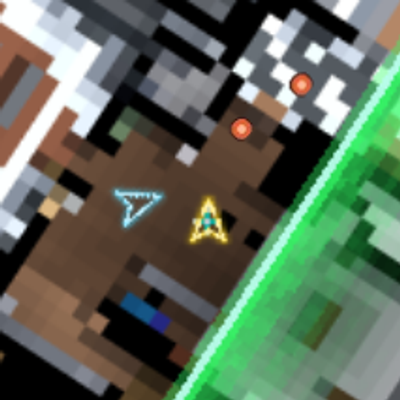
CurseForge · Minecraft mod
Cod Uav Radar(TACZ-SBW)
This is a mod that recreates the Call of Duty style map with Xaero's minimap, implementing blue arrows for teammates, gunshot detection for Tacz weapons, UAV radar, and more.
Choose a version Pick your version below, then grab the matching file.
Quick answer
Which Cod Uav Radar(TACZ-SBW) release should I use?
Latest stable file coduavradar-1.0.18-all.jar
Game version 1.20.1
Loader Forge
Cod Uav Radar(TACZ-SBW) coduavradar-1.0.18-all.jar targets 1.20.1 with Forge. The project page does not say whether this file belongs on the client, dedicated server, or both. No extra mods listed for this file.
Where it goes
Is Cod Uav Radar(TACZ-SBW) required on the client, server, or both?
The project page does not say whether this file belongs on the client, dedicated server, or both.
Client Source doesn’t say
Dedicated server Source doesn’t say
Loader for this release Forge
Required install it here Optional supported, not mandatory Not supported do not install here Source doesn’t say do not assume
The source does not explicitly classify this release as client-only or server-only.
What else does Cod Uav Radar(TACZ-SBW) coduavradar-1.0.18-all.jar need?
coduavradar-1.0.18-all.jar. Change the file and its required mods may change too.
This file does not list any required mods. Do not add a library just because a different file uses it.
This file does not list any required or optional mods.
Before you install it
Add Cod Uav Radar(TACZ-SBW) without breaking your instance.
Built for Cod Uav Radar(TACZ-SBW) coduavradar-1.0.18-all.jar. Pick another file and the loader, install side or required mods may change.
- 01
Stick to this file
Use coduavradar-1.0.18-all.jar. It targets 1.20.1 with Forge; another release may have different loader, side or dependency requirements.
- 02
Bring the mods it needs
This file does not list any required mods. Do not add a library just because a different file uses it.
- 03
Put it on the correct side
The project page does not say whether this file belongs on the client, dedicated server, or both.
- 04
Pick the file you checked
Use the “Get this file” button beside coduavradar-1.0.18-all.jar. It opens that exact file at the source.
About this project
What does Cod Uav Radar(TACZ-SBW) add?
Here is another mod from my collection of ready-to-release CoD mods. This mod helps recreate the Call of Duty minimap within Xaero's Minimap, featuring commands to activate UAV, Advanced UAV, and Counter-UAV. It includes animations, directional indicators for the player, teammates, and enemies, and a radar sweep effect.
Crucially, it includes gunshot detection for TacZ (with SBW support coming soon); enemy gunfire appears on the minimap—unless the weapon is suppressed—making it highly useful for general PvP battles.
Example videos demonstrating visibility and commands:
A demonstration of how they detect Tac shots, and how they no longer detect them when a silencer is used, and example of the commands /uav and /advanceduav, and what your map looks like when an enemy player activates the /counteruav.
Here I show what players on the same team look like, and the /uav gungame on/off command; it is activated with on and remains active indefinitely until turned off—much like in *Call of Duty*’s Gun Game mode, where there are no teams and the radar stays on throughout the match.
In the config, you can adjust all the parameters, timings, and other details.
Project description from CurseForge.
Pick your setup
Cod Uav Radar(TACZ-SBW) by Minecraft version and loader
Choose the version and loader you play, then open the matching release.
Check the dependencies, then try the file in a copied instance before changing a world you care about.
Recent files
Cod Uav Radar(TACZ-SBW) versions and loaders
coduavradar-1.0.18-all.jar
12 Oct 2026
Client Source doesn’t say Server Source doesn’t say Dependencies No extras listed Listed on Release listing
Check the 1.20.1 · Forge setup 1.20.1Forge release
coduavradar-1.0.17-all.jar
10 Oct 2026
Client Source doesn’t say Server Source doesn’t say Dependencies No extras listed Listed on Release listing
Check the 1.20.1 · Forge setup 1.20.1Forge release
Looking for an older file? The official CurseForge project page is in Resources.