Minecraft version
Back to mods 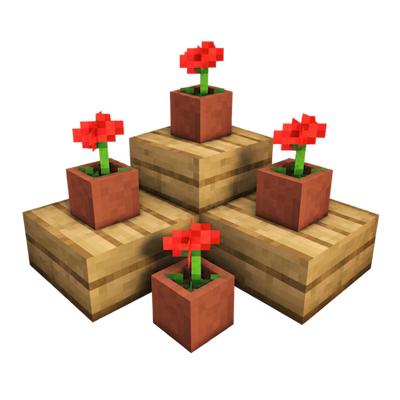
CurseForge · Minecraft mod
Free Height
Place any block at any height!
Choose a version Pick your version below, then grab the matching file.
Quick answer
Which Free Height release should I use?
Latest stable file freeheight-0.0.4 1.21.1.jar
Game version 1.21.1
Loader Forge
Free Height freeheight-0.0.4 1.21.1.jar targets 1.21.1 with Forge. The project page does not say whether this file belongs on the client, dedicated server, or both. No extra mods listed for this file.
Where it goes
Is Free Height required on the client, server, or both?
The project page does not say whether this file belongs on the client, dedicated server, or both.
Client Source doesn’t say
Dedicated server Source doesn’t say
Loader for this release Forge
Required install it here Optional supported, not mandatory Not supported do not install here Source doesn’t say do not assume
The source does not explicitly classify this release as client-only or server-only.
What else does Free Height freeheight-0.0.4 1.21.1.jar need?
freeheight-0.0.4 1.21.1.jar. Change the file and its required mods may change too.
This file does not list any required mods. Do not add a library just because a different file uses it.
This file does not list any required or optional mods.
Before you install it
Add Free Height without breaking your instance.
Built for Free Height freeheight-0.0.4 1.21.1.jar. Pick another file and the loader, install side or required mods may change.
- 01
Stick to this file
Use freeheight-0.0.4 1.21.1.jar. It targets 1.21.1 with Forge; another release may have different loader, side or dependency requirements.
- 02
Bring the mods it needs
This file does not list any required mods. Do not add a library just because a different file uses it.
- 03
Put it on the correct side
The project page does not say whether this file belongs on the client, dedicated server, or both.
- 04
Pick the file you checked
Use the “Get this file” button beside freeheight-0.0.4 1.21.1.jar. It opens that exact file at the source.
About this project
What does Free Height add?
This mod is inspired by the cushions coming in the next update, but taken to another level—literally any block at any height.
To activate or desactivate the mod, you need to press the "V" key, since I understand that not everyone wants to have it enabled all the time. To disable the blocks of a single mod, press the "B" key, where you'll see all the blocks included in some other mods, because it really should work with other mods.
However, keep in mind that blocks placed at custom heights will stay that way whether the mod is active or not. This is to avoid future errors—you can just remove them manually by hand and you won't see them anymore.
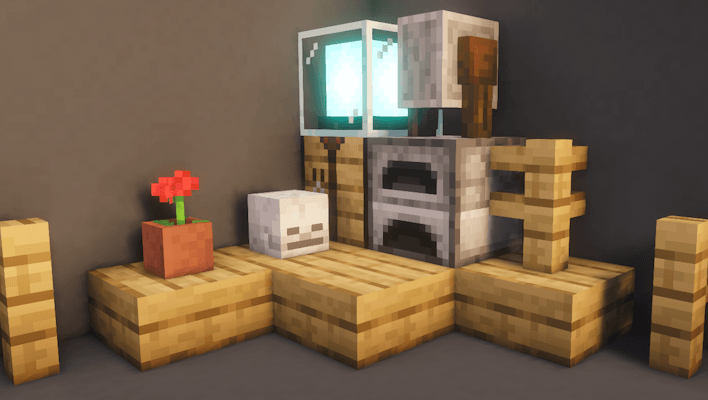
It works with any mod and includes automatic detection. It doesn't break or interfere with how blocks function, so feel free to test it with any other mod you like.
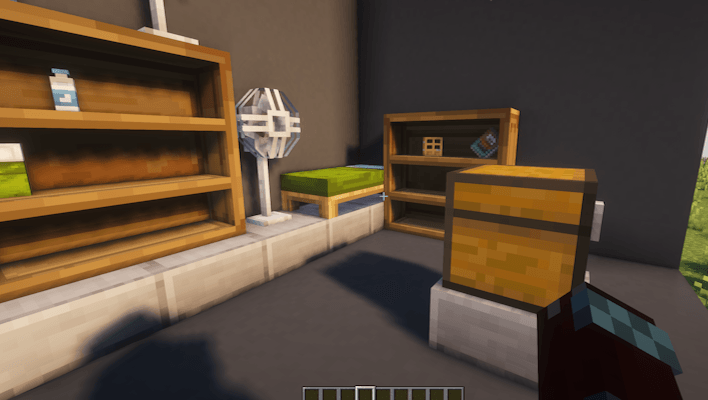
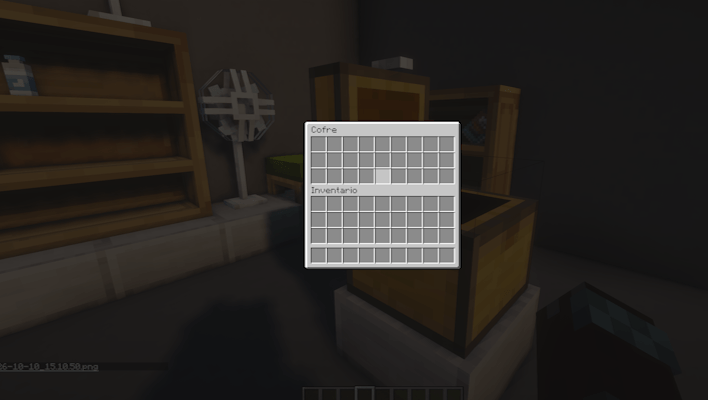
Notice:
There are over a thousand blocks in the game, so I couldn't test absolutely every single one. This is because the mod actually registers them by ID—which is why it works with basically any mod that adds blocks or decorations. To be clear, I didn't make them manually one by one, which caused some minor bugs that can be fixed.
If you find any bugs, I'll look into them as fast as I can. However, I won't update the mod immediately to avoid uploading 200 different files; instead, I'll drop a single update that fixes all issues reported up to that point. That said, I've already spotted a few bugs myself—such as not being able to place things on top of carpets, beds having no collision (which becomes much more noticeable when sleeping), and lanterns or torches not working correctly—just to name a few that I'm already working to fix. But if you find any others, I'll manually review them once reported.
Project description from CurseForge.
Pick your setup
Free Height by Minecraft version and loader
Choose the version and loader you play, then open the matching release.
Minecraft version
1.20.1
1 loader buildCheck the dependencies, then try the file in a copied instance before changing a world you care about.
Recent files
Free Height versions and loaders
freeheight-0.0.4 1.21.1.jar
freeheight-1.0.0 1.21.1.jar
24 Oct 2026
Client Source doesn’t say Server Source doesn’t say Dependencies No extras listed Listed on Release listing
Check the 1.21.1 · Forge setup Forge1.21.1 release
freeheight-0.0.4.jar
11 Oct 2026
Client Source doesn’t say Server Source doesn’t say Dependencies No extras listed Listed on Release listing
Check the 1.20.1 · Forge setup 1.20.1Forge release
freeheight-0.0.3.jar
11 Oct 2026
Client Source doesn’t say Server Source doesn’t say Dependencies No extras listed Listed on Release listing
Check the 1.20.1 · Forge setup 1.20.1Forge release
freeheight-0.0.1.jar
freeheight-1.0.0.jar
10 Oct 2026
Client Source doesn’t say Server Source doesn’t say Dependencies No extras listed Listed on Release listing
Check the 1.20.1 · Forge setup 1.20.1Forge release
Looking for an older file? The official CurseForge project page is in Resources.
 mod
mod CurseForge · Minecraft
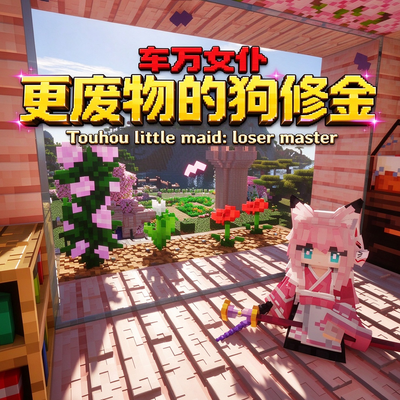
Loser Master
This is an add-on for "Touhou Maid". It aims to enrich the maid raising system, improve players' efficiency in raising maids, and increase maids' survival chance in combat.
 mod
mod CurseForge · Minecraft
JEI SlashBlade
Add JEI compatibility for SlashBlade.
 mod
mod CurseForge · Minecraft
Let There Be Atmosphere!
Tune your games atmosphere easily.