Minecraft version
Back to mods 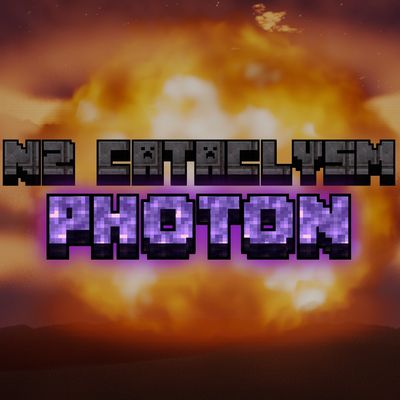
CurseForge · Minecraft mod
N² Photon Cataclysm (Shader Update)
N² Photon Cataclysm brings a massive, cinematic explosion to Minecraft, from the first blinding flash to the mushroom cloud hanging over the crater.
Choose a version Pick your version below, then grab the matching file.
Quick answer
Which N² Photon Cataclysm (Shader Update) release should I use?
Latest stable file n2-photon-cataclysm-1.23.0-public.jar
Game version 1.21.1
Loader Fabric
N² Photon Cataclysm (Shader Update) n2-photon-cataclysm-1.23.0-public.jar targets 1.21.1 with Fabric. The project page does not say whether this file belongs on the client, dedicated server, or both. No extra mods listed for this file.
Where it goes
Is N² Photon Cataclysm (Shader Update) required on the client, server, or both?
The project page does not say whether this file belongs on the client, dedicated server, or both.
Client Source doesn’t say
Dedicated server Source doesn’t say
Loader for this release Fabric
Required install it here Optional supported, not mandatory Not supported do not install here Source doesn’t say do not assume
The source does not explicitly classify this release as client-only or server-only.
What else does N² Photon Cataclysm (Shader Update) n2-photon-cataclysm-1.23.0-public.jar need?
n2-photon-cataclysm-1.23.0-public.jar. Change the file and its required mods may change too.
This file does not list any required mods. Do not add a library just because a different file uses it.
This file does not list any required or optional mods.
Before you install it
Add N² Photon Cataclysm (Shader Update) without breaking your instance.
Built for N² Photon Cataclysm (Shader Update) n2-photon-cataclysm-1.23.0-public.jar. Pick another file and the loader, install side or required mods may change.
- 01
Stick to this file
Use n2-photon-cataclysm-1.23.0-public.jar. It targets 1.21.1 with Fabric; another release may have different loader, side or dependency requirements.
- 02
Bring the mods it needs
This file does not list any required mods. Do not add a library just because a different file uses it.
- 03
Put it on the correct side
The project page does not say whether this file belongs on the client, dedicated server, or both.
- 04
Pick the file you checked
Use the “Get this file” button beside n2-photon-cataclysm-1.23.0-public.jar. It opens that exact file at the source.
About this project
What does N² Photon Cataclysm (Shader Update) add?
N² Photon Cataclysm
Update: Charge the mine. Watch the sky change. Decide when it goes off.
N² Photon Cataclysm adds the N² Mine and its handheld controller to Minecraft Java 1.21.1. A full charge takes 60 seconds. With the official shaderpack enabled, nearby clouds spiral inward and feed a narrow funnel into the mine’s intake. Once the charge is complete, you decide when to arm and detonate it.
Current build update
- N² Mine visual refresh. Cleaner panels, a more defined intake, and clearer status lights keep the original prototype look.
- Nuke Effects. Using a WIP system to calculate volumetrics desnity and real life physics phenomena!
- Handheld controller. Link it to a placed mine to start charging, check its progress, and control arming and detonation separately.
- Official shaderpack release. The matching pack adds the volumetric charging vortex, cloud interaction, and atmospheric effects for ground and air detonations.
This public build focuses on the N² Mine and its controller. You can use both with shaders disabled.
Download the mod and official shaderpack
- Mod JAR: Download it from the Files tab on this CurseForge page.
- Official shaderpack ZIP: Download it exclusively from the project Discord. Join the Discord to get the shaderpack.
Requirements
| Component | Required for |
|---|---|
| Minecraft Java Edition 1.21.1 | Everyone |
| Java 21 | Everyone |
| Fabric Loader 0.16.14 or newer | Everyone |
| Fabric API for Minecraft 1.21.1 | Everyone |
| Iris and Sodium for Minecraft 1.21.1 | Players using the official shaderpack |
Fresh installation
- Create a Minecraft 1.21.1 Fabric profile in your launcher.
- Put the N² Photon Cataclysm JAR and Fabric API in that profile’s
modsfolder. - To enable the volumetric effects, install Iris and Sodium in the same profile. Download the matching shaderpack from Discord and place the ZIP in the profile’s
shaderpacksfolder. Leave it zipped. - Launch Minecraft and select the pack under Options → Video Settings → Shader Packs.
Updating an existing installation
Close Minecraft and back up your world. Replace the old N² mod JAR in mods with the new one. If you use shaders, download the matching ZIP from Discord and select it in-game. Keep one N² mod JAR in the profile’s mods folder, and update the mod on both the server and clients before reconnecting.
Using the mine
- Place the N² Mine.
- Right-click it with the N² Controller to link them.
- Look away from the mine and use the controller to open its panel.
- Select Charge and wait for the 60-second countdown to finish.
- Select Arm, then Detonate when you’re ready.
Detonations can permanently change terrain. For your first test, use a fresh world or a backup of an existing one.
Multiplayer and troubleshooting
Install the same mod version and Fabric API on the server and every player’s client. Iris, Sodium, and the shaderpack are installed by each player who wants the shader effects.
If the mod doesn’t appear, check that you launched the intended 1.21.1 Fabric profile and put the JAR in that profile’s mods folder. If the mine works but the vortex and cloud effects are missing, check that the matching N² shaderpack is selected in Iris. For setup help or bug reports, include your mod version, shaderpack version, and any error text. Get help on Discord.
Project description from CurseForge.
Pick your setup
N² Photon Cataclysm (Shader Update) by Minecraft version and loader
Choose the version and loader you play, then open the matching release.
Check the dependencies, then try the file in a copied instance before changing a world you care about.
Recent files
N² Photon Cataclysm (Shader Update) versions and loaders
n2-photon-cataclysm-1.23.0-public.jar
19 Nov 2026
Client Source doesn’t say Server Source doesn’t say Dependencies No extras listed Listed on Release listing
Check the 1.21.1 · Fabric setup Fabric1.21.1 release
n2-cataclysm-1.4.0.jar
n2-photon-cataclysm-1.4.0.jar
10 Oct 2026
Client Source doesn’t say Server Source doesn’t say Dependencies No extras listed Listed on Release listing
Check the 1.21.1 · Fabric setup Fabric1.21.1 release
Looking for an older file? The official CurseForge project page is in Resources.
 mod
CurseForge · Minecraft
Invincible Adaptation
Each death teaches immunity to that single cause, from lava and hunger to mobs, weapons, and potions.
 mod
CurseForge · Minecraft
Epic Dungeons Nicktale
Explore 59 dungeons filled with epic bosses, dangerous enemies, mimics, and treasure with individual player rewards.
 mod
CurseForge · Minecraft
Cybernetic Enhancements
Cybernetic body upgrades and android progression for Minecraft