
Minecraft version
Back to mods 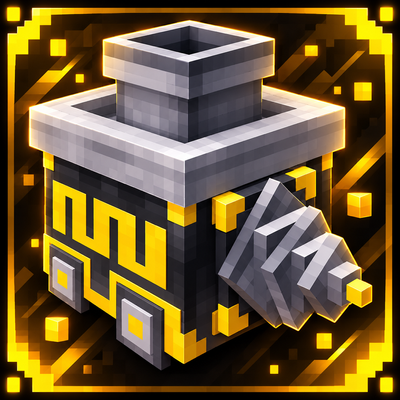
CurseForge · Minecraft mod
TeDrill
TeDrill automates mining with customizable drilling modes, forward movement, and chest-based resource collection.
Choose a version Pick your version below, then grab the matching file.
Quick answer
Which TeDrill release matches 26.1.2?
Best match for your filters TeDrill-1.0.1+mc26.1-26.2.jar
Game version 26.1, 26.1.1, 26.1.2
Loader Fabric
TeDrill-1.0.1+mc26.1-26.2.jar targets 26.1, 26.1.1, 26.1.2 with Fabric. The project page does not say whether this file belongs on the client, dedicated server, or both. No extra mods listed for this file.
Where it goes
Is TeDrill required on the client, server, or both?
The project page does not say whether this file belongs on the client, dedicated server, or both.
Client Source doesn’t say
Dedicated server Source doesn’t say
Loader for this release Fabric
Required install it here Optional supported, not mandatory Not supported do not install here Source doesn’t say do not assume
The source does not explicitly classify this release as client-only or server-only.
What else does TeDrill-1.0.1+mc26.1-26.2.jar need?
TeDrill-1.0.1+mc26.1-26.2.jar on 26.1.2. Every mod below is checked against that same setup.
This file does not list any required mods. Do not add a library just because a different file uses it.
This file does not list any required or optional mods.
Before you install it
Add TeDrill without breaking your instance.
Built for TeDrill-1.0.1+mc26.1-26.2.jar on 26.1.2. Pick another file and the loader, install side or required mods may change.
- 01
Stick to this file
Use TeDrill-1.0.1+mc26.1-26.2.jar. It targets 26.1, 26.1.1, 26.1.2 with Fabric; another release may have different loader, side or dependency requirements.
- 02
Bring the mods it needs
This file does not list any required mods. Do not add a library just because a different file uses it.
- 03
Put it on the correct side
The project page does not say whether this file belongs on the client, dedicated server, or both.
- 04
Pick the file you checked
Use the “Get this file” button beside TeDrill-1.0.1+mc26.1-26.2.jar. It opens that exact file at the source.
About this project
What does TeDrill add?

🟡 TeDrill
Automated mining, made simple!
TeDrill introduces a powerful automated drilling machine to Minecraft, featuring customizable mining dimensions, resource collection, and a user-friendly interface.
GUI Update ↓

⭐ Features
- Automatic drilling and forward mining.
- Floor and wall mining modes.
- Adjustable length, height, and width.
- Automatic resource collection into a connected chest.
- Custom 3D model and graphical interface.
- Block and item exclusion filters.
- Optional ×5 resource multiplier.
🎮 Four Sidebar Controls
The updated TeDrill interface includes four interactive buttons on the left side.
1. Floor + Wall Mode
Enable or disable the combined floor and wall drilling option. Easily switch the feature on or off to customize your mining experience.
2. Connected Chest
Open and access the connected chest directly from the TeDrill interface. Monitor collected resources while the machine is operating.
3. Excluded Blocks & Items
Choose which blocks or items the drill should ignore. Add your selections to the exclusion slots and confirm the list using the green checkmark button.
4. ×5 Resource Multiplier
Enable or disable the ×5 resource multiplier to increase collected drops during drilling.
Activation Indicators: The sidebar buttons use a rounded yellow activation indicator. The filter confirmation checkmark is displayed separately.
🔧 v1.0.1 – Bug Fixes & Improvements
- Fixed overlapping activation indicators and unwanted square outlines.
- Improved the appearance and behavior of the four sidebar buttons.
- Fixed the filter confirmation indicator.
- Improved the ×5 multiplier control.
- The GUI now closes automatically when drilling begins.
- Drilling continues normally after closing the interface.
- Players can reopen the GUI to monitor or adjust settings.
- Preserved the existing mining modes, connected chest system, filters, and 3D models.
📦 Compatibility
Mod Loader: Fabric
Supported Minecraft versions:
- 26.1, 26.1.1, 26.1.2 and 26.2: unified JAR.
- 26.3: separate JAR.
Please download the file that matches your Minecraft version.
Created by Tenvoria.
Thank you for supporting TeDrill! Your feedback helps improve future updates.
Project description from CurseForge.
Pick your setup
TeDrill by Minecraft version and loader
Choose the version and loader you play, then open the matching release.
Minecraft version
26.2
1 loader buildMinecraft version
26.1.2
1 loader buildMinecraft version
26.1.1
1 loader buildMinecraft version
26.1
1 loader buildCheck the dependencies, then try the file in a copied instance before changing a world you care about.
Recent files
TeDrill versions and loaders
TeDrill-1.0.1+mc26.1-26.2.jar
19 Oct 2026
Client Source doesn’t say Server Source doesn’t say Dependencies No extras listed Listed on Release listing
Check the 26.1.2 · Fabric setup Fabric26.126.1.126.1.2 release
tedrill-1.0.0+mc26.1-26.2.jar
12 Oct 2026
Client Source doesn’t say Server Source doesn’t say Dependencies 1 required · 1 unchecked Listed on Release listing
Check the 26.1.2 · Fabric setup Fabric26.126.1.126.1.2 release
Looking for an older file? The official CurseForge project page is in Resources.
 mod
CurseForge + Modrinth · Minecraft
Spatial GUI
A client-side mod that renders inventory & container screens as a 3D plane.
 mod
CurseForge · Minecraft
Multi-Rods
This mod makes it so the fishing rod teleport glitch becomes an actual game feature: it makes it way less buggy, makes it so you can have multiple setups, and makes it so they don't trigger when you rejoin your world.
 mod
CurseForge · Minecraft
MultiClicker
Auto clicker (autoclicker) and AFK helper for Fabric, NeoForge and Forge: auto attack, auto eat, auto fish, auto farm, auto tool, hotbar refill, anti-AFK and hotkeys for mob farms, mining, farming and fishing