Minecraft version
Back to mods 
CurseForge · Minecraft mod
Abyssian’s Fantasy
Explore naga shrines and undead ziggurats, battle fantasy creatures, and wield enchanted weapons and necromantic magic.
Choose a version Pick your version below, then grab the matching file.
Quick answer
Which Abyssian’s Fantasy release should I use?
Latest stable file abyssians-fantasy-mod-1.20.1-0.16.23.jar
Game version 1.20.1
Loader Forge
Abyssian’s Fantasy abyssians-fantasy-mod-1.20.1-0.16.23.jar targets 1.20.1 with Forge. The project page does not say whether this file belongs on the client, dedicated server, or both. No extra mods listed for this file.
Where it goes
Is Abyssian’s Fantasy required on the client, server, or both?
The project page does not say whether this file belongs on the client, dedicated server, or both.
Client Source doesn’t say
Dedicated server Source doesn’t say
Loader for this release Forge
Required install it here Optional supported, not mandatory Not supported do not install here Source doesn’t say do not assume
The source does not explicitly classify this release as client-only or server-only.
What else does Abyssian’s Fantasy abyssians-fantasy-mod-1.20.1-0.16.23.jar need?
abyssians-fantasy-mod-1.20.1-0.16.23.jar. Change the file and its required mods may change too.
This file does not list any required mods. Do not add a library just because a different file uses it.
This file does not list any required or optional mods.
Before you install it
Add Abyssian’s Fantasy without breaking your instance.
Built for Abyssian’s Fantasy abyssians-fantasy-mod-1.20.1-0.16.23.jar. Pick another file and the loader, install side or required mods may change.
- 01
Stick to this file
Use abyssians-fantasy-mod-1.20.1-0.16.23.jar. It targets 1.20.1 with Forge; another release may have different loader, side or dependency requirements.
- 02
Bring the mods it needs
This file does not list any required mods. Do not add a library just because a different file uses it.
- 03
Put it on the correct side
The project page does not say whether this file belongs on the client, dedicated server, or both.
- 04
Pick the file you checked
Use the “Get this file” button beside abyssians-fantasy-mod-1.20.1-0.16.23.jar. It opens that exact file at the source.
About this project
What does Abyssian’s Fantasy add?
0.16.22 — A Major Update Is Here!
Stop by a tavern, saddle up a direwolf, or take on the mounted Farseer at a Storm Altar. This update brings new places to discover, new magic to wield, and companions you can equip, name and take on your travels.
New since 0.15.7:
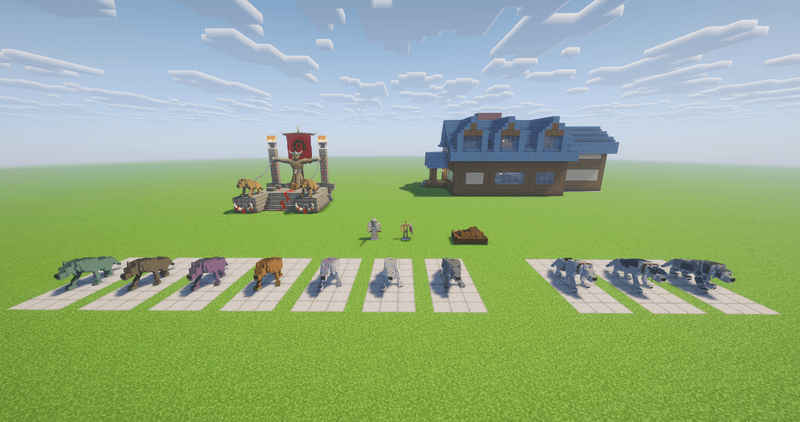
- Direwolf companions: seven coats, riding and charged jumps, saddles, colored blankets, armor, saddlebags, totem slots, custom names and a command wheel. A new Direwolf Bed lets your wolf curl up and sleep.
- Storm Altars and the Farseer: a new guarded structure, chain lightning, summoned wolf spirits, the Farseer’s Club and Shield, Lightning Stones and the Spirit Fury bonus.
- Human Taverns and trading: furnished inns, an Alliance Trader, food and drinks, Alliance plate armor with its set bonus, and a greatsword with a two-handed stance.
- Coins and building blocks: copper, silver and gold currency with crafting-grid exchange, plus tavern furniture, roof pieces, altar decorations and new Scourge masonry.
- An Allies menu: choose players from a list with names and head portraits. Saved UUIDs preserve your list after nickname changes. Pets and summons also stop fighting their own companions.
- More polish throughout: spell sounds, animated effects, shader compatibility fixes, weapon-mode icons, improved animations and collisions, and an expanded English/Russian Field Guide with current recipes and links.
About the Mod
Abyssian’s Fantasy brings creatures, magic and new places to explore to the Overworld. Discover naga shrines, undead ziggurats, orcish storm altars and furnished human taverns.
Tame and equip a direwolf, summon skeleton companions, trade with the Alliance Trader, or wield chain lightning and wolf spirits. Collect fantasy weapons and armor, and use the in-game Field Guide to learn about creatures, crafting, loot and more.
Minecraft 1.20.1 · Forge · English and Russian
Early version
The mod is still in early development, but the current version is playable. You can explore naga shrines and ziggurats, collect loot, fight new enemies, use magical weapons, and summon skeleton companions.
Some models, animations, and mechanics are still being worked on. Bugs may occur, and balance may change between updates.
In-game Field Guide
The mod includes an in-game field guide to its creatures, blocks, equipment, structures, biomes, and effects. Browse its pages to learn about crafting, loot, and more.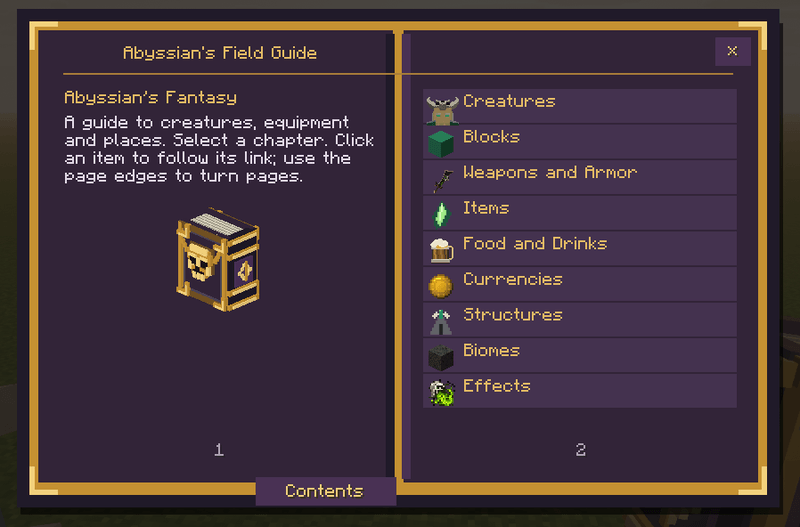
Weapons
Plagueblade — deals the same damage as a diamond sword and applies Plague for 8 seconds on hit. Each ziggurat chest has a 50% chance to contain one.
Necromancer's Staff — summons and recalls your skeleton companions.
Frost Wand — fires frost projectiles.
Naga weapons — a spear and two types of throwable tridents.
Rusty Sword — carried by skeleton knights.
The Plagueblade and Necromancer's Staff are repaired with whole necromancy crystal blocks. The Frost Wand can be repaired with necromancy shards.
Enemies
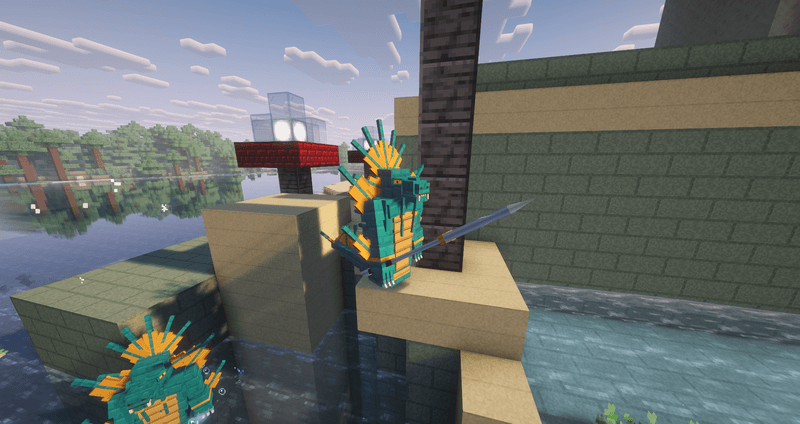
Naga warriors and spearmen guard naga shrines.
Necromancers inhabit ziggurats and summon skeleton knights and mages.
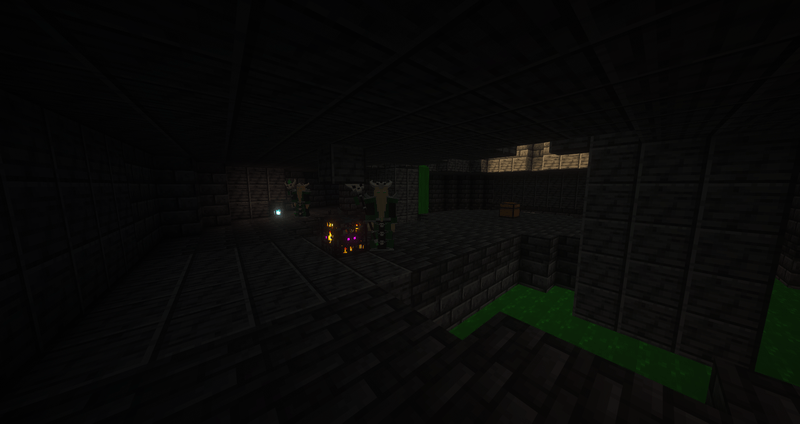
Skeleton knights fight in melee. Skeleton mages fire frost projectiles.
Naga and undead are hostile to each other.
Biomes
Corruption — corrupted terrain linked to necromancy, with ashen sand and corrupted stone.
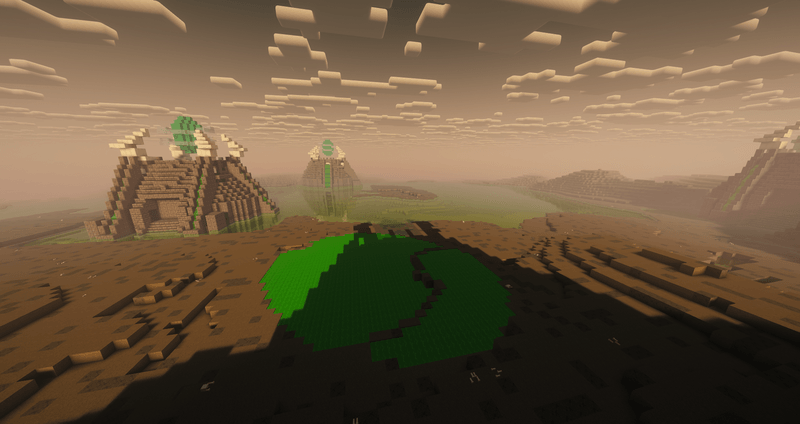
Structures
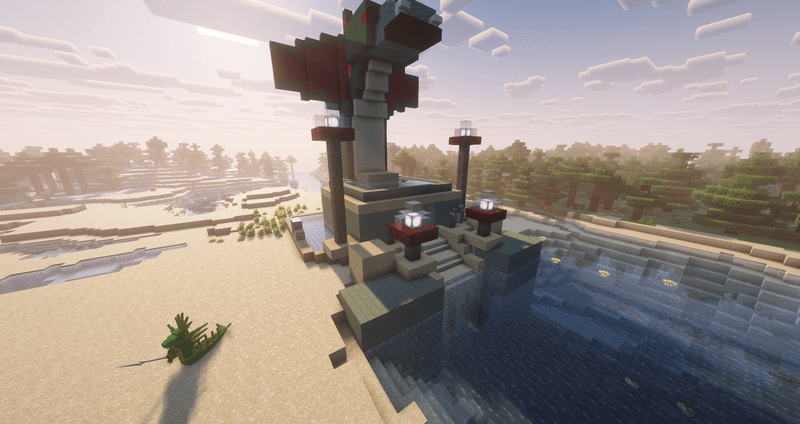
Naga Shrine — a shrine with a serpent statue, pools, naga guards, and a treasure chest.
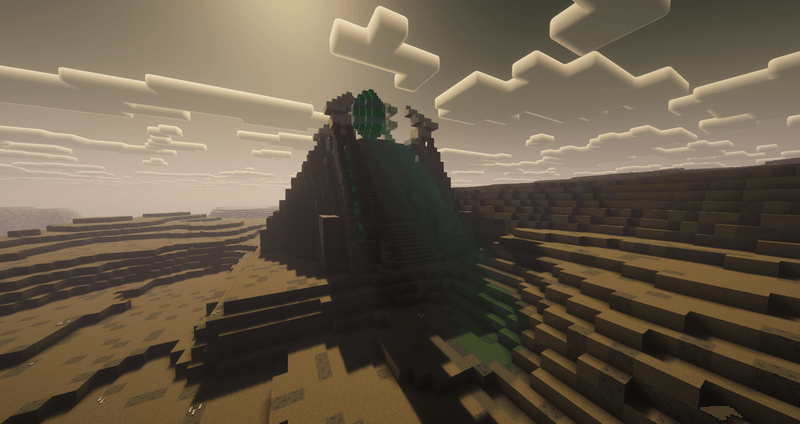
Ziggurat — an undead temple with necromancy crystals, liquid plague, and loot.
With shaders.
Without shaders.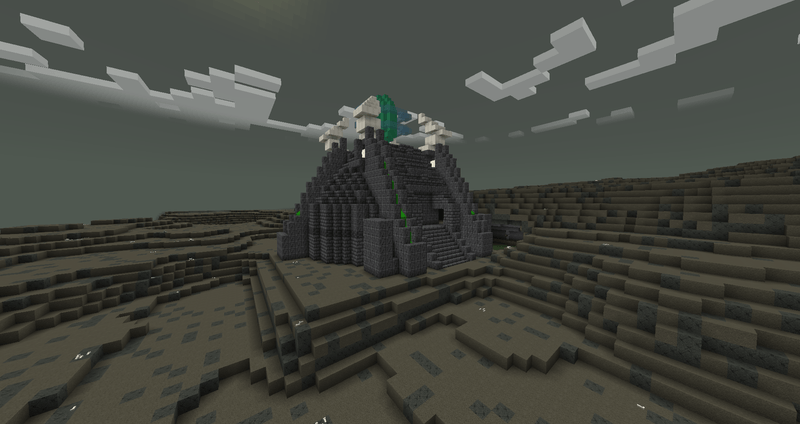
Skeleton companions
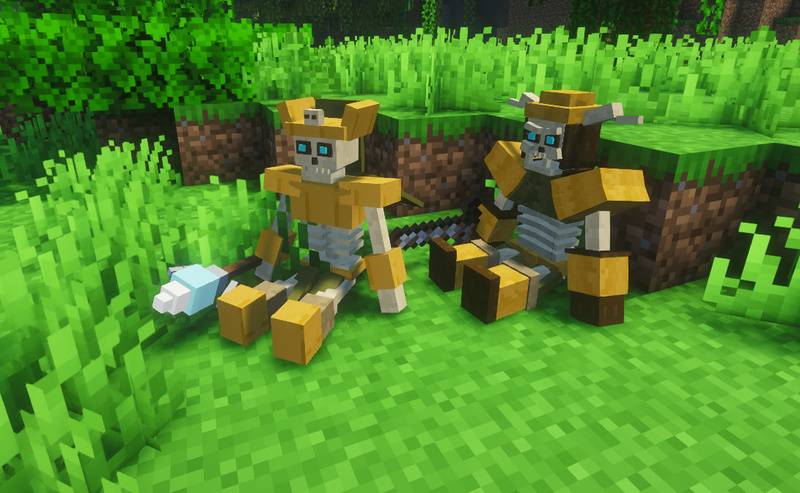
Use the Necromancer's Staff to summon two companions: a skeleton knight for melee combat and a skeleton mage who fires frost projectiles.
- Each player can have one knight and one mage. Using another staff does not create extra companions.
- They follow you and return to your side when they fall behind.
- Right-click a companion to make it sit or follow you again.
- Right-click with a necromancy shard to restore 4 hearts.
- Press R while holding the staff to switch between defensive and aggressive modes. Defensive companions retaliate against monsters that hurt you; aggressive companions also attack nearby monsters.
- Companions do not attack players or tamed animals.
- If a companion dies, use the staff to summon a replacement. Surviving companions are recalled rather than duplicated.
Summoning and recalling companions uses staff durability.
Plague
Plague is a separate status effect that gradually damages living creatures. Liquid plague applies it on contact. Undead are immune.
Requirements
- Minecraft 1.20.1
- Forge 47.4.20 or later for Minecraft 1.20.1
- No additional library mods are required.
This mod may NOT be reposted to any mod rehosting websites.
#StopModReposts
Credits and rights
This is an unofficial fan project. Some designs are inspired by Warcraft. Warcraft and World of Warcraft belong to Blizzard Entertainment. Minecraft belongs to Mojang Studios and Microsoft.
This project is not affiliated with or endorsed by Blizzard Entertainment, Mojang Studios, or Microsoft.
All rights reserved for the original content of this mod. Rights to third-party content remain with their respective owners.
You may include this mod in modpacks, but you may not claim this mod or its original content as your own work.
Project description from CurseForge.
Pick your setup
Abyssian’s Fantasy by Minecraft version and loader
Choose the version and loader you play, then open the matching release.
Check the dependencies, then try the file in a copied instance before changing a world you care about.
Recent files
Abyssian’s Fantasy versions and loaders
abyssians-fantasy-mod-1.20.1-0.16.23.jar
1 Nov 2026
Client Source doesn’t say Server Source doesn’t say Dependencies No extras listed Listed on Release listing
Check the 1.20.1 · Forge setup 1.20.1Forge release
abyssians-fantasy-mod-1.20.1-0.16.22.jar
31 Oct 2026
Client Source doesn’t say Server Source doesn’t say Dependencies No extras listed Listed on Release listing
Check the 1.20.1 · Forge setup 1.20.1Forge release
abyssians-fantasy-mod-1.20.1-0.15.7.jar
11 Oct 2026
Client Source doesn’t say Server Source doesn’t say Dependencies No extras listed Listed on Release listing
Check the 1.20.1 · Forge setup 1.20.1Forge release
Looking for an older file? The official CurseForge project page is in Resources.
 mod
CurseForge · Minecraft
DEDsafio 4 Ruleta Fan Project
DEDsafio 4 roulette featuring items, changes, and moments seen in the series—a fan project.
 mod
CurseForge · Minecraft
Raven Core
Story content, compatibility, and performance patches for Raven's High Fantasy
 mod
CurseForge · Minecraft
Tensura No Index
A Toaru Majutsu no Index addon for Tensura meant to be paired with nightmares at least.