Minecraft version
Back to mods 
CurseForge · Minecraft mod
ShyFrpc
Open your LAN world to the internet without touching your router
Choose a version Pick your version below, then grab the matching file.
Quick answer
Which ShyFrpc release matches 26.3?
Best match for your filters ShyFrpc NeoForge 2610.2-release
Game version 26.3
Loader NeoForge
ShyFrpc NeoForge 2610.2-release targets 26.3 with NeoForge. The project page does not say whether this file belongs on the client, dedicated server, or both. No extra mods listed for this file.
Where it goes
Is ShyFrpc required on the client, server, or both?
The project page does not say whether this file belongs on the client, dedicated server, or both.
Client Source doesn’t say
Dedicated server Source doesn’t say
Loader for this release NeoForge
Required install it here Optional supported, not mandatory Not supported do not install here Source doesn’t say do not assume
The source does not explicitly classify this release as client-only or server-only.
What else does ShyFrpc NeoForge 2610.2-release need?
ShyFrpc NeoForge 2610.2-release on 26.3. Every mod below is checked against that same setup.
This file does not list any required mods. Do not add a library just because a different file uses it.
This file does not list any required or optional mods.
Before you install it
Add ShyFrpc without breaking your instance.
Built for ShyFrpc NeoForge 2610.2-release on 26.3. Pick another file and the loader, install side or required mods may change.
- 01
Stick to this file
Use ShyFrpc NeoForge 2610.2-release. It targets 26.3 with NeoForge; another release may have different loader, side or dependency requirements.
- 02
Bring the mods it needs
This file does not list any required mods. Do not add a library just because a different file uses it.
- 03
Put it on the correct side
The project page does not say whether this file belongs on the client, dedicated server, or both.
- 04
Pick the file you checked
Use the “Get this file” button beside ShyFrpc NeoForge 2610.2-release. It opens that exact file at the source.
About this project
What does ShyFrpc add?
ShyFrpc
Open your LAN world to the internet without touching your router.
ShyFrpc is a client-side Minecraft mod that launches a local frpc process from inside the game, so you can forward your singleplayer LAN world through an FRP tunnel. No port forwarding, no NAT configuration, no external launcher — just a slash command.
Built for the exact problem every host hits: you want to play with a friend, you open your world to LAN, and then you realize your ISP put you behind CGNAT and port forwarding is simply not an option.
Features
- No port forwarding. Works behind CGNAT and carrier-grade NAT.
- Pure client-side. Nothing to install on the other player's side. They just need your tunnel address.
- Two modes. Point it at your own frpc config file, or use SakuraFrp credentials with a single command.
- Live output. Everything frpc prints goes straight to your in-game chat and to
logs/latest.log, so you can see the tunnel address and spot auth failures immediately. - Auto-start. Turn it on and frpc starts the moment you open your world to LAN.
- Automatic cleanup. Close the LAN room, leave the world, or quit the game — frpc is stopped for you. No zombie processes.
- English and Chinese localization.
- No third-party runtime dependencies.
Requirements
| Minecraft | 26.3 |
| Java | 25 |
| Mod loader | Fabric, Forge or NeoForge |
| frpc | A local frpc executable — not bundled, you supply your own |
For SakuraFrp mode you also need a SakuraFrp account with a tunnel already created in their panel.
Installation
- Download the jar matching your mod loader and drop it in your
modsfolder. - Install frp and note the full path to
frpc.exe/frpc. - Launch the game, load a singleplayer world, and configure ShyFrpc with the commands below.
- Share the tunnel address that appears in chat with your friends.
Commands
All commands require operator permission. In singleplayer you have it by default.
| Command | Description |
|---|---|
/shyfrpc set app <path> |
Path to the frpc executable. Absolute, or relative to the game directory. |
/shyfrpc set toml <path> |
Path to the frpc config file. Same path rules as app. |
/shyfrpc set sakura <token> <tunnel> |
Store SakuraFrp credentials. Does not switch modes. |
/shyfrpc mode <default|sakura> |
Choose which mode on uses. |
/shyfrpc on |
Start frpc. |
/shyfrpc off |
Stop frpc. |
/shyfrpc auto-start <true|false> |
Start frpc automatically when you open your world to LAN. |
/shyfrpc status |
Show the current configuration and whether frpc is running. |
Usage
Using your own frpc config
If you already have a working frpc setup, point ShyFrpc at it:
/shyfrpc set app "C:\frpc\frpc.exe"
/shyfrpc set toml "C:\frpc\minecraft.toml"
/shyfrpc mode default
/shyfrpc on
ShyFrpc runs:
frpc.exe -c C:\frpc\minecraft.toml
The -c path is resolved to an absolute path before launch, and frpc's working directory is set to your game directory — so relative references inside your .toml still resolve the way you expect.
Using SakuraFrp
Create a tunnel in the SakuraFrp panel, then copy the user token from your account page and the tunnel ID from the tunnel list:
/shyfrpc set app "C:\frpc\frpc.exe"
/shyfrpc set sakura token 123
/shyfrpc mode sakura
/shyfrpc on
ShyFrpc runs:
frpc.exe -f token:123
Fully automatic
Once configured, this is all you need to do each session:
/shyfrpc auto-start true
Then just press Escape → Open to LAN → Start LAN World. frpc starts on its own, and stops when you close the room or leave the world.
Configuration file
Settings are stored in config/shyFrpc/config.yaml and written by the commands above. You can edit the file by hand — it is re-read every time you run a /shyfrpc command, so no restart is needed.
app: "C:\\frpc\\frpc.exe"
toml: "C:\\frpc\\minecraft.toml"
mode: default
sakura-token: ""
sakura-tunnel: ""
auto-start: false
If the file is ever corrupted, ShyFrpc falls back to defaults and logs a warning — it will never delete your configuration for you.
Lifecycle
ShyFrpc treats frpc as a child process of Minecraft:
| Event | What happens |
|---|---|
/shyfrpc off |
frpc stops |
| You close the LAN room | frpc stops |
| You leave the world | frpc stops |
| You quit the game | frpc stops |
Stopping is graceful: frpc gets a normal termination signal, and is force-killed only if it has not exited within three seconds.
Troubleshooting
"frpc executable not found" The path is resolved relative to your game directory if it is not absolute. Run /shyfrpc status — it prints the fully resolved path and marks it [missing] if it does not exist.
The tunnel connects but my friend cannot join Start the LAN world before or right after running /shyfrpc on — frpc has nothing to forward until the world is published to LAN. Also make sure the tunnel's remote port matches the port shown in the "Local game hosted on port …" chat message.
frpc output shows an authentication error Double-check the token and tunnel ID with /shyfrpc status — the token is masked there, so set it again if you are unsure. Make sure the tunnel exists and is not disabled in the SakuraFrp panel.
Nothing appears in chat frpc output is forwarded to the player only while you are in a world. If you started frpc and then returned to the main menu, check logs/latest.log instead.
Building from source
./gradlew build
The jars land in fabric/build/libs, forge/build/libs and neoforge/build/libs.
License
Apache License 2.0
Project description from CurseForge.
Pick your setup
ShyFrpc by Minecraft version and loader
Choose the version and loader you play, then open the matching release.
Check the dependencies, then try the file in a copied instance before changing a world you care about.
Recent files
ShyFrpc versions and loaders
ShyFrpc NeoForge 2610.2-release
shyFrpc-neoforge-26.3-2610.2-release.jar
11 Oct 2026
Client Source doesn’t say Server Source doesn’t say Dependencies No extras listed Listed on Release listing
Check the 26.3 · NeoForge setup NeoForge26.3 release
ShyFrpc Forge 2610.2-release
shyFrpc-forge-26.3-2610.2-release.jar
11 Oct 2026
Client Source doesn’t say Server Source doesn’t say Dependencies No extras listed Listed on Release listing
Check the 26.3 · Forge setup Forge26.3 release
ShyFrpc Fabric 2610.2-release
shyFrpc-fabric-26.3-2610.2-release.jar
11 Oct 2026
Client Source doesn’t say Server Source doesn’t say Dependencies 1 required · 1 unchecked Listed on Release listing
Check the 26.3 · Fabric setup Fabric26.3 release
Looking for an older file? The official CurseForge project page is in Resources.
 mod
CurseForge + Modrinth · Minecraft
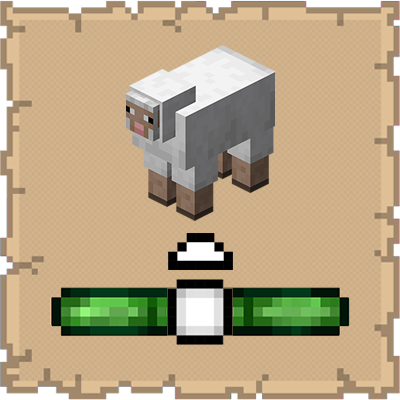
Mob Locator
This mod ports the locator bar mechanic to the mobs.
 mod
CurseForge + Modrinth · Minecraft
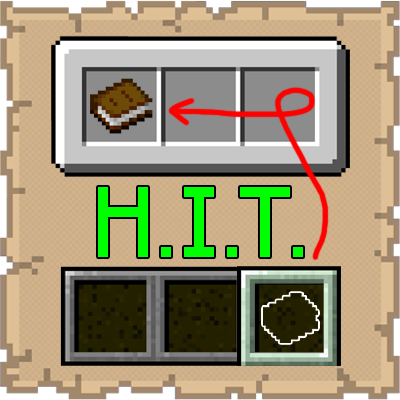
Hotbar Inventory Transfer
This mod lets you instantly send items from your hotbar back to your inventory without ever having to open it.
 mod
CurseForge + Modrinth · Minecraft
IMBlocker
A mod for Minecraft helping control input method