Minecraft version
Back to mods 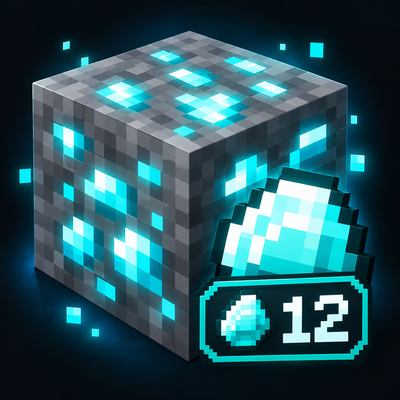
CurseForge · Minecraft mod
Live Ore Counter
Track every ore you mine in real time with a clean live counter HUD. Perfect for mining challenges, survival worlds, speedruns, and YouTube videos. Supports all major vanilla ores and keeps separate saved counts for each ore.
Choose a version Pick your version below, then grab the matching file.
Quick answer
Which Live Ore Counter release should I use?
Latest stable file OreCounter-NeoForge-1.2.1+mc26.x.jar
Game version 26.1, 26.1.1, 26.1.2
Loader NeoForge
Live Ore Counter OreCounter-NeoForge-1.2.1+mc26.x.jar targets 26.1, 26.1.1, 26.1.2 with NeoForge. The project page does not say whether this file belongs on the client, dedicated server, or both. No extra mods listed for this file.
Where it goes
Is Live Ore Counter required on the client, server, or both?
The project page does not say whether this file belongs on the client, dedicated server, or both.
Client Source doesn’t say
Dedicated server Source doesn’t say
Loader for this release NeoForge
Required install it here Optional supported, not mandatory Not supported do not install here Source doesn’t say do not assume
The source does not explicitly classify this release as client-only or server-only.
What else does Live Ore Counter OreCounter-NeoForge-1.2.1+mc26.x.jar need?
OreCounter-NeoForge-1.2.1+mc26.x.jar. Change the file and its required mods may change too.
This file does not list any required mods. Do not add a library just because a different file uses it.
This file does not list any required or optional mods.
Before you install it
Add Live Ore Counter without breaking your instance.
Built for Live Ore Counter OreCounter-NeoForge-1.2.1+mc26.x.jar. Pick another file and the loader, install side or required mods may change.
- 01
Stick to this file
Use OreCounter-NeoForge-1.2.1+mc26.x.jar. It targets 26.1, 26.1.1, 26.1.2 with NeoForge; another release may have different loader, side or dependency requirements.
- 02
Bring the mods it needs
This file does not list any required mods. Do not add a library just because a different file uses it.
- 03
Put it on the correct side
The project page does not say whether this file belongs on the client, dedicated server, or both.
- 04
Pick the file you checked
Use the “Get this file” button beside OreCounter-NeoForge-1.2.1+mc26.x.jar. It opens that exact file at the source.
About this project
What does Live Ore Counter add?
Live Ore Counter - Real-Time Minecraft Mining Tracker
Live Ore Counter is a lightweight Minecraft Fabric mod developed by Orbitt Labs that tracks mined ores in real time and displays your progress directly on your HUD.
Whether you're playing Minecraft Survival, attempting a mining challenge, speedrunning, or creating YouTube videos, Live Ore Counter helps you track every valuable resource you collect without manually counting.
The mod features Fortune-aware mining, persistent ore statistics, a customizable HUD, and a built-in challenge system designed for both casual players and dedicated Minecraft creators.
Real-Time Ore Tracking
Track Diamonds, Emeralds, Iron, Gold, Copper, Coal, Redstone, Lapis Lazuli, Nether Quartz, Nether Gold, and Ancient Debris as you mine.
The counter automatically detects the actual resources dropped, including additional drops from Fortune-enchanted tools. Ores mined using Silk Touch are ignored.
Every ore has its own saved counter. Switching from Diamond to Gold and back will preserve your previous Diamond count, even after restarting Minecraft.
Goal Mode - Minecraft Mining Challenges
Take your mining experience further with the built-in Goal Mode.
Choose between Hard, Extreme, and Insane difficulty levels to generate random mining challenges based on ore rarity. You can also create custom mining goals by selecting a specific ore and target amount.
Challenge Mode includes rerolls, a mining timer, milestone notifications at 25%, 50%, 75%, and 100% completion, and the ability to pause or resume your progress.
Your challenge progress is tracked separately from your lifetime ore statistics, ensuring your existing mining records remain unaffected.
Challenge yourself to mine 1,000,000 Diamonds, collect 2,000 Ancient Debris, or complete an Extreme mining challenge.
Commands and Statistics
/or commands for selecting ores, resetting counters, adjusting HUD visibility, managing challenges, and viewing mining statistics.
Use /or stats to view your saved ore totals, /or set diamond to track Diamonds, /or move to reposition your HUD, or /or goal mode youtuber to access the challenge system.
Commands are designed to be easy to use during regular gameplay and content creation.
Compatibility and Installation
Minecraft Version: 1.21.11+
Mod Loader: Fabric
Fabric API: Required
Environment: Primarily single-player
Install Fabric Loader and Fabric API, then place the downloaded Live Ore Counter JAR inside your Minecraft mods folder.
Launch Minecraft using your Fabric installation and start tracking your mining progress.
Support and Feedback
Found a bug, experienced an issue, or have a suggestion for a future update? Feedback is always appreciated and helps improve Live Ore Counter.
Discord: heavensexiled
About Orbitt Labs
Live Ore Counter is developed by Orbitt Labs, a studio focused on creating useful, innovative, and lightweight Minecraft mods and plugins.
More Minecraft projects, improvements, and updates are coming soon.
KEEP MINING. KEEP MODDING.
Project description from CurseForge.
Pick your setup
Live Ore Counter by Minecraft version and loader
Choose the version and loader you play, then open the matching release.
Minecraft version
26.2
1 loader buildMinecraft version
26.1.2
1 loader buildMinecraft version
26.1.1
1 loader buildMinecraft version
26.1
1 loader buildMinecraft version
1.21.11
1 loader buildCheck the dependencies, then try the file in a copied instance before changing a world you care about.
Recent files
Live Ore Counter versions and loaders
OreCounter-NeoForge-1.2.1+mc26.x.jar
OreCounter-NeoForge-1.2.1-mc26.x.jar
14 Nov 2026
Client Source doesn’t say Server Source doesn’t say Dependencies No extras listed Listed on Release listing
Check the 26.3 · NeoForge setup NeoForge26.126.1.126.1.2 release
0re Counter
OreCounter-1.2.1+mc1.21.11.jar
11 Oct 2026
Client Source doesn’t say Server Source doesn’t say Dependencies No extras listed Listed on Release listing
Check the 1.21.11 · Fabric setup Fabric1.21.11 release
Looking for an older file? The official CurseForge project page is in Resources.
 mod
CurseForge · Minecraft
CrazyPhone
A held-item smartphone : contacts, group texting, photos and optional Simple Voice Chat calls and voice messages.
 mod
CurseForge · Minecraft
Cyborg Players
This mods Adds Ai Cyborgs Powered by AI and Carpet / Herobot
 mod
CurseForge · Minecraft
MMD OreSpawn
Minecraft library mod that provides customizable spawning of ores in Minecraft.